Turn complex ideas into clear visuals.
Create illustrations, flowcharts, and data visuals for any subject. Describe what you need, refine it through conversation, and make your ideas easier to understand.
Try:
Free to start · 2 image credits, no card required
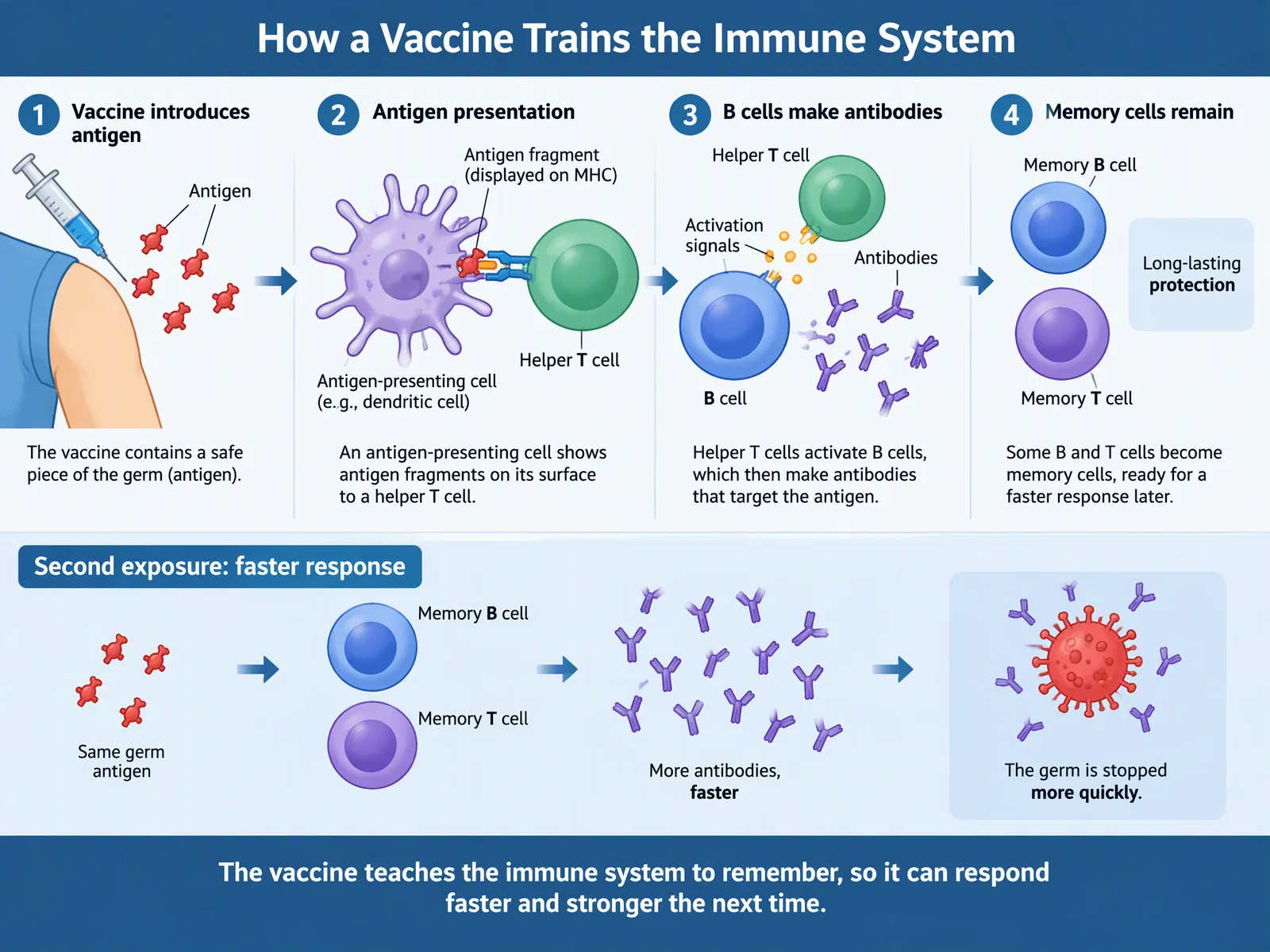
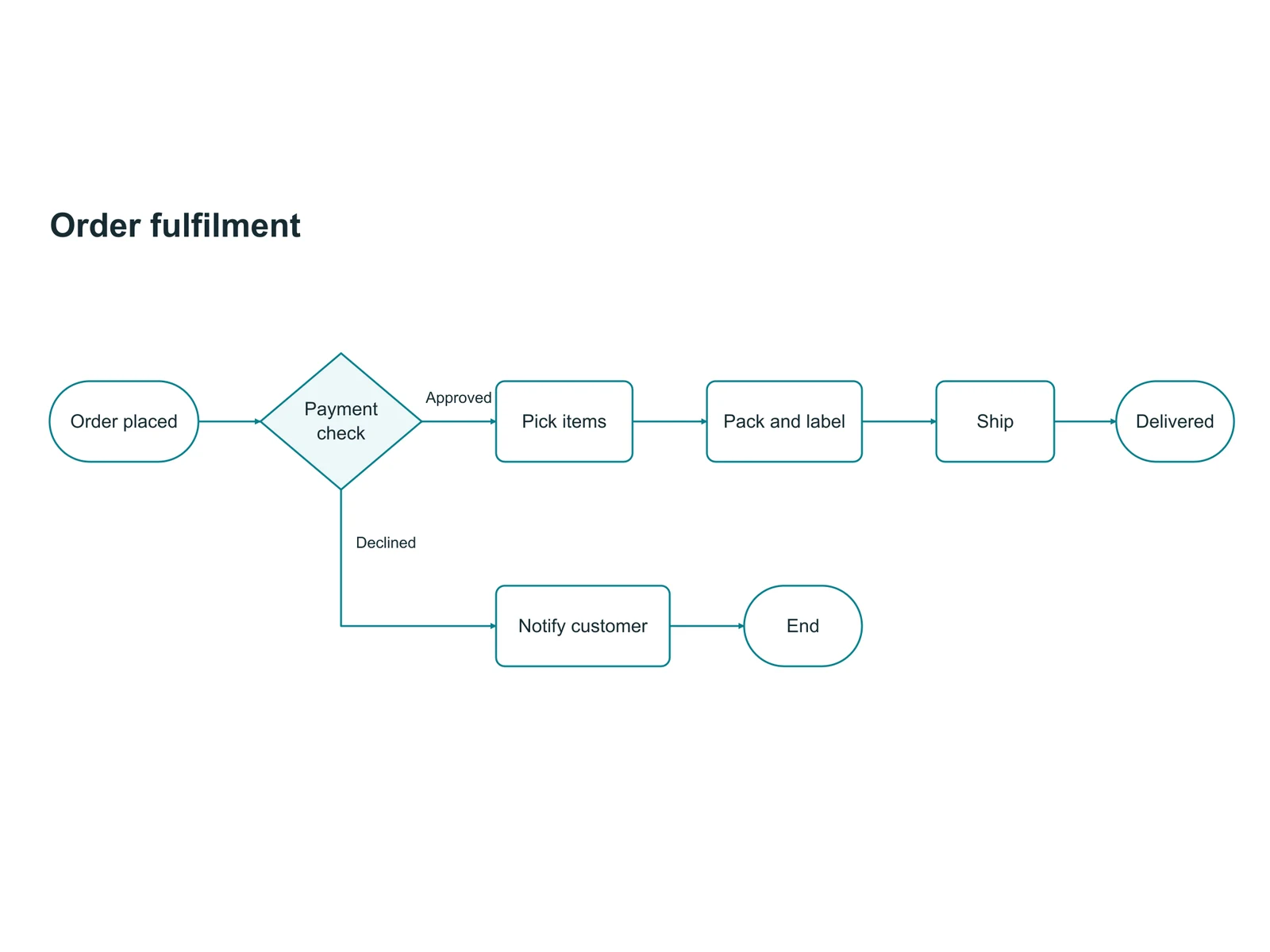
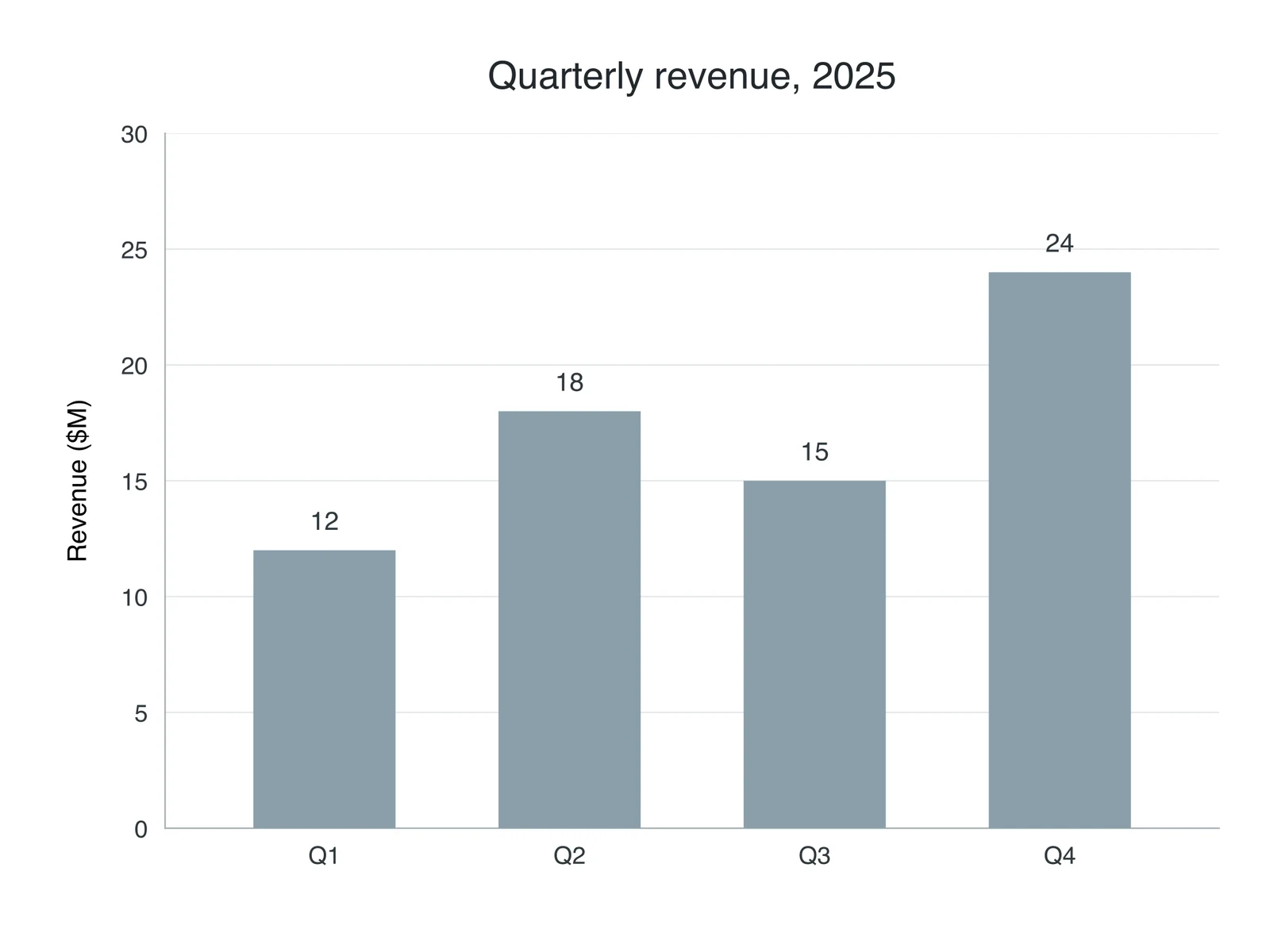
Change one thing. Keep everything else.
Ask for an edit in plain words. Agent shows its plan first, then draws a new version and keeps the old one.
Ask
In the Memory cells remain panel, add a small timeline under the two memory cells: Day 0, Day 7, Day 14. Keep everything else exactly as it is.
Check the plan
Agent writes the prompt and settings first. Nothing is generated, and no credit is spent, until you press Generate.
Get version 2
Added a Day 0, 7 and 14 timeline under the memory cells.
Keep both
Ask for changes in plain words; every version is kept. Download PNG or JPG, or export SVG and PPTX to keep editing.
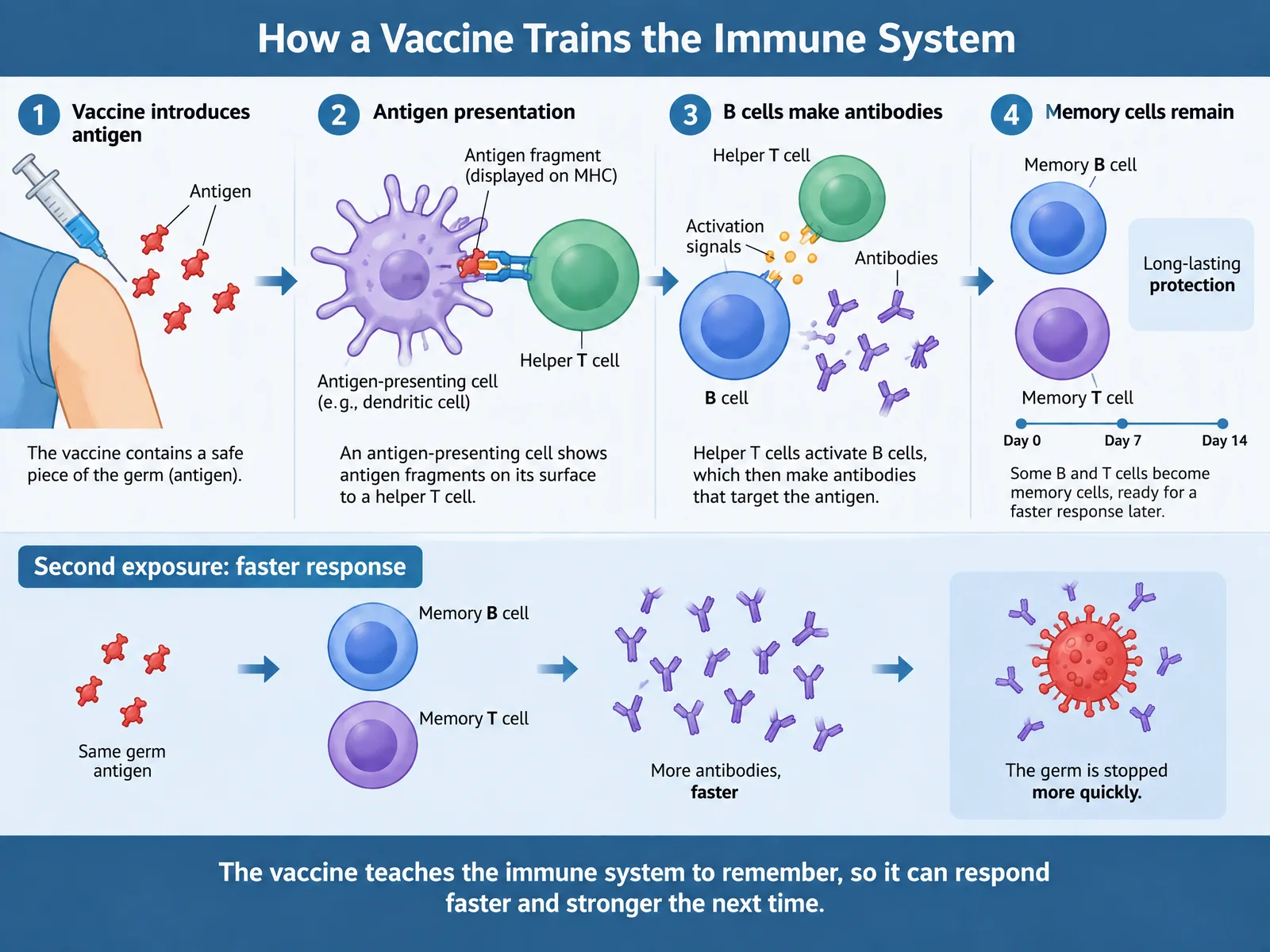
You: In the Memory cells remain panel, add a small timeline under the two memory cells: Day 0, Day 7, Day 14. Keep everything else exactly as it is.
- What changes:
- a Day 0 / 7 / 14 timeline under the memory cells
- What stays:
- everything else
- Cost:
- 1 credit when you press Generate
Added a Day 0, 7 and 14 timeline under the memory cells.
Made with Agent
Real outputs, straight from the product. Open one to read the request behind it.
Trusted by 40,000+ teachers, students and researchers.
I use ConceptViz to create and refine scientific visuals for my neuroimaging and brain-stimulation lectures. Being able to iterate directly on the figures makes it much easier to adapt complex material for different teaching contexts and audiences.
ConceptViz helps me transform complex ideas in green and sustainable chemistry into visuals that are easier to understand. This is particularly valuable when communicating science to Spanish-speaking students who may find English-language chemistry resources difficult to access.
I use ConceptViz to develop scientific visuals for my lecture notes, papers, and books in clinical microbiology and immunology. It gives me a practical way to translate complex medical concepts into clearer figures for both teaching and academic communication.
ConceptViz helps me turn complex data-analysis workflows into clear graphical summaries that show the broader picture beyond individual plots or results. The text-editing workflow works especially well—labels are captured cleanly and can be edited directly, which makes a real difference.
ConceptViz helps me explain plant disease cycles, host–pathogen interactions, and pathogen transmission through clear visual diagrams. I use these figures in lecture slides, classroom handouts, and assignments to make difficult biological concepts more engaging and easier for students to understand.
I teach clinical immunology to fourth-year students and update my slides every semester as the field evolves. ConceptViz helps me visualize cellular interactions and emerging topics such as CAR T-cell therapy and new biological treatments more precisely than verbal explanations alone.
A starting point for every subject.
Generators built for common figures, from free body diagrams to PRISMA flowcharts.
Try it free, then pick a plan.
Every plan includes Agent and Studio, with image credits each month.
Standard
45 credits / moFor individual figures
$20.83 / month
Billed yearly, or $29.90 monthly
Single figures, refined in conversation, with SVG export.
Pro
130 credits / moFor related sets of figures
$69.16 / month
Billed yearly, or $99.90 monthly
Documents, sets of up to 6 related figures, and PPTX export.
Max
220 credits / moFor high-volume production
$124.99 / month
Billed yearly, or $179.90 monthly
API access and the highest priority when busy.
Start free. 2 image credits and a short Agent trial, valid for 7 days. No card required.
Start creatingQuestions, answered.
Something else on your mind? Write to [email protected].
What is ConceptViz?
ConceptViz turns complex ideas into clear visuals. Describe what you need, and Agent creates scientific illustrations, flowcharts, and data charts, then refines them with you through conversation. It is used by teachers, students, and researchers across biology, chemistry, physics, medicine, engineering, and more.
How is it different from ChatGPT or other AI image tools?
General image tools return a picture and start over when you ask for a change. Agent shows its plan before anything is generated, picks the right way to draw each figure (an illustration, an editable SVG diagram, or an exact chart drawn from your numbers), changes only what you ask for, and keeps every version. You can also export SVG and PPTX files to keep editing.
Are the figures scientifically accurate?
Agent is built for scientific and technical figures, and charts are drawn from the numbers you give. Illustrations are still AI-generated, so review each one before you use it in class or in a paper. If something is off, describe the fix and Agent makes a new version.
Can I edit a figure after it is made?
Yes. Ask for changes in plain words, such as "add a timeline under the memory cells", and Agent makes a new version while keeping the old one. You can also export SVG (2 credits) to edit in Figma, Illustrator, or Inkscape, and PPTX on Pro and Max (4 credits).
Can Agent work from my notes or papers?
On Pro and Max, you can upload documents for Agent to read. It then plans a set of up to 6 related figures from your brief or your documents, and you review the plan before anything is generated.
How does pricing work?
Start free with 2 image credits and a short Agent trial, valid for 7 days, no card required. Figures made with Agent during the trial have no watermark. Standard, Pro, and Max plans include Agent and Studio, with image credits every month, billed monthly or yearly. Image packs are also available for Studio. See the pricing page for details.
Can I use the figures in papers, slides, and commercial work?
Yes. Paid plans include commercial use, so you can use your figures in papers, theses, slides, worksheets, courses, and published materials.
What happens to my prompts and figures?
We store your prompts and figures so you can come back to them and keep every version. You can delete figures you no longer want.
Your next figure starts with a sentence.
Describe it, check the plan, and refine it until it is right.
Try:
Free to start · 2 image credits, no card required