Anatomical Drawing Generator AI Anatomy Illustrations
AI anatomy generator that turns a description into a labeled anatomical drawing. Describe a body part or system — the skeleton, muscles, a joint, the spine — and generate a clean anatomy illustration for study, teaching, and presentations. Free, and AI-powered, so review for accuracy before clinical or teaching use.
Create Your Anatomical Drawing
Preview is free on this page ·
Your anatomical drawing will appear here
Describe what you need and click Generate
Anatomy Drawing Examples
Labeled anatomical drawings across the skeletal, muscular, joint, and regional systems
Skeletal System
The whole skeleton in front view — cranium, rib cage, pelvis, and limb bones, each labeled with leader lines.
Muscular System
Major muscle groups from face to feet, drawn with muscle-fiber direction and labeled for study.
Hand Anatomy
Dorsal and palmar views of the hand — all 27 bones plus the extensor and flexor tendons.
Spine Anatomy
The vertebral column in side view, showing the natural curves and labeled C1–C7, T1–T12, L1–L5.
Joint Anatomy
A synovial joint in cross-section — articular cartilage, synovial membrane, capsule, and ligaments.
Foot Anatomy
Lateral and dorsal views of the foot skeleton, with the three arches marked.
What is the AI anatomy generator?
This AI anatomy generator turns a plain-English description into a labeled anatomical drawing. Type the body part or system you want — the skeleton, the muscular system, a joint, the spine, the hand — and the tool generates an anatomy illustration with the major structures shown and labeled. It is built for the moment you need a clear visual fast: a slide for a lecture, a figure for study notes, or a reference image while you revise. You describe what you need in your own words, and you get a clean illustration back in seconds, no drawing skill required.
How to generate an anatomy drawing
- Describe the anatomy you want — name the body part or system and the view (anterior, lateral, cross-section) so the drawing matches what you need.
- Add the structures that matter to you. Listing specific bones, muscles, or landmarks tells the generator what to label.
- Pick an aspect ratio and quality, then generate. Portrait suits a full-body figure; square or landscape suits a single region.
- Review the result for accuracy, then download it to drop into slides, worksheets, study notes, or a presentation.
What you can illustrate
The generator covers the systems most often needed for biology and health-science teaching. You can create skeletal drawings of the whole skeleton or a single region, muscular-system illustrations with major muscle groups, and joint cross-sections showing cartilage, the synovial membrane, and ligaments. Regional anatomy — the hand, foot, shoulder, hip, spine, and ribcage — works well because you can ask for both dorsal and palmar or anterior and lateral views in one image. For organ-level and surgical illustration, the Medical Illustration generator is the better fit; this tool focuses on the anatomy drawings that support study and classroom explanation.
Who anatomy illustrations are for
Anatomy drawings carry a lot of teaching in a single image, which is why they are a staple for educators and students. Teachers use generated illustrations to build labeled slides and handouts without hunting for a license-clear figure. Students use them as study aids — generating a clean version of the skeleton or the muscle groups they are revising and labeling it themselves. Presenters and content creators use them when a written explanation needs a supporting visual. Because you describe exactly what you want, the drawing can be scoped to the one system or region a lesson is about, rather than a busy all-in-one chart.
Writing a good anatomy prompt
The clearest drawings come from specific prompts. Name the structure and the view first — "the human knee joint in cross-section" beats "a knee" — then list the parts you want labeled, such as the femur, tibia, patella, meniscus, and cruciate ligaments. Add a style cue if it helps: "clean line art," "anatomical colors," or "textbook illustration style." If a first result is too crowded or misses a label, narrow the request to fewer structures or a single view and generate again. Small, specific prompts almost always produce more readable anatomy illustrations than one prompt that asks for everything at once.
AI accuracy and honest limits
These are AI-generated illustrations, not verified medical reference. The generator is excellent for clear, recognizable anatomy drawings that explain a concept, but it can place a label imprecisely, simplify fine structure, or miss a detail. Treat the output as a teaching and study aid: review it against a trusted textbook or atlas before you rely on it in a lesson, an assessment, or any clinical context, and correct or relabel anything that is not right. Used that way — as a fast first draft you check — the tool saves real time without pretending to be a substitute for an anatomist or a peer-reviewed source.
Frequently Asked Questions
Related Anatomy Tools
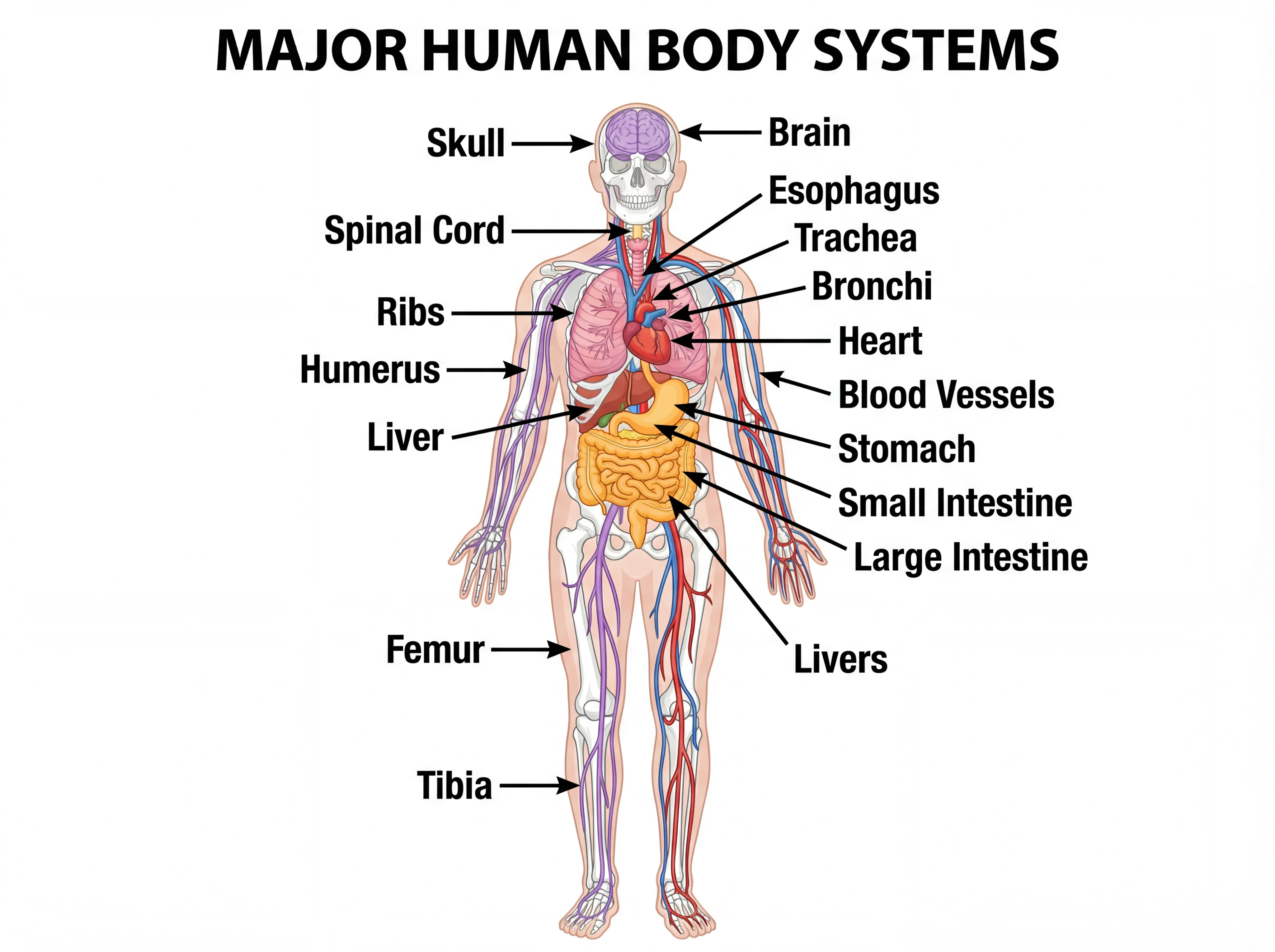 Biology
Human Body Systems Diagram Generator
Create labeled diagrams of the body systems — skeletal, muscular, circulatory, and more.
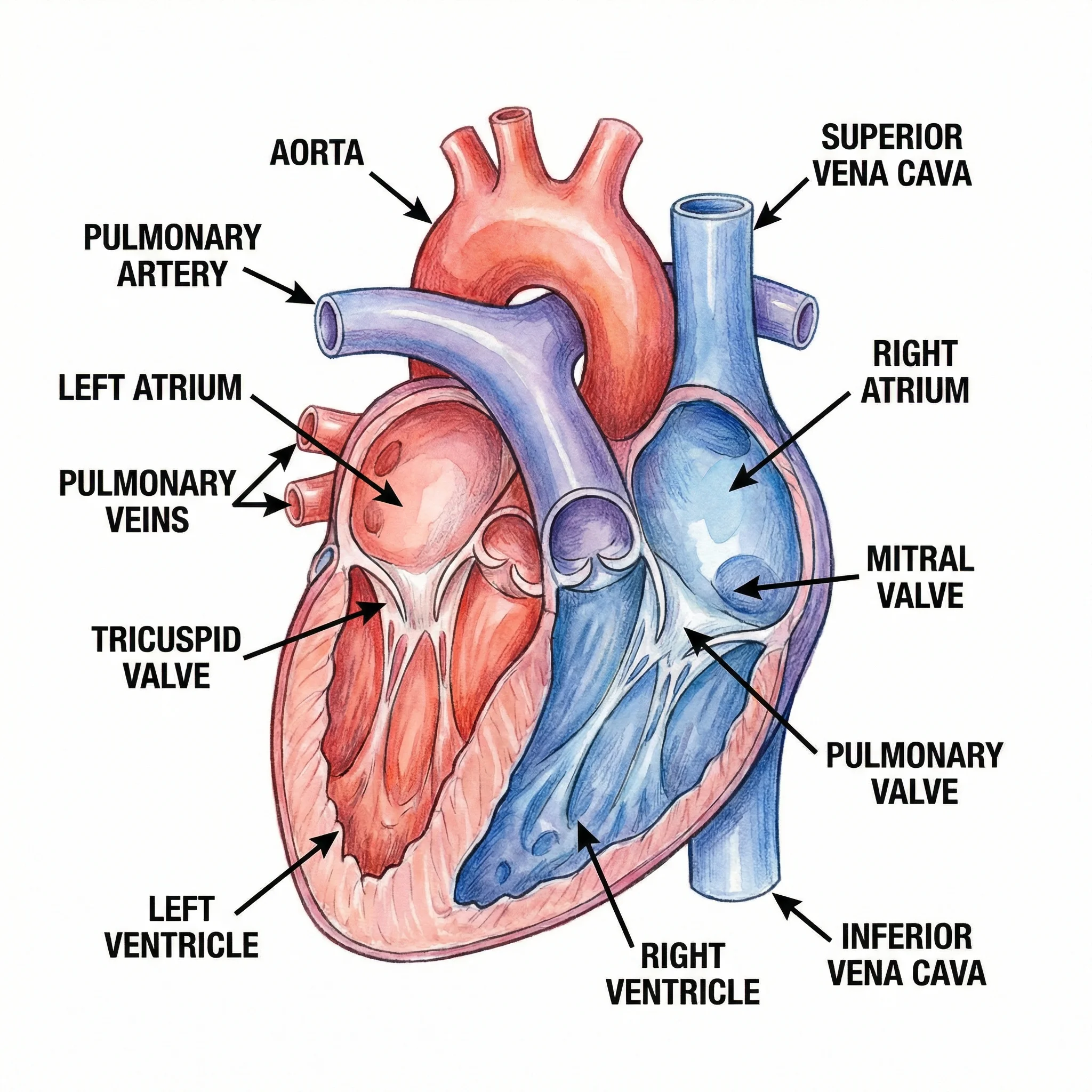 Medical
AI Medical Illustration Generator
Generate detailed medical and surgical illustrations — organs, body systems, and procedures.
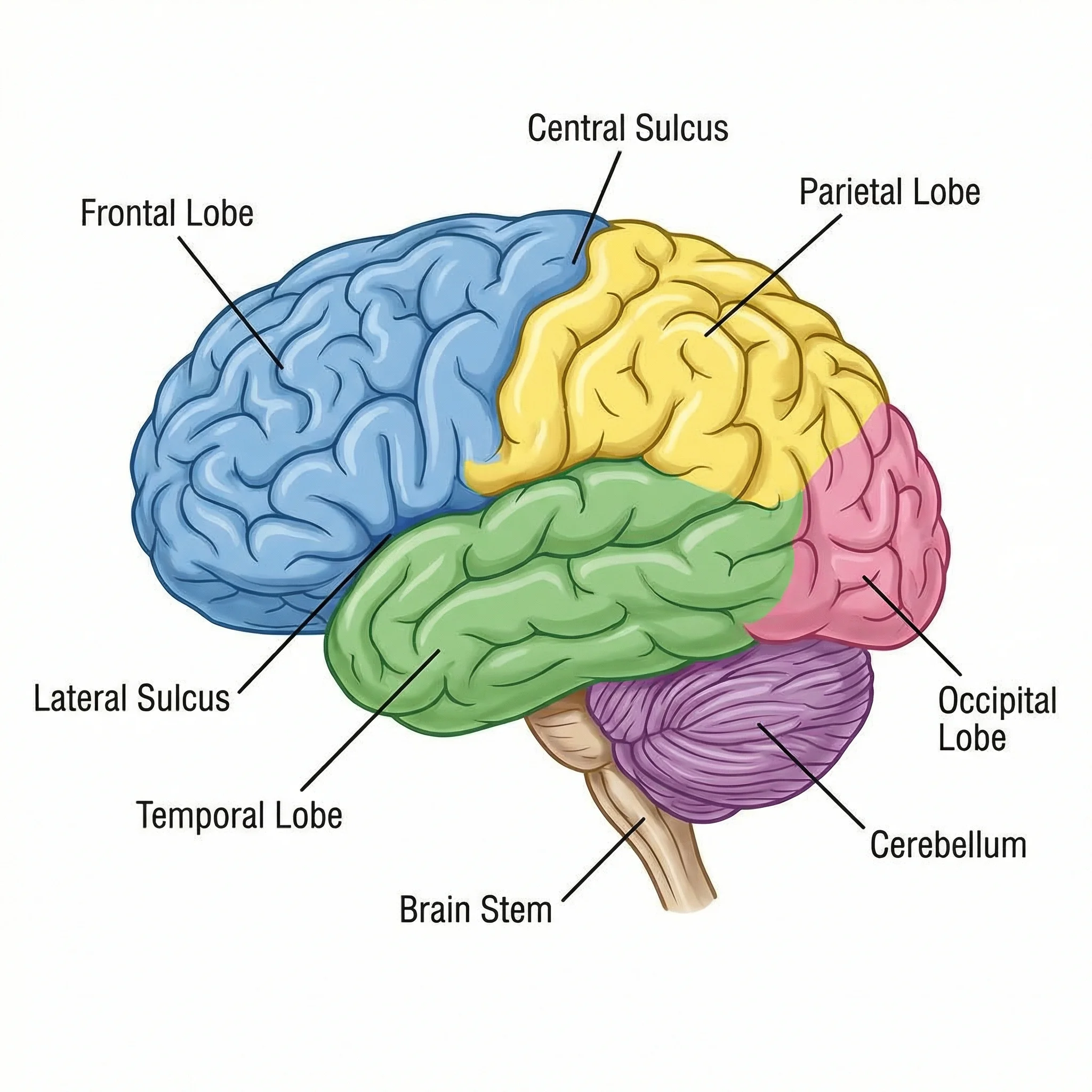 Biology
Brain Diagram Generator
Make labeled brain diagrams showing the lobes, structures, and functional regions.