Figure Resolution & DPI Requirements by Journal
Figure DPI, format and column-width requirements for Nature, Science, Cell, Elsevier, Springer, ACS, IEEE and more, checked against official author guides.
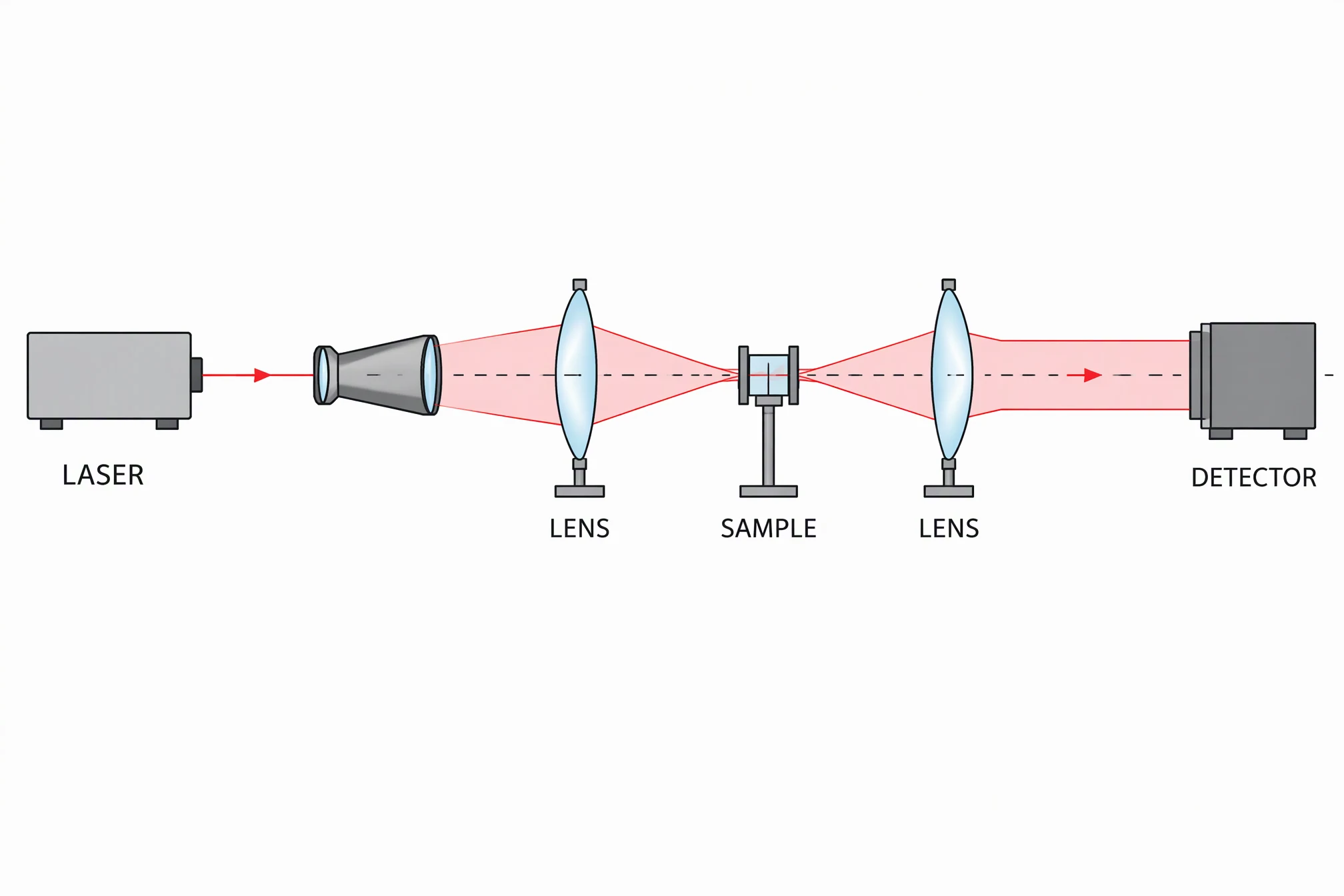
Describe a method, apparatus or concept and get a clean 2K figure draft. Check every label and the pixel width before you submit.
Start with this diagram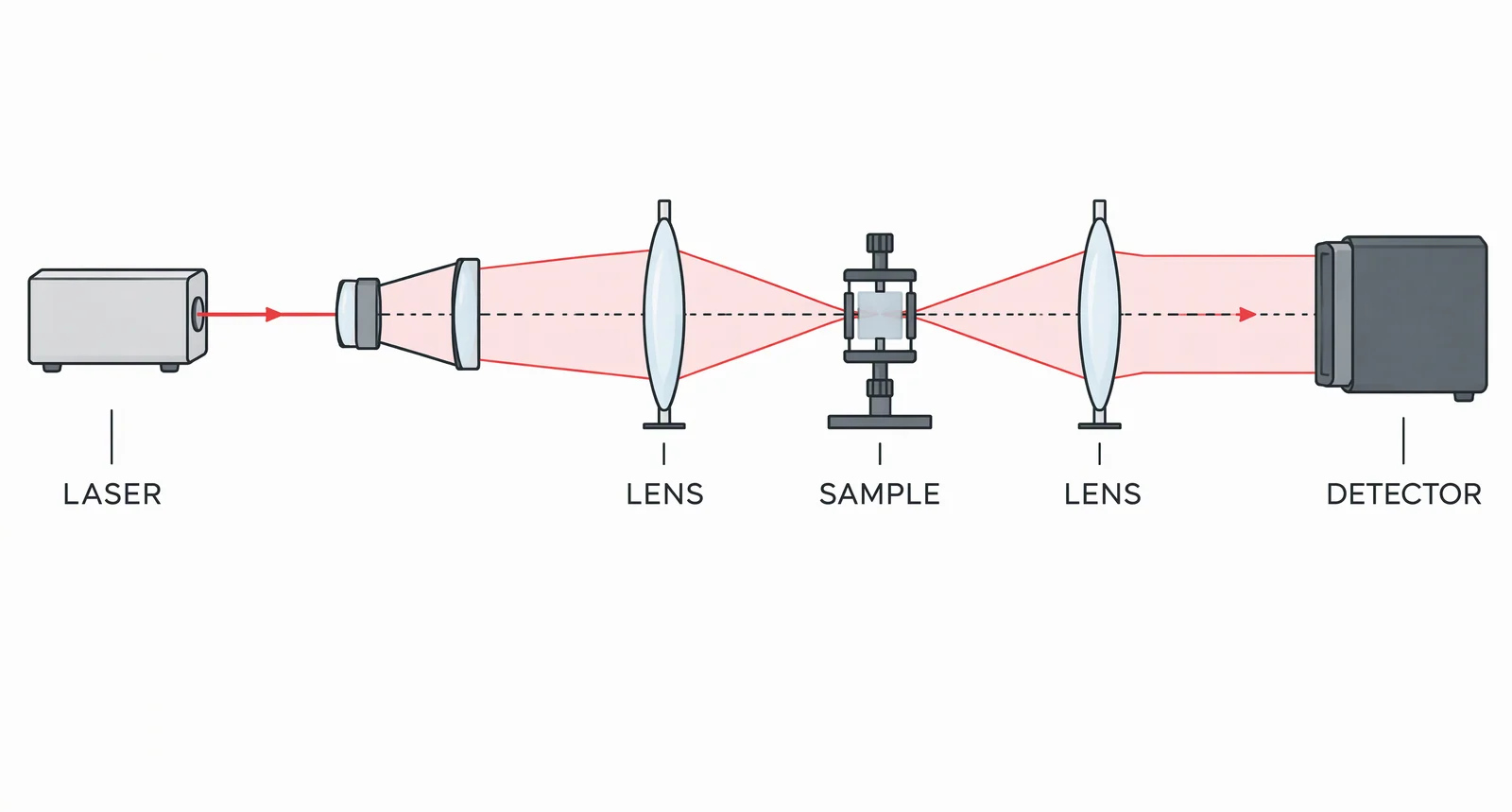
Most journals want photographs and colour images at 300 dpi or more at final print size, combination figures (photo plus text or lines) at 500 to 600 dpi, and black-and-white line art at 1000 to 1200 dpi. The tiers are not universal: Wiley asks for 600 dpi line art, Science and Frontiers name a single 300 dpi floor, and Nature gives no line-art number at all because it wants vector files. The table below lists 13 publishers, each read from its own author guide in November 2026 (four of them from archived copies, noted below the table).
Figure resolution by journal: the quick table
"Not stated" means the page we read gives no value for that cell, not that anything is accepted. Resolution is always meant at final printed size, so a 300 dpi file placed at double its intended width is really 150 dpi. Journals say "dpi" and "ppi" interchangeably, and so do we.
| Publisher | Photos, colour, halftone | Line art | Combination (photo plus text or lines) | Official source |
|---|---|---|---|---|
| Nature | 300 to 600 dpi (TIFF or layered PSD); photographic images "at a minimum of 300 dpi" | Not stated as a dpi; vector (AI, EPS, PDF) asked for line drawings and graphs | Not stated as a dpi; vector asked for figures combining text and line art with photos | Final submission, Figure specifications |
| Science | Grayscale and colour: minimum 300 dpi at final size | Not available as vector: at least 300 dpi, "preferably higher" | Not stated (vector and raster combinations go in as PDF or EPS) | Instructions for revised manuscripts |
| Cell Press | Colour or grayscale: at least 300 dpi | Line art: at least 1,000 dpi; black and white: at least 500 dpi | Not stated | Figure guidelines |
| Elsevier | Halftone: 300 dpi | 1000 dpi | 500 dpi | Artwork sizing |
| PLOS | At least 300 ppi; submit at 300 to 600 dpi | Not stated separately | Figures with many pictures, charts or small text "render best at a resolution of 600 dpi" | PLOS ONE figures |
| Wiley | Images: 300 dpi | 600 dpi | Follow the line art guideline (600 dpi) | Guidelines for preparing figures |
| Springer | Halftone: minimum 300 dpi | Scanned or bitmap line drawings: minimum 1200 dpi | Minimum 600 dpi | Springer Instructions for Authors (PDF) |
| ACS | Colour art: 300 dpi; grayscale art: 600 dpi | Black and white line art: 1200 dpi | Not stated | ACS author guidelines, Appendix 2 |
| IEEE | Colour and grayscale: over 300 dpi | Black and white line art: over 600 dpi | Not stated | IEEE Resolution and Size |
| Frontiers | "All images" 300 dpi at final size | Not stated separately | Not stated separately | Author guidelines |
| BMJ | Non-vector files (TIFF, JPEG): minimum 300 dpi | 1200 dpi | Not stated | Formatting your paper |
| JAMA | Photo or colour illustration: 300 ppi or higher | Line illustration: 1200 ppi or higher | 600 ppi or higher (photo with text) | Technical Requirements for Figures (PDF) |
| MDPI | Minimum 600 dpi recommended for all figures | Not stated separately (600 dpi minimum applies) | Not stated separately (600 dpi minimum applies) | MDPI Author Layout Style Guide |
Notes on the sources: Cell Press, Science, MDPI and JAMA block automated page loads, so we read those four from Internet Archive copies of the official pages (Cell Press April 2025, Science March 2025, MDPI October 2026, JAMA July 2017; the JAMA copy is old, so treat its row with extra care). Re-open the live page before you finalise. Springer and ACS publish guidelines per journal; the Springer figures come from a Springer journal's Instructions for Authors PDF and the ACS figures from the ACS Engineering Au page, which carries the shared Appendix 2. JAMA's text also asks for photographs at a minimum width of 5 inches at 350 ppi, slightly above its 300 ppi table row. Your target journal's own page always wins.
File formats and column widths by journal
| Publisher | Accepted or preferred formats | Single column | Double column | Page checked |
|---|---|---|---|---|
| Nature | TIFF or layered PSD for raster; AI, PostScript, vector EPS or PDF for line drawings and graphs; JPEG (300 to 600 dpi) if nothing else is possible | 89 mm | 183 mm (column-and-a-half 120 to 136 mm) | Final submission |
| Science | Vector PDF, EPS or AI preferred; raster illustrations as TIFF at 300 dpi or more; raster photos or microscopy as TIFF | 5.7 cm | 12.1 cm (2 columns) or 18.4 cm (3 columns) | Revised manuscripts |
| Cell Press | TIFF and PDF preferred for final files; EPS, JPEG and CDX also accepted; colour "should be encoded as RGB" | 8.5 cm | 17.4 cm (1.5 column: 11.4 cm) | Figure guidelines |
| Elsevier | EPS, PDF, TIFF or JPEG; EPS preferred for vector, TIFF for bitmap line art and halftones; Office files also accepted | 90 mm | 190 mm (1.5 column: 140 mm) | Artwork sizing and overview |
| PLOS | TIFF or EPS only | Not stated | Width 6.68 to 19.05 cm (789 to 2250 px at 300 dpi); maximum height 22.23 cm | PLOS ONE figures |
| Wiley | PDF preferred for line art; PNG or TIFF for images; any standard file type accepted | Not stated | Figures created at 80 to 180 mm wide | Preparing figures |
| Springer | EPS preferred for vector, TIFF for halftones; Office files also acceptable | 39 or 84 mm (the guide lists 39, 84, 129 and 174 mm without column labels) | 129 or 174 mm (for most journals) | Instructions for Authors |
| ACS | Not stated on the page we read | Up to 240 pt (3.33 in) | 300 to 504 pt (4.167 to 7 in) | Appendix 2 |
| IEEE | PS, EPS, PDF, PNG or TIFF | 3.5 in (88.9 mm) | 7.16 in (182 mm) | Resolution and Size; File Formatting |
| Frontiers | TIFF, JPEG, or EPS (EPS on acceptance) | 85 mm | 180 mm | Author guidelines |
| BMJ | TIFF, EPS, JPEG or PDF; TIFF must be a single-layer flat file | Not stated | Not stated | Formatting your paper |
| JAMA | TIF, EPS, PSD, PDF, JPG, AI (varies by figure type) | Not stated | Not stated | Technical Requirements |
| MDPI | Any common format, "including (but not limited to) tif, jpg, and png"; all files are published as TIFF | Not stated | Not stated | Author Layout Style Guide |
Values read in November 2026, from archived copies where noted above. Related guides on this site cover the details that sit beside resolution: Nature, Science and Cell figure size and fonts and, for the small thumbnail image journals ask for separately, TOC graphic requirements by journal.
What DPI do journals require for figures?
Most journals require at least 300 dpi for photographs and colour images, about 500 to 600 dpi for combination figures, and 1000 to 1200 dpi for black-and-white line art, all measured at final printed size. Elsevier (500 dpi), Springer (600 dpi) and JAMA (600 ppi) state a separate combination tier; Wiley, IEEE, MDPI and Nature use different rules.
DPI to pixels: how big must the file be?
A dpi number means nothing until you know the printed width. Multiply the two: pixels = dpi × width in inches (millimetres ÷ 25.4). A file that is "300 dpi" but only 600 px wide is a 2-inch figure; stretch it to a 3.5 inch column and it is 171 dpi.
| Printed width | At 300 dpi | At 600 dpi | At 1200 dpi |
|---|---|---|---|
| 85 mm (Cell, Frontiers single column) | 1004 px | 2008 px | 4016 px |
| 89 mm (Nature single column; IEEE 3.5 in) | 1051 px | 2102 px | 4205 px |
| 90 mm (Elsevier single column) | 1063 px | 2126 px | 4252 px |
| 174 mm (Cell full width, Springer) | 2055 px | 4110 px | 8220 px |
| 180 mm (Frontiers double column) | 2126 px | 4252 px | 8504 px |
| 183 mm (Nature double column) | 2161 px | 4323 px | 8646 px |
| 190 mm (Elsevier double column) | 2244 px | 4488 px | 8976 px |
Two practical points. First, size the figure to the column and then check the resolution; resizing later changes it. Science puts it plainly: reducing the dimensions of an image by 50% doubles its effective resolution, and doubling the dimensions halves it. Second, pixel counts for line art get large quickly (a 1200 dpi single-column figure is over 4000 px wide), which is why journals would rather have vector files for graphs and diagrams.
A worked example: a 2K and a 4K figure
We generated a non-biological test figure, an optical experiment setup (laser, lenses, sample, detector), in ConceptViz with the same prompt at the 2K and 4K 3:2 sizes. These are two separate generations, so the drawings differ slightly; what matters here is the pixel count. The 2K file is 2016 × 1344 px and the 4K file is 3072 × 2048 px.
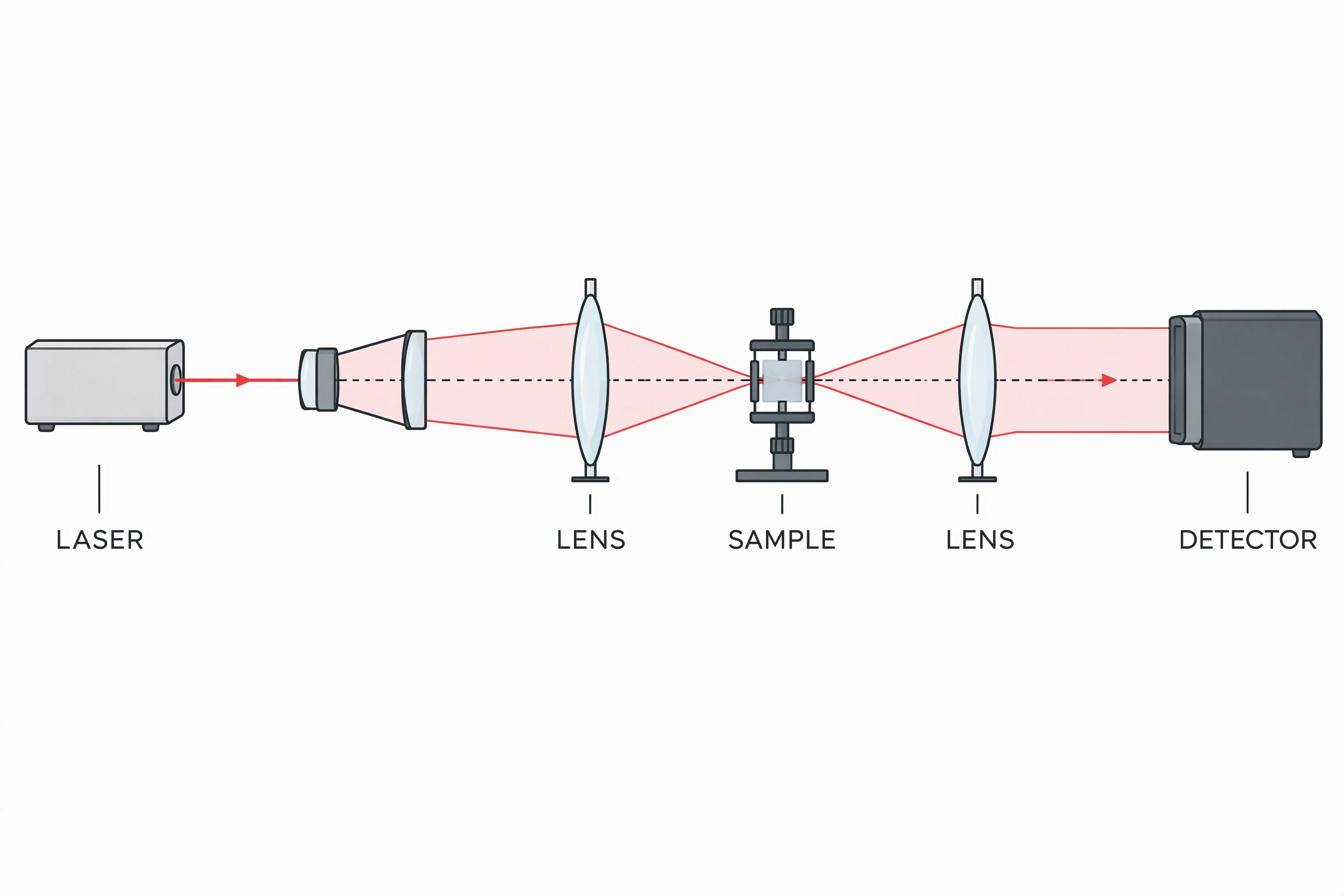
Here is what those pixel counts give you at common journal widths (pixels ÷ width in inches):
| File | At 89 mm (single column) | At 183 mm (double column) |
|---|---|---|
| 2K, 2016 px wide | about 575 ppi | about 280 ppi |
| 4K, 3072 px wide | about 877 ppi | about 426 ppi |
So a 2K file clears the 300 ppi tier at a single column but falls just short at a full double-column width, and a 4K file clears it comfortably at both. Neither reaches the 1000 to 1200 dpi that Cell Press, Elsevier, Springer, ACS and BMJ ask of true line art, which is the case for a vector file instead.
The next image shows what "enough pixels" means. We took the 4K figure, set it to 7 inches wide, and made two versions: 504 px (72 ppi, a typical screen export or screenshot) and 2100 px (300 ppi). The same region of each, the sample holder and its label, is shown at the same size. Nothing was retouched; the left side is blurry only because it has a quarter of the information.
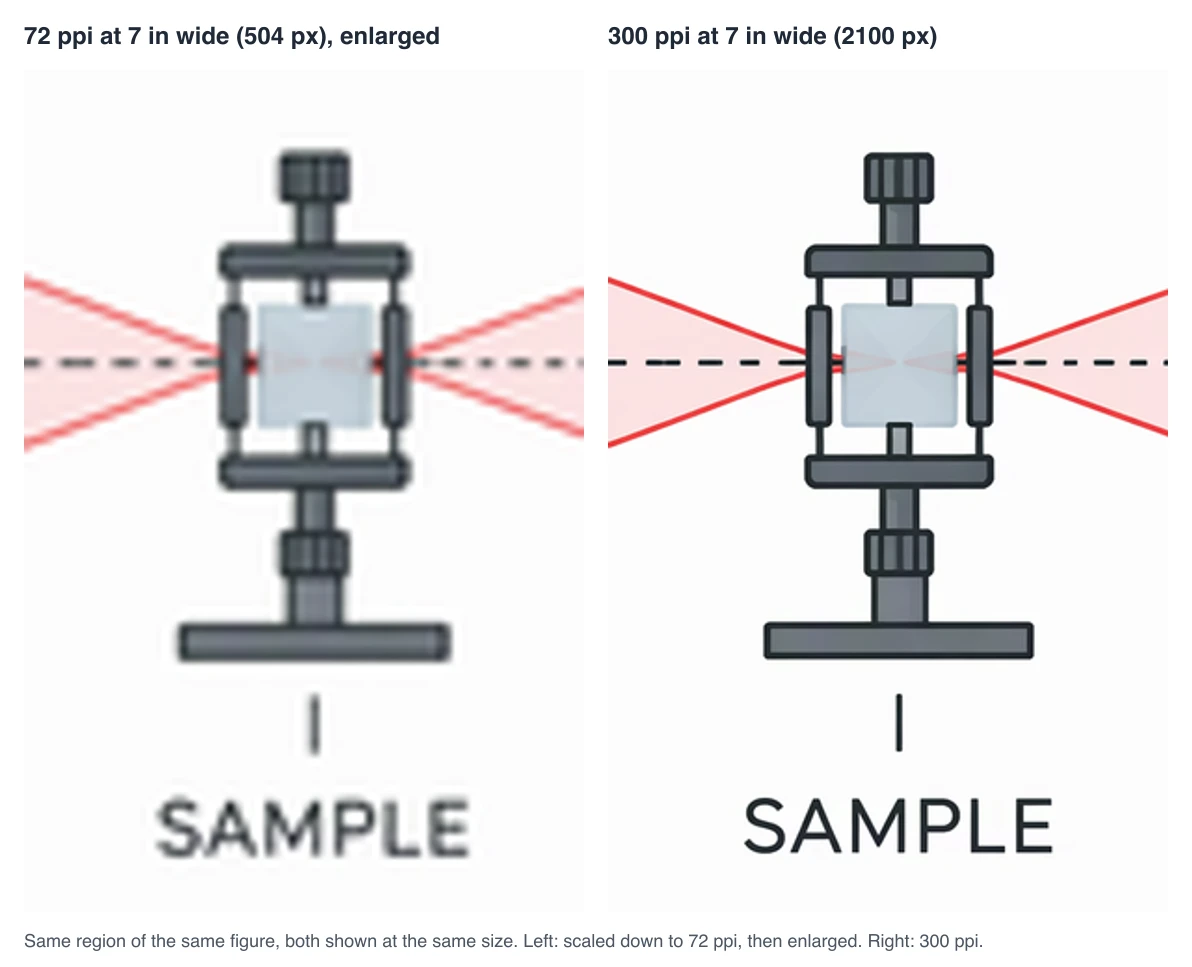
PLOS warns about exactly this: "Do not drag/drop or copy/paste images into the file, because this results in a 72 dpi image," and says a figure "is only as good as the lowest-resolution element present."
Vector or bitmap: which should you submit?
Use vector (EPS, PDF, AI) for graphs, flowcharts, diagrams and anything made of lines and text. It stays sharp at every size and avoids the 1000 to 1200 dpi pixel counts. Science says it is "best to create your figures as vector-based files", IEEE lists PS, EPS and PDF as its vector formats and recommends them for resizing, and Nature asks for AI, EPS or PDF for figures with line drawings and graphs. Use bitmap (TIFF is the safe choice, PNG where the journal accepts it) for photographs, micrographs and any image whose detail is pixels. When one figure has both, a vector wrapper (PDF or EPS) around embedded images at full resolution usually works best, because, as PLOS notes, the weakest element sets the quality.
ConceptViz produces raster images. Tool pages such as the AI Scientific Image Generator generate at 2K; ConceptViz Studio can also generate at 4K, which uses more credits. The tool page's download menu offers JPEG and PDF. To get an SVG, convert the image in ConceptViz Studio or the image-to-SVG converter. Be clear about what that SVG is: a trace, with text converted to outlines, so the file scales cleanly but the lettering is not editable text. Also remember that a "300 DPI" tag in a file is only metadata; what counts is the pixel width, using the table above.
Why figures get sent back
The same few problems recur:
- A screenshot or web image enlarged to fit. Science warns that "doubling the dimensions of the image will cut resolution by 50%, increase visible pixilation, and degrade image quality," and Nature says artificially increasing resolution in an artwork program "will not improve its quality."
- JPEG compression. Nature says that where JPEG is the only option, quality should be "set to the highest possible to minimize loss of information." Wiley prefers PNG or TIFF for images and PLOS takes TIFF or EPS only. Save from the original, not from an already compressed JPEG.
- The wrong colour space. Nature recommends RGB and says that for print its artwork is converted to CMYK automatically; Cell Press says "color should be encoded as RGB". Do not convert to CMYK yourself unless the journal asks.
- Wrong width or text too small. Nature, Science and Cell set text ranges at final size; PLOS and Wiley give pixel and millimetre widths. Check the figure at its printed size.
- A layered or multi-page file. BMJ cannot accept TIFF files with multiple pages and wants one flat file per figure.
- File too large. PLOS and Wiley cap files at 10 MB, Cell Press at 20 MB, and JAMA recommends 1 MB or less at submission.
Checklist before you upload
- Open the target journal's own page, not just the publisher default.
- Decide the printed width first (single column, 1.5 column, double column).
- Work out pixels = dpi × inches; make the file at least that big.
- Use vector for graphs and diagrams, TIFF for photos and micrographs.
- Export from the source, never from a screenshot or a compressed JPEG.
- Keep RGB unless the journal asks for CMYK.
- Open the exported file at 100% and check text and thin lines.
- Check the journal's policy on AI-generated images before you submit one; policies differ by publisher and some restrict them.
Frequently asked questions
What dpi do I need for a journal figure? For photographs and colour images, 300 dpi at final print size is the common floor (Nature, Science, Cell Press, Elsevier, Springer, IEEE, Frontiers and BMJ all state at least 300; MDPI recommends at least 600 for every figure). Line art needs more: 1000 to 1200 dpi at Cell Press, Elsevier, Springer, ACS, BMJ and JAMA, and 600 dpi at Wiley and IEEE.
Does a 300 dpi figure mean the file is 300 pixels wide? No. dpi is pixels per inch at the printed size, so a 3.5-inch column at 300 dpi needs about 1050 pixels. The same pixels printed at 7 inches are only 150 dpi. Always multiply dpi by the printed width.
Can I submit a PNG or JPEG instead of TIFF? Sometimes. IEEE accepts PNG, Frontiers accepts JPEG, and Wiley prefers PNG or TIFF for images, but PLOS accepts TIFF or EPS only and Nature prefers TIFF or PSD for raster. Check the journal's format list first.
Are vector figures better than high-dpi bitmaps? For graphs, flowcharts and diagrams, yes. A vector file scales to any column width without losing sharpness and avoids 1000 to 1200 dpi pixel counts. Photographs and micrographs stay bitmap.
Can I use an AI image generator for a journal figure? Only if the journal's policy allows it, and many restrict AI-generated images or require disclosure. If you use a generated diagram, check the policy first, verify every label and get the pixel width right using the table above. For graphical abstracts specifically, see TOC graphic requirements by journal.
Related guides
- TOC graphic requirements by journal: sizes and formats
- Nature figure size, font size and guidelines (plus Science and Cell)
- How to create a graphical abstract for a research paper
- Graphical Abstract Maker
AI Scientific Image Generator
Generate a clean method or concept figure, then check the pixel width against the table above before you submit.
Draft a figure →Sources
All read November 2026 unless noted (Cell Press, Science, MDPI and JAMA from Internet Archive copies, see the note under the first table):
- Nature, Final submission and Preparing figures: our specifications
- Science, Instructions for preparing a revised manuscript
- Cell Press, Figure guidelines
- Elsevier, Artwork sizing and Artwork overview
- PLOS ONE, Figures
- Wiley, Guidelines for preparing figures
- Springer, Instructions for Authors (PDF)
- ACS, Author guidelines
- IEEE, Resolution and Size and File Formatting
- Frontiers, Author guidelines
- BMJ, Formatting your paper
- JAMA, Technical Requirements for Figures (PDF)
- MDPI, Author Layout Style Guide
Categories
More Posts
How to Use ConceptViz Studio: The Complete Guide
Master ConceptViz Studio: prompts, rules, styles, @ mentions, voice input, and output settings. A step-by-step guide to generating consistent visuals faster.
How to Draw a Volcano: Step-by-Step (Easy Labeled Diagram)
Learn how to draw a volcano step by step, an easy labeled cross-section for science class with simple shapes, plus a free instant generator.

Nature Figure Size, Font Size & Guidelines (+ Science, Cell)
Nature figures are 89 or 183 mm wide, with 5 to 7 pt text and 8 pt bold panel labels. Nature, Science and Cell specs with official links, checked October 2026.