Agent guide
How to get great figures from ConceptViz Agent
Upload a rough sketch and say who it is for. Agent redraws it cleanly, and when something is off, one sentence fixes only that part.
Every example on this page is a real Agent session. Only the waiting is shortened.
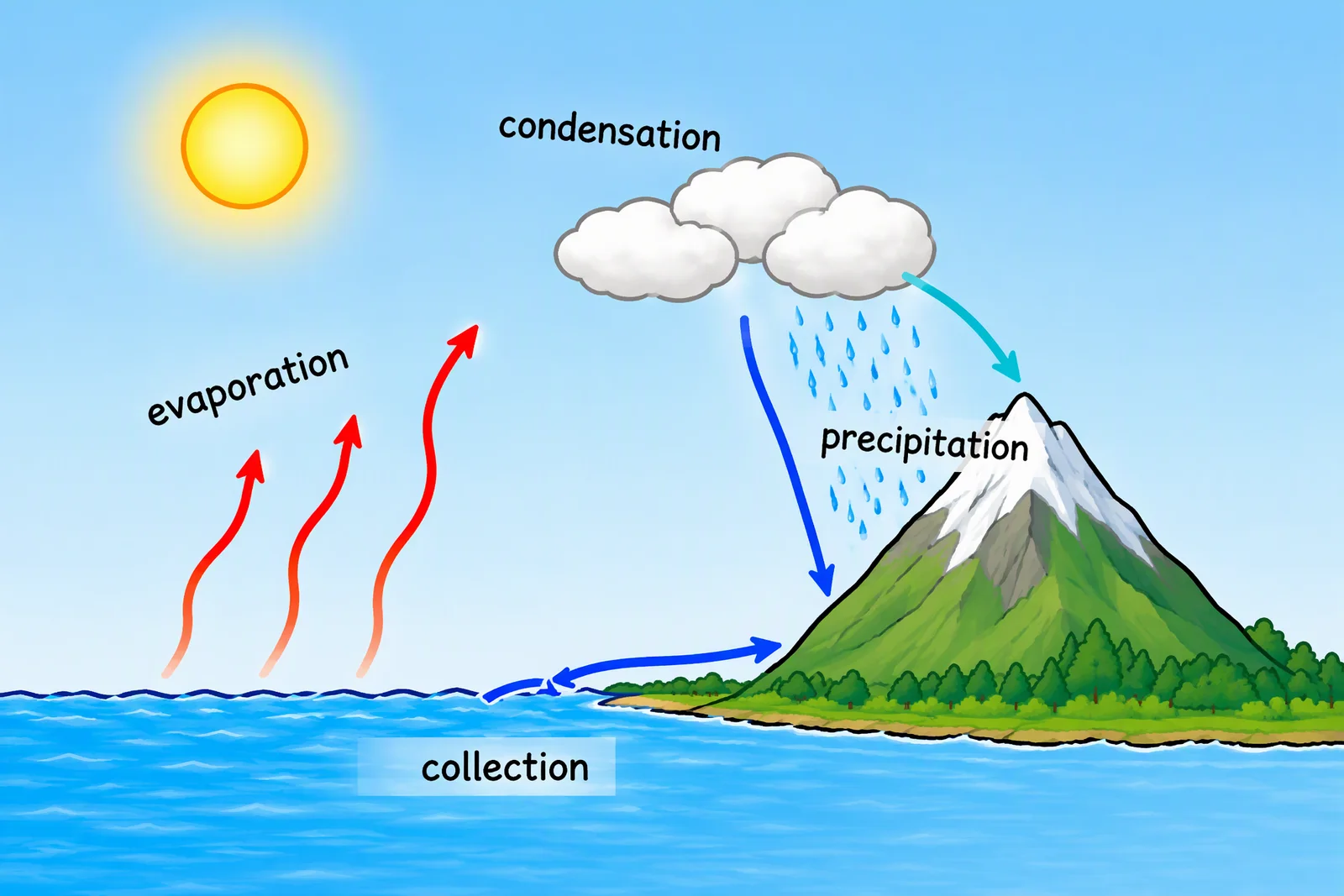
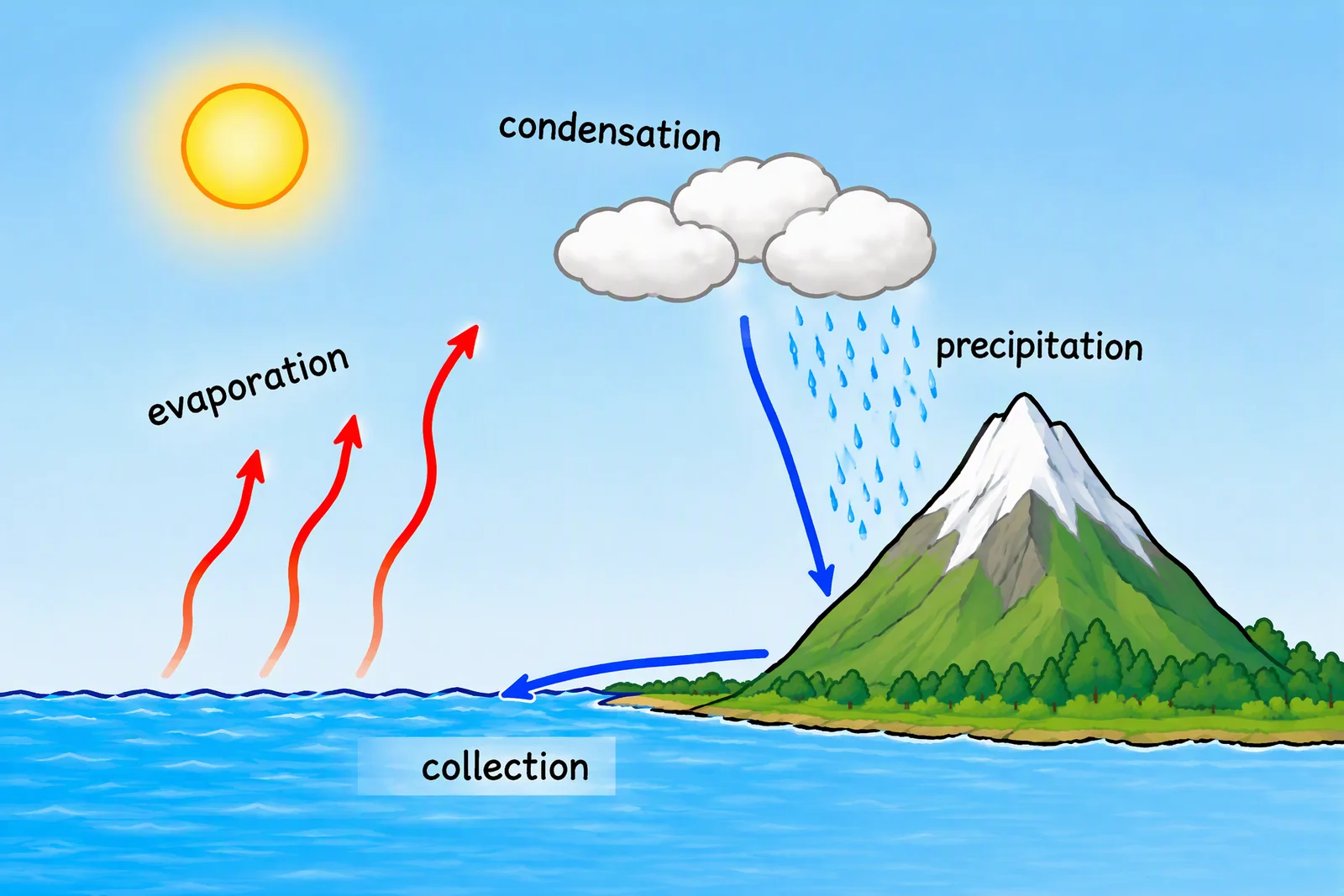
No prompt skills needed
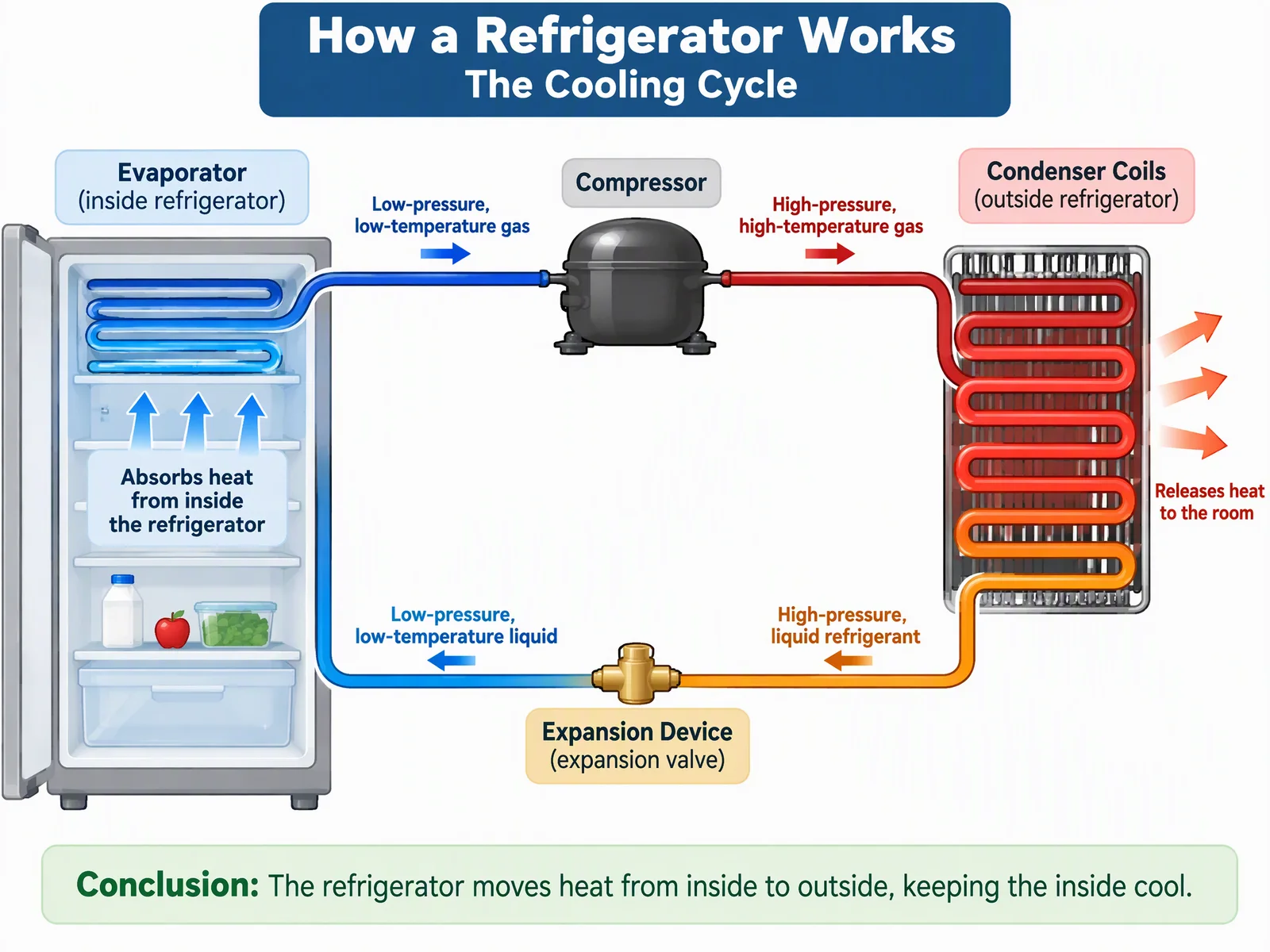
Start with one line
Type the topic the way you would say it, like “how a refrigerator works”.
If the request could go several ways, Agent asks one short question first. You see the plan before anything is generated.
Paste your text
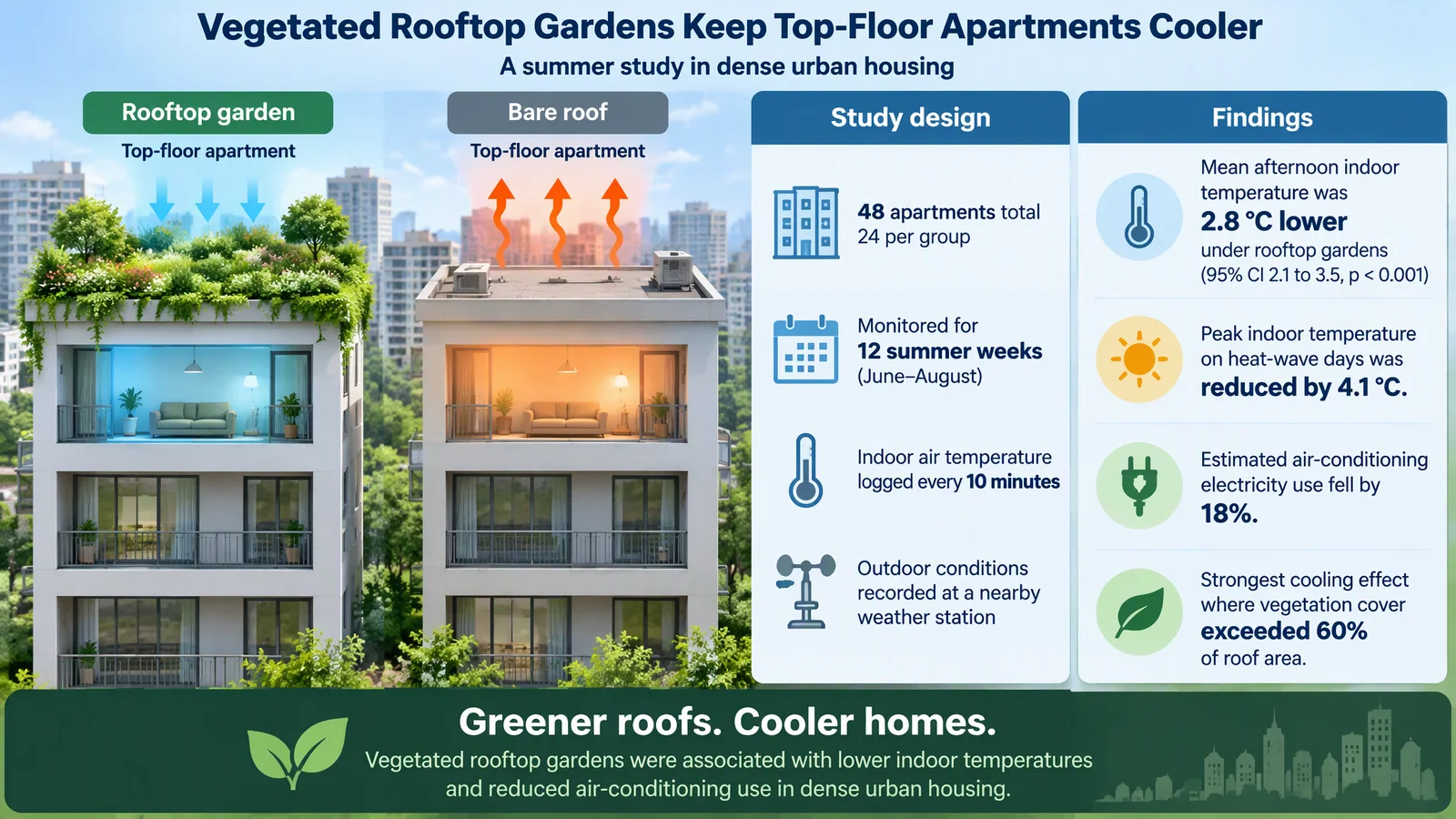
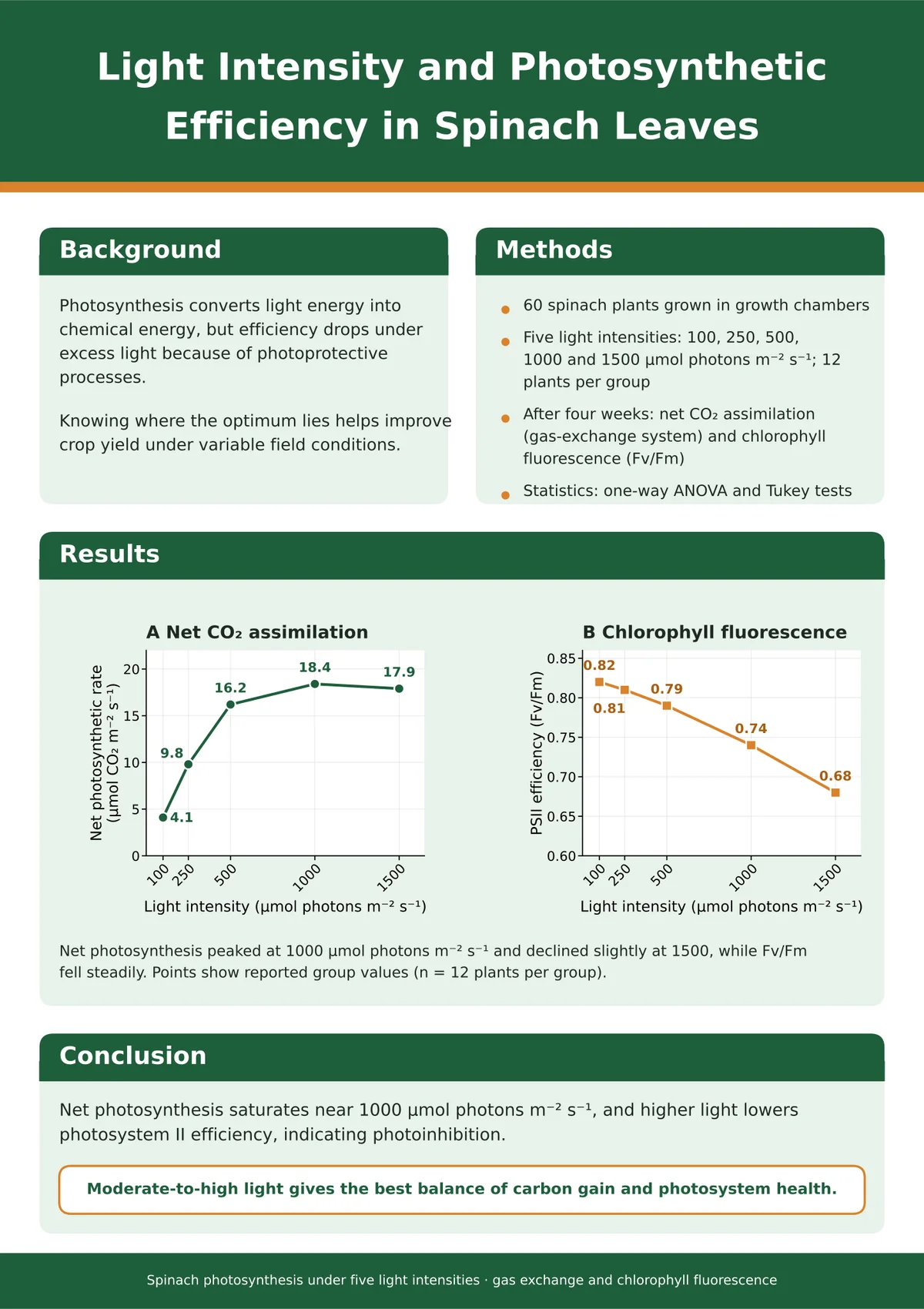
Paste an abstract, get a graphical abstract
Agent reads the study design and the results, then lays them out as one figure for a journal submission.
The reported values stay as you wrote them.
Data stays exact
A poster that uses your numbers, not invented ones
Give Agent the values and say not to add any. Every number on the poster comes from your text.
For figures like this it draws an editable SVG, so you can fix a label or move a block afterwards.
Research figures
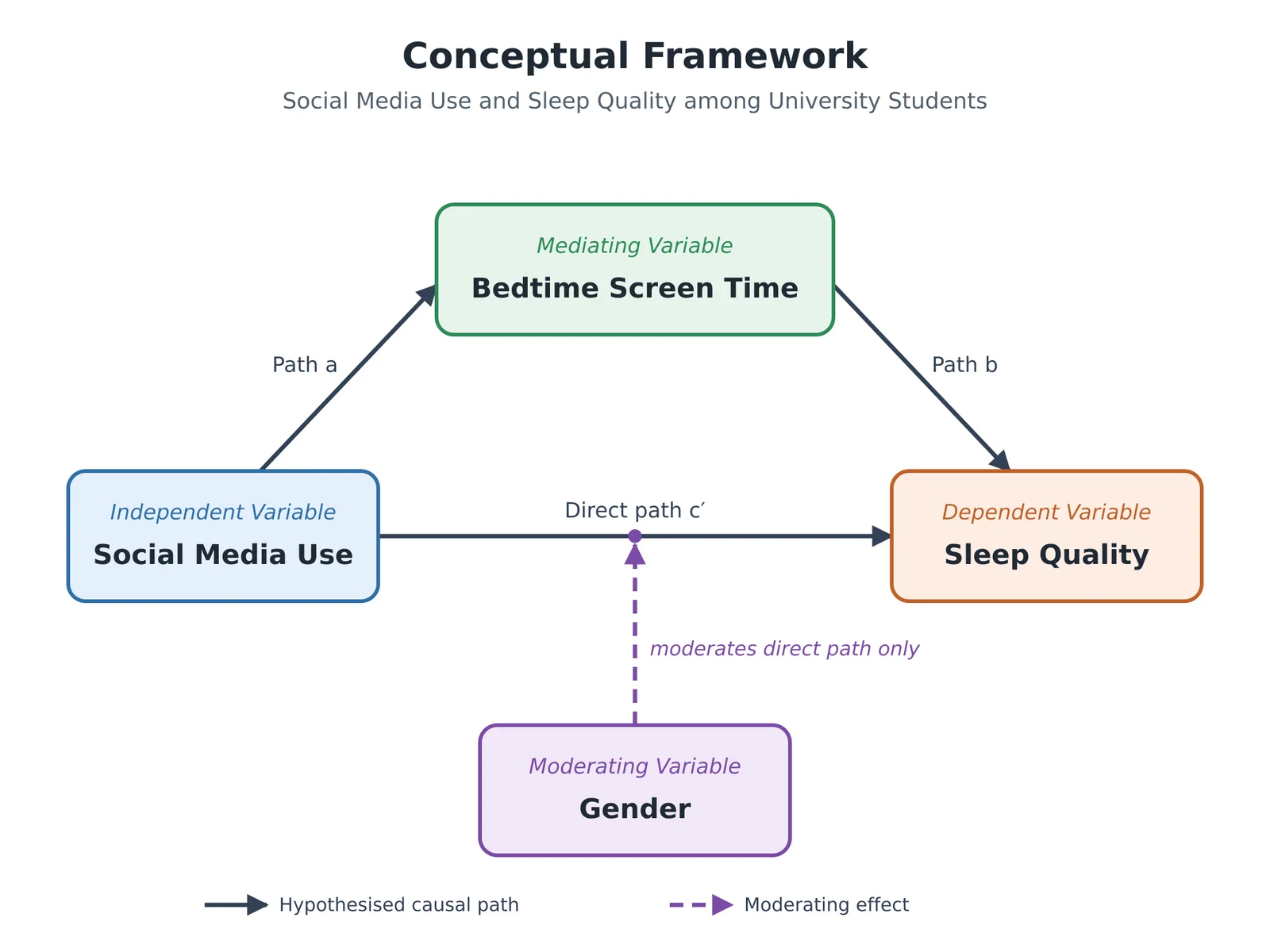
Conceptual frameworks with clear paths
Name the variables and their roles. When it matters, Agent asks which path a moderator acts on.
Each variable and arrow is drawn as an editable diagram you can adjust.
Agent or Studio?
Both turn your words into figures. Pick by how much thinking the figure needs.
Agent
When the figure needs thinking first
- Plans the figure and shows you before it generates
- Works from your sketch, notes or pasted text
- Change one part at a time; earlier versions are kept
Studio
When you already know what you want
- Type a prompt and generate right away
- Quick when you need many images in a row
- No conversation, just the settings and the result
Four habits for better results
- 01
Say who it is for and the style
“For a middle school textbook”, “for a journal submission”, “flat, clean, white background”.
- 02
Upload what you already have
A sketch, a whiteboard photo or your notes. PDFs and slides work on Pro and Max.
- 03
Write the numbers in
For charts and posters, include the values and add “use only these numbers”.
- 04
Ask for changes in plain words
“Move the label off the mountain.” Agent changes that part and keeps the earlier version.