
Best AI Diagram Generators in 2026 Compared
Compare the top AI diagram generators for UML, ER, Venn, electrical, and architecture diagrams. Turn text into professional visuals in seconds.
AI Diagram Generators: From Text Prompts to Professional Diagrams
Creating diagrams used to mean hours of dragging shapes, aligning connectors, and fighting with layout engines. In 2026, AI diagram generators have changed the equation entirely. You describe what you need in plain English, and the tool produces a polished, editable diagram in seconds.
Whether you need a UML class diagram for a software project, an ER diagram for database design, a Venn diagram for a research presentation, or an electrical wiring diagram for a circuit layout, there is now an AI tool that can generate it from a text prompt. This guide compares the best AI diagram generators available today, covering what each tool does well, where it falls short, and which diagram types it handles best.
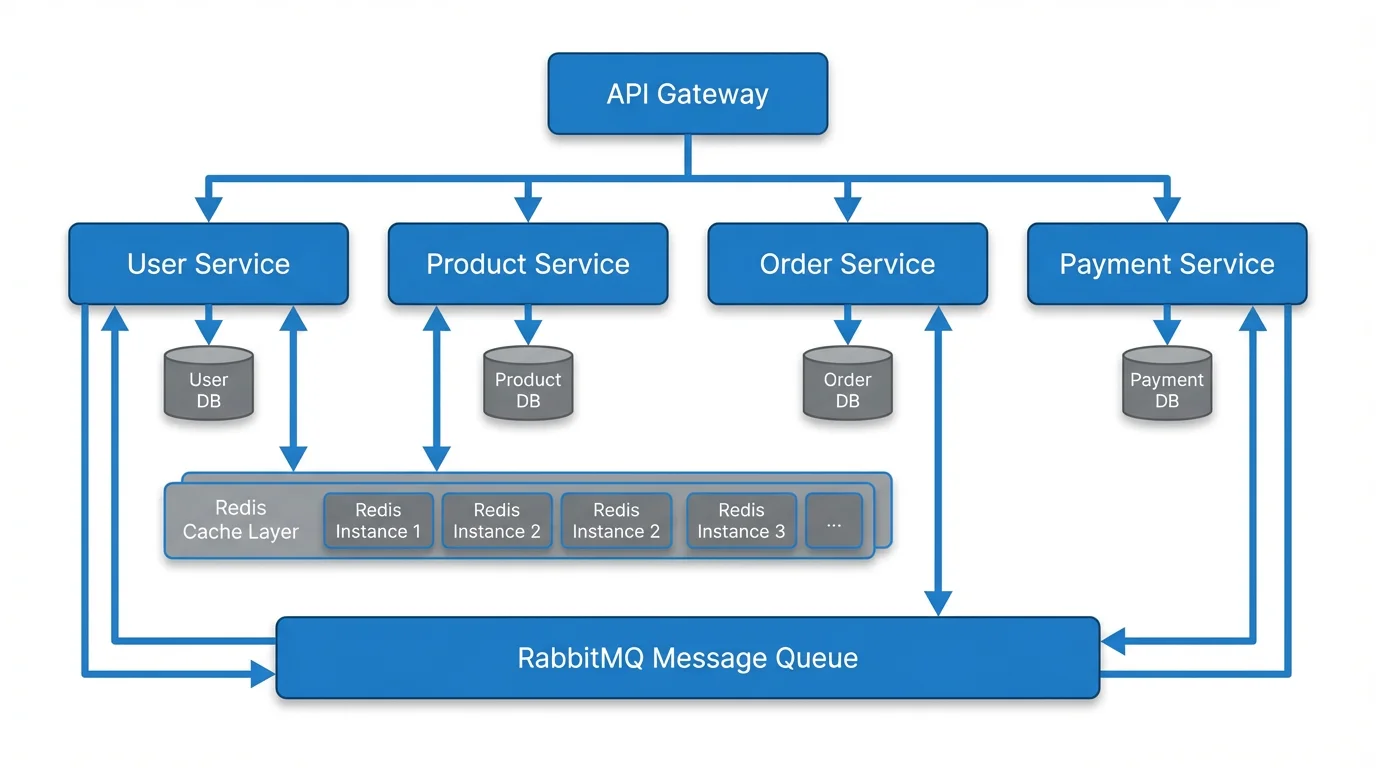
Text to Diagram Generator
Transform text descriptions into professional diagrams instantly with AI. No drag-and-drop needed — just describe what you want.
Try it free →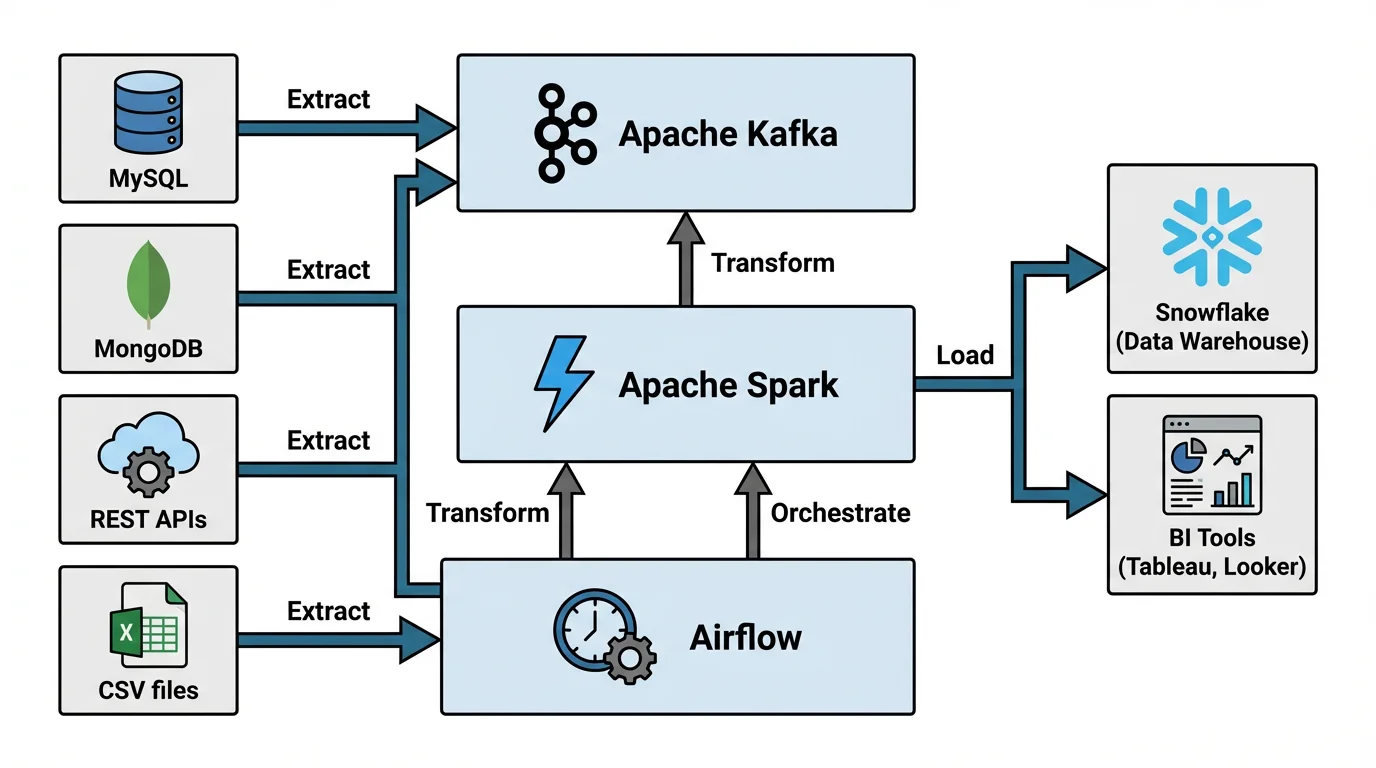
What Can an AI Diagram Generator Actually Do?
Traditional diagramming tools require you to manually place every shape, draw every arrow, and adjust every label. An AI diagram generator works differently. You provide a text description — anything from a single sentence to a detailed specification — and the AI interprets your intent, selects the right diagram type, and renders a complete visual.
Here is what modern AI diagram generators handle:
- Automatic layout: The AI determines optimal positioning of nodes, connectors, and labels so elements do not overlap or crowd each other.
- Diagram type detection: Describe a database schema and the AI produces an ER diagram. Describe a class hierarchy and it generates UML. Describe overlapping categories and it draws a Venn diagram.
- Style consistency: AI-generated diagrams follow consistent color schemes, fonts, and spacing — something that takes significant effort when building diagrams manually.
- Iterative refinement: Most AI tools let you adjust the output by modifying your prompt, adding constraints, or switching diagram types without starting from scratch.
- Export-ready output: Generated diagrams export as PNG, SVG, or PDF at publication quality, ready for research papers, slide decks, or technical documentation.
The key advantage is speed. A diagram that takes 30 minutes to build manually in Draw.io or Lucidchart can be generated in under 30 seconds with the right AI tool.
Quick Comparison Table
| Tool | Best For | AI Input Method | Diagram Types | Free Tier | Export Formats |
|---|---|---|---|---|---|
| ConceptViz | All-purpose AI diagrams | Natural language text | UML, ER, Venn, electrical, network, flowchart, architecture, data flow, and 50+ more | Free credits on signup | PNG, SVG |
| Mermaid AI (Mermaid Chart) | Developer-friendly diagrams | Text prompt to Mermaid syntax | Flowcharts, sequence, class, state, ER, Gantt | Limited free tier | PNG, SVG |
| ChatGPT + diagram plugins | Ad-hoc diagram generation | Conversational prompts | Flowcharts, mind maps, UML, ER (via plugins) | ChatGPT Plus required | Varies by plugin |
| Eraser.io | Technical architecture docs | Text-to-diagram DSL | Architecture, sequence, ER, flowcharts | Free for individuals | PNG, SVG |
| Draw.io AI (Diagrams.net) | Manual + AI hybrid | Text prompt for shape suggestions | All standard diagram types | Free and unlimited | PNG, SVG, PDF |
| PlantUML with AI assist | Code-driven UML | AI generates PlantUML code | UML (all 14 types), ER, Gantt | Free and open source | PNG, SVG, EPS |
| Napkin AI | Visual storytelling | Text-to-infographic | Infographics, process flows, concept visuals | Free tier available | PNG, SVG, PDF |
| Lucidchart AI | Enterprise diagramming | AI auto-layout and suggestions | Flowcharts, UML, network, org charts | 3 free documents | PNG, PDF, Visio |
Top AI Diagram Generators Reviewed
1. ConceptViz — Best Overall AI Diagram Generator
ConceptViz is purpose-built for AI diagram generation. Instead of offering AI as an add-on feature to a manual editor, it treats text-to-diagram conversion as the primary workflow. You type a description, the AI generates the diagram, and you export it — three steps, typically under a minute.
What Sets It Apart
- Broadest diagram type coverage: ConceptViz supports over 50 diagram types out of the box, including specialized categories like electrical wiring diagrams, circuit diagrams, ER diagrams, UML diagrams, Venn diagrams, network diagrams, data flow diagrams, and software architecture diagrams.
- Natural language input: No special syntax required. Describe your diagram the way you would explain it to a colleague.
- Publication quality: Output is designed for academic papers, technical documentation, and professional presentations.
- Scientific focus: Particularly strong for research diagrams, including conceptual frameworks, PRISMA flow diagrams, and graphical abstracts.
Pricing
Free credits included on signup. Additional credits available through affordable packages with no monthly commitment required.
Best For
Researchers, engineers, students, and professionals who need high-quality diagrams from text descriptions across a wide range of diagram types. If you want one AI diagram generator that covers UML, ER, Venn, electrical, and every other type without switching tools, ConceptViz is the most complete option.

AI UML Diagram Generator
Generate class diagrams, sequence diagrams, and all 14 UML types from plain text descriptions.
2. Mermaid AI (Mermaid Chart) — Best for Developers
Mermaid.js has been the go-to text-to-diagram library for developers since its launch. Mermaid Chart, its commercial counterpart, adds AI capabilities that generate Mermaid syntax from natural language prompts — bridging the gap between writing code and describing what you want.
What Sets It Apart
- GitHub-native rendering: Mermaid diagrams render directly in GitHub Markdown files, making it the standard for developer documentation.
- AI syntax generation: The AI layer translates plain English into valid Mermaid code, so you do not need to memorize the syntax.
- Version control friendly: Diagrams are stored as text, so they work naturally with Git diffs and pull requests.
- Wide integration: Works in Notion, Obsidian, GitLab, Docusaurus, and most documentation platforms.
Limitations
Mermaid's layout engine can be unpredictable for complex diagrams. It supports fewer diagram types than dedicated AI generators, and styling options are limited compared to GUI tools.
Best For
Software developers who write documentation in Markdown and want diagrams that live alongside code. For a detailed walkthrough of working with Mermaid output, see our guide on how to convert Mermaid diagrams to images.
3. ChatGPT with Diagram Plugins — Best for Conversational Iteration
ChatGPT does not generate diagrams natively, but its plugin ecosystem and code interpreter can produce diagrams through Mermaid code generation, Python plotting libraries, or dedicated diagram plugins. The conversational interface makes it easy to iterate on a diagram by refining your prompt in natural language.
What Sets It Apart
- Conversational refinement: Ask for a diagram, see the result, then say "add a database layer" or "make the arrows bidirectional" — no re-prompting from scratch.
- Multi-format output: Can generate Mermaid code, PlantUML, Python matplotlib/graphviz charts, or structured SVG depending on the plugin used.
- General knowledge: ChatGPT understands domain-specific terminology, so it can infer correct diagram structures from high-level descriptions.
Limitations
Output quality varies significantly. Diagrams often need manual cleanup, the visual styling is basic, and you need ChatGPT Plus for reliable diagram generation. There is no dedicated diagram editor — you are working within a chat interface.
Best For
Users who need quick, rough diagrams during a brainstorming or planning session and are willing to refine the output manually.
4. Eraser.io — Best for Technical Architecture Diagrams
Eraser.io combines a whiteboard-style editor with a text-to-diagram engine specifically tuned for software architecture and technical documentation. Its diagram-as-code syntax is purpose-built for cloud architectures, system designs, and sequence diagrams.
What Sets It Apart
- Architecture-first design: Built-in icon libraries for AWS, Azure, GCP, Kubernetes, and other infrastructure components.
- Docs + diagrams in one place: Eraser combines markdown documentation with embedded diagrams, creating a single source of truth for technical specs.
- Clean output: Diagrams follow a consistent, professional style that looks good in design documents without additional formatting.
Limitations
The diagram type coverage is narrower than general-purpose tools — it focuses on software architecture and technical flows rather than scientific or educational diagrams. The free tier is limited to individual use.
Best For
Software architects and engineering teams who need architecture diagrams, sequence diagrams, and system design visuals embedded in technical documentation.
5. Draw.io with AI Features — Best Free Hybrid Approach
Draw.io (Diagrams.net) is the most widely used free diagramming tool, and its recent AI integrations add text-based diagram generation on top of the existing manual editor. This hybrid approach lets you generate a starting point with AI and then fine-tune it with the full power of a traditional diagram editor.
What Sets It Apart
- Completely free: No credit limits, no document restrictions, no paid tier for core features.
- Full manual control: After AI generates the initial diagram, you have pixel-level control over every element.
- Offline support: Desktop app works without internet, unlike most AI-powered alternatives.
- Massive shape library: Includes shapes for UML, BPMN, electrical, network, floor plans, and more.
Limitations
The AI features are newer and less polished than dedicated AI diagram tools. Text-to-diagram generation is more of an assist feature than a complete workflow — you will likely need manual adjustment.
Best For
Users who want a free tool with AI assistance but still need the flexibility of manual editing. Ideal as a complement to dedicated AI generators when you need precise control over the final output.
6. PlantUML with AI Assist — Best for UML Purists
PlantUML has been the standard for code-driven UML diagrams for over a decade. By pairing it with AI assistants (Copilot, ChatGPT, or dedicated IDE plugins), you can generate PlantUML code from natural language and get diagrams that comply with strict UML notation standards.
What Sets It Apart
- Complete UML coverage: Supports all 14 UML diagram types, plus ER diagrams, Gantt charts, mind maps, and wireframes.
- Strict notation compliance: Output follows UML standards precisely, which matters for software engineering documentation.
- IDE integration: Plugins for VS Code, IntelliJ, Eclipse, and Emacs provide live preview alongside your code.
- Open source: Free to use, modify, and self-host.
Limitations
Requires learning PlantUML syntax (though AI reduces this burden significantly). Visual output is functional rather than polished — diagrams prioritize correctness over aesthetics. Requires a Java runtime for local rendering.
Best For
Software engineers and architects who need formally correct UML diagrams and want to keep diagram source files in version control alongside code. For a deep dive into UML types, see our complete UML diagram guide.
7. Napkin AI — Best for Visual Storytelling
Napkin AI takes a different angle on AI diagram generation by focusing on infographic-style visuals and visual storytelling rather than technical diagrams. You input text content, and it transforms key points into visually engaging graphics.
What Sets It Apart
- Content-to-visual conversion: Paste an article, report, or set of bullet points and Napkin generates visual representations of the key ideas.
- Design-forward output: Results look more like designed infographics than traditional diagrams, making them ideal for presentations and social media.
- Quick iteration: Multiple visual styles are generated for the same content, letting you choose the best fit.
Limitations
Not suitable for technical diagrams (UML, ER, electrical, network). The AI interprets content loosely, so precise diagram structures are not guaranteed. Better for communication than documentation.
Best For
Content creators, marketers, and presenters who want to turn text-heavy content into visual graphics without hiring a designer.
8. Lucidchart AI — Best for Enterprise Teams
Lucidchart has added AI features to its already mature diagramming platform. The AI assists with auto-layout, smart formatting, and diagram generation suggestions within Lucidchart's collaborative editor.
What Sets It Apart
- Enterprise-grade collaboration: Real-time editing, commenting, and version history for large teams.
- Visio compatibility: Import and export Visio files, making it a drop-in replacement for Microsoft environments.
- AI auto-layout: The AI optimizes diagram layout as you add elements, reducing manual arrangement work.
- Integration ecosystem: Plugins for Confluence, Jira, Slack, Google Workspace, and Microsoft Teams.
Limitations
The free tier limits you to three editable documents. AI features are an enhancement to the manual editor rather than a standalone text-to-diagram workflow. Pricing is per-user, which adds up for teams.
Best For
Enterprise teams already using Lucidchart who want AI-enhanced productivity within their existing workflow.
AI Diagram Generators by Use Case
Different diagram types require different strengths from an AI generator. Here is which tool to reach for depending on what you are building.
AI UML Diagram Generator
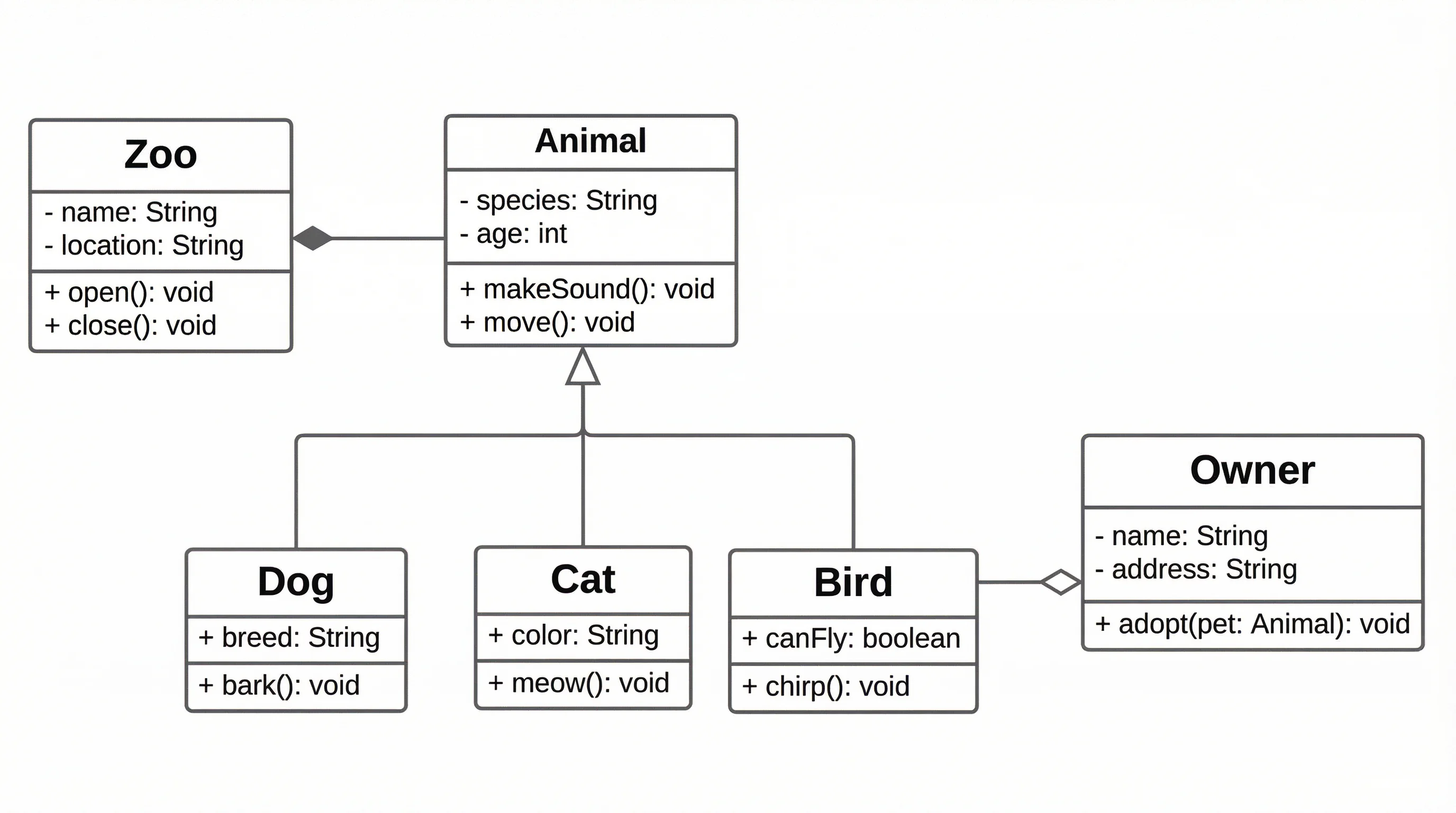
UML diagrams demand strict notation compliance — a class diagram that uses the wrong arrow style communicates the wrong relationship. For AI-generated UML, ConceptViz offers the broadest UML support with natural language input, while PlantUML with AI assist provides the most formally correct output. If you work in Markdown-heavy environments, Mermaid AI handles class diagrams, sequence diagrams, and state diagrams natively.
ConceptViz supports all major UML types including class, sequence, activity, use case, state, component, deployment, and object diagrams — all generated from plain text descriptions.
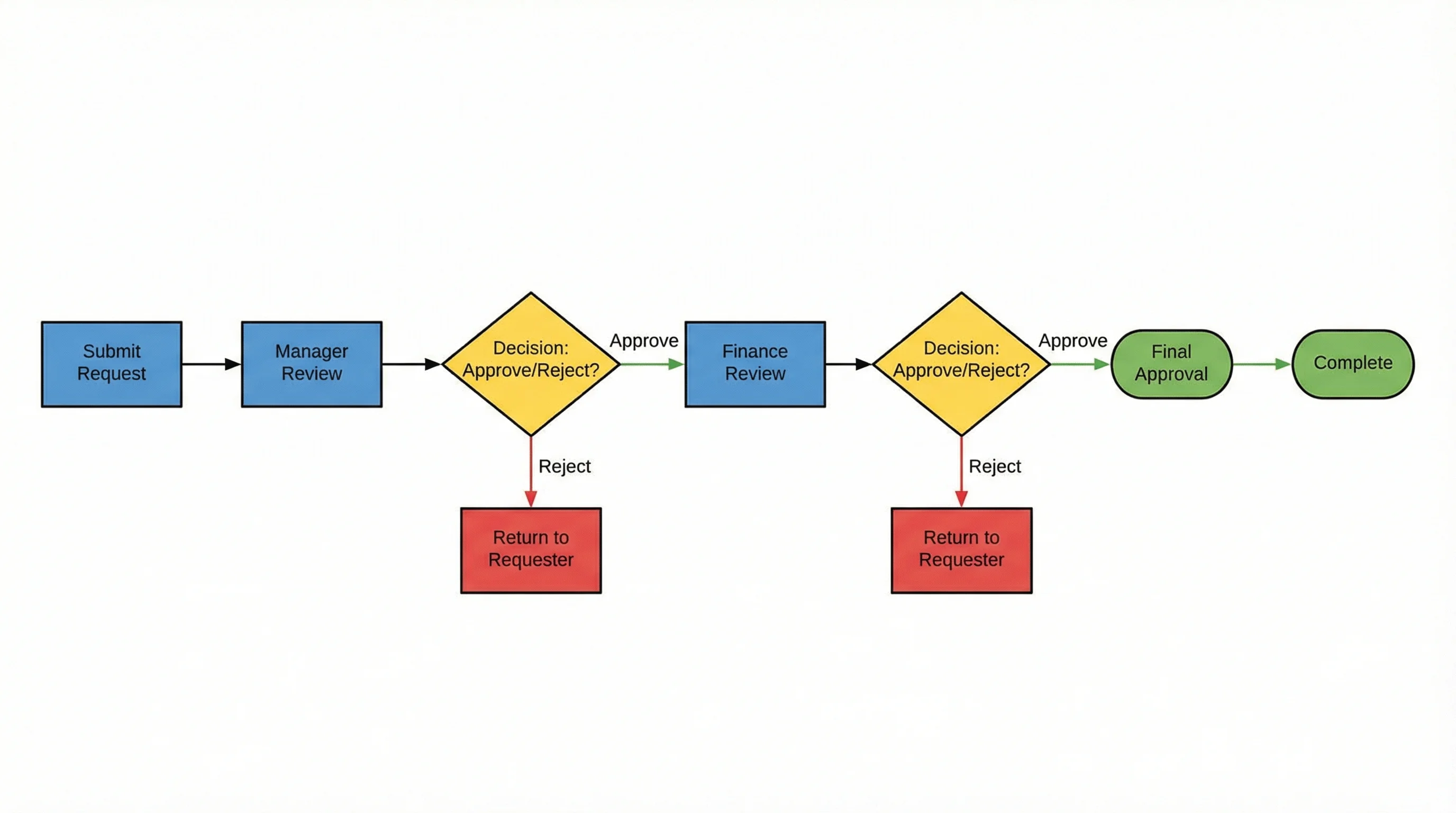
AI Flowchart Generator
Describe your process, workflow, or decision tree in plain text and get a professional flowchart in seconds.
ER Diagram Generator AI
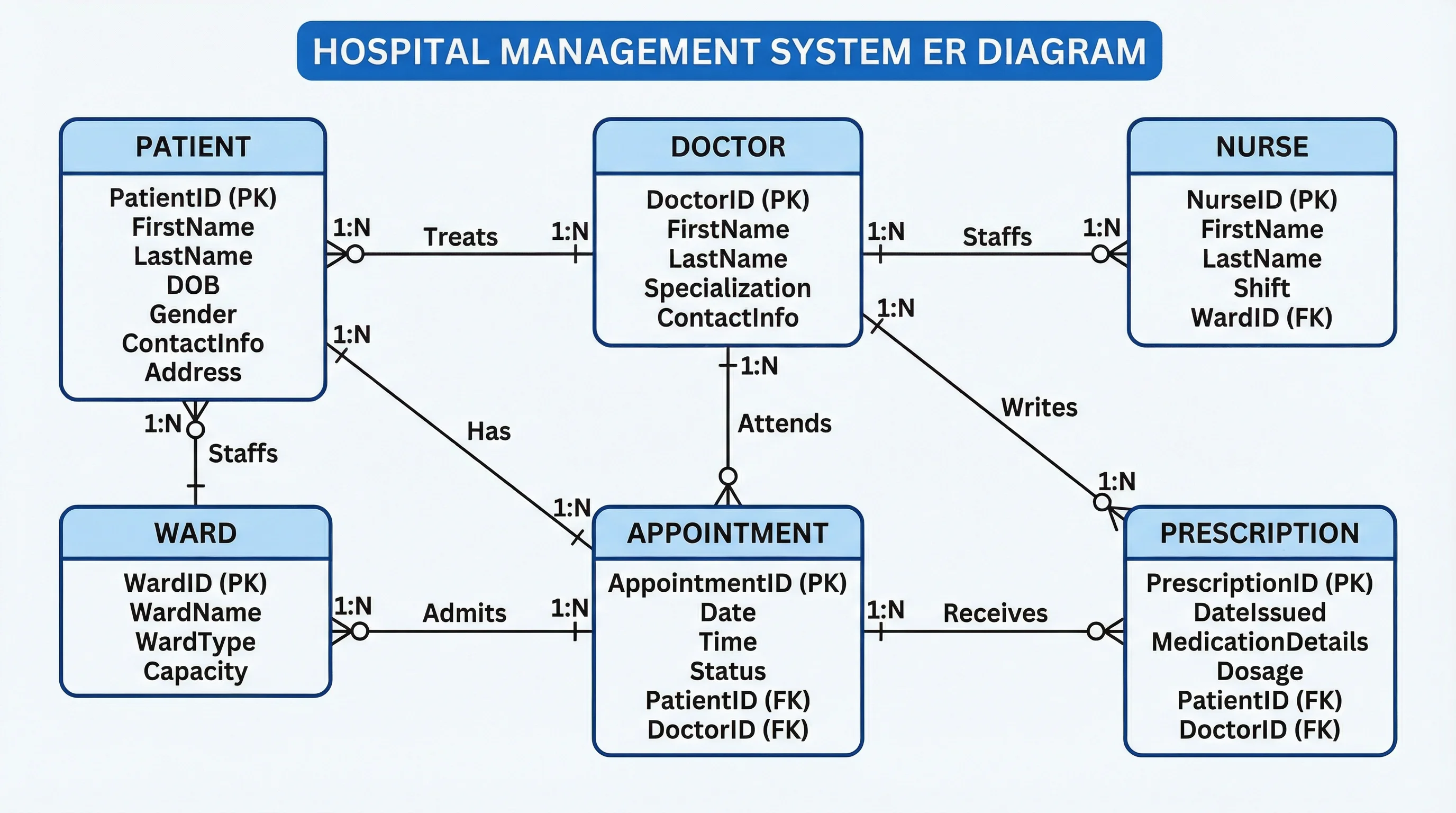
Entity-relationship diagrams are critical for database design and data modeling. An AI ER diagram generator needs to correctly identify entities, attributes, and relationships (one-to-one, one-to-many, many-to-many) from a text description. ConceptViz handles ER diagram generation well, interpreting descriptions like "a user has many orders, each order contains multiple products" into proper ER notation with crow's foot or Chen notation.
For developers who want ER diagrams in code, Mermaid AI generates ER diagrams using its entity-relationship syntax, and PlantUML supports information engineering notation. For a comprehensive look at ER diagrams in research, see our complete ER diagram guide.
Venn Diagram Generator AI
Venn diagrams appear simple, but getting the overlap regions, labels, and proportions right requires careful layout. An AI Venn diagram generator eliminates the tedious manual positioning of circles and intersection labels. ConceptViz generates Venn diagrams from descriptions like "show the overlap between machine learning, statistics, and computer science" — automatically sizing regions and placing labels for clarity.
Most code-based tools (Mermaid, PlantUML) do not support Venn diagrams natively, making dedicated AI generators the best option for this diagram type. For step-by-step guidance on creating Venn diagrams, read our complete Venn diagram guide.
AI Electrical Diagram Generator
Electrical diagrams — including circuit schematics, wiring diagrams, and electrical system layouts — require domain-specific symbols (resistors, capacitors, switches, transformers) that general-purpose tools often lack. An AI electrical diagram generator needs to understand both the electrical components and their connection patterns.
ConceptViz supports electrical diagram generation through its wiring diagram maker and circuit diagram maker, converting text descriptions of circuits and electrical systems into properly symbolized diagrams. For complex circuits requiring simulation, dedicated EDA tools remain necessary, but for documentation and educational purposes, AI generators produce publication-quality electrical diagrams significantly faster than manual alternatives.
For an in-depth look at electrical diagram software options, see our guide on the best electrical wiring diagram software.
Network Diagrams
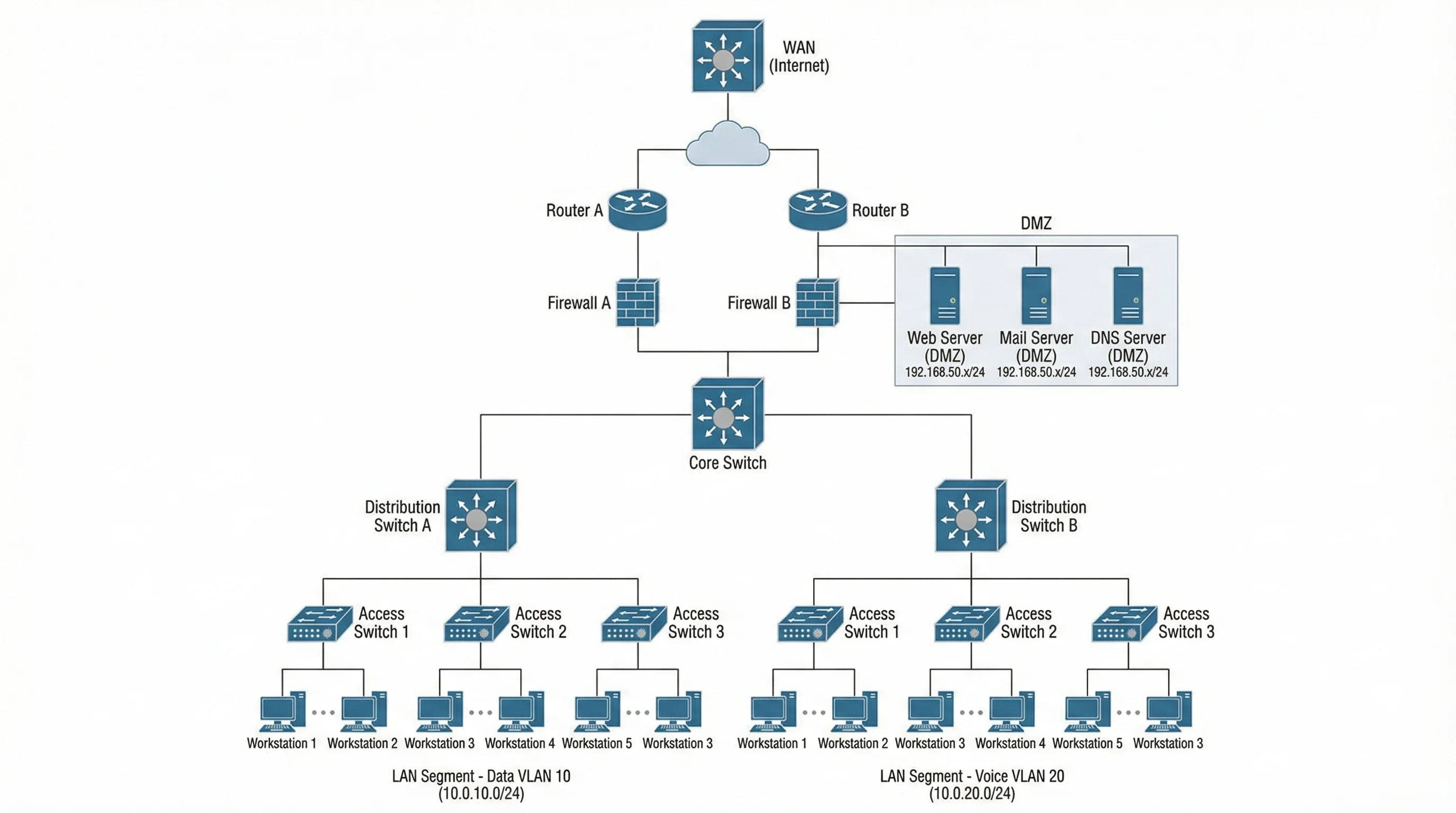
Network topology diagrams benefit significantly from AI generation because they involve repetitive node placement and connection routing. Describe your network — "three-tier architecture with load balancer, two web servers, application server, and database cluster" — and the AI handles the layout.
ConceptViz generates network diagrams with proper device icons and logical grouping. Eraser.io excels at cloud architecture network diagrams with built-in AWS, Azure, and GCP icon sets. For a complete tutorial, see our guide on how to create network diagrams.
Data Flow Diagrams
Data flow diagrams (DFDs) trace how information moves through a system, showing processes, data stores, external entities, and data flows. AI generators are particularly effective here because DFDs follow a structured grammar that AI can interpret from natural language descriptions.
ConceptViz supports DFD generation across context diagrams (Level 0), Level 1, and detailed Level 2 diagrams. Eraser.io also handles data flow visualization well within its architecture-focused toolset. For more on DFDs, read our data flow diagram creation guide.
Software Architecture Diagrams
Architecture diagrams are among the most time-consuming to create manually because they combine multiple element types (services, databases, queues, APIs, users) with complex relationships. AI generation dramatically reduces the effort.
ConceptViz offers a dedicated software architecture diagram generator that interprets system descriptions into layered architecture visuals. Eraser.io is the strongest alternative for this specific use case, with its architecture-first design language and cloud infrastructure icon support.
How to Get the Best Results from AI Diagram Generators
AI diagram generators work best when you provide clear, structured input. Here are practical tips for better output:
Be Specific About Relationships
Instead of "show a database with users and orders," write "Users table has a one-to-many relationship with Orders table. Each Order contains multiple OrderItems. OrderItems reference a Products table." The more specific the relationships, the more accurate the AI-generated diagram.
Specify the Diagram Type
If you have a preference, state it explicitly: "Create a UML sequence diagram showing..." or "Generate a Venn diagram comparing..." This prevents the AI from guessing the wrong diagram type.
Use Domain Terminology
AI models understand technical vocabulary. Use "three-tier architecture," "microservices," "foreign key," "inverting amplifier" — the AI will map these terms to the correct visual representations.
Iterate Rather Than Start Over
If the first output is not perfect, refine your prompt rather than rewriting it. Add constraints like "group the database components on the right side" or "use horizontal layout instead of vertical."
Review for Accuracy
Always verify that AI-generated diagrams correctly represent your intent. AI tools can misinterpret ambiguous descriptions, especially for complex systems with many interrelated components.
Frequently Asked Questions
What is the best AI diagram generator in 2026?
ConceptViz is the most comprehensive AI diagram generator available in 2026, supporting over 50 diagram types including UML, ER, Venn, electrical, network, and architecture diagrams — all generated from natural language text descriptions. For developer-specific workflows, Mermaid AI and PlantUML with AI assist are strong alternatives that integrate with code editors and version control.
Can AI generate UML diagrams from text?
Yes, several AI UML diagram generators can create UML diagrams from plain text descriptions. ConceptViz supports all major UML types (class, sequence, activity, use case, state, component, deployment, and object diagrams) through natural language input. PlantUML paired with AI assistants like Copilot generates formally correct UML code, and Mermaid AI handles class, sequence, and state diagrams natively within Markdown environments.
Is there an AI tool that generates ER diagrams?
Yes, AI ER diagram generators like ConceptViz can create entity-relationship diagrams from text descriptions of your database schema. Describe your entities, attributes, and relationships in plain English, and the AI produces a properly formatted ER diagram with correct notation (crow's foot or Chen style). Mermaid AI and PlantUML also support ER diagram generation through their text-based syntax.
Can AI create Venn diagrams?
Yes, a Venn diagram generator with AI capabilities like ConceptViz can create Venn diagrams from text descriptions. Describe the sets and their overlapping relationships, and the AI handles circle sizing, positioning, and label placement automatically. Most code-based tools like Mermaid and PlantUML do not natively support Venn diagrams, making dedicated AI generators the best option for this diagram type.
Is there an AI electrical diagram generator?
Yes, ConceptViz offers AI electrical diagram generation through its wiring diagram maker and circuit diagram maker tools. You can describe electrical circuits and systems in plain text, and the AI generates diagrams with proper electrical symbols (resistors, capacitors, switches, transformers). For complex circuits requiring simulation, dedicated EDA tools are still necessary, but AI generators handle documentation and educational electrical diagrams effectively.
Are AI-generated diagrams accurate enough for professional use?
AI-generated diagrams are suitable for professional documentation, presentations, and research papers, but you should always review the output for accuracy. AI tools like ConceptViz produce publication-quality visuals with correct notation and clean layouts. For mission-critical technical documentation, treat AI-generated diagrams as a strong starting point and verify the details match your actual system or design.
What is the difference between AI diagram generators and traditional tools?
Traditional diagramming tools like Draw.io and Lucidchart require you to manually place shapes, draw connectors, and adjust layouts. AI diagram generators like ConceptViz let you describe diagrams in plain text, and the AI handles layout, styling, and notation automatically. Traditional tools offer more manual control, while AI tools prioritize speed and accessibility. Some tools like Draw.io and Lucidchart now offer hybrid approaches with AI-assisted features alongside manual editing.
Can I use AI diagram generators for free?
Several AI diagram generators offer free tiers. ConceptViz provides free credits on signup for generating multiple diagrams. Mermaid.js is completely free and open source, with AI features available through Mermaid Chart. PlantUML is free and open source, and can be paired with free AI assistants. Draw.io offers free AI features with no document limits. ChatGPT requires a Plus subscription for reliable diagram generation through plugins.
Conclusion
AI diagram generators have moved beyond novelty into genuine productivity tools. The best choice depends on your primary diagram types and workflow:
- Need one tool for everything? ConceptViz covers the widest range of AI-generated diagram types, from UML and ER diagrams to Venn diagrams and electrical schematics.
- Developer writing docs? Mermaid AI for GitHub-native diagrams, PlantUML + AI for strict UML compliance.
- Software architecture? Eraser.io for cloud architecture visuals with built-in infrastructure icons.
- Enterprise team? Lucidchart AI for collaborative editing with AI-assisted layout.
- Free and flexible? Draw.io for a hybrid manual + AI approach with no cost.
- Visual storytelling? Napkin AI for turning text content into infographic-style visuals.
The common thread across all these tools is that the text-to-diagram workflow is now fast enough and accurate enough to replace manual diagramming for most use cases. Start with a tool that matches your primary diagram type, describe what you need, and let the AI handle the layout.
Explore more diagramming resources: learn about UML diagram types, create ER diagrams for research, build data flow diagrams, or discover how to make scientific diagrams for research papers.
更多文章
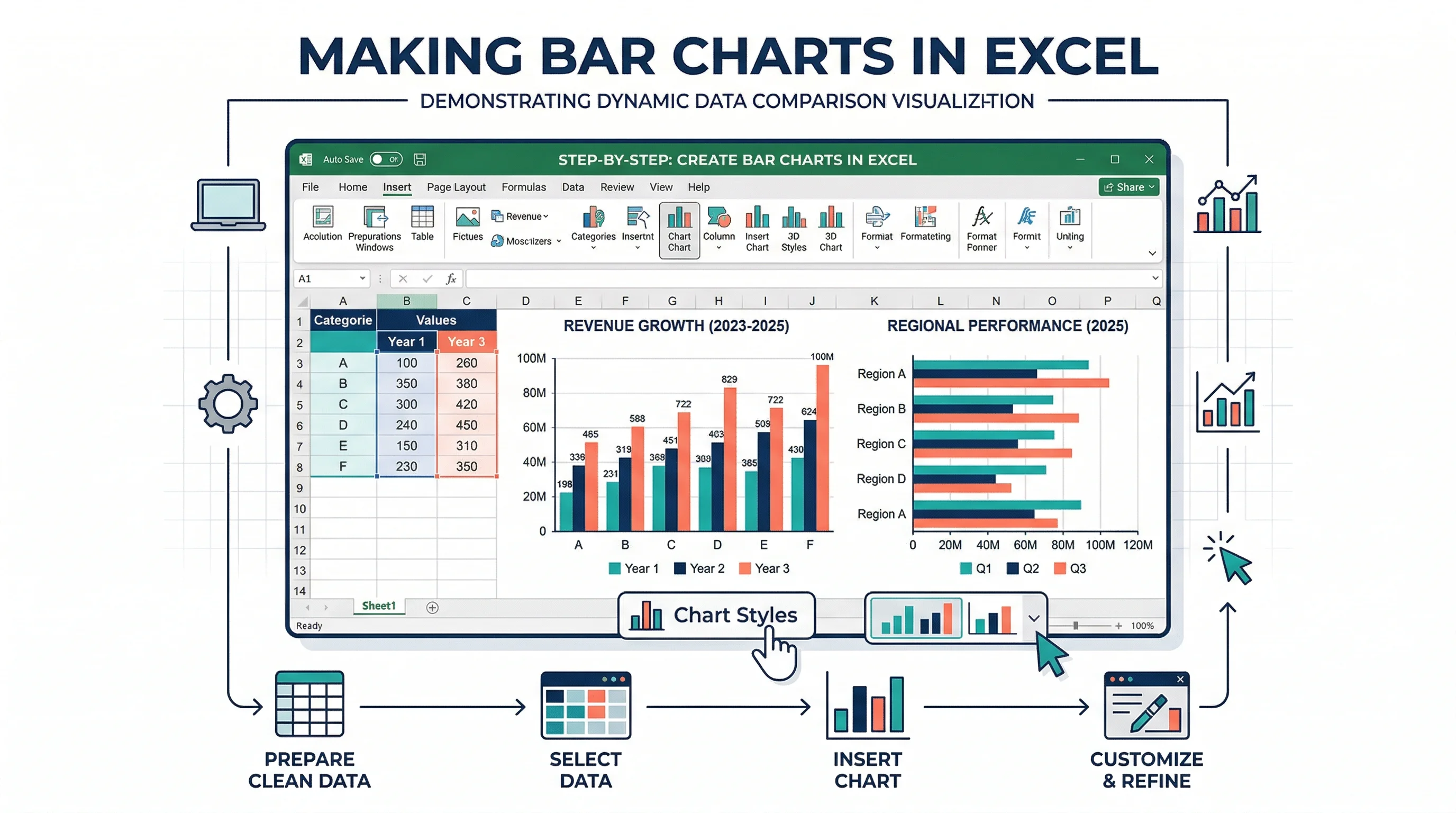
How to Make a Bar Chart in Excel: Step-by-Step Guide (2026)
Learn how to create a bar chart in Excel, sort categories, adjust gap width, add labels, and choose between bar and column charts. Includes Microsoft and ExcelJet references.
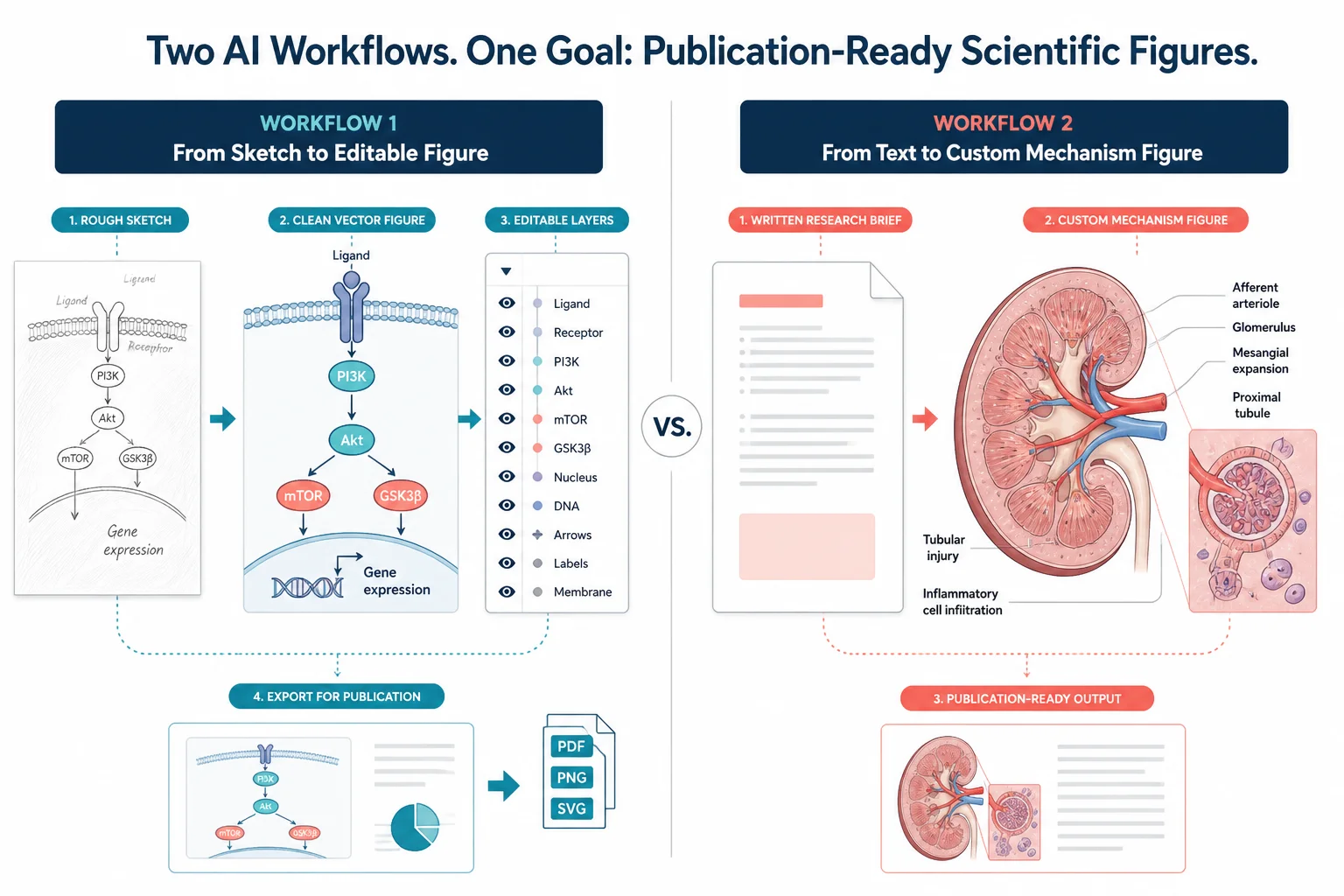
FigureLabs vs ConceptViz: AI Scientific Illustration Compared
Compare FigureLabs vs ConceptViz in 2026: credits, SVG and PPTX export, publication authorization, and when a custom brief beats an AI BioRender companion.
AI Worksheet Generator Guide: Create Printable Worksheets and Answer Keys
Learn how to use an AI worksheet generator for printable classroom worksheets, answer keys, differentiation, diagrams, and teacher review workflows.