BioRender vs ConceptViz: Keep the Seat or Pay Per Figure
Compare BioRender vs ConceptViz in 2026: $35/mo Academic Individual versus credit packs, required citations, and when buying a second seat is the wrong call.
BioRender vs ConceptViz is a paid-seat decision, not another “7 free alternatives” list. You already know what BioRender is. The question is whether this paper needs another year of icon canvas — or one custom figure that the library does not have.
If you only need the current invoice, read BioRender Pricing 2026. If you want five tools in one table, use Best AI Scientific Illustration Tools 2026. This page is the 1-to-1: keep the seat, add a second tool, or stop renewing.
Medical Illustration Generator
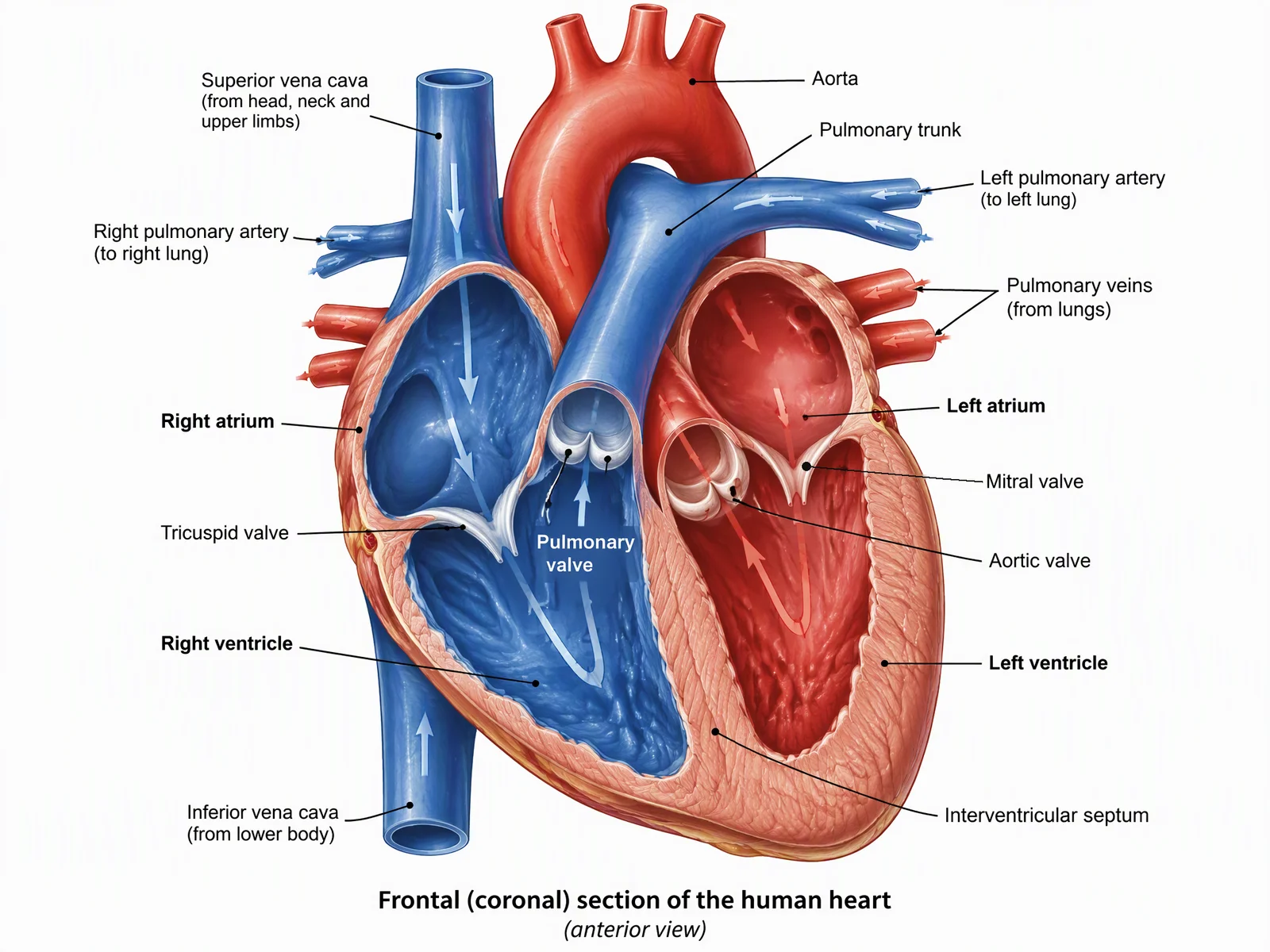
Custom anatomy and surgical-plane figures when the icon library does not have your view. Check every label against a textbook before you submit.
Draft a medical figure →Who this comparison is for
Write this down before you open either pricing page:
| Your next figure | Usual better first tool |
|---|---|
| Weekly cell / pathway cartoons the lab already shares | BioRender |
| A heart, organ, or surgical plane that is not in the icon set | ConceptViz |
| A one-panel visual abstract that should not look like a sticker sheet | ConceptViz |
| A grant line item for this manuscript, then you stop | ConceptViz credit pack |
| Institution already pays; you just need the shared folder | Stay on BioRender |
This is not a classroom guide. Teachers who only need free slides should use Best Free BioRender Alternatives for Teachers. A catalog of cheap tools is 7 Free BioRender Alternatives.
The job, not the brand
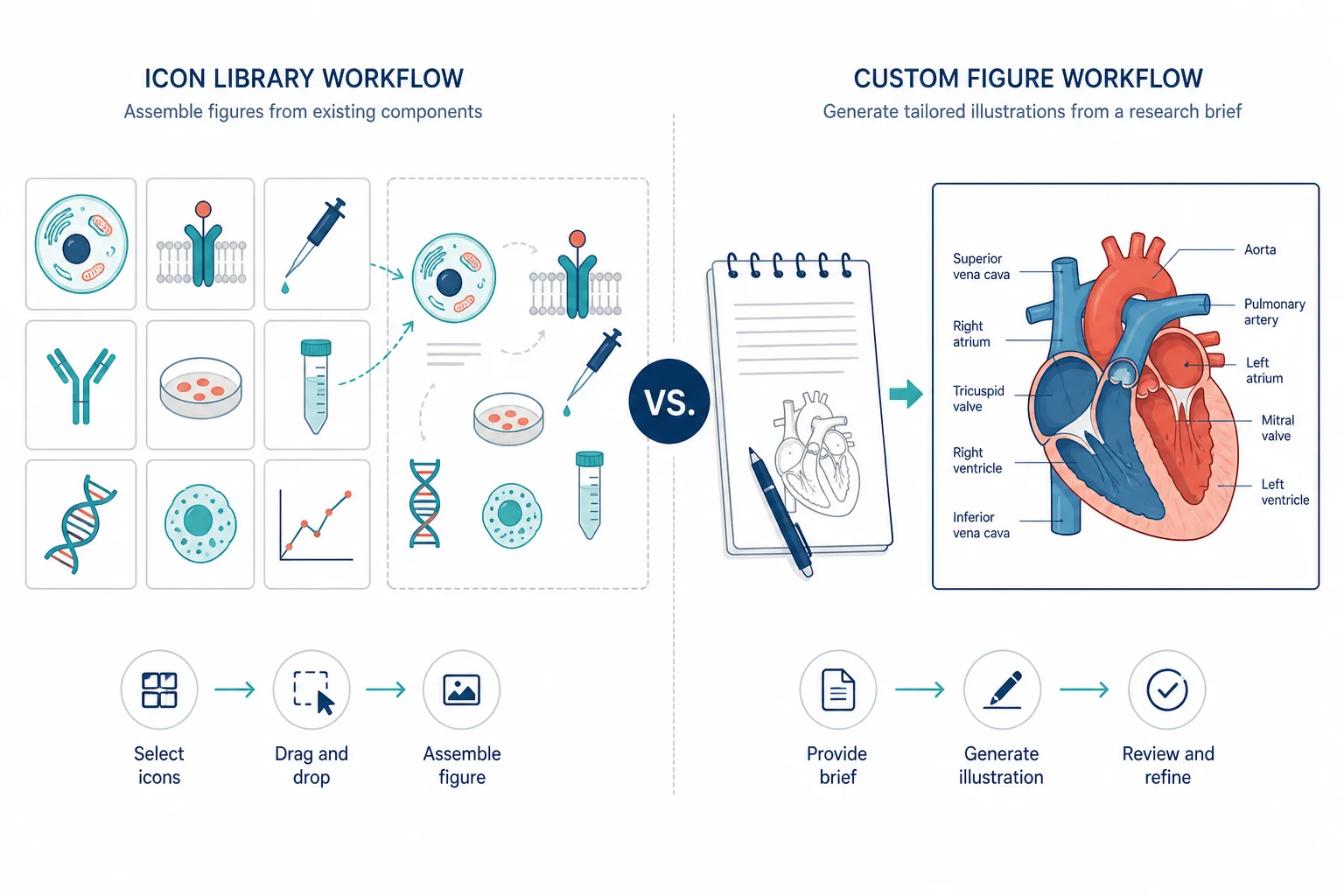
BioRender is an icon assembler. You snap cells, receptors, and pipettes into a shared lab language. ConceptViz is a brief-to-figure generator. You describe the view, get a full draft, and pay in credits instead of a per-seat license.
Neither product removes the journal check. ConceptViz will not call an export “publication-ready.” BioRender’s paid plan unlocks a publication license; it does not certify that the anatomy is correct.
| Dimension | BioRender | ConceptViz |
|---|---|---|
| Core motion | Drag icons on a canvas | Write a brief → generate a figure |
| Best when | The library already has the parts | The view does not exist as icons |
| Edit after | Nudge one icon four pixels | New brief, or edit the export |
| Lab collaboration | Shared folders, comments, Institution | One person, one figure |
| Price shape | Seat (Academic / Industry) + add-ons | One-time credit packs, or an optional subscription |
| Journal paperwork | Paid plan + required citation | You own the export; you still follow the journal |
What you actually buy with BioRender
BioRender is still the default for biology cartoons that must look like last year’s paper from the same lab.
Strengths
- Large, consistent icon language
- Shared folders and comments
- Institution seats (marginal cost near zero if the university already pays)
- A known vendor license path for journals
Limits
- Odd surgical views, non-bio figures, and custom anatomy fall off the library
- Paid figures that include BioRender content still need BioRender’s citation
- Free-plan figures are not cleared for journal PDFs
- Industry seats are a different price list than Academic
BioRender price (list, October 2026)
From BioRender’s public pricing page. Confirm the live quote before you write a grant line.
| Plan | List price |
|---|---|
| Academic Individual | $35/mo billed yearly, or $39/mo |
| Industry Individual | $95/mo billed yearly, or $115/mo |
| Academic Lab | Recent public listings: 5 seats about $99/mo yearly — confirm extra-seat math on BioRender |
| Industry Team | $5,700/year for 5 seats, or $570/month; extra seats $95/month on annual billing |
| Free (Basic) | $0 — up to 3 figures, no publication or commercial use |
Graphing and AI-assisted generation are add-ons, not included in the base seat. Full table: BioRender Pricing 2026.
The citation is not optional marketing. BioRender’s help center says completed graphics that include their content must carry “Created with BioRender.com” or the unique figure URL, and a publication license is generated on export from a paid Premium plan (not the free trial, not Undergraduate). See Publishing BioRender figures in a journal.
What you actually buy with ConceptViz
ConceptViz generates a full illustration from a written brief. Use it when BioRender’s library does not have your plane, your mutant phenotype, or a graphical abstract that should not look like an icon collage.
Strengths
- Custom anatomy, mechanisms, and one-panel visual abstracts
- Pay-per-figure instead of a second unused seat
- Separate tools so you do not dump every request into one “scientific” box
Limits
- Not an icon canvas with weekly lab templates
- Not unlimited generation
- Weak if a co-author only needs to move one receptor four pixels
- You still check labels, scale bars, and the journal’s size table
ConceptViz price
ConceptViz sells one-time credit packs: Lite $4.99 for 8 credits, Standard $19.90 for 45, and Pro $49.90 for 130. There is no per-seat license. If you generate figures every week, the Agent subscription is optional: Standard is $29.90/month or $249.90/year. Free credits are a test, not a production budget.
Graphical Abstract Maker
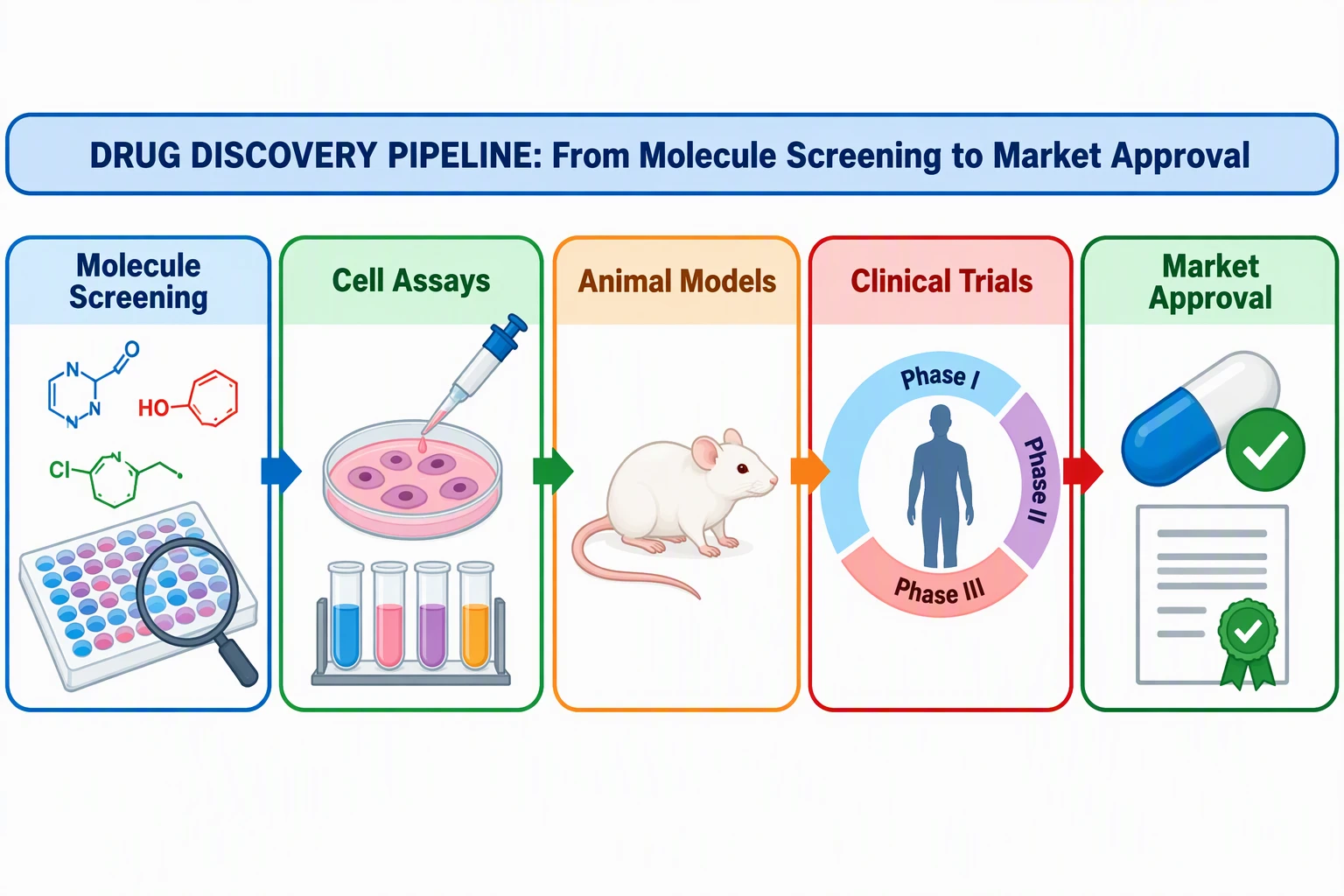
Single-panel visual abstract. Check Elsevier / Cell / Nature size tables before you export.
Draft a graphical abstract →
AI Scientific Image Generator
Mechanisms, cells, and methods figures from a written brief. Not a BioRender icon library.
Draft a scientific figure →
This is the usual reason people leave an icon tool: the library does not have this view. The labels still have to match a textbook.
The license difference that shows up at proofs
People compare sticker prices and ignore the caption.
BioRender. Free and Undergraduate do not include publication rights. A paid Academic or Industry export can include a publication license. You still put the required credit in the legend, acknowledgments, or references. If you edit the figure in Illustrator, BioRender still wants the icons cited — see editing outside BioRender.
ConceptViz. You own the export. That is not a journal waiver. Elsevier’s policy on generative AI in figures allows AI for some explanatory figures if you disclose the tool; it bans AI on primary research images (microscopy, blots, patient photos). Check your journal before you pick a vendor on price alone.
For the drawing method — views, laterality, what reviewers reject — read Anatomical Illustration for Research Papers.
Money for this paper
Do the seat math on the figures you will actually ship, not on “unlimited icons.”
| Situation | Cheaper default |
|---|---|
| You make icon biology figures most weeks | BioRender Academic Individual, or the campus seat |
| You need one custom organ plate this quarter | ConceptViz pack; do not buy a second BioRender seat for one drawing |
| Industry appointment, same canvas | BioRender Industry Individual is $95/mo yearly — price the leftover custom work as credits |
| University already has Institution | Stay. Your cost is the internal recharge |
| You built the paper on BioRender Free | Budget a paid month before export, or redraw |
A second BioRender seat for a single heart figure is the expensive mistake this page exists to stop.
A TOC image is a different invoice from a weekly pathway cartoon. Price the deliverable, then pick the tool.
Keep BioRender when
- The lab already shares a
.biorenderfolder and comments on the same file - The next ten figures are cells, membranes, and assays the icon set covers
- Institution or Lab is already paid
- You need a vendor license path your grants office already understands
Add ConceptViz when
- The icon does not exist (custom anatomy, odd surgical corridor, non-bio schematic)
- The graphical abstract must not look like everyone else’s sticker sheet
- You need a first draft this week and will vector-label it yourself
- The grant has a figure line item, not a 12-month seat
Anatomical illustration method
Views, labels, and what journals actually reject — before you pick a vendor.
Stop renewing (or do not buy) when
- You used BioRender twice last year and lived in PowerPoint the rest of the time
- Every figure you need is custom anatomy the library cannot assemble
- Industry pricing applied because of use, not because you like the canvas
- A co-author already lives in FigureLabs or Illustrator and you would only open BioRender to export
If the leftover work is an AI-native draft plus SVG / PPTX, the 1-to-1 is FigureLabs vs ConceptViz, not another BioRender seat.
Using both is normal
Many groups keep BioRender for the weekly icon language and generate the one custom panel elsewhere. That is not failure. Forcing one canvas to do both jobs is how you buy a seat you open twice.
A workable split:
- Assemble shared pathway cartoons in BioRender.
- Draft the custom organ or visual abstract in ConceptViz.
- Put both files through the same journal size table and a second author who can reject wrong laterality.
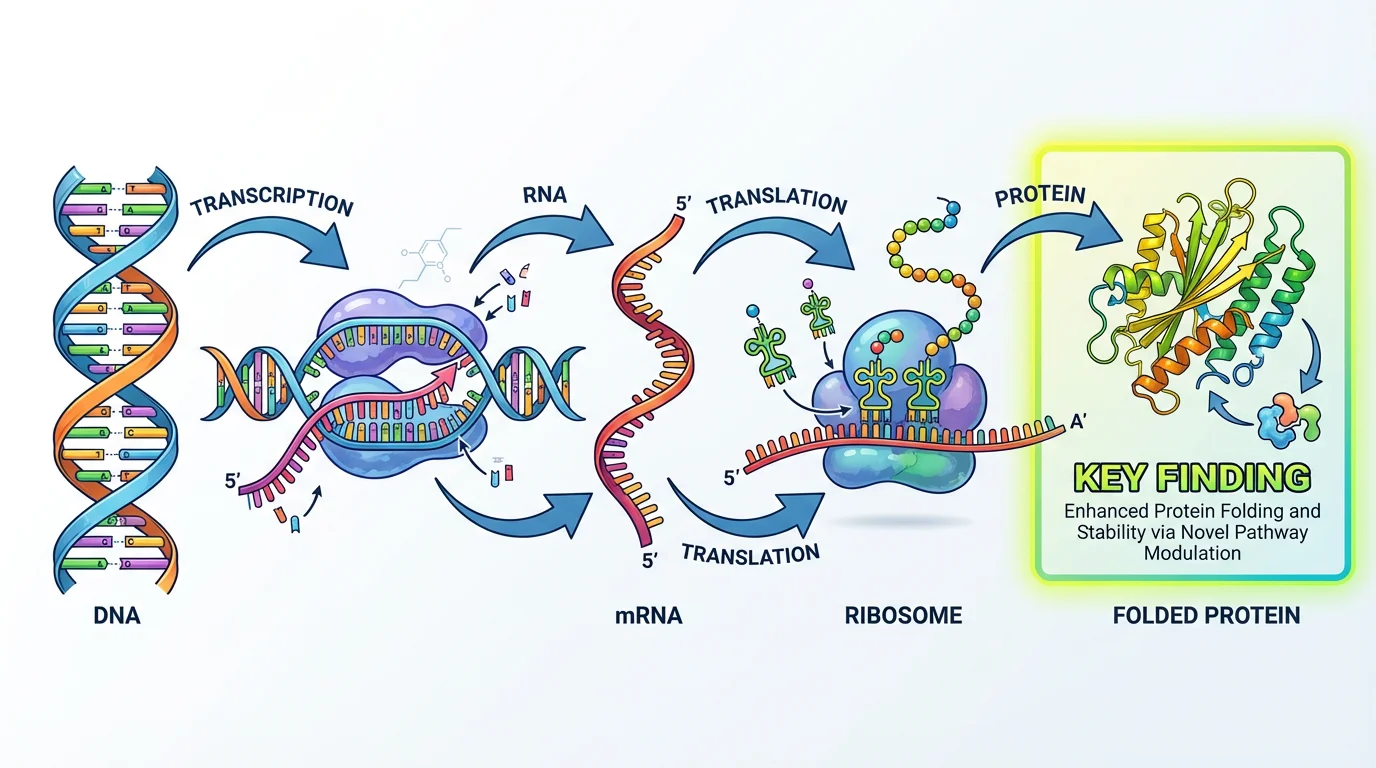
Do not reuse one file as both a Results figure and a TOC image without checking both rules.
Frequently Asked Questions
Is ConceptViz a BioRender alternative?
It can replace BioRender for a custom one-off figure. It is not a replacement for weekly icon assembly, shared lab folders, or an institutional seat. Most groups that use both are not confused — they are matching the tool to the panel.
How much is BioRender vs ConceptViz?
BioRender Academic Individual is $35 per month billed yearly, or $39 month-to-month. Industry Individual is $95 per month billed yearly, or $115 month-to-month. ConceptViz sells one-time credit packs (from $4.99) and an optional Agent subscription (Standard $29.90 per month), with no per-seat license. Compare the cost of the figures you will ship this quarter, not an unlimited-icon slogan.
Can I publish BioRender figures in a journal?
Paid Academic or Industry plans include a path to a publication license. Free, trial, and Undergraduate do not. Paid figures that include BioRender content still need BioRender’s required citation or unique figure URL.
Can I publish ConceptViz figures in a journal?
You own the export, but the journal still decides. Disclose the tool if the journal requires it. Do not use a generated image as primary data (microscopy, blots, patient photos). ConceptViz does not stamp figures as journal-ready.
Does BioRender require a citation on paid plans?
Yes, for completed graphics that include BioRender content. The help center asks for “Created with BioRender.com” or the unique figure URL in the legend, references, or acknowledgments.
When should I keep my BioRender seat?
Keep it if you assemble icon-based biology figures most weeks, if the lab already shares folders, or if the university already pays for Institution. Do not keep it as insurance for one custom organ drawing.
When is a credit pack cheaper than BioRender?
When you need a few custom figures this year and you will not live on the icon canvas. A second Individual seat for one heart plate is usually the wrong buy.
Is this the same as the free BioRender alternatives list?
No. That page is a catalog of seven tools. This page is the paid decision between BioRender and ConceptViz only.
Bottom line
Keep BioRender for weekly icon biology and shared lab files. Pay ConceptViz for the custom panel the library cannot assemble. Do not buy a second seat to force an icon tool to draw a view it does not have.
Start the custom draft on the medical illustration, graphical abstract, or scientific image page. For AI-native vector export as a BioRender companion, see FigureLabs vs ConceptViz.
Categories
More Posts
Best Patent Drawing Software: 10 Tools Compared
Compare 10 patent drawing tools and services, with prices checked in October 2026, the USPTO rules that matter, real test figures, and when to hire a drafter.

Free AI Graphical Abstract Makers for Research Papers (2026)
Compare the best free AI graphical abstract makers for researchers. Create journal-ready visual abstracts for Elsevier, Cell & Nature, no design skills needed.

What Is a Manuscript in Research? Definition and Types
A manuscript is the full written version of a research study, submitted to a journal for peer review. Learn the IMRAD structure and 5 manuscript types.