Power Analysis Calculator
Find the sample size, power or smallest detectable effect for t tests, ANOVA, correlation, proportions and chi-square, with curves. A free G*Power alternative.
Solve for
Tails
Benchmarks are Cohen (1988) conventions, rules of thumb and not standards. Not sure of your effect size? Use the effect size calculator.
Result
n = 64 per group
Group sizes 64 and 64, total N = 128. Actual power 0.801.
- Critical value
- ±1.979 t(126)
- Noncentrality
- 2.828
- df
- 126
Sentence for your methods section
An a priori power analysis (independent-samples t test, two-tailed, α = .05, power = .80, d = 0.50) indicated a required sample of 64 per group (N = 128).
Chart
Free Power Analysis Charts
Every chart below is drawn from the same code as the calculator above. View and download them free, no sign-up.
Power Curve for Two Groups
Power rises with sample size; 64 per group is the first whole number that reaches 0.80 for a medium effect.
Power curves
How it works
Reference
Turn raw means and standard deviations into an effect size with the effect size calculator. To look up the critical values behind these tests, see the t table, the F distribution table and the chi-square table. The ANOVA table calculator builds the table you will analyse, and the rejection region diagram maker draws the α side of the picture. For a plot of two overlapping normal curves, try the bell curve generator.
What a power analysis does
Statistical power is the probability that a study will detect an effect of a given size when that effect really exists. A power analysis links four quantities: the effect size, the significance level α, the power (1 − β) and the sample size. Fix any three and the fourth follows. Most researchers use it before collecting data to find how many participants they need, which is called an a priori power analysis. You can also solve for power when the sample is already fixed, or for the smallest effect your sample could detect, which is called a sensitivity analysis.
How the four quantities trade off
- A larger sample raises power. For a medium effect (d = 0.5, α = .05, two-tailed), 64 per group gives power 0.80 and 86 per group gives 0.90.
- A smaller effect needs far more people. At d = 0.2 you need 394 per group; at d = 0.8 only 26.
- A stricter α lowers power unless n grows. A one-tailed test at the same settings needs 51 per group instead of 64, but only if the direction is fixed in advance.
- The conventional target is power 0.80 with α = .05, a convention rather than a law. Grant applications and clinical studies often ask for 0.90.
How to choose an effect size
The effect size is the hardest input and the one that matters most. Three sources are defensible. First, a meta-analysis or a closely matched earlier study in your field, ideally shrunk a little because published effects tend to be inflated. Second, a pilot study, with the caution that a small pilot gives a noisy estimate. Third, the smallest effect that would be meaningful in practice, such as the smallest drop in blood pressure a clinician would care about. Cohen’s small, medium and large conventions are a last resort because the right benchmark depends on the field. If you only have raw means and standard deviations, the effect size calculator converts them to d and related measures.
Why post hoc power is not recommended
Observed (post hoc) power is computed from the effect you actually found. It is a direct function of the p-value, so observed power is at most about 50% whenever p is above α and the number adds no new information (Hoenig and Heisey, 2001). A better use of the same tools is a sensitivity analysis: given the sample you have, which effect sizes could you have detected with 80% power? Report that range, together with a confidence interval for the effect you found.
Multiple comparisons and dropout
If you plan several tests and use a Bonferroni correction, enter the corrected α. For three comparisons at an overall 0.05, α = 0.0167, and the medium-effect example grows from 64 to 86 per group. For dropout, divide the required size by (1 − dropout) and round up. The calculator does this for you and shows the recruitment number next to the analysis number.
Worked example: three groups
A teacher compares three teaching methods and expects a medium effect, f = 0.25. With α = .05 and power 0.80, the one-way ANOVA tab returns 53 students per group, 159 in total, using the noncentral F distribution with 2 and 156 degrees of freedom. For a paired design with dz = 0.3 and the same α and power you would need 90 pairs, and for two proportions of .30 and .20 you would need 292 per group.
Worked example: an animal experiment
A mouse study expects a large difference of d = 1.2 between control and treated animals. At α = .05, two-tailed, power 0.80, the independent t tab gives 12 mice per group. If you expect 10% of animals to be lost, divide by 0.9 and round up: 14 per group. Because small groups make the estimate of d very uncertain, ethics boards often expect the effect size to be justified from earlier data rather than assumed to be large.
G*Power settings and where they live here
If you are used to G*Power, this table maps its test families to the tabs above. It only lists the correspondence; G*Power is separate software by its own authors.
| G*Power test | Effect size input | In this calculator |
|---|---|---|
| t tests: Means, difference between two independent means | d, allocation ratio N2/N1 | Independent t tab, ratio n2 / n1 |
| t tests: Means, difference between two dependent means (matched pairs) | dz | Paired / one-sample t tab |
| t tests: Means, difference from constant (one sample case) | d | Paired / one-sample t tab |
| F tests: ANOVA, fixed effects, omnibus, one-way | f, number of groups | One-way ANOVA tab (shows per group and total) |
| Exact: Correlation: Bivariate normal model | r | Correlation tab, Fisher z approximation |
| z tests or exact tests for two independent proportions | p1, p2 | Two proportions tab, Cohen's h with a normal test |
| χ² tests: goodness-of-fit or contingency tables | w, df | Chi-square tab |
G*Power reports the total sample size for ANOVA; here you see the size of each group and the total. Sources: Cohen (1988), Statistical Power Analysis for the Behavioral Sciences, 2nd ed.; Faul, Erdfelder, Lang and Buchner (2007), Behavior Research Methods, 39, 175-191.
Frequently Asked Questions
Related Statistics Tools
 Research
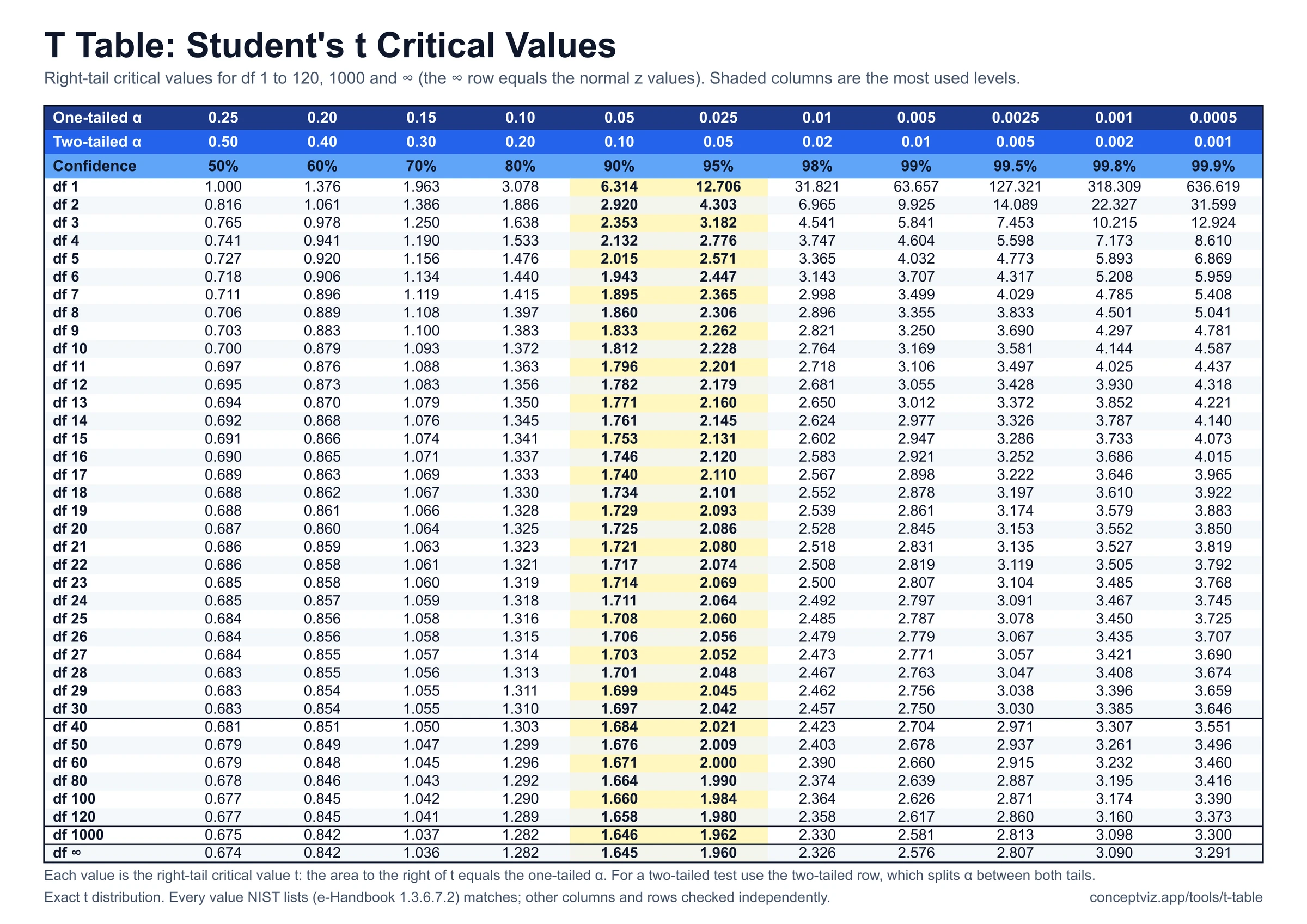
T Table
T table with one-tailed and two-tailed critical values for df 1 to 120 and infinity, a critical value and p-value calculator, and printable sheets.
 Research
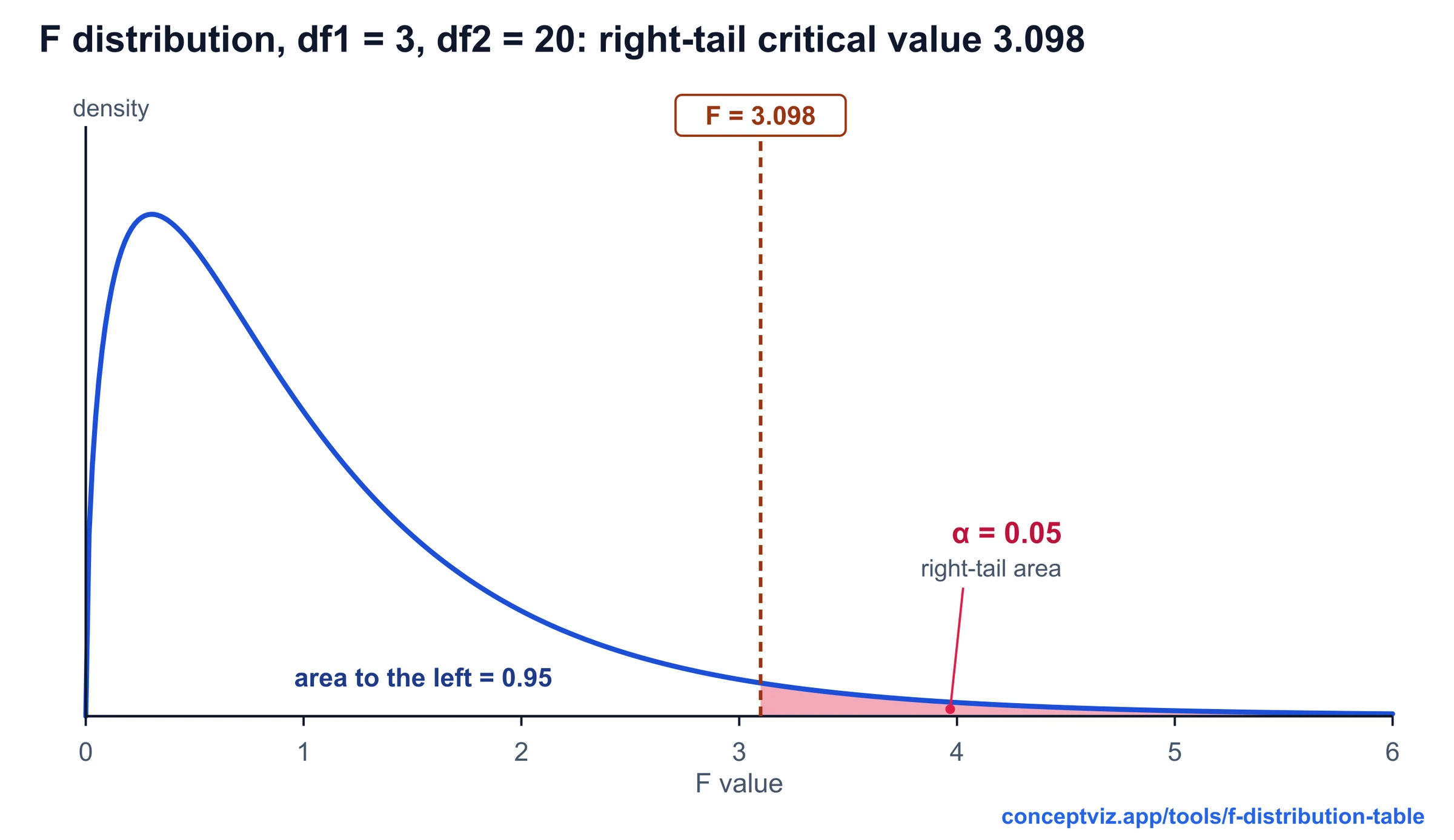
F Distribution Table
F distribution table with right-tail critical values for alpha 0.10, 0.05, 0.025 and 0.01, a critical value and p-value calculator, and printable sheets.
 Research
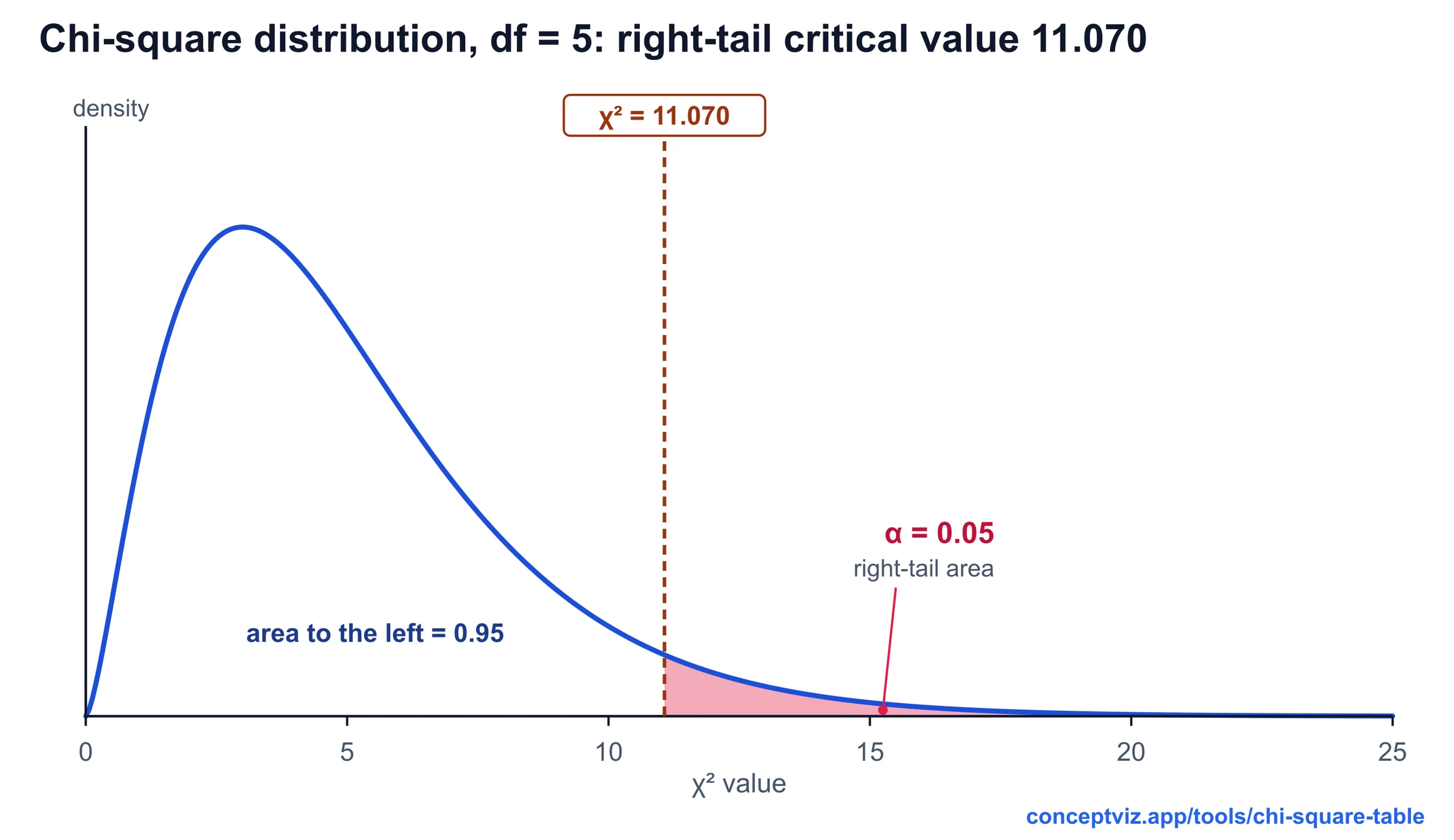
Chi-Square Table
Chi-square table with right-tail critical values for df 1 to 100, a p-value calculator with shaded area and lower-tail columns. Print or download.