ANOVA Table
ANOVA table calculator for one-way and two-way ANOVA: paste raw data, group means or SS and df, get SS, df, MS, F, p, effect size and an APA line. Free.
Plot the groups after the test. The box plot generator draws one box per group from lines like "Diet A: 3.1, 4.2, 2.8".
Open box plot generatorn = 10, mean = 3.760, SD = 0.845
n = 10, mean = 5.120, SD = 0.813
n = 10, mean = 5.730, SD = 0.909
Separate values with commas, spaces or new lines; do not use thousands separators.
ANOVA table
| Source | SS | df | MS | F | p | η² |
|---|---|---|---|---|---|---|
| Between groups | 20.342 | 2 | 10.171 | 13.855 | < .0001 | 0.506 |
| Within groups | 19.821 | 27 | 0.734 | |||
| Total | 40.163 | 29 |
Shaded cells were worked out for you from the cells you entered.
APA 7
F(2, 27) = 13.85, p < .001, η² = .51
p < .001 versus α = 0.05: significant, at least one group mean differs. Follow up with a post hoc test.
Effect size: η² = SSB / SST = 0.506, ω² = 0.461 (set to 0 when negative).
Group means chart
Error bars
Style
Bars show group means; error bars show SD.
Free ANOVA Table Charts and Cheat Sheets
Every chart below is drawn from the same code as the calculator above. View and download them free, no sign-up.
One-Way ANOVA Table Layout
What every row and column of a one-way ANOVA table holds, with the formula for each cell.
How to read
Worked examples
Charts
To check an F statistic against a cut-off, use the F distribution table; to turn any test statistic into a p-value, use the p-value table. After a significant F, compare the pairs with the Tukey table, and read a correlation between two measures with the correlation coefficient interpretation guide. Two groups only? Use the t table.
What an ANOVA table shows
An ANOVA table splits the total variation in your data into the part explained by the groups you compare and the part left over as noise. It then divides one by the other to get an F statistic, and turns F into a p-value. If the between-group variation is large compared with the within-group variation, the data are hard to explain if all group means were equal. The table is the standard way software such as R, SPSS, Excel and Minitab prints a one-way or two-way ANOVA, and the same layout is what textbooks ask you to complete.
ANOVA table format: Source, SS, df, MS, F and p
- Source: where the variation comes from. In a one-way ANOVA the rows are Between groups (also called Treatment or Factor), Within groups (Error or Residual) and Total. A two-way ANOVA adds a row for each factor and one for the interaction.
- SS (sum of squares): the total squared distance from a mean. SS between measures how far group means sit from the grand mean, SS within measures how far values sit from their own group mean, and SS total is the sum of the two.
- df (degrees of freedom): the number of independent pieces of information. Between groups df = k − 1, within groups df = N − k, total df = N − 1.
- MS (mean square): SS divided by its df, which is a variance estimate. F = MS between ÷ MS within.
- p: the probability of an F at least this large if every group mean were equal and the test assumptions hold. Small p is evidence against that.
- Formulas in one line: SSB = Σ n(x̄ᵢ − x̄)², SSW = Σ (n − 1)s², MSB = SSB ÷ (k − 1), MSW = SSW ÷ (N − k), F = MSB ÷ MSW.
ANOVA table example: how to read it, step by step
- Three diets with ten values each give k = 3 groups and N = 30 observations, so df between = 2, df within = 27 and df total = 29. The group means are 3.76, 5.12, 5.73.
- SS between = 20.342 and SS within = 19.821, so MS between = 10.171 and MS within = 0.734. Then F = 10.171 ÷ 0.734 = 13.85. The 5% critical value for 2 and 27 degrees of freedom is 3.354, and F is larger, which agrees with the p-value in the table. The effect size η² = SS between ÷ SS total = .51, so the diets explain about 51% of the variance. The calculator prints this as F(2, 27) = 13.85, p < .001, η² = .51.
How to get an ANOVA table in Excel
- Excel builds one-way and two-way ANOVA tables with the Analysis ToolPak add-in. To load it on Windows, open File, then Options, then Add-ins, choose Excel Add-ins in the Manage box, click Go and tick Analysis ToolPak. On a Mac, use Tools, then Excel Add-ins. Once it is loaded, a Data Analysis command appears on the Data tab.
- Choose Data Analysis and pick Anova: Single Factor for a one-way ANOVA, or Anova: Two-Factor with Replication or Anova: Two-Factor Without Replication for two factors. Microsoft describes the single-factor tool as a simple analysis of variance for two or more samples. Fill in the dialog with your data range and an output location, and Excel prints the ANOVA table.
- To turn an F you already have into a p-value, use =F.DIST.RT(F, df1, df2), which returns P(F > x). To get the 5% critical value, use =F.INV.RT(0.05, df1, df2). Excel does not report an effect size, so calculate η² as SS between ÷ SS total, or paste each Excel column into a group box on the Raw data tab above and the calculator adds η², ω² and an APA line.
One-way and two-way ANOVA tables
A one-way ANOVA has a single factor, such as diet with three levels. A two-way ANOVA has two factors, such as diet and sex, and tests three things at once: the main effect of A, the main effect of B and the A × B interaction, which asks whether the effect of one factor depends on the level of the other. Each of the three rows gets its own F, found by dividing its MS by the error MS, and its own p-value. In the two-way example above, factor A has F(2, 24) = 4.80. For two-way designs the effect size is usually partial eta squared, SS effect ÷ (SS effect + SS error). Look at the A × B interaction first: if it is significant, the main effects need careful interpretation because the effect of one factor changes with the other. The two-way tab here assumes a balanced design with fixed factors, which is what most textbook tables show.
Complete a partly filled ANOVA table
Homework often gives only some cells and asks for the rest. The rules are short. In every row, MS = SS ÷ df, so any two of SS, df and MS give the third. The Total row is the sum of the other rows for both SS and df, so one missing row can be found by subtraction. F = MS between ÷ MS within, so a given F and one mean square gives the other. In the fill-in example, Between SS = 48.000 with df = 2 and Within MS = 3.000 with df = 27 are enough to get MS between = 24.000, F = 8.000, SS within = 81.000 and SS total = 129.000. If a cell cannot be found, the calculator tells you which value to add.
Assumptions behind the F test
The F test in an ANOVA table assumes independent observations, roughly normal data within each group and similar variance in every group. It is fairly robust to mild departures when group sizes are equal, but not to dependent observations such as repeated measures on the same people, which need a repeated-measures ANOVA. Check spread with the group SDs the calculator prints, or look at a box plot of each group. If the variances differ a lot and the groups are unequal in size, Welch’s ANOVA is safer than the table shown here, and when the data are clearly not normal the Kruskal-Wallis test is a common rank-based alternative.
After a significant F: post hoc tests
A significant F says at least one group mean differs but not which one. To compare every pair of groups while controlling the overall error rate, run a post hoc test, most often Tukey’s HSD, which uses the within-groups mean square from this table. For a few planned comparisons, planned contrasts or a Bonferroni correction are alternatives. Do not run follow-up tests when F is not significant unless you planned them in advance.
How to report an ANOVA in APA style
APA 7 reports the F statistic with its two degrees of freedom, the p-value and an effect size: F(2, 27) = 13.85, p < .001, η² = .51. Report p to three decimals without a leading zero, and write p < .001 for very small values. Do not put a zero before η² either, because it cannot exceed 1. Add the group means and standard deviations in a table or in the text, and name the post hoc test you used.
Frequently Asked Questions
Related Statistics Tools
 Research
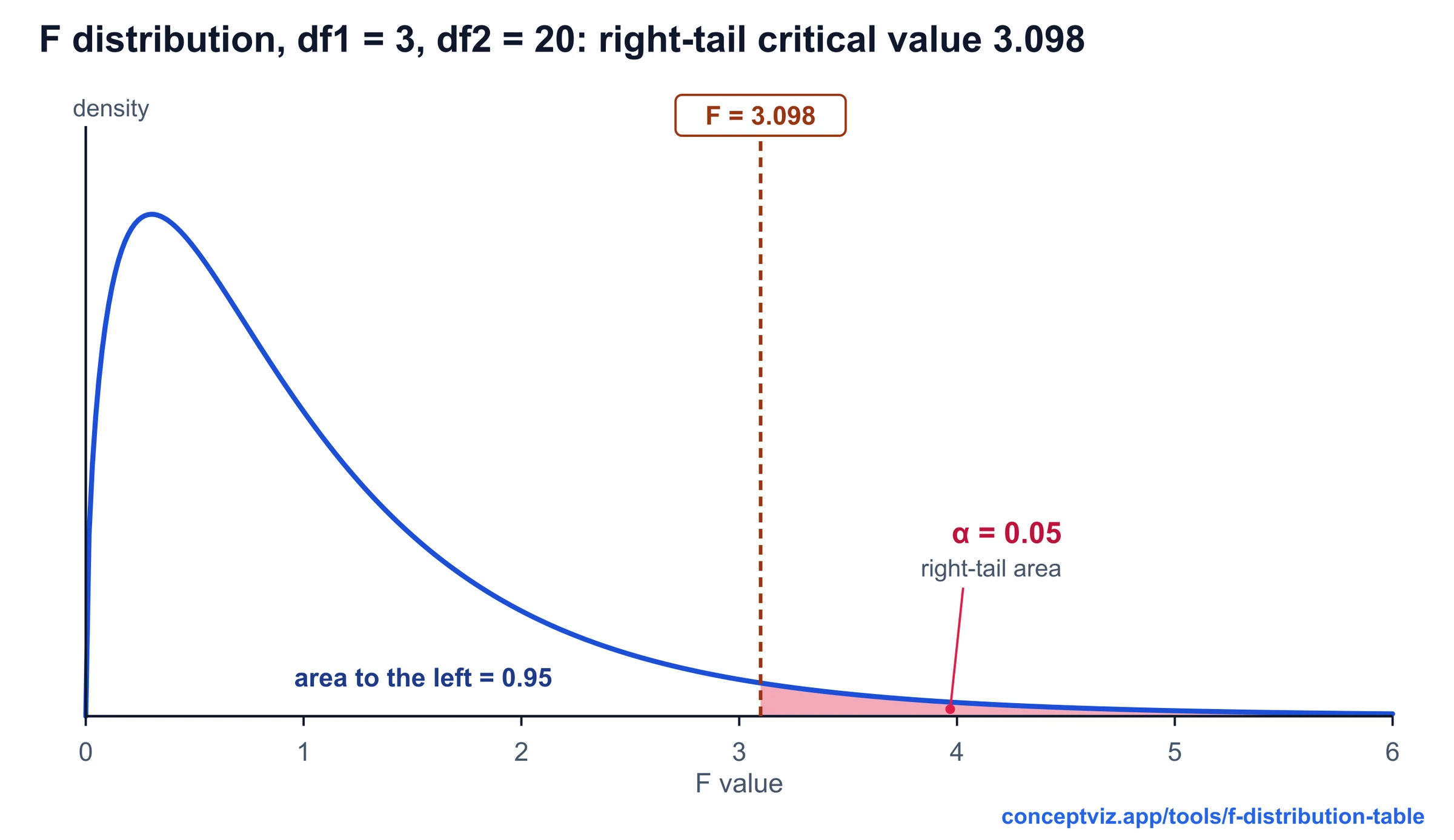
F Distribution Table
F distribution table with right-tail critical values for alpha 0.10, 0.05, 0.025 and 0.01, a critical value and p-value calculator, and printable sheets.
 Research
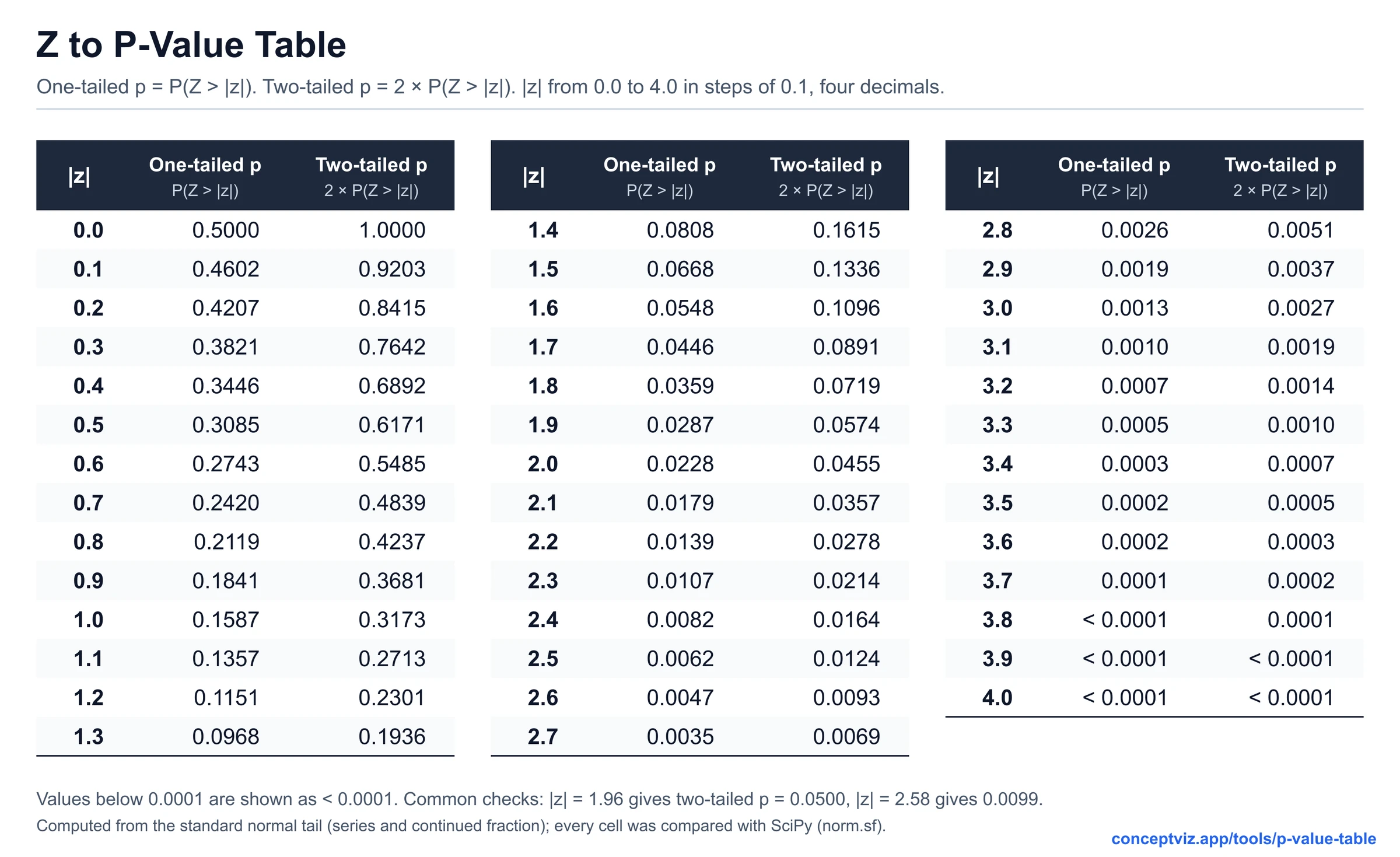
P-Value Table
P-value table and calculator for z, t, chi-square, F and r statistics, with one-tailed and two-tailed values and APA 7 reporting examples. Print or download.
 Research
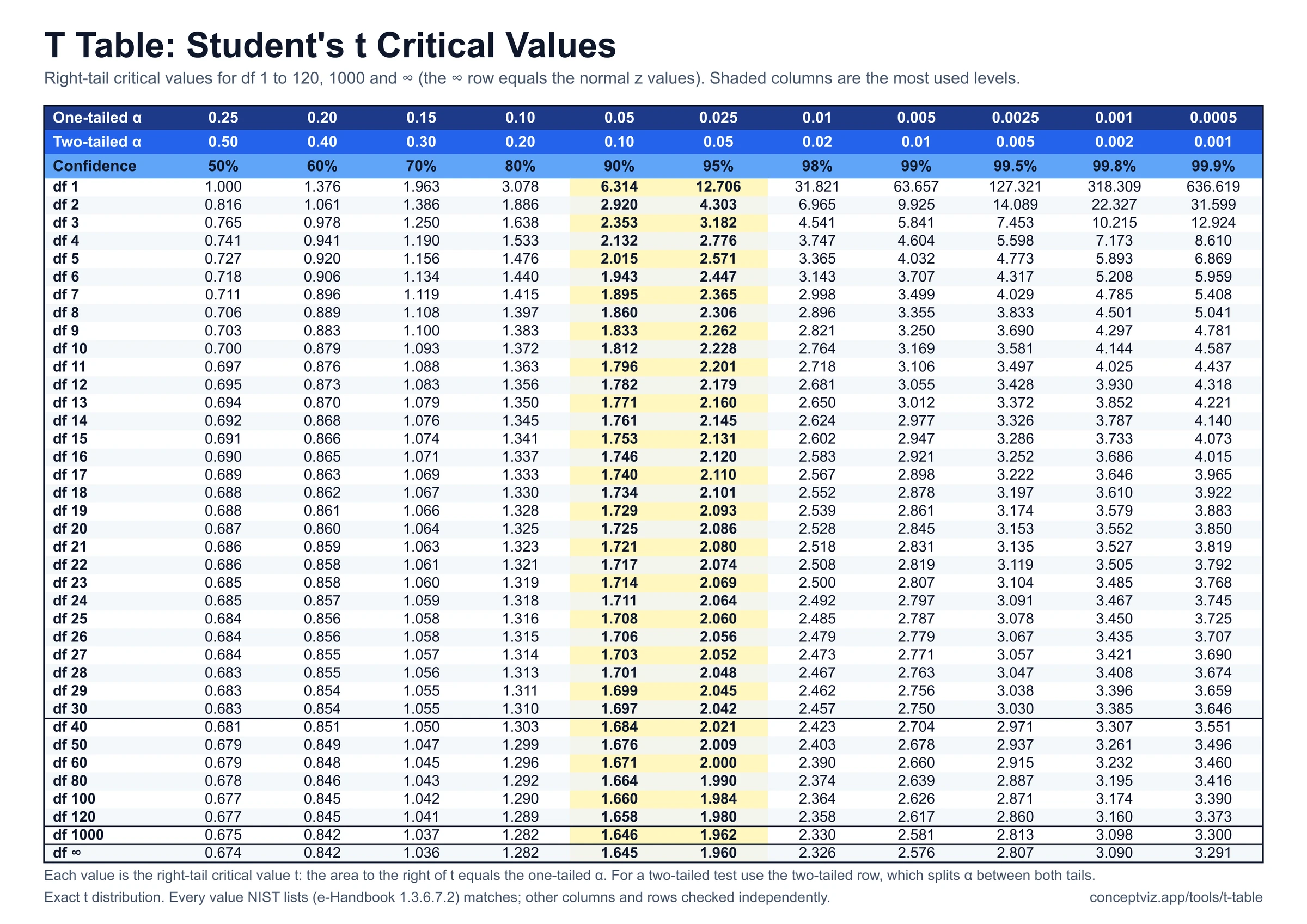
T Table
T table with one-tailed and two-tailed critical values for df 1 to 120 and infinity, a critical value and p-value calculator, and printable sheets.