Free Scientific Icon Libraries: Licenses and Formats
Compare free scientific icon libraries: Bioicons, Servier, NIAID BioArt, Reactome, BioRender, Flaticon, Noun Project. Licenses, formats, and credit lines.
Free scientific icons are easy to find and surprisingly hard to use correctly. One library gives you SVG files under a different license for every icon. Another is free only if you link back to it. A third lets you download everything but blocks publication until you pay. This guide compares the main sources of biology icons, lab icons, and scientific clipart on the three things that decide whether you can use them in a paper, poster, or slide deck: license and credit line, file format, and cost.
Every fact below comes from the library's own site and was checked in October 2026. Where a page does not say, the table says "Not stated" rather than guessing. Libraries change terms, so open the linked page before you publish.
AI Scientific Image Generator
When no library has the figure you need, describe it and generate a custom scientific illustration instead of stitching icons together.
Try it free →Quick answer: which free icon library should you use?
- You need SVG icons for lab, molecular, or computing figures: start with Bioicons and check the license label on each icon.
- You need standard anatomy and cell biology in PowerPoint: use Servier Medical Art. Everything is CC BY 4.0. Our Servier Medical Art guide covers the credit lines.
- You need pathway and signaling symbols: try the Reactome Icon Library, which states site-wide that its content is CC BY 4.0, with SVG and PNG downloads.
- You need infectious disease, protein, or lab equipment vectors: browse NIAID BioArt.
- You want one editor with a built-in library: BioRender works, but its Free plan does not allow publication or commercial use.
- You need a generic object, such as a laptop or a flask: general libraries like Flaticon and Noun Project are large but attach their own attribution rules.
Free scientific icon libraries at a glance
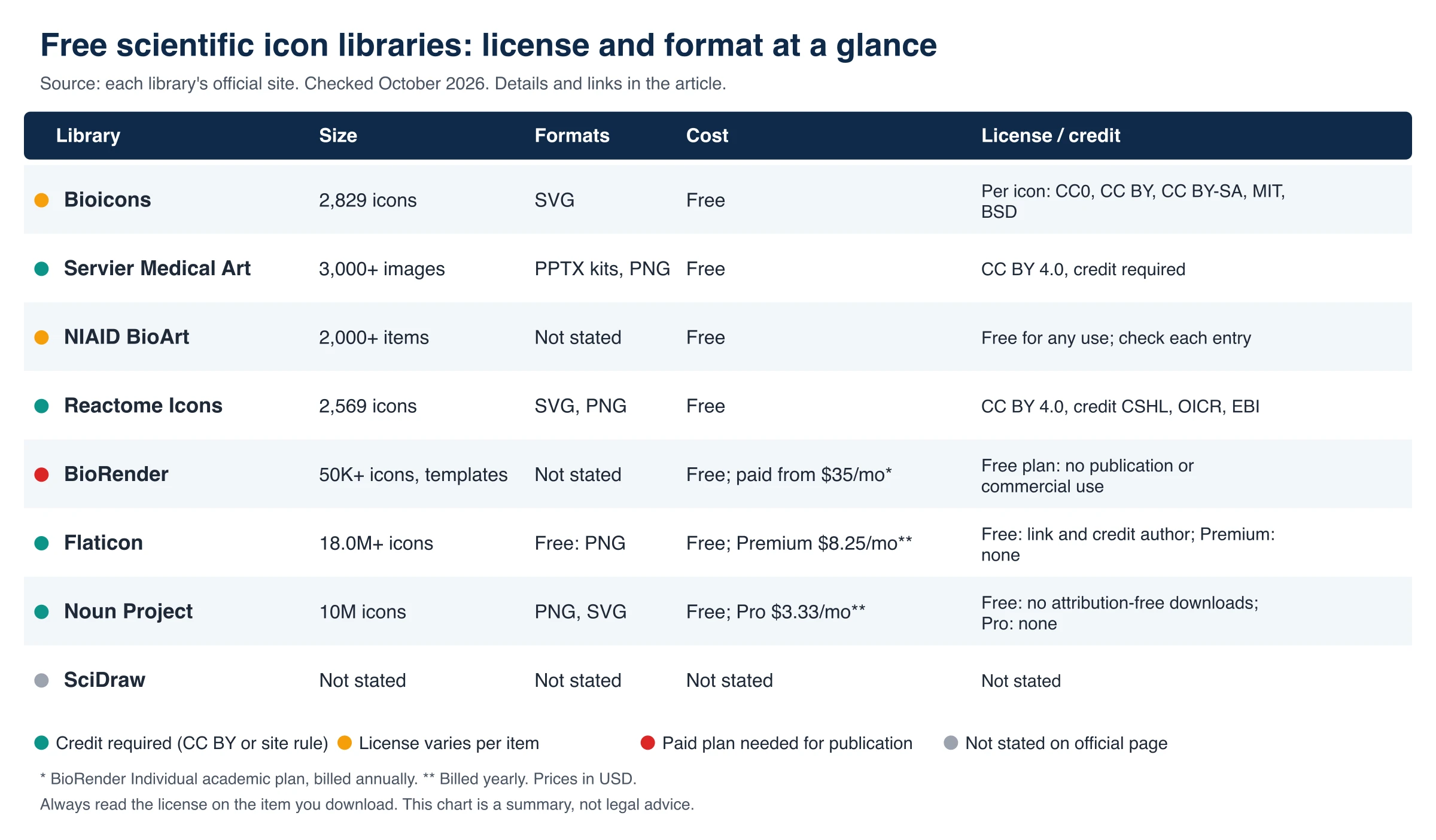
Figure 1. License, format, and cost summary built from each library's official pages (Checked October 2026). A color dot marks how credit and use rights work. Not a legal opinion.
| Library | Size | Formats | Cost | License and credit (official page) |
|---|---|---|---|---|
| Bioicons | 2,829 icons | SVG | Free | Varies per icon: CC0, CC BY 3.0/4.0, CC BY-SA 3.0/4.0, MIT, BSD |
| Servier Medical Art | 3,000+ images | PowerPoint kits; image downloads (see our Servier guide) | Free | CC BY 4.0; credit required |
| NIAID BioArt | 2,000+ items | Not stated | Free | Free for any use, including commercial; check each entry's license |
| Reactome Icon Library | 2,569 icons | SVG, PNG | Free | Site-wide CC BY 4.0 statement; attribute to CSHL, OICR, and EBI. See the license agreement |
| BioRender | "50K+" icons and templates combined | Not stated | Free plan; Academic Individual $35/month billed annually | Free plan: "No commercial use or publication" |
| Flaticon | 18.0M+ icons | Free: PNG. Premium: SVG, EPS, PSD, BASE64 | Free; Premium $8.25/month billed $99 yearly | Free: link to Flaticon and credit the author. Premium: no credit |
| Noun Project | 10M icons | PNG, SVG | Free account; Pro $3.33/month billed yearly | Free account lacks attribution-free downloads; Pro: no attribution |
| SciDraw | Not stated | Not stated | Not stated | Not stated on the pages we could read |
Checked October 2026. Sizes are the numbers each site shows; they change as libraries grow.
Bioicons: the SVG library with a license per icon
Bioicons describes itself as a free library of science illustrations and shows 2,829 icons on its home page. Icons download as SVG on click. The license is set icon by icon. The filter on the site lists CC0, CC BY 3.0, CC BY 4.0, CC BY-SA 3.0, CC BY-SA 4.0, MIT, and BSD.
What that means in practice:
- The project asks you to "always cite the individual icons and their respective license." Crediting the Bioicons platform itself is appreciated but not required.
- For CC BY icons you must also state any modifications you made.
- A CC BY-SA icon is stricter than CC BY, because adaptations must be shared under the same license.
- A figure that mixes five icons can mix five different licenses. Keep a list as you build.
Source: Bioicons and its project README, Checked October 2026.
Servier Medical Art: 3,000+ medical illustrations under CC BY 4.0
Servier states "more than 3,000 free, professional medical illustrations" under CC BY 4.0, which requires you to credit the creator. The downloads are organized as PowerPoint kits, with image downloads described in our guide. The full credit wording, edit workflow, and limits are in our Servier Medical Art guide, so we do not repeat them here.
One detail worth knowing: Bioicons also hosts some Servier-derived icons, and its own example citation labels them CC BY 3.0. Use the license shown next to the file you actually downloaded.
Source: Servier Medical Art, Checked October 2026.
NIAID BioArt: free for any use, with per-entry licenses
The US National Institute of Allergy and Infectious Diseases runs BioArt with "2,000+ science and medical art visuals," described as free vectors, icons, and brushes. Its terms say the illustrations are "free for any use, including educational, research, informational, and commercial purposes," and ask you to review the license on each entry for attribution requirements.
The terms give two ready-made credit styles. For a figure caption or slide: "Illustration from NIAID NIH BioArt Source (bioart.niaid.nih.gov/bioart/###)." For a reference list, a longer citation with the collection name, submission date, and entry title. The pages we read do not state file formats, so confirm what each entry offers.
Source: NIAID BioArt and its terms, Checked October 2026.
Reactome Icon Library: pathway symbols with clear credit rules
The Reactome Icon Library lists 2,569 unique icons with SVG and PNG archives. The site states that its content is distributed under CC BY 4.0 (a site-wide statement), and asks that work be attributed to CSHL, OICR, and EBI. Read Reactome's license agreement before you publish. The set leans toward cell biology, signaling, and pathway drawing, which makes it a good fit for mechanism figures.
Source: Reactome Icon Library, Checked October 2026.
BioRender: large library, but the license depends on the plan
BioRender's front page claims "50K+" scientifically accurate icons and templates combined; it does not give a separate icon count or list icon file formats. The pricing page is clear on rights:
| Plan (Academic) | Price (checked October 2026) | Publication rights |
|---|---|---|
| Free | $0/month | "No commercial use or publication"; up to 3 figures |
| Individual | $35/month billed annually, or $39 monthly | Academic publishing rights included |
| Lab | $99/month for 5 seats, or $129 monthly | Academic publishing rights included |
Industry plans start at $95/month billed annually for one user and include commercial usage rights. If you need the numbers in depth, see our BioRender pricing guide; if you want cheaper routes, see free BioRender alternatives. If you already used BioRender figures, how to cite BioRender explains the credit.
Source: BioRender pricing and home page, Checked October 2026.
Flaticon and Noun Project: huge, but not made for science
General icon marketplaces are useful for lab objects (a laptop, a pipette, a flask), but their free tiers come with strings.
- Flaticon lists 18.0M+ icons. Its pricing page says a free member "must add a link to Flaticon and credit the author." Free downloads are PNG; Premium is $12.99 monthly or $8.25/month billed $99 every 12 months, adds SVG, EPS, PSD, and BASE64, and removes the credit requirement. The page does not separately summarize commercial use for free members, so read the usage rules it links to.
- Noun Project lists 10M icons. A free account includes PNG and SVG downloads but not attribution-free downloads; the page does not spell out the free attribution rule directly. Pro is $3.33/month billed yearly, with royalty-free commercial licenses and no attribution required. Educator and student pricing is $1.67/month billed yearly.
Sources: Flaticon pricing and Noun Project pricing, Checked October 2026. Flaticon's separate license pages returned an access error when we checked, so we relied on its pricing page.
SciDraw: could not be verified
SciDraw is a community collection of scientific drawings. The pages we could load did not show a drawing count, formats, or a license statement, so we list those as Not stated instead of repeating what other sites say. Check the license on each drawing page before reuse.
How to credit icons correctly
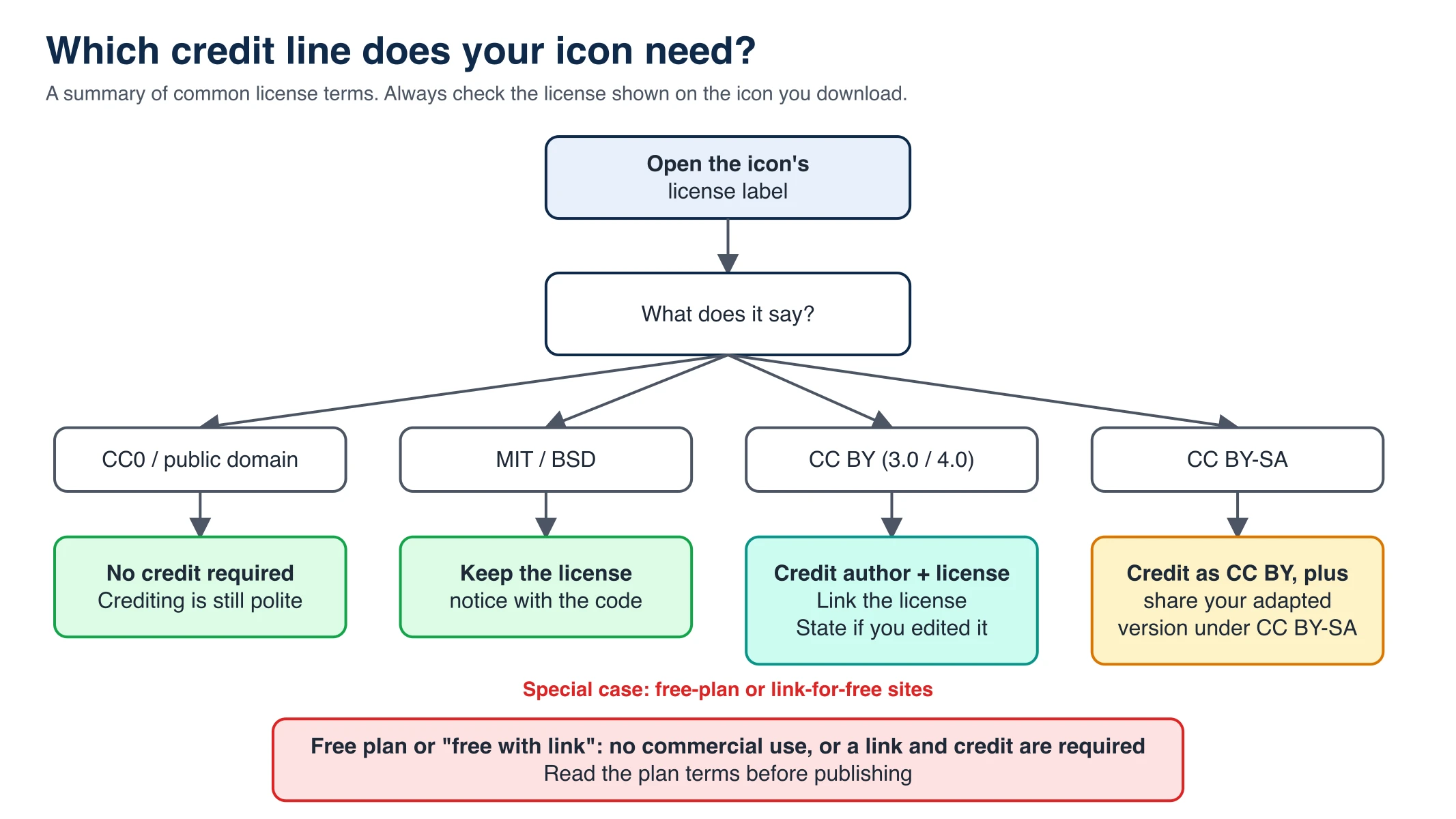
Figure 2. Common credit actions by license type. This is a summary of the license families named above; the license text on each icon governs.
A practical credit line for a CC BY icon names the creator, the library, and the license with a link. Here is a template, using placeholders you replace with the real values from the icon page:
Icon "[icon name]" by [author] via [library name] ([library URL]), licensed under [license name] ([license URL]). Modified: [what you changed].
Keep these habits:
- Record the license when you download. Screenshot or note it in a spreadsheet with the icon name and URL.
- Put credits where the journal wants them. Usually the figure legend or an acknowledgments line.
- State edits. Recoloring, merging, or relabeling counts as a modification for CC BY.
- Watch CC BY-SA. If your figure is an adaptation, it may need to be shared under CC BY-SA.
- Do not publish a figure that uses an icon from a plan that forbids publication.
For the wider figure-making workflow, see how to make scientific diagrams for research papers.
Where free icon libraries fall short
Libraries are great for common objects. They struggle when your figure is specific:
- Style clashes. Icons from three libraries rarely match in line weight, color, or shading. You spend more time restyling than drawing.
- Missing subjects. A specific receptor conformation, a named instrument, or a rare organism may not exist in any set.
- Mixed licenses. Combining icons multiplies the credit lines and the chance of a CC BY-SA obligation.
- No exact view. You get a generic cell, not the section, orientation, or labeling your paper describes.
- Format gaps. Some sources give PNG or PowerPoint only, which limits vector editing.
When to generate a custom figure instead
Use a library when the icon is standard and the credit is simple. Consider generating a custom image when the figure needs a specific view, a single consistent style, or a subject no library carries.
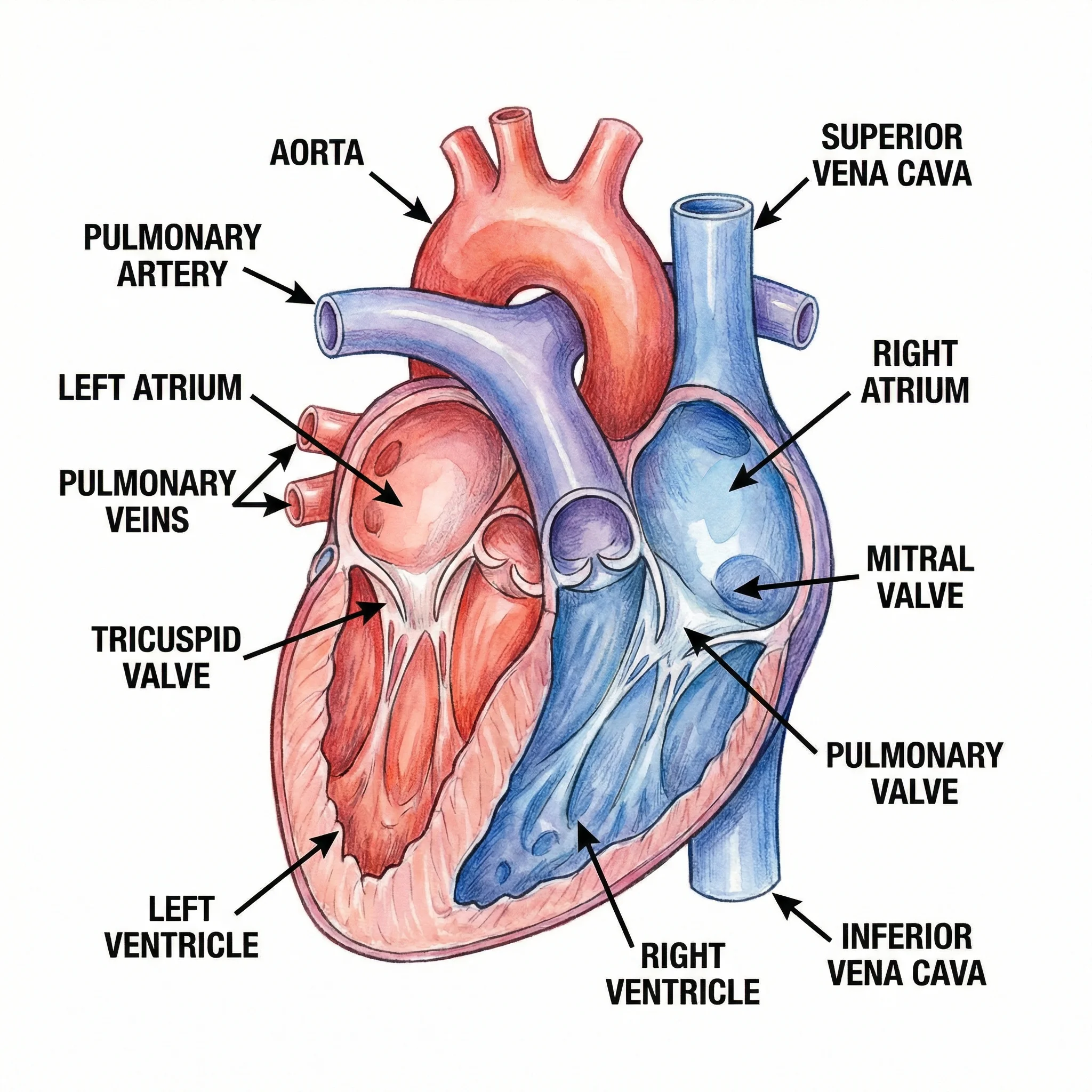
Medical Illustration Generator
Describe the anatomy, organ, or procedure you need and generate a labeled illustration in one consistent style.
Generate a medical illustration →With ConceptViz you can start free with 2 image credits, valid for 7 days, no card required. If you need more, one-time image credit packs start at $4.99 for 8 credits and do not expire. Users who buy a credit pack can convert a generated image to SVG; this is a traced vector, not an editable schematic. AI images are approximate illustrations, so check scientific accuracy and labels yourself before using one in a paper.
A sensible workflow for a mixed figure: take the standard parts (a mouse, a tube, a plate) from a library and credit them, generate the one custom panel you cannot find, and assemble everything in your slide or figure editor. For a one-panel summary figure, see how to create a graphical abstract.
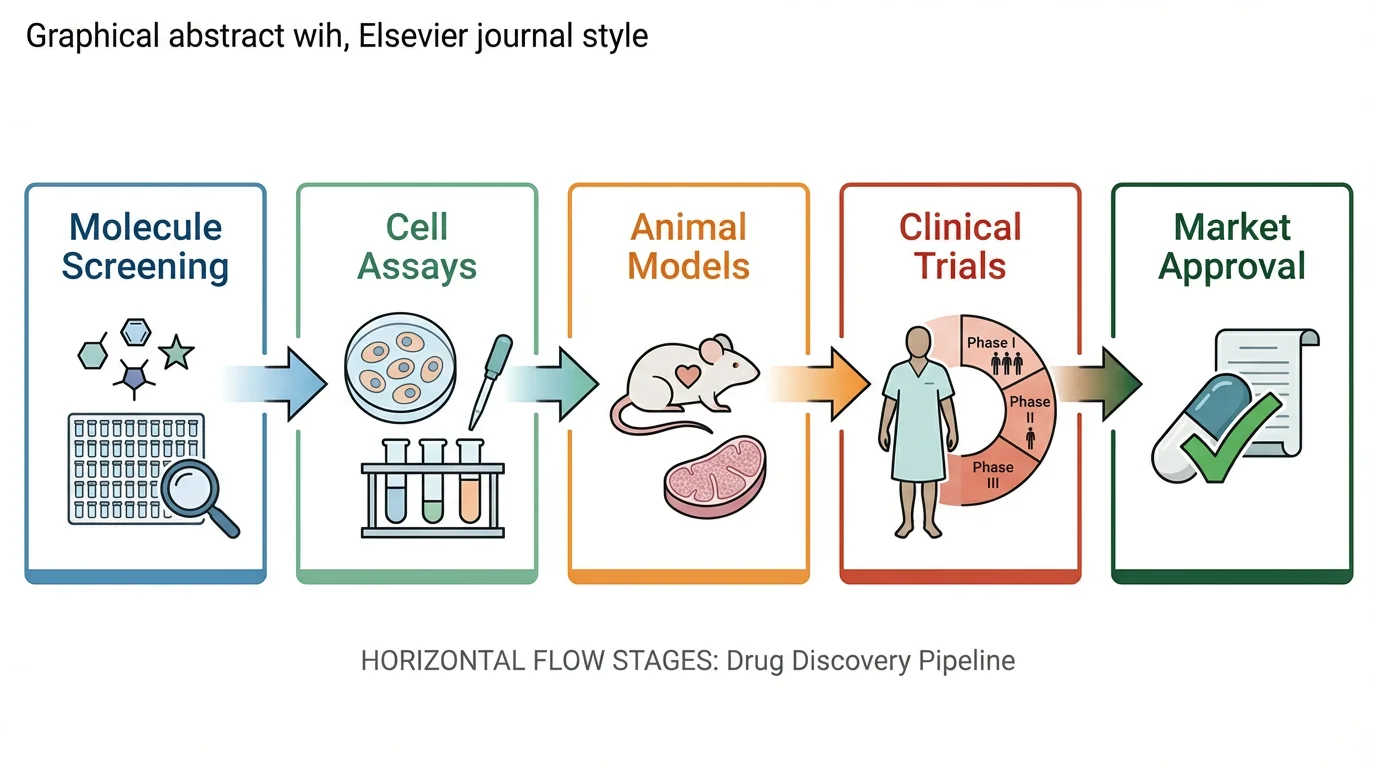
Graphical Abstract Maker
Combine your findings into one summary panel for a journal table of contents.
Frequently Asked Questions
Where can I find free scientific icons?
Bioicons (SVG icons with per-icon licenses), Servier Medical Art (CC BY 4.0), NIAID BioArt (free for any use, with per-entry licenses), and the Reactome Icon Library (site-wide CC BY 4.0 statement, SVG and PNG) are the main free sources. Check each license before you publish.
Are Bioicons free to use in a paper?
Bioicons is free, but each icon has its own license: CC0, CC BY, CC BY-SA, MIT, or BSD. Cite each icon and its license, and state modifications for CC BY icons. Treat CC BY-SA icons carefully, because adaptations must be shared under the same license.
Can I use free biology icons commercially?
It depends on the library and the icon. CC BY 4.0 allows commercial use with credit, and NIAID BioArt says its illustrations are free for any use including commercial. BioRender's Free plan states no commercial use or publication, so read the terms on the exact source.
Do I have to credit scientific icons?
Usually yes. CC BY, CC BY-SA, Servier, and Reactome icons all require credit. CC0 icons do not, and Noun Project Pro and Flaticon Premium remove the credit requirement. Free Flaticon use requires a link and credit to the author.
What is the difference between CC BY and CC BY-SA?
Both require credit. CC BY-SA also requires that adaptations you share carry the same CC BY-SA license, which makes it stricter for figures you modify and publish.
Which free icon library offers SVG files?
Bioicons provides SVG on click, and the Reactome Icon Library offers SVG and PNG archives. Servier Medical Art provides PowerPoint kits (see our Servier guide for image downloads). Noun Project free accounts include PNG and SVG, while Flaticon's free downloads are PNG.
Can I use BioRender icons for free?
The BioRender Free plan allows up to 3 figures but states no commercial use or publication. Academic publishing rights start with the Individual plan at $35 per month billed annually, checked October 2026.
What if no icon library has the figure I need?
Combine a few credited library icons with a custom illustration. An AI tool such as ConceptViz can generate a specific scientific image, and you start free with 2 image credits valid for 7 days. AI images are approximate, so verify the science and the labels yourself.
Summary
The best free scientific icon library depends on the license you can live with. Bioicons and Reactome give you SVG, Servier gives you a clean CC BY 4.0 library in PowerPoint kits, NIAID BioArt allows broad use with per-entry checks, and BioRender, Flaticon, and Noun Project tie full rights to a paid plan or a credit link. Record the license when you download, credit exactly what the license asks, and generate a custom figure when no library has the view you need, such as with the AI scientific image generator.
Categories
More Posts
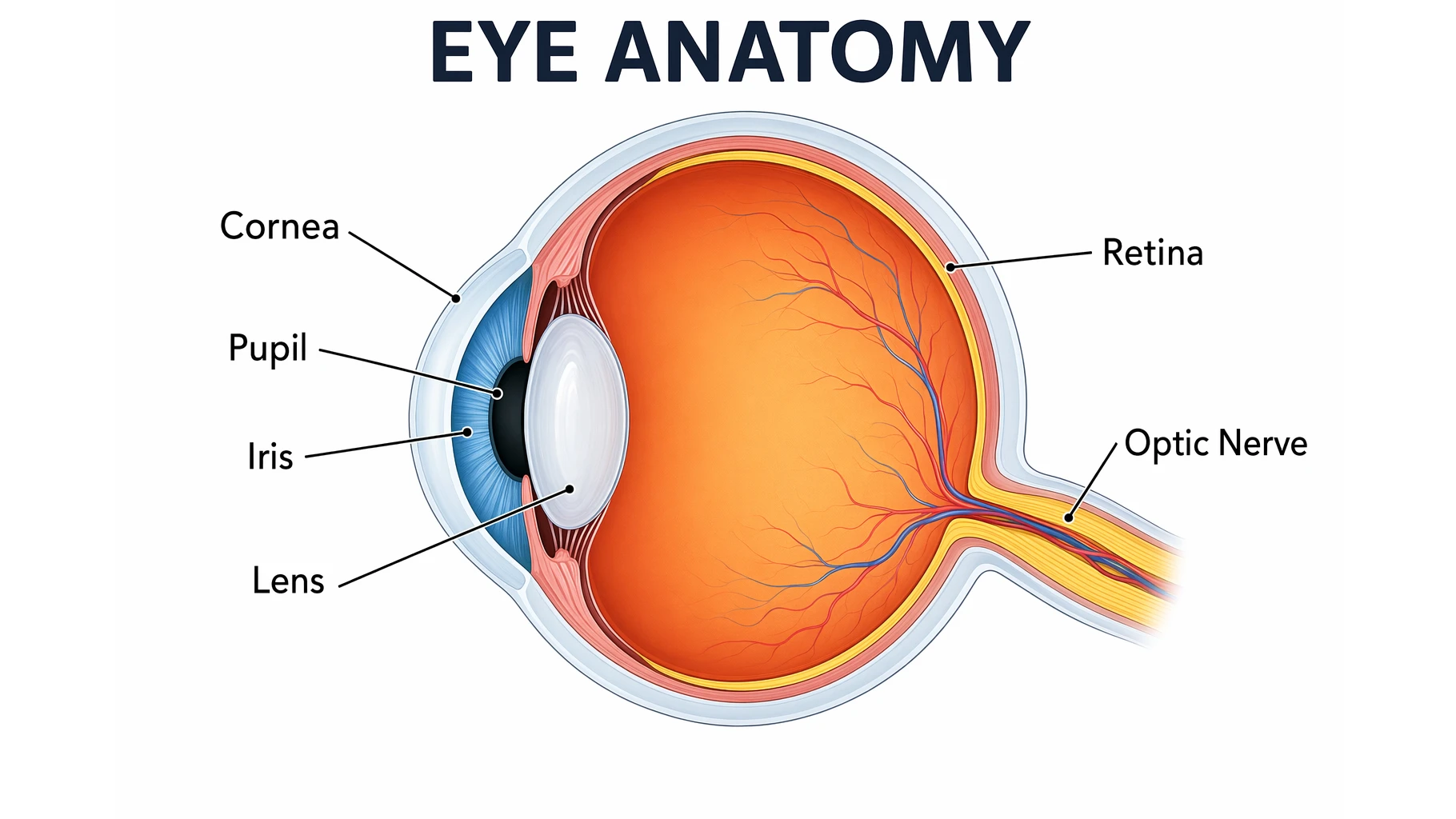
Eye Anatomy: The Parts of the Human Eye Explained
A clear guide to eye anatomy: the cornea, iris, pupil, lens, retina, and optic nerve, what each part does, how vision works, and how to read an eye diagram.
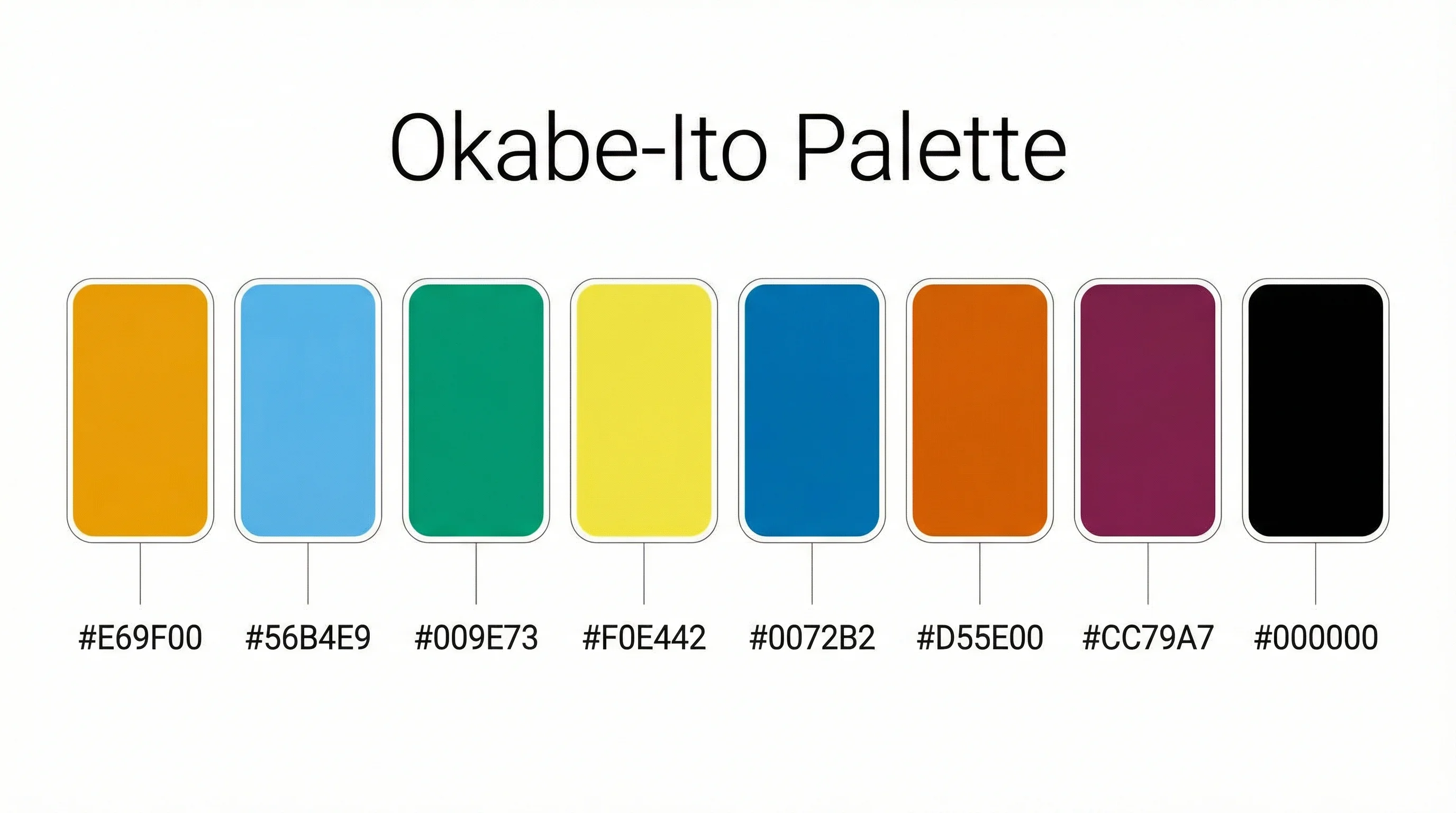
Okabe-Ito Palette Hex Codes for Python, R & CSS
Copy all 8 Okabe-Ito palette hex codes with RGB values and ready-to-use Python, R, MATLAB and CSS snippets for colorblind-safe scientific figures.
How to Make a Pie Chart in Google Sheets: Step-by-Step Guide (2026)
Learn how to create a pie chart in Google Sheets, summarize messy data, format labels, customize slices, and avoid misleading charts, with official help links.