Z Table (Standard Normal Table)
Z table with positive and negative z-scores, left-tail cumulative area, z to p and p to z calculator, shaded curve and printable A4 and Letter sheets.
Area shown in each cell
P(Z ≤ z): Area to the left of z, from minus infinity up to z. This is the standard table.
Table
| z | .00 | .01 | .02 | .03 | .04 | .05 | .06 | .07 | .08 | .09 |
|---|---|---|---|---|---|---|---|---|---|---|
| 0.0 | ||||||||||
| 0.1 | ||||||||||
| 0.2 | ||||||||||
| 0.3 | ||||||||||
| 0.4 | ||||||||||
| 0.5 | ||||||||||
| 0.6 | ||||||||||
| 0.7 | ||||||||||
| 0.8 | ||||||||||
| 0.9 | ||||||||||
| 1.0 | ||||||||||
| 1.1 | ||||||||||
| 1.2 | ||||||||||
| 1.3 | ||||||||||
| 1.4 | ||||||||||
| 1.5 | ||||||||||
| 1.6 | ||||||||||
| 1.7 | ||||||||||
| 1.8 | ||||||||||
| 1.9 | ||||||||||
| 2.0 | ||||||||||
| 2.1 | ||||||||||
| 2.2 | ||||||||||
| 2.3 | ||||||||||
| 2.4 | ||||||||||
| 2.5 | ||||||||||
| 2.6 | ||||||||||
| 2.7 | ||||||||||
| 2.8 | ||||||||||
| 2.9 | ||||||||||
| 3.0 | ||||||||||
| 3.1 | ||||||||||
| 3.2 | ||||||||||
| 3.3 | ||||||||||
| 3.4 |
Row = z to one decimal, column = the second decimal. Values are computed to 10 decimal places and rounded to 4. For |z| above 3.49 use the calculator.
Free Z Table Charts and Worksheets
Every sheet below is drawn from the same computed values as the table above. View, download and print them free, no sign-up.
Z Table: Positive and Negative Z Scores on One Page
Both tables side by side, left-tail area Φ(z), z in rows and the second decimal in columns.
Tables
Printer friendly
Study aids
Reference charts
What is a z table?
A z table, also called the standard normal table, lists the area under the standard normal curve up to a chosen z score. The standard normal distribution has mean 0 and standard deviation 1, and the total area under it is 1, so every area is also a probability. This page prints the most common version, the cumulative table: each entry is the area to the left of z, written Φ(z) or P(Z ≤ z). Numbers are computed to 10 decimal places and rounded to 4, and they agree at four decimals with the NIST e-Handbook table once that table, which lists the area from 0 to z, is converted to left-tail form.
How to read a z table
- Write your z score to two decimals, for example 1.96. The row is the first decimal, 1.9, and the column is the second decimal, .06. Where they meet you find 0.9750. So P(Z ≤ 1.96) = 0.9750: about 97.5 percent of values lie below 1.96.
- For a negative z, use the negative table. The cell for z = −1.00 shows 0.1587, so 15.87 percent of values lie below −1. The two tables mirror each other: Φ(−z) = 1 − Φ(z). That is why textbooks print a separate negative table, and why you can get a negative value from the positive table by subtracting from 1.
- Use the switch above the table to see the same numbers as a right-tail, 0-to-z or two-tail area. These are converted by code from the same function, not copied from another table.
Left tail, right tail, 0 to z and two tails
Most reading mistakes come from using the wrong area. The cumulative table gives the left tail. The right tail is 1 minus the table value, so P(Z > 1.96) = 1 − 0.9750 = 0.0250. The area between the mean and z is the table value minus 0.5, which is 0.4750 for 1.96. A two-sided p-value doubles the smaller tail: 2 × 0.0250 = 0.0500. Some books and the NIST handbook print the 0-to-z version, so check the sketch or the first row of your table, such as 0.0000 or 0.5000 at z = 0, before you copy a value.
Worked example: a z score and its probability
Scores on a test are roughly normal with mean 100 and standard deviation 15. What share of people score below 115? First standardize with z = (x − μ) / σ = (115 − 100) / 15 = 1.00. The table gives Φ(1.00) = 0.8413, so about 84.13 percent score below 115, and 0.1587 score above it. To find the share between two values, subtract two table readings: the share between 85 and 115 is Φ(1.00) − Φ(−1.00) = 0.6827.
The 68-95-99.7 rule and critical values
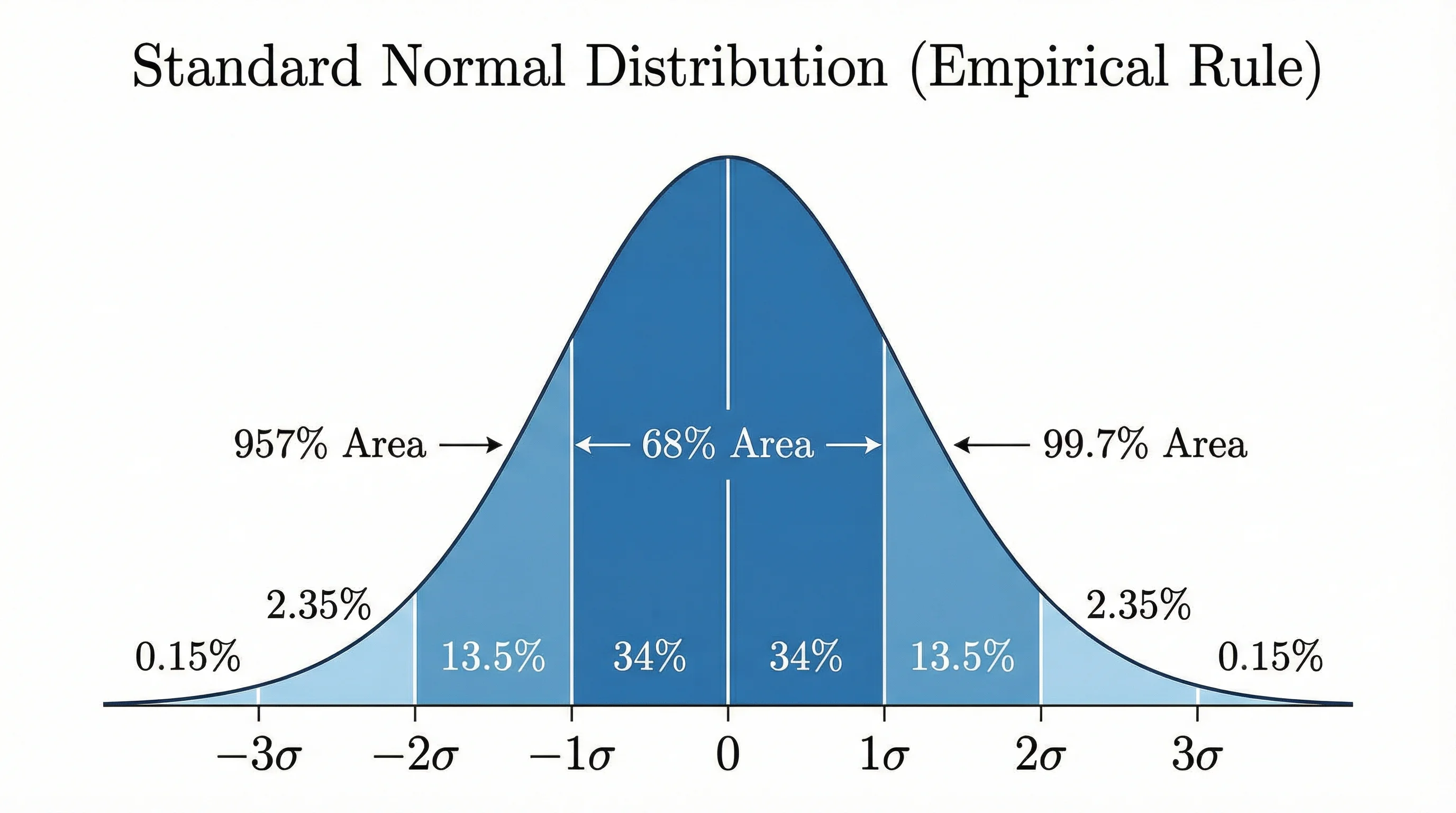
The empirical rule is three table differences in disguise. Between −1 and 1 lies 0.6827, between −2 and 2 lies 0.9545, and between −3 and 3 lies 0.9973. To draw these curves yourself, use the bell curve generator. For confidence intervals you go the other way, from an area to a z. The critical values are 1.645 for 90 percent, 1.960 for 95 percent and 2.576 for 99 percent confidence; the Critical values tab lists more, and the calculator turns any probability into a z.
When to use a t table instead of a z table
Use the z table when the population standard deviation is known, when you test a proportion with a normal approximation, or as an approximation for the sample mean when the sample is large enough that the t and z values are close. When you estimate the standard deviation from a small sample of roughly normal data, use the t table with the right degrees of freedom: the statistic follows a t distribution, which has heavier tails. As the sample grows the t values approach the z values above. For counts in categories you need a chi-square table. Table values assume a normal distribution; check your data with a histogram first.
Frequently Asked Questions
To draw a normal curve with your own mean and standard deviation, use the bell curve generator. Working with small samples or counts? See the t table and the chi-square table.
Related Statistics Tools
 Research
Bell Curve Generator
Draw a normal distribution with your own mean and standard deviation and shade the area you care about.
 Research
AI Histogram Maker
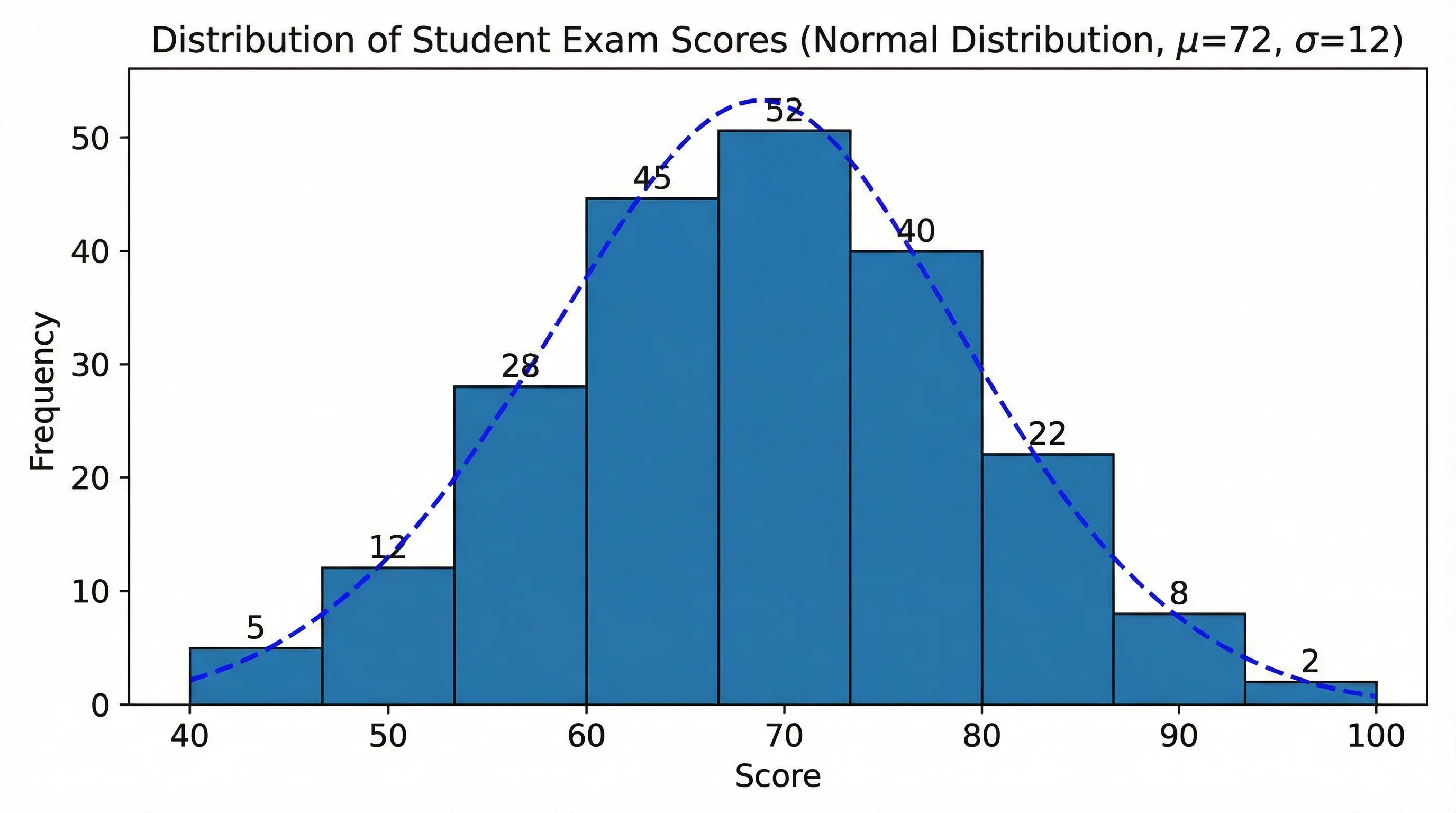
Turn your data into a histogram and check whether it looks normal before you use a z table.
 Research
Box Plot Generator
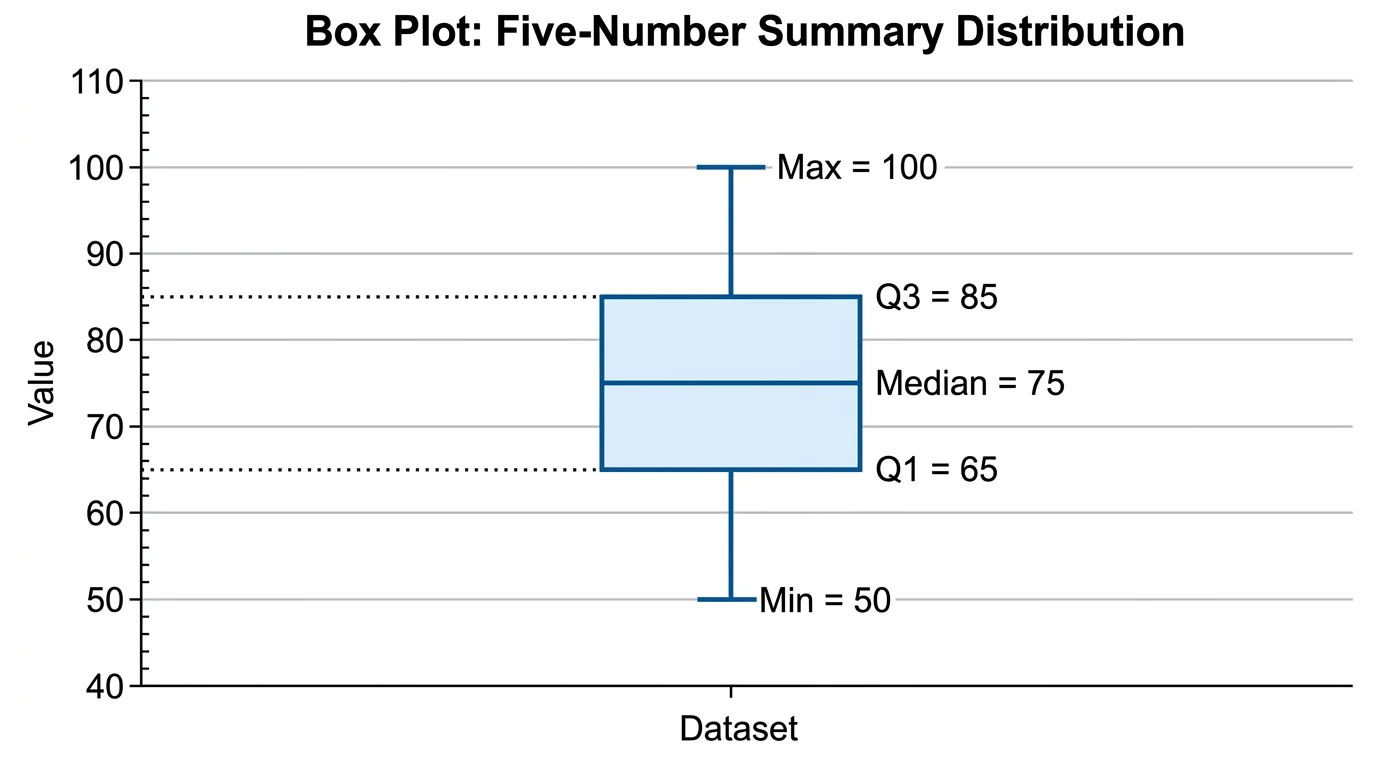
Compare groups with quartiles and outliers in a clean box-and-whisker diagram.