
Best AI Scientific Illustration Tools and Software (2026)
Scientific illustration software for each paper figure step: BioRender, Prism, Illustrator, Inkscape, and AI tools. Prices checked October 2026.
Scientific illustration software for the whole paper figure
A finished journal figure rarely comes out of one program. A typical figure starts as a schematic in a dedicated scientific illustration tool, picks up data plots from Prism, R, or Python, gets assembled into lettered panels in a vector editor, and is finally exported at the size and format the journal asks for. Most "best scientific illustration software" lists only rank the first step.
This guide compares the tools for each step, with the price, free-plan limits, and publication terms we checked on each official site in October 2026. It covers dedicated scientific illustration tools (BioRender, Mind the Graph, SciDraw), AI generators (FigureLabs, Illustrae, ConceptViz), data plotting software (GraphPad Prism, ggplot2, matplotlib, Origin), and assembly software (Adobe Illustrator, Inkscape, Affinity, PowerPoint, Figma).
No tool here makes a figure acceptable to a journal on its own. Journals check resolution, fonts, labels, and their own AI image policies. Treat every tool as a way to get a correct draft faster, then check it.
If you only need BioRender's full plan list, read BioRender Pricing 2026. If you want free options only, read Free BioRender Alternatives.
Comparison table: price, free limits, and publication use
Checked October 2026. USD. "Publication use" means the vendor's license permits use in a paper under its stated conditions. The journal still decides whether the artwork and any AI assistance are acceptable.
| Tool | Workflow stage | Price (checked Oct 2026) | Free version limits | Publication use | Learning curve |
|---|---|---|---|---|---|
| BioRender | Illustration | Academic Individual $35/mo billed yearly or $39 monthly | Free: 3 figures, 1 Graphing file | Paid plans only; free plan and trial excluded | Low |
| Mind the Graph | Illustration | Researcher $15/mo or $99/yr | Free Starter: up to 4 illustrations, watermark, citation | Free: CC BY-SA with watermark; paid: broader rights | Low |
| SciDraw | Illustration assets | Free | All free; per-drawing license | Yes, with the credit each drawing's license requires (CC BY or CC0) | Low |
| FigureLabs | AI illustration | Starter $9/mo billed yearly | 150 one-time credits plus 50 daily; non-commercial | Paid plans include publication authorization | Low |
| Illustrae | AI illustration | Starter $59/yr; higher tiers $155/yr or $299 lifetime | No free plan; 15-day refund window | Vendor states publication and commercial rights | Low |
| ConceptViz | AI illustration, graphical abstracts | Image packs from $4.99 (8 credits); Standard plan $29.90/mo or $249.90/yr | 2 image credits valid 7 days; watermark, no commercial use | Paid accounts, within the license terms | Low |
| GraphPad Prism | Data plots | Academic $260/yr; Student $142/yr | Free trial | Yes, licensed output is yours | Medium |
| ggplot2 (R) | Data plots | Free (MIT license) | None | Yes | High (code) |
| matplotlib (Python) | Data plots | Free (BSD-compatible license) | None | Yes | High (code) |
| Origin | Data plots | Not stated without a quote | Free trial; free 6-month Learning Edition for students | Yes, with a license | Medium |
| Adobe Illustrator | Assembly | $22.99/mo on an annual plan billed monthly | 7-day trial | Yes | High |
| Inkscape | Assembly | Free (GPL) | None | Yes, your output is yours | Medium |
| Affinity | Assembly | Free for individuals (Canva account) | AI features need a Canva premium plan | Yes | Medium |
| PowerPoint | Assembly, simple figures | Microsoft 365 Personal $9.99/mo or $99.99/yr | Limited free web version | Yes | Low |
| Figma | Assembly, layout | Professional full seat $16/mo | Starter plan is free with limits | Yes | Medium |
Official sources: BioRender, Mind the Graph, SciDraw, FigureLabs, Illustrae, ConceptViz pricing and license, GraphPad Prism, ggplot2, matplotlib license, Origin, Adobe Illustrator, Inkscape, Affinity, Microsoft 365, Figma. Prices change often and promotional prices are excluded where we could tell them apart. Confirm the number on the vendor page before you put it in a grant budget.

AI Scientific Image Generator
Draft mechanisms, cells, and methods figures from a written brief when no icon library has your view. Check every label before you submit.
Draft a scientific figure →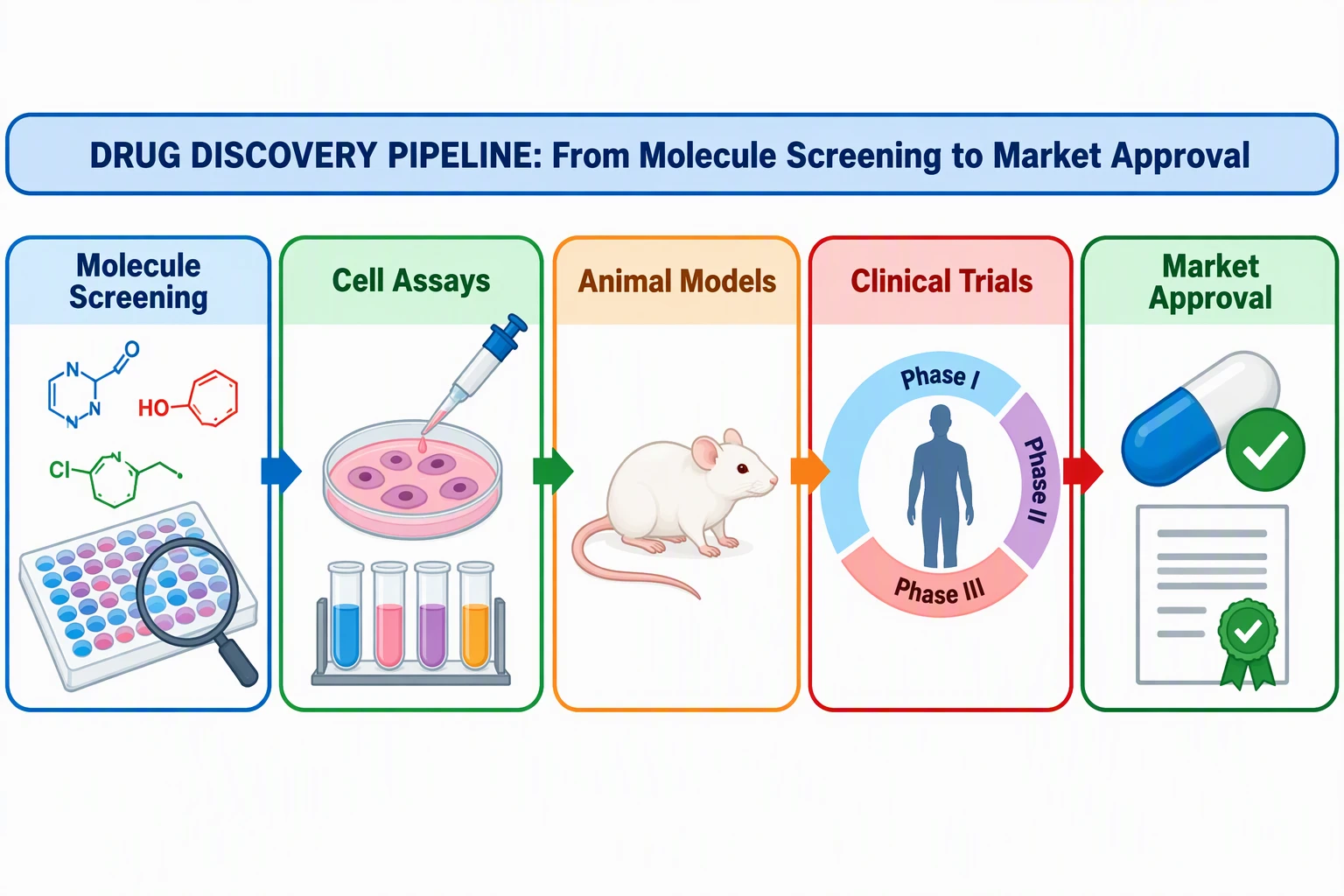
Graphical Abstract Maker
Single-panel visual abstract drafts. Check your journal's size table before you export.
Draft a graphical abstract →A typical figure workflow
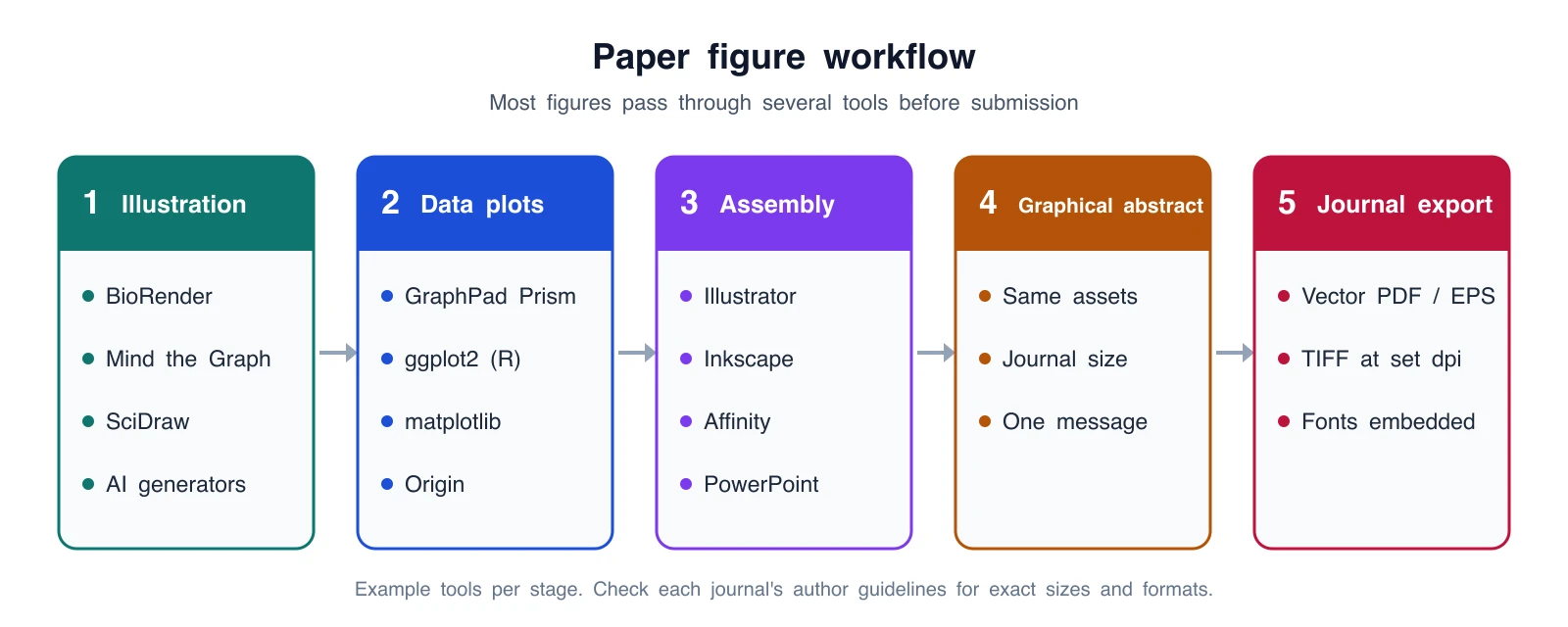
Precise diagram drawn as SVG and rendered to an image. The tools listed are examples, not a required stack.
Here is how one methods-and-results figure usually moves through the tools above. The stages map to the sections that follow.
- Draw the schematic. Sketch the experiment, mechanism, or model on paper first. Then build it in a dedicated illustration tool (BioRender, Mind the Graph) or draft it with an AI generator if no library has your view. Export as SVG or PDF when the tool allows it, so you can still edit text later.
- Make the data plots from the data. Plot in Prism, ggplot2, matplotlib, or Origin, never in an illustration tool. Set the final font and size in the plotting tool and export vector PDF or SVG. Keep the script or project file next to the figure so you can regenerate it after review.
- Assemble the panels. Place the schematic, plots, and any micrographs on one canvas in Illustrator, Inkscape, Affinity, or PowerPoint. Set the canvas to the journal's column width before you start, not after. Letter the panels (A, B, C, D) with one font and size, align edges to a grid, and add scale bars to every image.
- Make the graphical abstract (if required). Reuse the same assets in a single panel with one message. Size it to the journal's specification.
- Export to the journal's rules. Most journals accept vector PDF or EPS for line art and TIFF at a stated resolution for images. Embed or outline fonts. Check the author guidelines for the exact width and resolution.
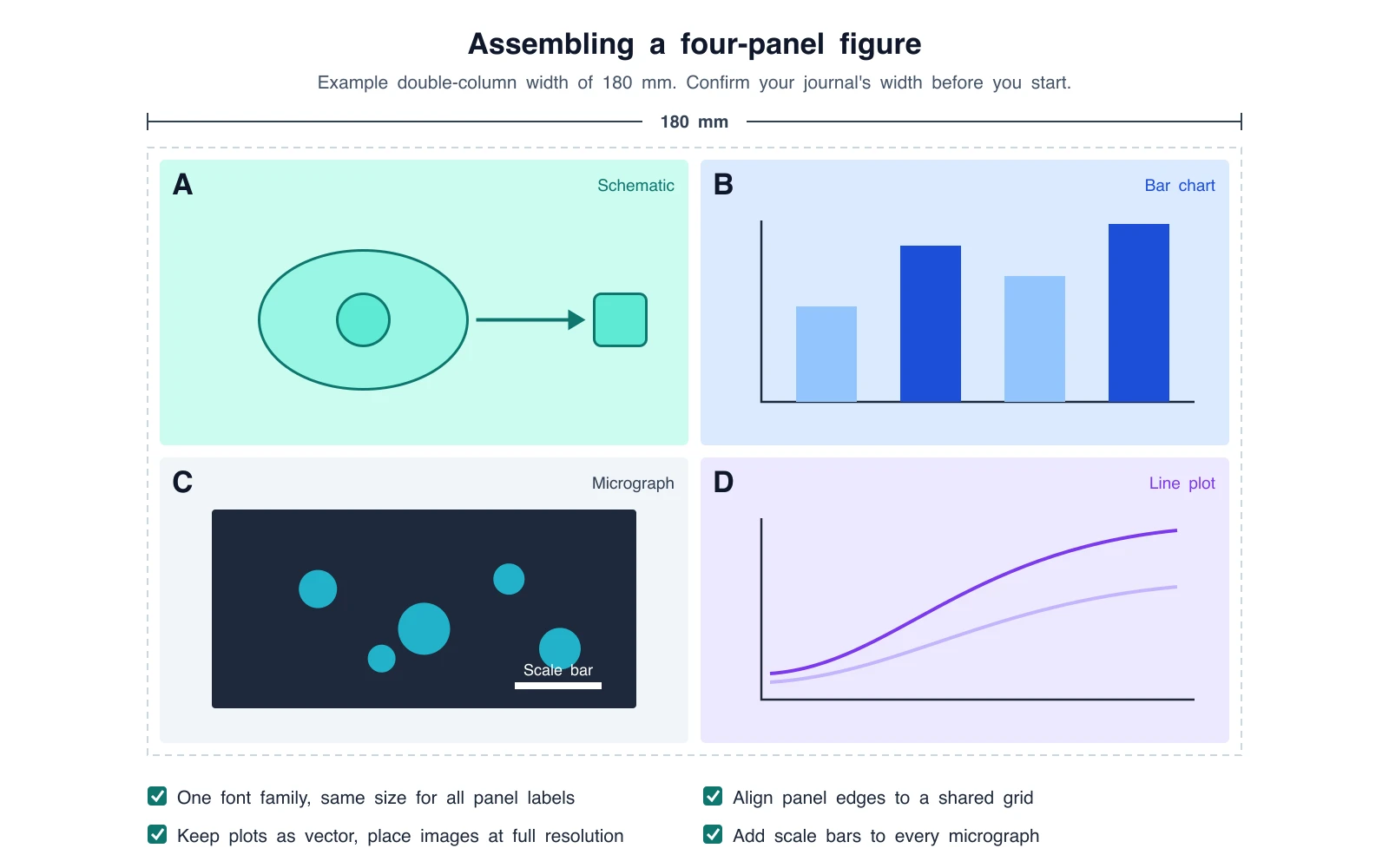
Precise layout drawn as SVG. The 180 mm width is an example; confirm your journal's column width. In a real figure, panels B and D would be placed as vector exports from your plotting software, not redrawn.
For graphical abstracts and table-of-contents images, use the numbers we verified in TOC graphic requirements by journal instead of memory. A few examples from that table: ACS asks for 3.25 x 1.75 inches at 300 dpi, RSC (ChemComm) for 8 x 4 cm at 600 dpi, Elsevier for at least 1328 x 531 pixels at a 5:2 ratio, and Cell Press for 1200 x 1200 pixels. These differ enough that one export will not fit every journal.
For full-figure rules for Nature and Science, see How to Make Figures for Nature and Science.
Scientific illustration tools: schematics and illustrations
This is the stage most people mean when they search for scientific illustration tools. The choice is mostly between assembling icons from a library and generating a custom drawing.
BioRender: the default icon library for biology
BioRender is still the standard for cells, membranes, pathways, and experimental cartoons that should look like the rest of the lab's papers. Its icon language is large and consistent, and Lab plans add shared folders and co-editing.
Price, checked October 2026: Free plan with 3 figures and 1 Graphing file. Academic Individual is $35/month billed yearly or $39 month to month. Academic Lab is $99/month for 5 seats billed yearly ($129 monthly), with extra seats at $20/month. Industry Individual is $95/month billed yearly ($115 monthly). Graphing ($15/seat/month academic) and AI tools (from $4/month academic) are add-ons. There is a 14-day trial. Full plan list in BioRender Pricing 2026.
Publication use: The free plan and the trial exclude publication and commercial use. Paid plans include publication rights under BioRender's terms.
Limits: You are assembling icons. Unusual anatomical views, engineering figures, and anything outside the life-science library are harder. An academic seat costs $420 a year on annual billing, which is a lot for one figure.
Mind the Graph: stock science illustrations plus templates
Mind the Graph combines a large library of science illustrations with templates for graphical abstracts, posters, and slides. It is cheaper than BioRender for one person. Our Mind the Graph review covers plans and license details.
Price, checked October 2026 (US): Free Starter plan; Researcher $15/month or $99/year.
Publication use: Free exports carry a watermark and require citation under CC BY-SA 4.0. Paid plans have broader rights.
Limits: Stock cells can look familiar if your field already uses them. Prices are localized outside the US.
SciDraw: free community drawings
SciDraw is a free library of community-contributed scientific drawings, with many lab-animal (mouse, rat, zebrafish, Drosophila) and neuroscience drawings. Each drawing carries its own license (CC BY or CC0) and a Cite action.
Price: Free. Publication use: Yes, with the credit each drawing's license requires. Limits: It is a download library, not an editor or generator. You still assemble the figure elsewhere.
FigureLabs: AI text-to-figure with vector export
FigureLabs generates figures from text, sketches, or reference images and sells SVG and PPTX export as a core feature. Its own FAQ positions it as a companion you can finish in BioRender, PowerPoint, or Illustrator.
Price, checked October 2026: Free plan with 150 one-time credits plus 50 credits a day. Starter is $9/month billed yearly ($108/year). Higher plans were showing promotional first-year prices, so check figurelabs.ai/pricing for the renewal price.
Publication use: The free plan is non-commercial. Paid plans include publication authorization. Limits: Everything is credit-metered. Their FAQ lists a generation at 50 credits and an SVG export at 150, so budget the export, not just the drafts.
Illustrae: annual AI figure plans
Illustrae is an AI scientific illustration product with annual pricing. Keep it on your list if a collaborator already uses it.
Price, checked October 2026: No free plan or trial; a 15-day refund window. Starter is $59/year (50 generations a month). Higher tiers are $155/year and a $299 lifetime plan.
Publication use: The vendor states publication and commercial rights are included, with citation optional. Limits: Generated images export as PNG; SVG export applies to non-generated elements only.
ConceptViz: custom illustrations from a written brief
ConceptViz generates a full illustration from a text description. It fits when an icon library does not have your view: a specific surgical plane, an unusual organism, a mechanism with your own components, or a graphical abstract that should not look like an icon collage. It is weaker than BioRender when your lab shares a library of icons and you need to move one icon a few pixels.
Price, checked October 2026: 2 free image credits at sign-up, valid for 7 days, no card required. One-time image packs: Lite $4.99 (8 credits), Starter $9.90 (15), Standard $19.90 (45), Pro $49.90 (130). Subscriptions start with Standard at $29.90/month or $249.90/year (540 image credits a year) and add the Agent for revising figures through conversation. See current pricing.
Publication use: Free outputs are watermarked and not for commercial use. The paid-account license covers publications and commercial use within its terms, and paid users can download an AI Use & Commercial License Statement. That statement records how the figure was made. It does not guarantee journal acceptance.
Limits: It is not an icon canvas, and generated labels can be wrong. Check anatomy, spelling, and arrows against a source, and disclose AI use where your journal requires it.
Example: a methods schematic drafted with AI
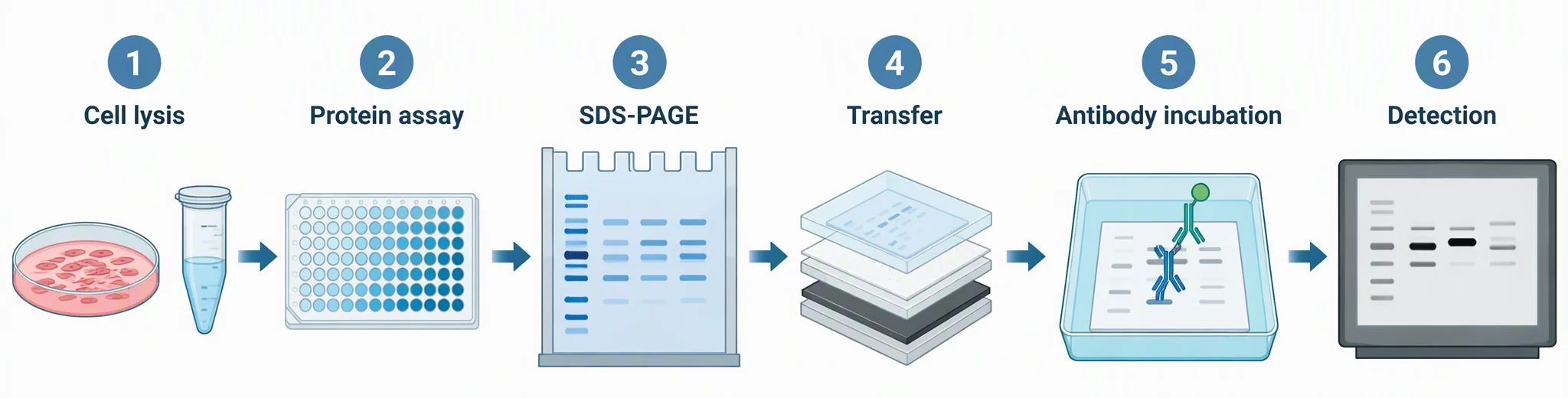
AI-generated with ConceptViz, cropped to a strip. Prompt, abridged: "Flat vector scientific illustration of a Western blot workflow in six numbered steps, left to right: Cell lysis, Protein assay, SDS-PAGE, Transfer, Antibody incubation, Detection. Blue and teal palette, white background, short labels." What worked: all six step labels are spelled correctly and the order is right. What needs fixing in a vector editor: the transfer stack layers (sponge, filter paper, gel, membrane) are not labeled, the gel lanes are decorative rather than real data, and the antibody drawing is schematic. Add those labels in Illustrator or Inkscape, and never use generated bands as results.
The practical choice depends on the output you need. FigureLabs fits if vector export matters most, ConceptViz fits custom views from a brief without a seat, and BioRender's AI add-on fits if you already work in BioRender. All three give you a draft that a person who knows the method still has to correct.
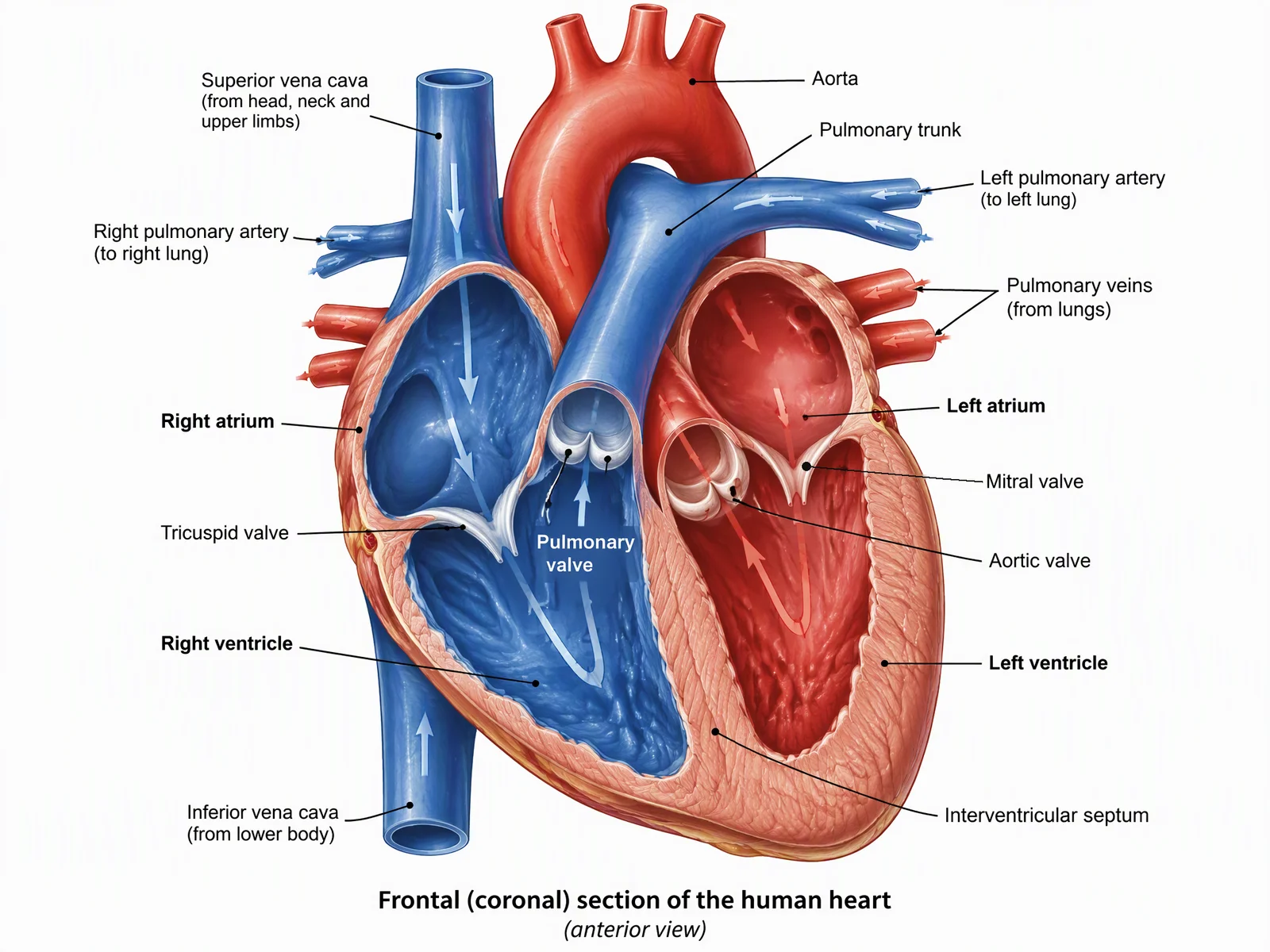
Anatomical illustration method
Views, labels, and what journals actually reject, before you pick a tool.
Data plot software: Prism, R, Python, and Origin
Data plots should come from the data, in software that records how the plot was made. Do not redraw a chart in an illustration tool or ask an AI image generator for one; the numbers will not be real.
GraphPad Prism
Prism is the common choice in biomedical labs because it combines statistics and graphing with little setup. Price, checked October 2026: Academic $260/year, Student $142/year, Corporate $520/year, or Monthly $50. A free trial is available. Best for: t-tests, ANOVA, dose-response curves, and survival plots without writing code. Limits: Subscription pricing, and fine layout control is weaker than a vector editor, so most people export to Illustrator or Inkscape for assembly.
ggplot2 (R)
ggplot2 is a free, MIT-licensed R package that builds plots from a grammar of layers. Best for: reproducible figures, many similar panels, and consistent theming across a paper. Limits: You need to write R. Packages such as patchwork or cowplot can assemble panels in code, which removes a manual step.
matplotlib (Python)
matplotlib is the base plotting library for Python, under a BSD-compatible license. Seaborn sits on top of it for statistical plots. Best for: labs already analyzing data in Python, and figures generated from scripts or notebooks. Limits: Defaults need tuning for publication: set the figure size in inches to your column width, fonts, and line widths explicitly.
Origin
Origin (OriginLab) is common in physics, chemistry, and engineering for curve fitting, peak analysis, and multi-layer graphs. Price: Not stated publicly without a regional quote. A free trial and a free 6-month Learning Edition for students are listed. Limits: Windows-first, and licensing is easier through an institution.
Figure assembly software: putting panels together
Assembly is where panels become one figure at the journal's width, with consistent fonts, aligned edges, and panel letters.
Adobe Illustrator
The standard for professional figure assembly and the format many illustrators and publishers expect. Price, checked October 2026: US$22.99/month on an annual plan billed monthly, with a 7-day trial. Best for: complex multi-panel figures, precise typography, and handing files to a journal's art team. Limits: The cost and the learning curve. Many universities offer Creative Cloud licenses, so check before you buy.
Inkscape
A free, open-source vector editor under the GPL. What you create is yours. Best for: the same jobs as Illustrator on a zero budget, including editing SVG and PDF exports from Prism, R, or Python. Limits: Slower on very large files, and the interface takes some getting used to.
Affinity
Affinity, now owned by Canva, combines vector, pixel, and layout tools in one app and is free for individuals on Mac and Windows (a Canva account is required to download). Optional AI tools require a Canva premium plan. Older guides describe Affinity Designer as a one-time purchase; that is no longer how it is sold. Best for: an Illustrator-like workflow without a subscription.
PowerPoint
Familiar and fast for simple figures, and fine for lab meetings and posters. Price: Microsoft 365 Personal is $9.99/month or $99.99/year. Limits: Weak control over exact physical size and font embedding; export to PDF and check the result at 100% before you submit.
Figma
A browser-based design tool with a free Starter plan and a $16/month Professional full seat. Best for: collaborative layout, posters, and graphical abstracts where several co-authors comment. Limits: Built for screens, so set frames in physical units carefully and check exported PDFs.
Graphical abstract software
A graphical abstract is a single-panel summary of the main finding, usually built from the same assets as the figures. Any of the illustration or assembly tools above can produce one. The hard part is the journal's size and format, which vary widely.
We cover this in two dedicated guides rather than repeating them here:
- Free AI graphical abstract makers compares free tools and their limits.
- TOC graphic requirements by journal lists verified sizes for ACS, RSC, Elsevier, Cell Press, MDPI, Nature Chemistry, and Wiley journals.
If you want a fast first draft from your abstract text, the Graphical Abstract Maker produces a single-panel draft you can then resize and edit.
How to choose your stack
Stay on BioRender (or use your institution's seat) when you make icon-based biology figures every week and your lab already shares a library. Pair it with Prism and Illustrator or Inkscape.
Use Mind the Graph when you are one person on a tight budget who wants stock science illustrations and templates, and you can pay $99 a year for watermark-free exports.
Use SciDraw plus Inkscape when the budget is zero and you can work with the credit each drawing requires.
Add an AI generator when no library has the view you need. Pick FigureLabs if editable SVG from the AI output matters most. Pick ConceptViz for a custom figure from a written brief, paid per image pack instead of another seat. Pick Illustrae if a collaborator already uses it.
Medical figures specifically: if the figure is anatomy rather than a pathway cartoon, our best medical illustration software review covers drawing tools, 3D atlases, and AI generators with October 2026 prices. To draft an anatomy view directly, the Medical Illustration Generator works from a written brief; check every label against a textbook before you submit.
For data plots, use Prism if you want a point-and-click workflow, ggplot2 or matplotlib if you want reproducible code, and Origin for physics and chemistry analysis.
For assembly, use Illustrator if you have a license, Inkscape or Affinity if you do not, and PowerPoint only for simple figures where exact size control matters less.
Example stacks by budget
| Budget | Illustration | Data plots | Assembly | Rough yearly cost (checked Oct 2026) |
|---|---|---|---|---|
| Zero | SciDraw | ggplot2 or matplotlib | Inkscape or Affinity | $0 |
| Low, one person | Mind the Graph Researcher or a ConceptViz image pack | ggplot2 or matplotlib | Inkscape or Affinity | $99 per year, or from $4.99 one-time |
| Typical biomedical lab, per person | BioRender Academic Individual | Prism Academic | Illustrator | about $420 + $260 + $276 = $956 |
The lab total uses annual BioRender billing ($35 x 12), the Prism Academic license, and Illustrator at $22.99 x 12. Institutional licenses often cover one or more of these.
Frequently Asked Questions
What is the best scientific illustration software in 2026?
It depends on the stage of the figure. For biology schematics, BioRender is still the default icon library and Mind the Graph is the lower-cost option. For data plots, use GraphPad Prism, ggplot2, matplotlib, or Origin. For assembling panels, use Adobe Illustrator, or Inkscape and Affinity for free. AI generators such as FigureLabs and ConceptViz help when no library has the view you need.
What software do scientists use to make figures for papers?
Most papers combine several tools: an illustration tool such as BioRender for schematics, a plotting tool such as Prism, R (ggplot2), or Python (matplotlib) for data, and a vector editor such as Illustrator or Inkscape to assemble the panels at the journal's width and export vector PDF or TIFF.
What is the best AI for scientific figures?
For illustrations, FigureLabs focuses on vector export, ConceptViz drafts custom illustrations from a written brief, and BioRender offers an AI add-on inside its editor. Do not use AI image generators for data plots, because the values will not be real. Every AI draft still needs a person who knows the method to check labels and structure.
Is there free scientific illustration software?
Yes. SciDraw offers free drawings under CC BY or CC0, Inkscape is free and open source, Affinity is free for individuals, and ggplot2 and matplotlib are free for plotting. BioRender and Mind the Graph have free plans, but BioRender's free plan excludes publication use and Mind the Graph's free exports carry a watermark and require citation.
Can I publish figures made with BioRender or AI tools?
BioRender: only on paid plans, under its terms. Mind the Graph: paid plans have broader rights; free exports are CC BY-SA with a watermark. FigureLabs: paid plans include publication authorization. ConceptViz: the paid-account license covers publications within its terms. Always check the journal's own policy on AI-generated images as well.
Is BioRender worth it in 2026?
Yes if you assemble biology icon figures every week or your university already pays for an Institution plan. Academic Individual is $35 per month billed yearly ($420 per year) or $39 monthly, checked October 2026. If you need one custom figure this quarter, a cheaper library or a one-time AI image pack may cost less.
Can AI replace a scientific illustrator?
No. AI gives you a first draft. A journal cover, a textbook plate, or a figure where one wrong structure would mislead readers still needs a person who knows the subject. Use AI to reach a draft you can redline, not to skip the check.
Conclusion
Pick tools by stage, not by brand:
- Schematics: BioRender or Mind the Graph for icon libraries, SciDraw for free drawings, and an AI generator such as the AI Scientific Image Generator when no library has your view.
- Data plots: Prism, ggplot2, matplotlib, or Origin, always from the real data.
- Assembly: Illustrator, Inkscape, or Affinity, set to the journal's width from the start.
- Graphical abstract: reuse your assets, or start a draft with the Graphical Abstract Maker, then size it with the TOC requirements table.
Related: BioRender Pricing 2026 · Free BioRender Alternatives · Mind the Graph Review · BioRender vs ConceptViz · FigureLabs vs ConceptViz · How to Make a Graphical Abstract
Категории
Ещё публикации
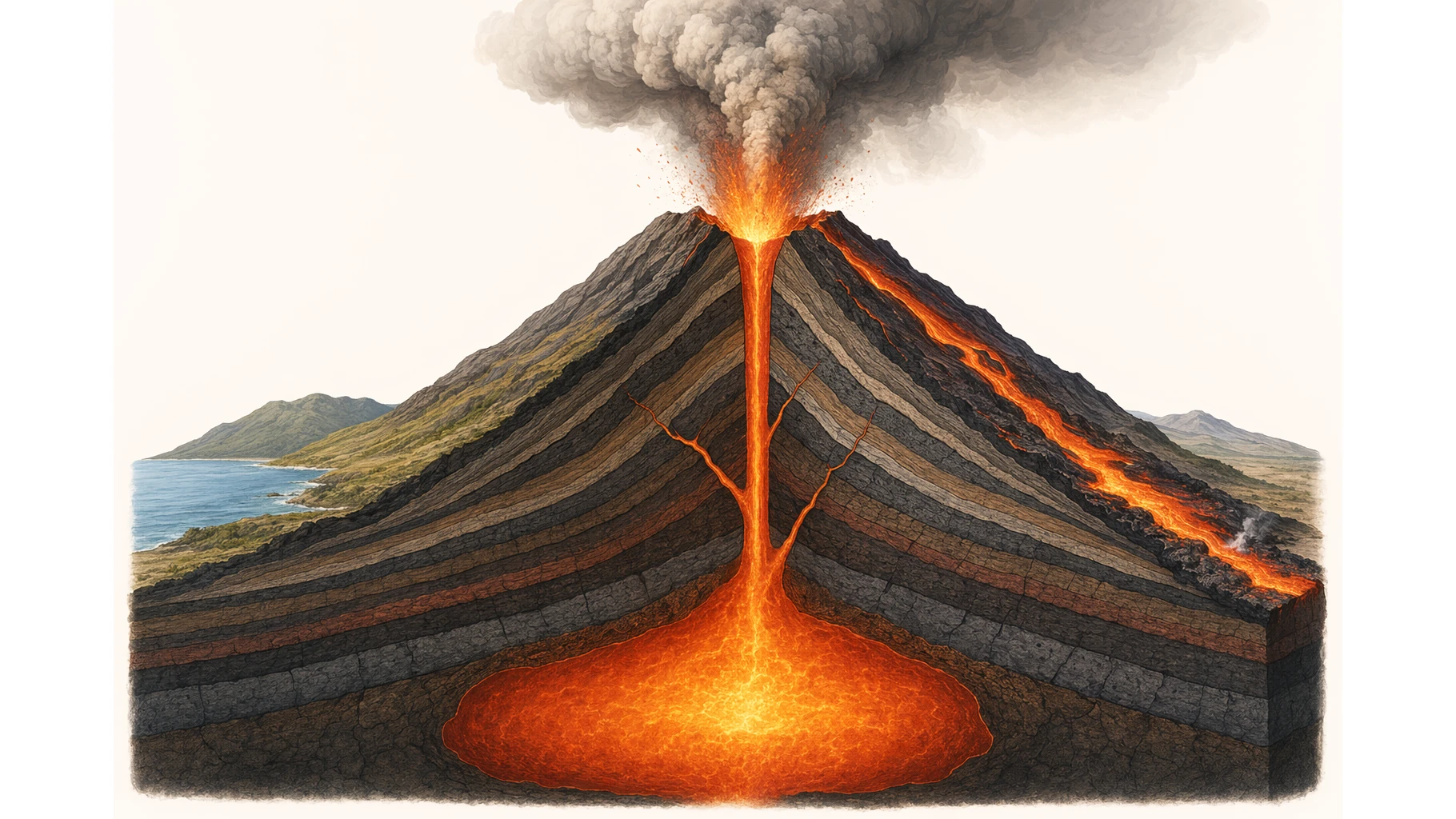
How to Draw a Volcano: Step-by-Step (Easy Labeled Diagram)
Learn how to draw a volcano step by step, an easy labeled cross-section for science class with simple shapes, plus a free instant generator.
Best Free Adobe Illustrator Alternatives 2026
Compare the best free Adobe Illustrator alternatives in 2026: Inkscape, Affinity by Canva, Canva, Vectr, Gravit and ConceptViz for vector graphics and diagrams.

AI Conceptual Framework for Thesis: Prompts, Examples, and Chapter 1 Workflow
Create an AI conceptual framework for thesis work with prompts, examples, variable tables, Chapter 1 writing tips, and validation checks.