Best Medical Illustration Software (2026)
Compare 16 medical illustration options for 2026: BioRender, Illustrator, Procreate, Complete Anatomy, ConceptViz and more, with prices checked October 2026.
The short answer
There is no single "best" medical illustration tool, because the readers searching this term want four different things: a researcher who needs a labeled heart for a paper, a teacher building lecture handouts, a medical student who wants a 3D anatomy reference, and a professional medical illustrator who draws for a living. This review is organized by those reader types, and every price below was re-checked on the vendor's official site in October 2026.
If your immediate problem is one custom figure (a specific surgical view, a mechanism schematic) rather than a software subscription, that is the exact job our own tool does, so we put it first and then compare honestly.
Medical Illustration Generator
Custom anatomy and mechanism figures from a written brief. Check every label against a textbook before you submit, as the examples below show.
Draft a medical figure →Comparison table (prices checked October 2026)
| Tool | Best for | Price | Free tier limits | Publication / commercial use | Learning curve |
|---|---|---|---|---|---|
| ConceptViz | One custom figure without a subscription | 2 free credits (7 days); packs from $4.99 | Free images watermarked, restricted | Yes on paid plans, within terms | Low |
| BioRender | Weekly biology figures from an icon library | Free; Academic Individual $35/mo billed yearly | 3 figures, no publication rights | Paid plans, citation required | Low to medium |
| Mind the Graph | Stock science art on a budget | Free Starter; Researcher $15/mo or $99/yr | Watermark, citation, up to 4 illustrations | Paid plans | Low |
| Servier Medical Art | Free art for slides and handouts | Free | None (CC BY 4.0) | Yes, with attribution | Low |
| SciDraw + Bioicons | Free icons to assemble yourself | Free | Per-asset licenses | Yes, check each asset | Low |
| Adobe Illustrator | Professional vector drawing | $22.99/mo (annual, billed monthly) | 7-day trial | Yes | High |
| Adobe Photoshop | Raster painting and rendering | $22.99/mo or $263.88/yr prepaid | 7-day trial | Yes | High |
| Procreate | iPad sketching and painting | $12.99 one-time | None | Yes | Medium |
| Affinity | Full design suite at no cost | Free for individuals | None stated | Check Canva's current license terms | Medium to high |
| Blender | Free 3D modeling and rendering | Free (open source) | None | Yes | High |
| ZBrush | 3D sculpting of anatomy | $49/mo or $399/yr (list price; confirm in cart) | Free iPad access with premium features (per Maxon); 14-day trial | Yes | High |
| Cinema 4D / Maya | Film-grade medical animation | C4D $109/mo or $839/yr; Maya $255/mo or $2,010/yr (list prices; confirm in cart) | C4D 14-day trial; Maya free trial and free education licenses | Yes | Very high |
| Complete Anatomy | 3D anatomy study and reference | Student $74.99/yr (first-year promo $39.99 listed; confirm in store) | 3-day trial | Professional license needed for patient education use | Medium |
| Visible Body | 3D anatomy reference and courseware | Student $34.99/yr; Professional $199/yr; Atlas app $24.99 (confirm in store) | Not stated | Institutional and professional tiers | Medium |
| BioDigital Human | Interactive 3D in the browser | Free Personal plan; teams by quote | Personal plan for individual use | Business plans for commercial use | Medium |
| Illustrae | AI figures for papers | Starter $59/yr; higher tier $155/yr; Lifetime $299 (list prices; confirm on vendor site) | No free plan; 15-day refund window | Yes, per vendor terms | Low |
Sources are linked in each section below. Where a vendor's public page was ambiguous, we say so instead of guessing.
Research figure libraries and templates
BioRender: the default for weekly biology figures
BioRender is still the first tool most biomedical labs reach for: a huge, consistent icon library, shared lab folders, and figures that look like the rest of your field. The free plan is limited to 3 figures and carries no publication rights. Academic Individual is $35/mo billed yearly ($39 month to month), and there is an undergraduate tier at $20 for 4 months. Industry pricing is a separate, much higher list; the full breakdown is in our BioRender pricing guide. Paid plans still require a BioRender citation on figures that include their content. If BioRender's price or library does not fit, see the free BioRender alternatives we tested. Source: biorender.com/pricing.
Mind the Graph: stock science art on a budget
Mind the Graph sits between clip art and an editor. The free Starter plan adds a watermark, requires a citation, and caps you at 4 illustrations. The Researcher plan is $15/mo or $99/yr, which undercuts most subscriptions in this list. Details and alternatives: our Mind the Graph review. Source: mindthegraph.com.
Servier Medical Art: genuinely free for slides and handouts
Servier Medical Art offers 3,000+ medical and biological images under CC BY 4.0: free for any use, including commercial, as long as you credit Servier. The style is flat and recognizable, and there is no editor, but for lecture slides and patient handouts it is the best zero-cost starting point. Our Servier Medical Art guide covers search tips and attribution wording. Source: smart.servier.com.
SciDraw and Bioicons: free icons you assemble yourself
SciDraw and Bioicons are community libraries of researcher-drawn SVGs. Both are free; licenses are per asset (CC0, CC BY, and similar), so check the license line under each icon you download and keep the attribution the author asks for. There is no editor and no consistent house style, so expect to adjust colors and line weights in a vector tool.
Professional drawing software
Adobe Illustrator and Photoshop: the professional standard
Ask working medical illustrators what they use and the answer is still Adobe, usually Illustrator for vector line work plus Photoshop for rendering and color. Illustrator is $22.99/mo on an annual plan billed monthly; Photoshop is $22.99/mo or $263.88/yr prepaid; the full Creative Cloud Pro bundle is $69.99/mo. Students and teachers get Creative Cloud Pro at $19.99/mo for the first year ($39.99/mo after). Both apps have a 7-day free trial. The cost is not the subscription so much as the years of practice: these are blank canvases, and nothing in them knows what a nephron looks like. Source: adobe.com/products/illustrator.html.
Procreate: the iPad sketchbook
Procreate is a $12.99 one-time purchase, iPad only, and it is the sketching tool you see in most "how I draw anatomy" videos. Paired with an Apple Pencil it is the cheapest entry into serious hand-drawn medical art. There is no free version and no desktop app. Source: procreate.com.
Affinity: the free full suite
Affinity (now published by Canva) relaunched its combined vector, photo, and layout app as free for individuals on Mac and Windows, with an iPad version announced. That makes it the strongest no-cost alternative to Illustrator for vector figure work. Because the pricing model is new, confirm the current license terms on affinity.studio before using it in commercial work.
3D modeling and animation
Blender: free 3D, if you have the time
Blender is free and open source, and it can produce everything from organ models to surgical animation. Medical device and pharma studios use it alongside sculpting tools. The catch is the steepest learning curve in this list; budget months, not weekends. Source: blender.org.
ZBrush: 3D sculpting for organic anatomy
ZBrush is the standard sculpting tool for organic forms: organs, embryos, pathogens. It lists at $49/mo or $399/yr (list price; confirm in cart), and Maxon says ZBrush on iPad is free, including premium features, with a 14-day trial for the desktop app. Source: maxon.net.
Cinema 4D and Maya: for animation studios
If the deliverable is a broadcast-quality mechanism-of-action animation rather than a still figure, the tools are Cinema 4D ($109/mo or $839/yr, 14-day trial) and Maya ($255/mo or $2,010/yr, with a free trial and free education licenses for eligible students and teachers). Both are list prices; confirm in cart. For still figures they are overkill. Sources: maxon.net, autodesk.com/products/maya.
3D anatomy reference apps
A common misconception in this search: Complete Anatomy, Visible Body, and BioDigital Human are anatomy illustration software in the sense that they show anatomy, but they are reference and teaching platforms, not drawing tools. You study and screenshot; you do not produce original figures in them.
Complete Anatomy
The most detailed standalone 3D atlas, from 3D4Medical (Elsevier). The student plan is listed at $74.99/yr with a first-year promotional price of $39.99 appearing in store listings (confirm in store); the professional store page was not reliably reachable when we checked in October 2026, so confirm current professional pricing directly with 3D4Medical. The professional license is the one that covers clinical and patient-education use; the student license does not.
Visible Body
Visible Body sells individual and course subscriptions: Student at $34.99/yr, Classroom and Professional tiers at $199/yr, and the standalone Human Anatomy Atlas 2027 mobile app at $24.99. A pragmatic pick for students who mainly need a reliable atlas on a phone or laptop. Source: visiblebody.com.
BioDigital Human
BioDigital Human runs in the browser and embeds in slides and learning management systems. The Personal plan is free for individual use (the older Personal Plus tier was retired on May 1, 2026); school and business plans are quoted. Useful when you want an interactive model in a lecture rather than a static image. Source: biodigital.com.
AI medical illustration generators
ConceptViz: one custom figure, no subscription
ConceptViz (this site) generates a figure from a written brief: a specific view, specific labels, specific mechanism. New accounts get 2 free image credits valid for 7 days; one-time credit packs start at $4.99 for 8 images, and subscriptions start at $29.90/month or $249.90/year, on our pricing page. Images generated on a paid account can be used in publications and commercial work under the standard terms; free images are watermarked and restricted. The next section shows real, unedited-then-corrected output so you can judge it, including what we had to fix by hand. For drawn anatomy diagrams specifically, also see the Anatomical Drawing Generator.
Illustrae
Illustrae is another AI scientific figure tool aimed at papers. There is no free plan or trial (it offers a 15-day refund window instead): Starter is $59/yr for 50 generations, the higher "Unlimited" tier is $155/yr, and a Lifetime deal was listed at $299 (struck through from $349). The vendor page did not show amounts in our October 2026 check, so treat these as list prices and confirm on the site. The vendor states publication and commercial use are permitted. Source: illustrae.co.
What ConceptViz actually produced for this review
Marketing pages show best-case output, so here is the unvarnished version. We generated three images for this post with the Medical Illustration Generator and reviewed each one against standard anatomical references before publishing.
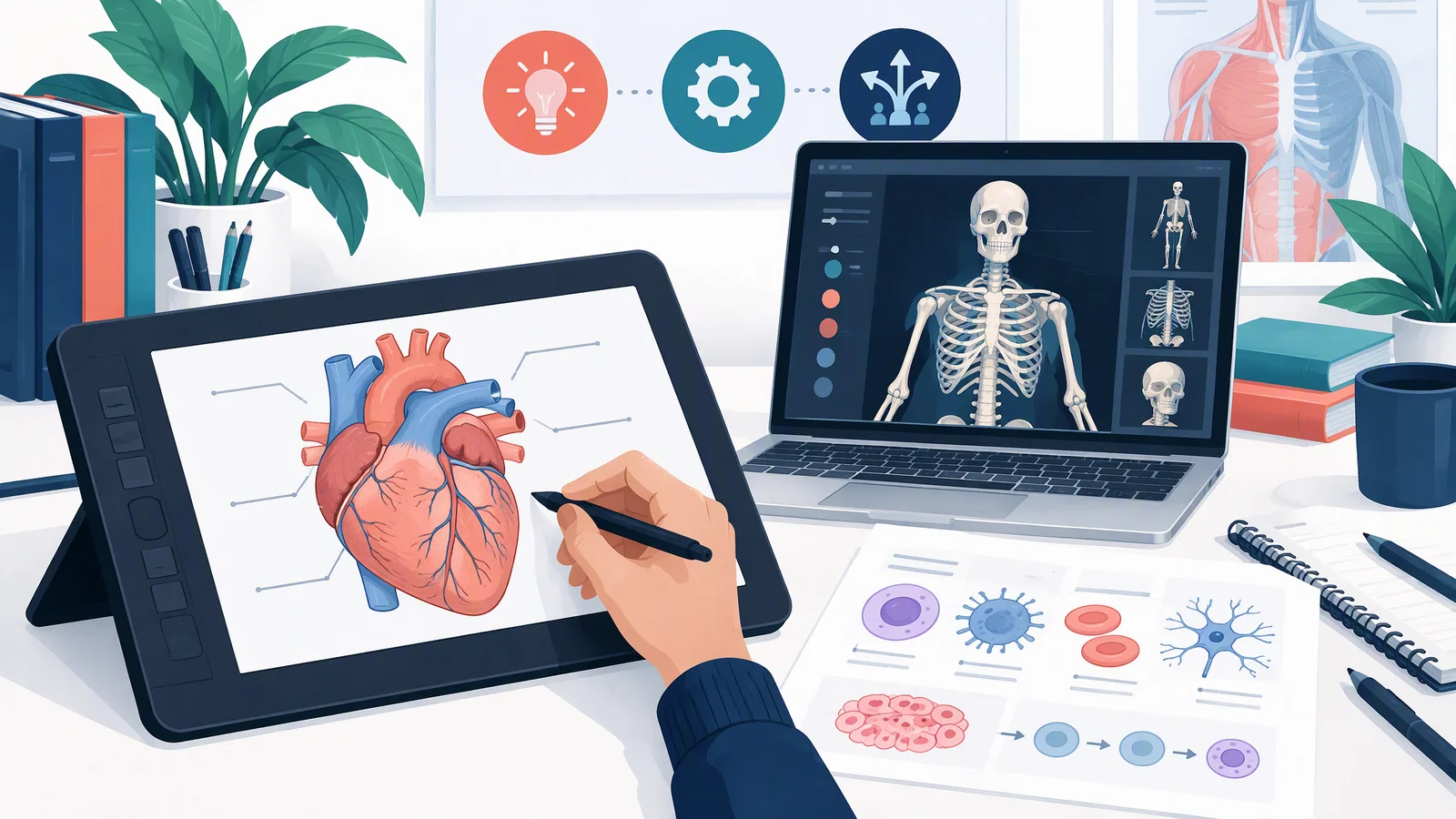
1. Editorial header image. Prompt: "A professional editorial illustration about choosing medical illustration software. A clean desk scene with a drawing tablet showing a labeled human heart sketch, a laptop showing a 3D anatomy model of a skeleton, and a printed scientific figure with simple cell icons." This is decorative rather than anatomical, but it shows the flat editorial style the tool can produce for blog headers and slides.
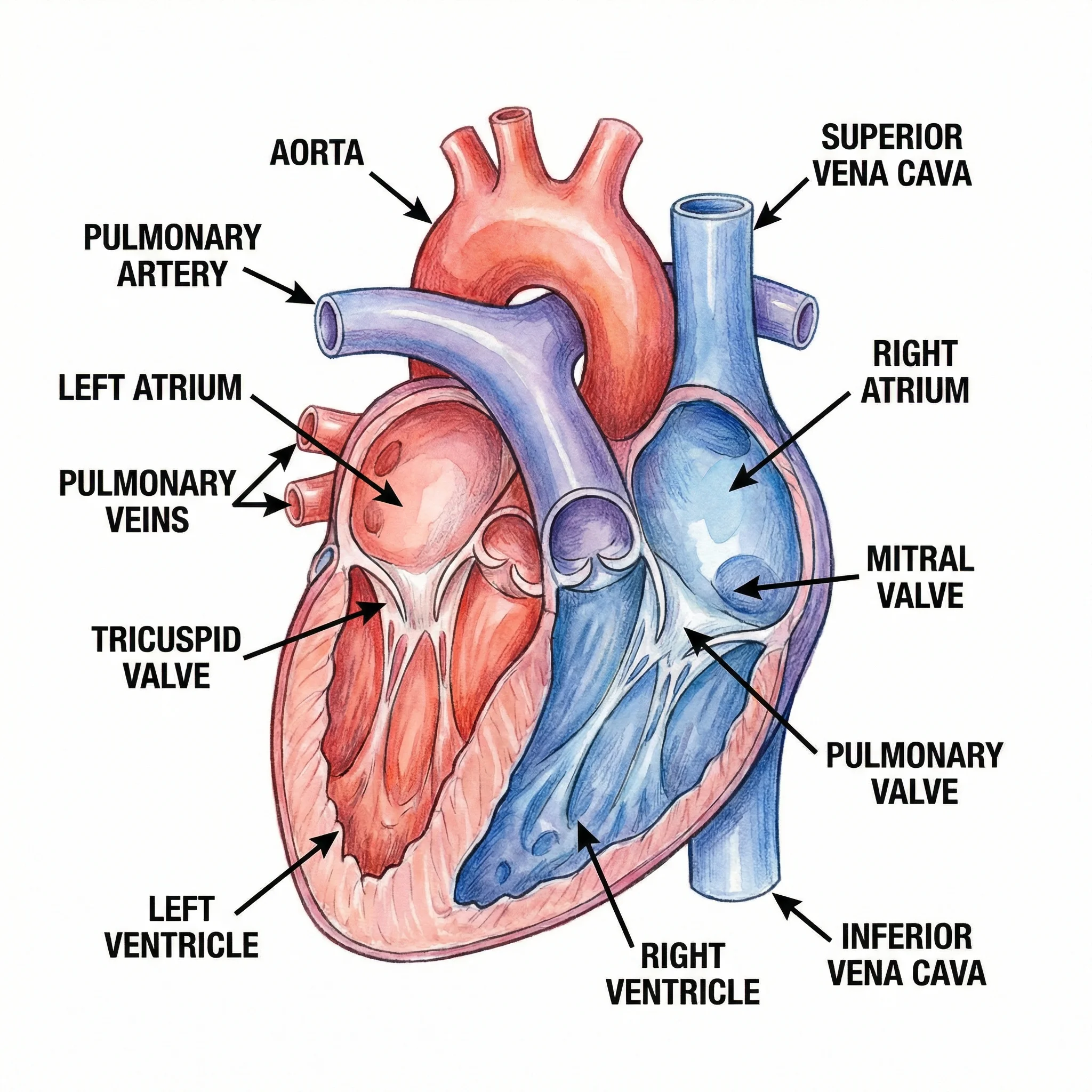
2. Labeled coronal heart section. Prompt (abridged): "Frontal (coronal) section of the human heart in anterior view, patient right on the viewer left, showing the four chambers, septum, four valves, and great vessels... The aortic valve sits at the outflow of the left ventricle... The left ventricular wall is clearly thicker than the right. Use red for oxygenated and blue for deoxygenated blood."
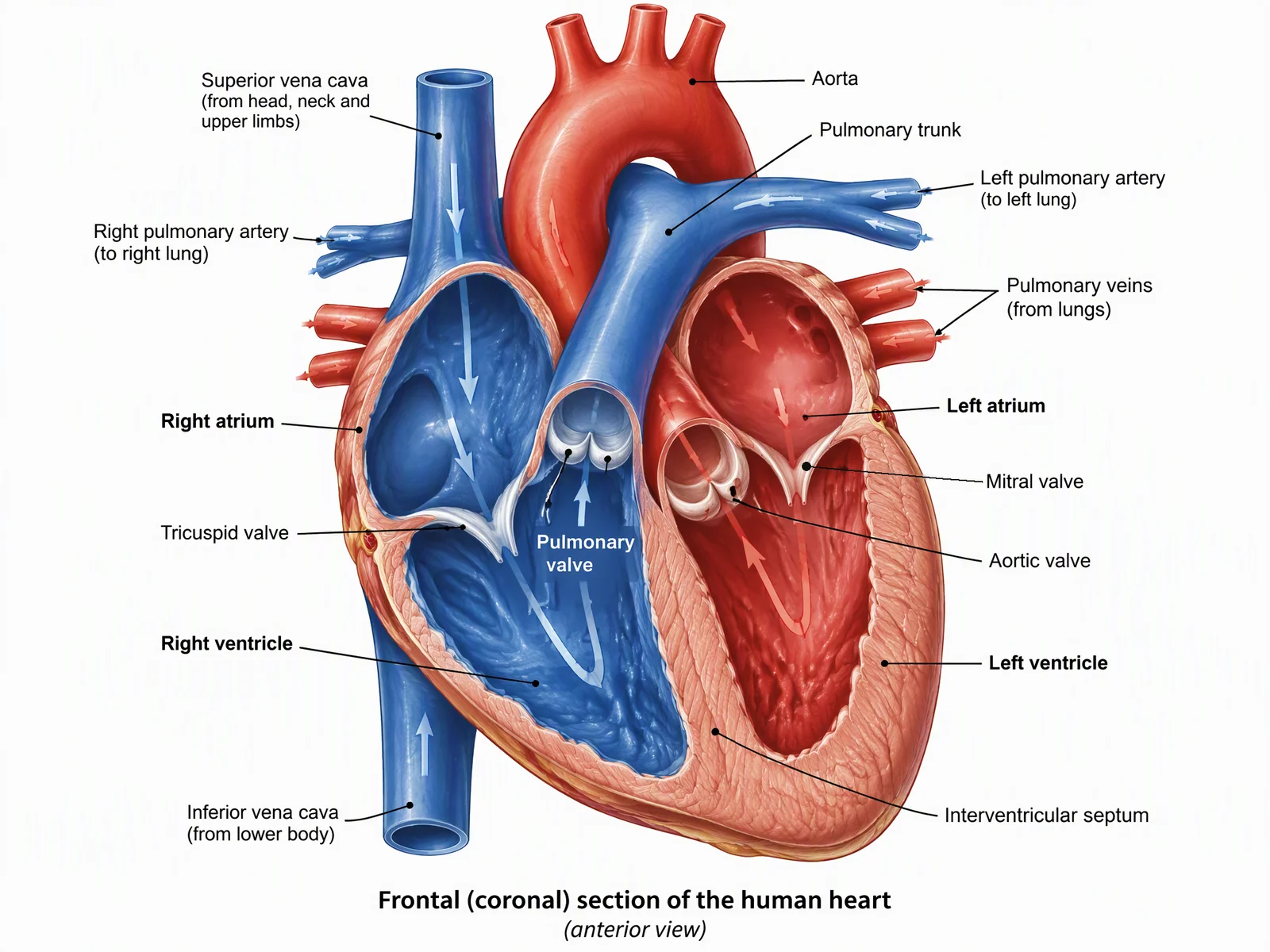
What we verified: chamber positions and relative wall thickness are correct, both venae cavae open into the right atrium, and the mitral and tricuspid valve positions are correct. What we fixed by hand: the first output duplicated the "Left atrium" label inside the figure, and the mitral valve leader line ended on the ventricular wall instead of the leaflets. Both errors were corrected in an image editor before publication. Remaining limits: the aortic valve is drawn as a ring with no visible connection to the aorta, and the Pulmonary valve label sits inside the ventricle chamber, away from the valve itself. Redraw or correct both by hand before using this figure for teaching.
3. Nanoparticle drug delivery schematic. Prompt (abridged): "Cell-level schematic of targeted nanoparticle drug delivery to a cancer cell in four numbered steps: receptor binding, endocytosis, endosomal escape, and drug release near the nucleus."
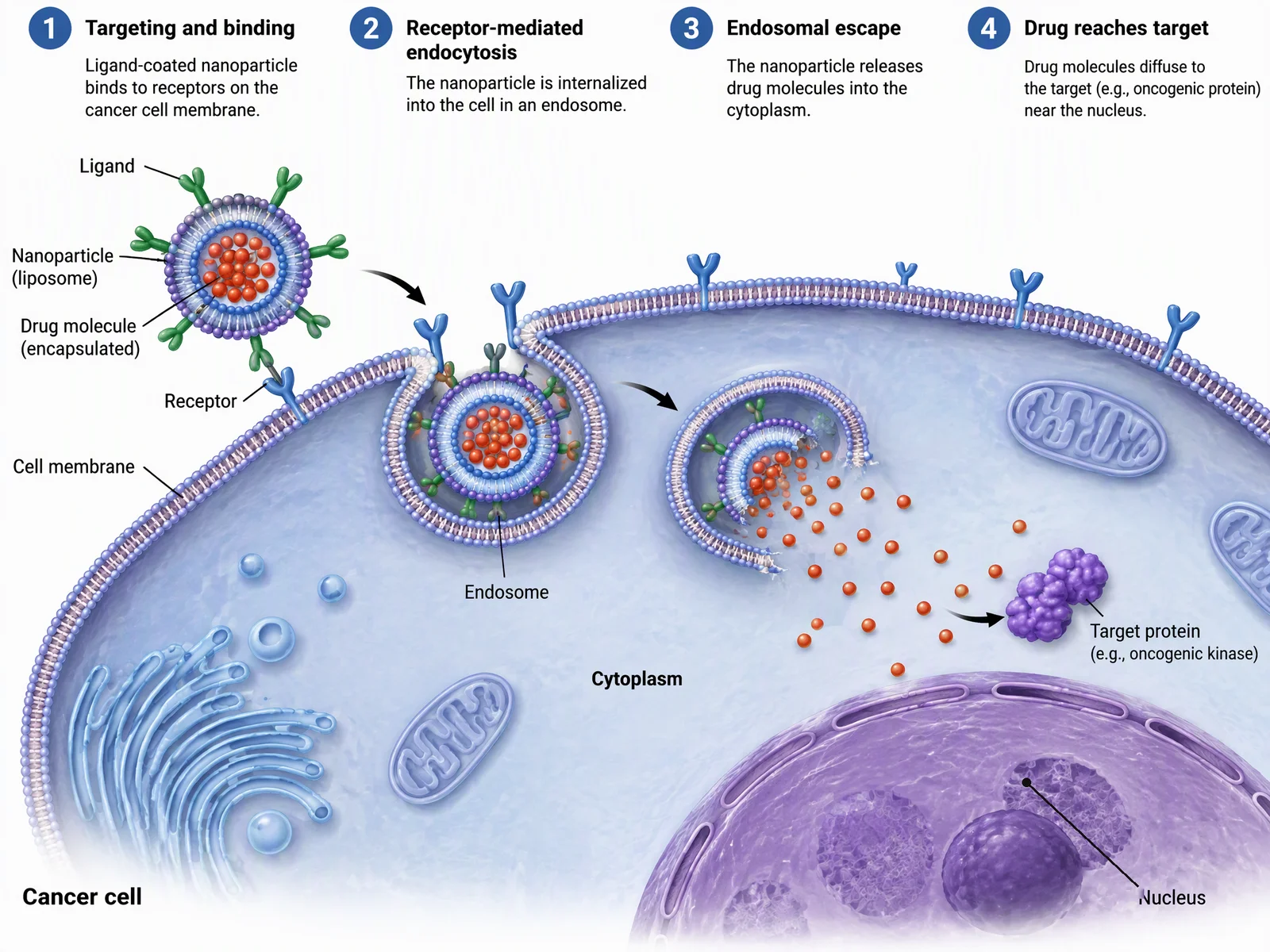
What we verified: the four steps are in the correct order, the endosome is drawn as a closed vesicle, and drug molecules are shown escaping into the cytoplasm before reaching the target protein. What we fixed by hand: the "Nucleus" leader line originally ended on the nucleolus; we re-pointed it to the nucleoplasm.
The image you are not seeing: a sagittal knee section. It placed the cruciate ligaments and menisci correctly, but drew the articular cartilage several times thicker than any real knee, so we rejected it. That is the honest workflow with every AI tool in this category, ours included: generate, check against a textbook or atlas, fix or discard. For anything where an error is clinically meaningful, such as a surgical approach figure, a professional medical illustrator is still the right call.
How to choose medical illustration software
For lecture handouts and slides: start free. Servier Medical Art covers most organs and cell types, Bioicons fills gaps, and BioDigital Human adds an interactive 3D model. Spend money only when the free libraries run out of your topic.
For paper figures: BioRender if your lab already works in it and the icon library covers your subject; Mind the Graph as the budget option; ConceptViz or Illustrae when the figure is a custom view no library has. Whatever you use, the figure still has to pass your own accuracy check and the journal's technical requirements (resolution, fonts, file format). Our guides to anatomical illustration for research papers and the best AI scientific illustration tools go deeper on both.
For patient education: license first, tool second. Servier (CC BY) and paid BioRender plans are cleared for this with attribution; Complete Anatomy requires its professional license for patient-facing use; AI output needs the same accuracy review as a journal figure, plus plain-language labels.
For a professional portfolio: Illustrator and Photoshop remain the hiring standard, Procreate for iPad sketching, and ZBrush or Blender if you want 3D work. No AI generator substitutes for demonstrable drawing skill in a portfolio, because the portfolio is the point.
Frequently Asked Questions
What software do professional medical illustrators use?
Most working professionals use Adobe Illustrator for vector line work and Photoshop for rendering, with Procreate on iPad for sketching. Those doing 3D work add ZBrush, Blender, Cinema 4D, or Maya. The software matters less than the anatomical training behind it.
Is there free medical illustration software?
Yes. Servier Medical Art offers 3,000+ images under CC BY 4.0, SciDraw and Bioicons are free icon libraries, Blender is free 3D software, Affinity is free for individuals, and BioRender, BioDigital Human, and ConceptViz all have free tiers or trial credits with stated limits.
Is AI-generated medical illustration accurate enough for papers?
Not without review. In our own test for this article, one generated heart figure needed a duplicate label removed and a valve leader re-pointed, and a knee figure was rejected entirely for exaggerated cartilage. Use AI output as a strong first draft, then verify every structure against a textbook or atlas before submission.
What is the best anatomy software for medical students?
For studying rather than drawing: Complete Anatomy (student plan $74.99/yr) for depth, Visible Body (student $34.99/yr, or the $24.99 atlas app) for value, and BioDigital Human for a free browser-based option. These are reference tools, not figure-making tools.
How much does medical illustration software cost?
The range is wide: free (Servier, Blender, Affinity), $12.99 one-time (Procreate), $15 to $35 per month for research figure tools (Mind the Graph, BioRender Academic), $22.99 per month per Adobe app, and $49 to $255 per month for professional 3D tools. AI generators sell credits or plans instead of per-seat licenses: ConceptViz has one-time credit packs from $4.99 and an Agent subscription at $29.90 per month, and Illustrae sells annual plans.
Can I use these tools for patient education materials?
Check the license tier, not just the tool. Servier Medical Art allows it with attribution. BioRender requires a paid plan plus citation. Complete Anatomy requires its professional license for patient-facing use. AI-generated images need the same anatomical accuracy review as journal figures, plus plain-language labeling.
Do I need a 3D tool to make medical illustrations?
No. Most journal figures, slides, and handouts are 2D, and a vector tool, icon library, or AI generator covers them. 3D tools like Blender or ZBrush earn their learning curve when you need rotation, animation, or device renders.
Conclusion
Match the tool to the reader you actually are. Researchers: BioRender or Mind the Graph for routine figures, an AI generator for the custom view, Servier and Bioicons for free assets. Students and teachers: Visible Body, Complete Anatomy, or BioDigital Human for reference, plus the free libraries for slides. Professional illustrators: Adobe, Procreate, and a 3D tool. And for the one-off custom figure that started this search:
Medical Illustration Generator
Describe the view you need, get a labeled figure, then check it like any other draft. Two free credits to start.
Try it with 2 free credits →Related: Anatomical Illustration for Research Papers · Best AI Scientific Illustration Tools 2026 · Free BioRender Alternatives · Servier Medical Art Guide
Categories
More Posts
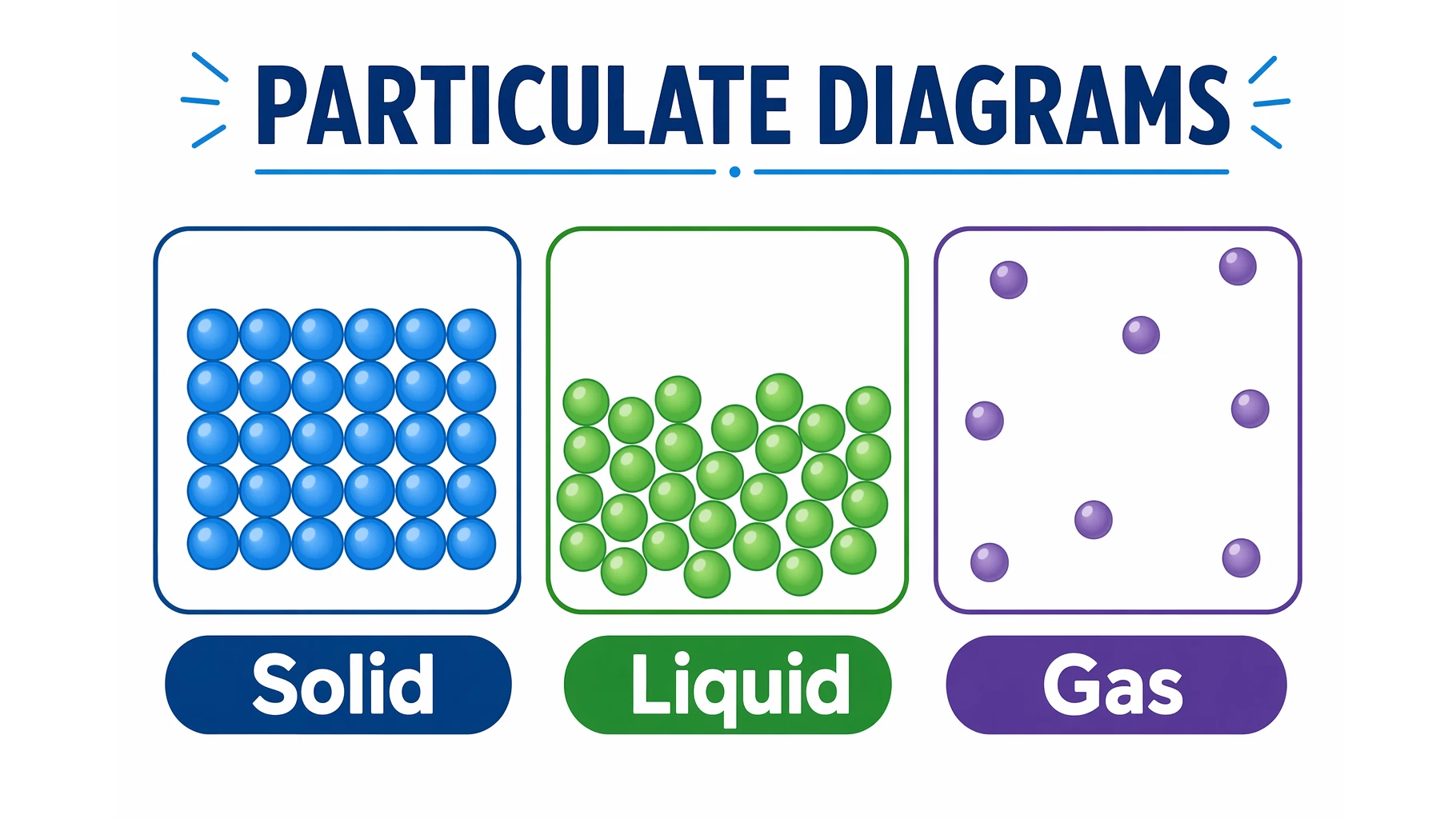
What Is a Particulate Diagram? Particle Models Explained
A particulate diagram shows matter as individual particles. Learn how particle diagrams represent solids, liquids, gases, elements, and mixtures, with examples.
How to Present References in a Scientific Poster: Complete Citation Guide
Learn best practices for formatting and presenting references on scientific posters, with citation styles, font sizes, placement tips, and real examples.
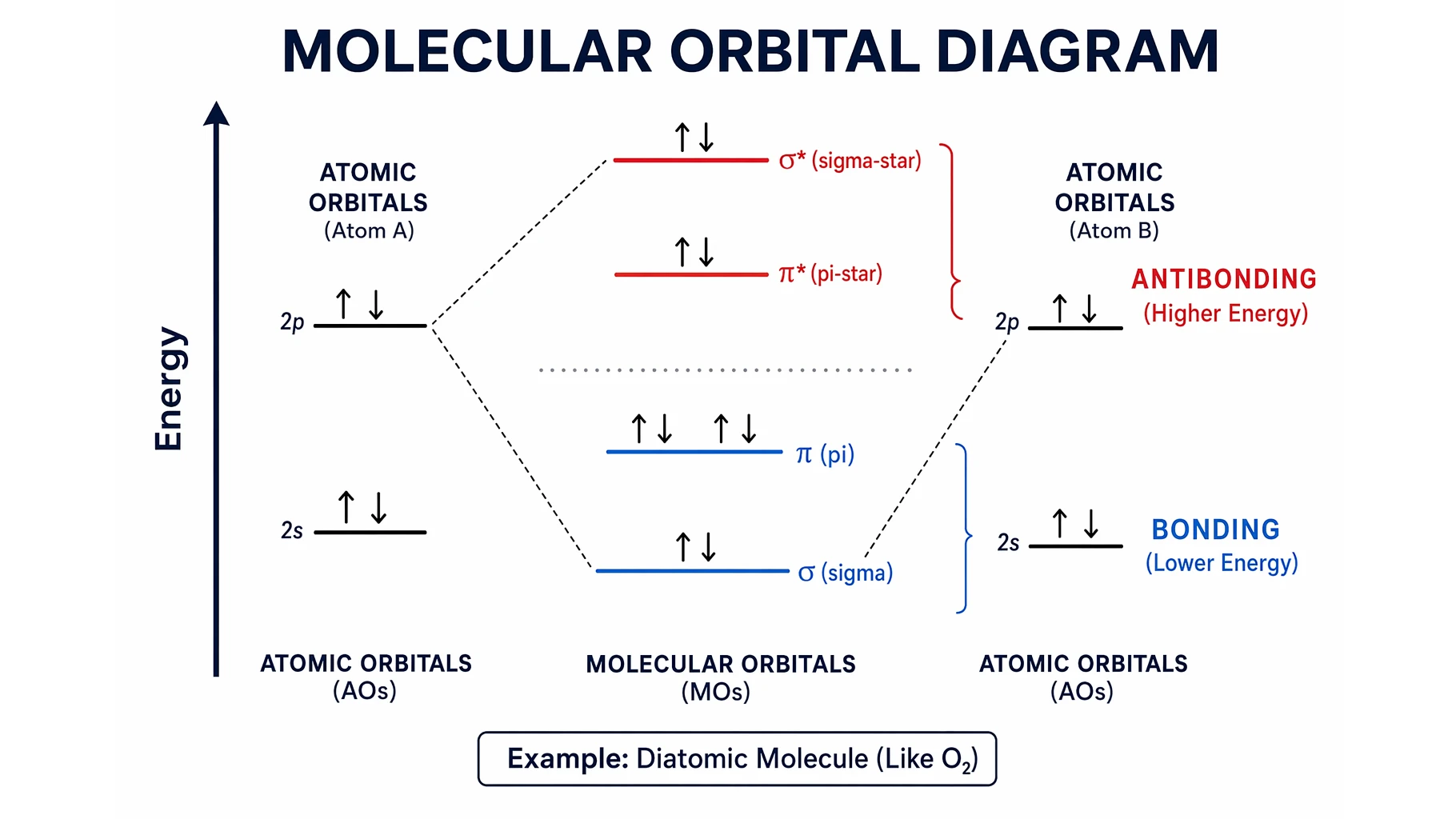
Molecular Orbital Diagrams Explained: Bonding & Bond Order
Learn how to read and draw a molecular orbital diagram: bonding vs antibonding orbitals, filling electrons, and bond order, with H2, N2, and O2 examples.