Schematic Diagram Maker for Lab & Experiment Setups
Make a clear, labeled schematic diagram of any experiment or lab setup. Describe your apparatus (flasks, burettes, stands, a Bunsen burner, tubing) and generate a clean, clear scientific schematic, then export it, free.
Schematic Diagram Maker
本页预览免费 · 下载无水印文件需要
Your schematic diagram will appear here
Describe the apparatus and connections for the clearest labeled result
Schematic Diagram Examples
Labeled lab and experiment setups across chemistry, biology, and physics
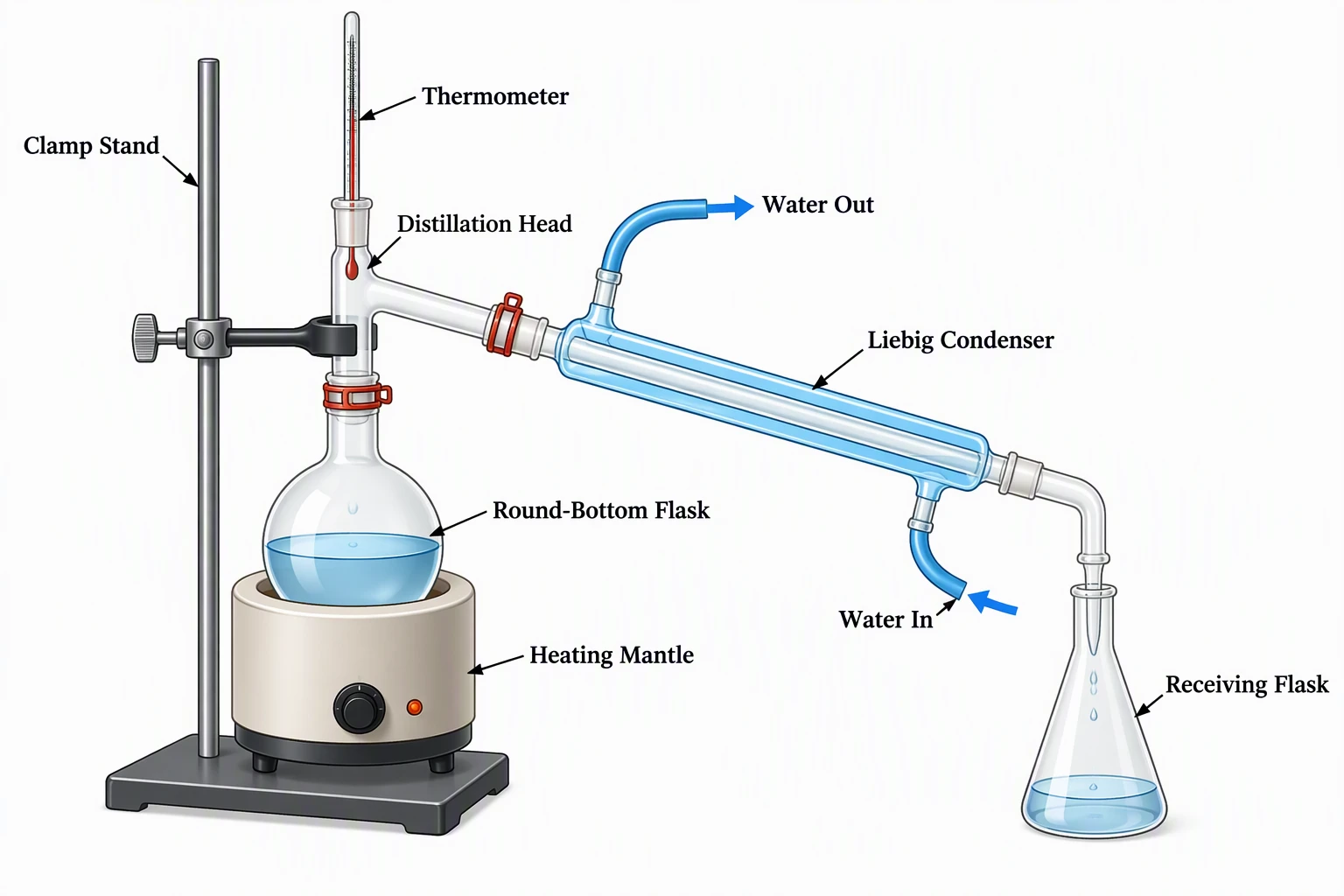
Distillation Apparatus
A full distillation rig — flask, column, condenser, and receiver — drawn and labeled like a lab manual.
PCR Experiment Setup
The three-step PCR cycle and its temperature profile, mapped out as a clean process schematic.
Spectrophotometer Schematic
Light source, prism, sample cuvette, and detector — the instrument shown as a labeled light path.
Electrolysis Cell
A classic electrochemistry setup with electrodes, electrolyte, and gas collection clearly labeled.
Gel Electrophoresis
Power supply, buffer tank, gel wells, and electrodes — the whole apparatus in one labeled diagram.
Telescope Optics
A reflecting telescope drawn as an optical schematic, with mirrors, eyepiece, and ray tracing.
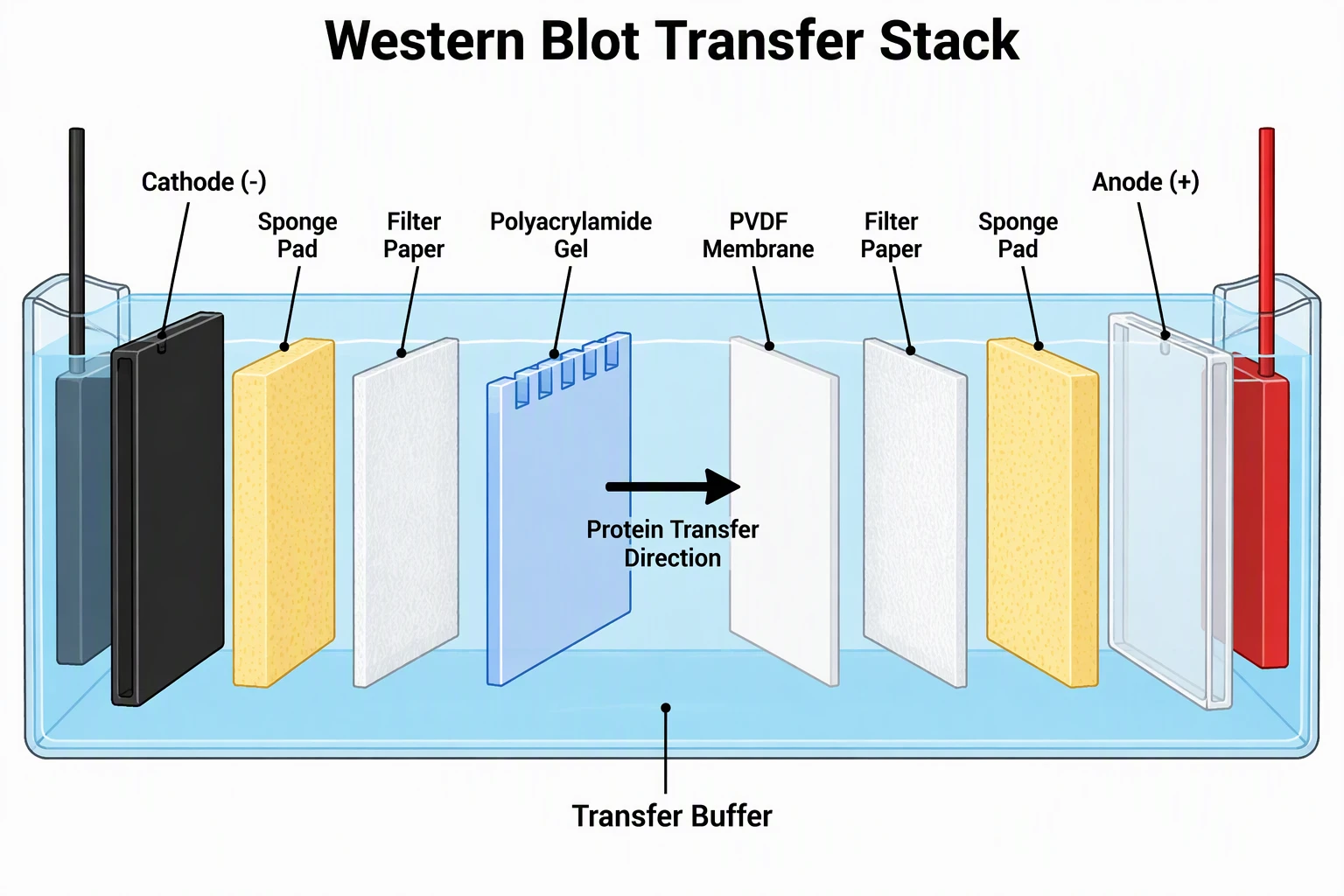
Western Blot Transfer Stack (AI-generated)
A wet-transfer stack for a Western blot, AI-generated from the "Western blot transfer stack" preset prompt shown below. Your own results will vary. The layer order is right (cathode, sponge, filter paper, gel, PVDF membrane, filter paper, sponge, anode) and the arrow runs from the gel toward the membrane. Known flaws: the "Cathode (-)" and "Anode (+)" leader lines point at the cassette panels, not at the black and red electrodes; the stack is drawn exploded with gaps, while a real sandwich is pressed tight with no air bubbles; the gel wells are stylized; there is no tank lid, cooling, or stir bar; nothing is to scale. Exact prompt: A labeled experimental setup diagram of a Western blot wet transfer sandwich, landscape, title "Western Blot Transfer Stack". Exploded side view of the cassette, layers stacked from left to right in exactly this order: black cassette panel labeled "Cathode (-)", "Sponge Pad", "Filter Paper", "Polyacrylamide Gel", "PVDF Membrane", "Filter Paper", "Sponge Pad", clear cassette panel labeled "Anode (+)". A bold arrow from the gel toward the membrane labeled "Protein Transfer Direction". Tank buffer around it labeled "Transfer Buffer". Electrodes colored black on the cathode side and red on the anode side. Clean flat scientific line-drawing style on a white background, cross-section view, large readable sans-serif labels spelled exactly as given with thin leader lines, no extra words, no brand names. Keep a generous white margin so every label sits fully inside the frame.
PCR Thermocycler Workflow (AI-generated)
A PCR workflow from master mix to gel check, AI-generated from the "PCR thermocycler workflow" preset prompt shown below. An earlier attempt merged steps and misplaced temperatures, so the prompt was made more explicit; in this version all labels are spelled as written. Known flaws: the 1 min extension and the 5 min final extension are drawn as one continuous plateau, so the "Repeat 30 cycles" bracket ends in the middle of that plateau instead of at a clear step boundary; only one cycle is drawn; step widths are not proportional to time (the 2 min initial step looks as short as a 30 s step); the plateaus sit slightly off their values (annealing near 57 °C, extension near 74 °C, the hold near 7 °C); the tubes are all clear, so the panel does not show which tube holds what; the gel has no fragment sizes on the ladder. Exact prompt: A labeled experimental workflow diagram of a PCR run, landscape, title "PCR Workflow". Left to right in three panels with arrows: panel 1 "Master Mix on Ice" showing PCR tubes with labels "Template DNA", "Forward and Reverse Primers", "dNTPs", "Taq Polymerase", "Buffer with MgCl2"; panel 2 "Thermocycler Program" showing a temperature step chart with labeled steps "Initial Denaturation 95 °C, 2 min", "Denaturation 95 °C, 30 s", "Annealing 55 °C, 30 s", "Extension 72 °C, 1 min", a bracket "Repeat 30 Cycles" spanning exactly the three steps Denaturation, Annealing and Extension, with each plateau drawn at its true temperature on a labeled Temperature (°C) axis, then "Final Extension 72 °C, 5 min" and "Hold 4 °C"; panel 3 "Agarose Gel Check" showing a gel with a ladder lane and a product band. Clean flat scientific line-drawing style on a white background, cross-section view, large readable sans-serif labels spelled exactly as given with thin leader lines, no extra words, no brand names. Keep a generous white margin so every label sits fully inside the frame.
Cell Culture in a Biosafety Cabinet (AI-generated)
A side view of cell culture work in a Class II biosafety cabinet, AI-generated from the "Cell culture in a biosafety cabinet" preset prompt shown below. The HEPA filter, downflow arrows, front sash, and inflow at the front grille are in the right places. Known flaws: the exhaust filter and the rear grille return path are not shown, so the airflow loop is incomplete; the waste container holds pink liquid like spent medium rather than clear disinfectant; the pipette tip hangs above the flask instead of inside it; the operator's arm rests over the front grille, which in real work should stay clear; the operator's forearm is drawn passing through the front sash glass instead of entering under its lower edge. It is a teaching sketch, not a guide to safe cabinet use. Exact prompt: A labeled experimental setup diagram of cell culture work inside a Class II biological safety cabinet, landscape, side cross-section, title "Cell Culture in a Biosafety Cabinet". Labels: "HEPA Filter" at the top, downward arrows labeled "Downflow Air", "Front Sash", "Front Air Grille" with arrows showing room air drawn in at the front, "Work Surface", "T-75 Culture Flask", "Serological Pipette", "Pipette Controller", "Culture Medium", "Waste Container with Disinfectant", "70% Ethanol Spray". The operator's arms reach in under the sash. Clean flat scientific line-drawing style on a white background, cross-section view, large readable sans-serif labels spelled exactly as given with thin leader lines, no extra words, no brand names. Keep a generous white margin so every label sits fully inside the frame.
Need a power-distribution overview with utility, transformers, buses and feeders? The Single-Line Diagram Generator includes reference examples and a symbol-convention checklist.
What is a scientific schematic diagram?
A scientific schematic diagram is a simplified, labeled drawing of an experimental setup or piece of apparatus. Instead of a photo-realistic picture, it shows each component as a clear symbol or outline, with the parts arranged the way they connect in the real experiment and every part named. The goal is clarity: anyone reading your lab report should be able to look at the schematic and understand exactly how the apparatus is assembled and how the experiment works. This maker draws that kind of diagram from a plain-English description, so you do not have to align tubing, stands, and glassware by hand.
Common lab apparatus you can include
- Glassware: beakers, conical and round-bottom flasks, test tubes, measuring cylinders, and burettes.
- Heating and support: a Bunsen burner, tripod and gauze, heating mantle, retort and clamp stands, and bosses.
- Connections: rubber or silicone tubing, delivery tubes, condensers with water flow, and stoppers.
- Measurement: thermometers, pH probes, voltmeters and ammeters, balances, and gas syringes.
- Reaction vessels: electrolysis cells, gas collection over water, distillation columns, and reflux setups.
How to make a schematic diagram from a description
- Describe your setup in plain English — name the apparatus, how the pieces connect, and what you want labeled.
- List the components in the order they appear, for example "burette on a stand above a conical flask".
- Generate the schematic; the tool draws each part as a clean component with labels and standard arrangement.
- Refine the prompt if needed — add or rename a label, adjust an aspect ratio, then download the diagram for your report.
When to use a schematic in a lab report
A schematic belongs in the method or apparatus section of a lab write-up, science report, or practical exam answer. It replaces a long paragraph describing how everything is connected — examiners and readers grasp the setup at a glance, and it makes your method reproducible. Use a labeled schematic whenever the arrangement of apparatus matters: titrations, distillations, electrolysis, gas collection, optics benches, or any multi-component setup. A clear diagram is often expected for full marks in chemistry, physics, and biology practical reports.
Schematic diagrams vs realistic drawings
A realistic drawing tries to look like the apparatus, with shading and depth, while a schematic strips it down to clean lines and symbols that emphasize how parts connect. For science reports the schematic is almost always the right choice: it is faster to read, easier to label, and focuses attention on the experimental design rather than the look of the glassware. This generator favors the clean, line-based schematic style with clear labels, so your diagram reads like one from a textbook or lab manual rather than a photograph.
Lab diagram vs schematic diagram vs experimental setup figure
- Lab diagram: an everyday name for a drawing of laboratory equipment. Here it means an apparatus diagram, not the "lab fishbone" shorthand some clinicians use to write blood test results.
- Schematic diagram: a simplified, labeled drawing that shows how the parts connect, using clean outlines instead of realistic shading.
- Experimental setup figure: a schematic placed in a report, thesis, or paper, usually in the methods section, with a figure number and a caption that explains the setup.
- In practice they overlap. This tool draws the schematic, and you turn it into a figure by adding the number and caption in your document.
What to label in an apparatus diagram
- Every piece of apparatus by its proper name, for example "Allihn condenser" rather than "tube".
- Reagents and samples with concentrations or amounts, for example "0.1 M HCl" or "50 mL ethanol".
- Flow direction with arrows: coolant in and out, gas flow, current, or transfer direction.
- Temperatures, voltages, times, and other set points, always with units.
- Electrode polarity, and which joints are open or sealed when that changes the result.
- A scale note: write "not to scale", or add a scale bar when sizes matter.
- Leave out decoration that a reader does not need to repeat the setup. This list is a drawing checklist, not a safety review.
Experimental setup figure for a methods section
- Describe: write the apparatus, the connections, and the exact label text in the prompt, or start from one of the researcher presets above the prompt box.
- Generate: create the schematic, then check every label and connection against your real setup. AI drawings can misplace a tube or point a leader line at the wrong part, as the example captions on this page show.
- Edit labels: the generator has no label editor. Change the label wording in your prompt and generate again, or open the downloaded file in an image editor or slide tool to adjust the text.
- Export: free accounts download PNG or JPG. If you have bought a credit pack, you can also convert the image to a traced SVG, which costs credits; the SVG is a traced outline, not an editable schematic with separate parts.
- Check the journal: each journal sets its own figure rules, such as size, resolution, file type, and fonts, so read the author guidelines before you submit.
常见问题
Related Science Tools
 Biology
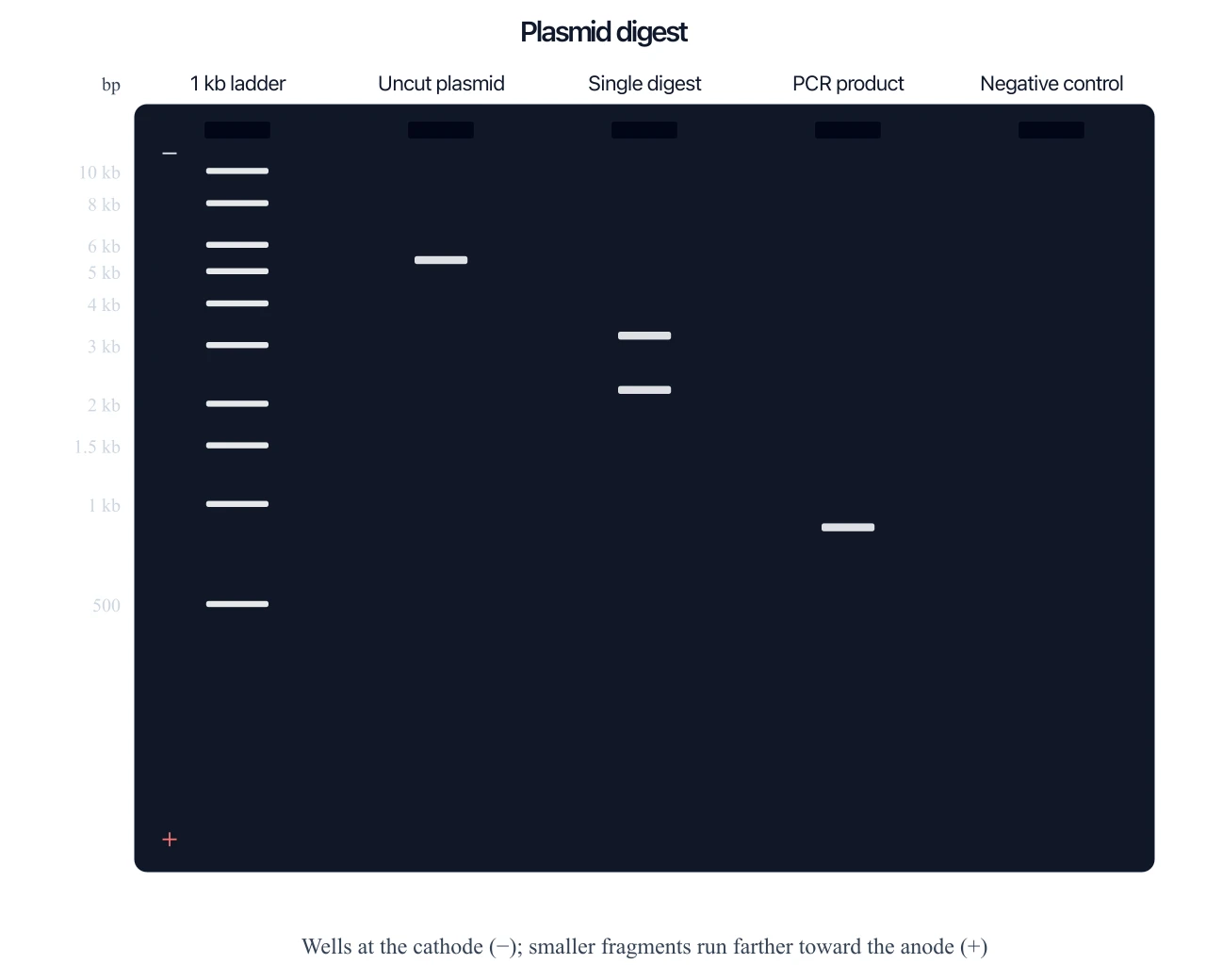
Gel Electrophoresis Diagram Generator
Need the result gel from fragment sizes, not just the apparatus? That is a separate tool.
 Physics
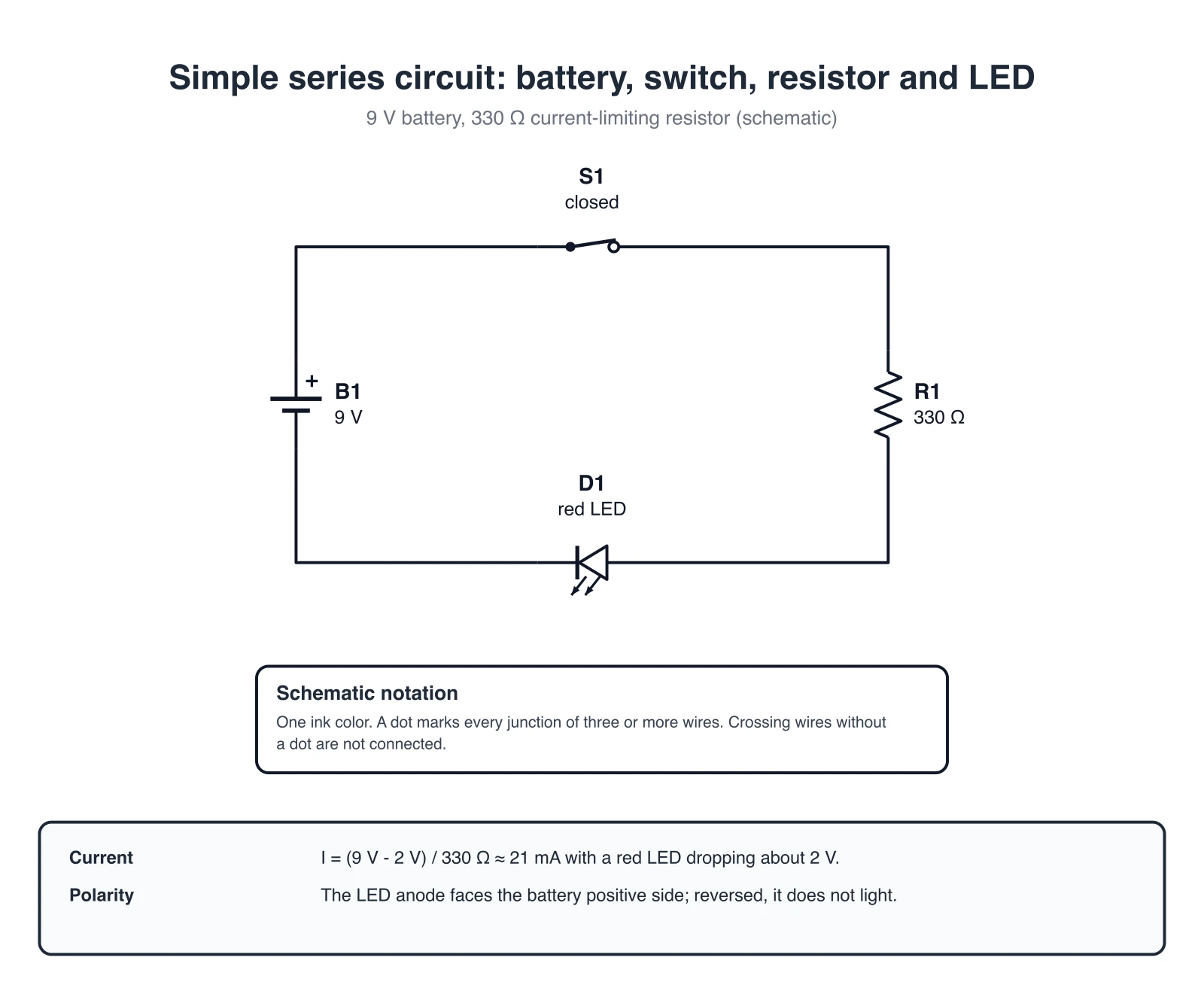
Circuit Diagram Maker
Draw electrical circuit schematics with resistors, capacitors, batteries, and standard component symbols.
 Science
Science Drawing Generator
Generate labeled science drawings of lab apparatus, biology, and physics setups for reports.
 Visualization
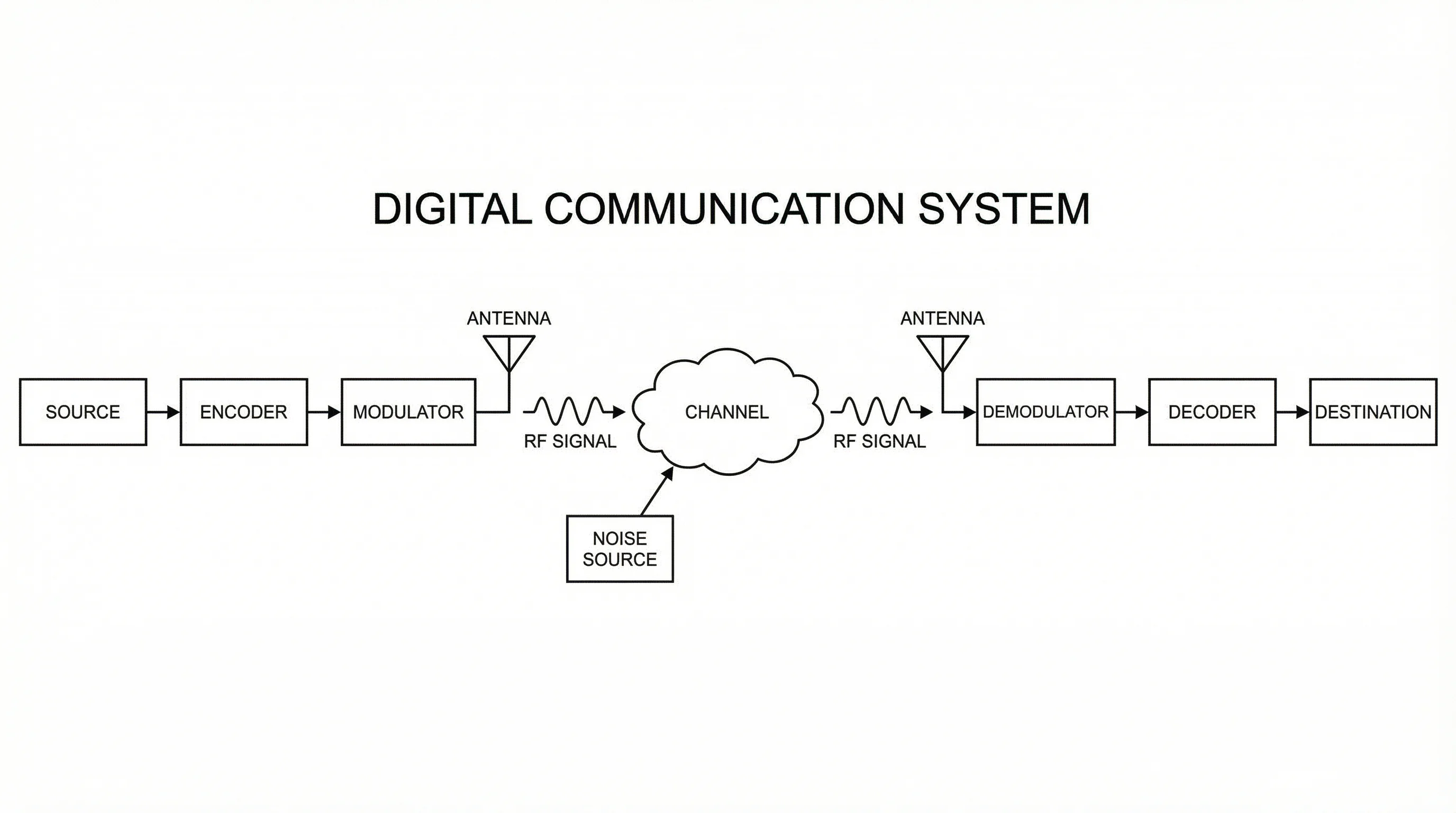
Block Diagram Generator
Map systems and processes into clean, labeled block diagrams with connected components.