Physical Therapy Exercise Illustration Generator
Make step-by-step exercise illustrations for home exercise program handouts: bridge, clamshell, pendulum. Therapist review needed before use.
Create Your Exercise Illustration
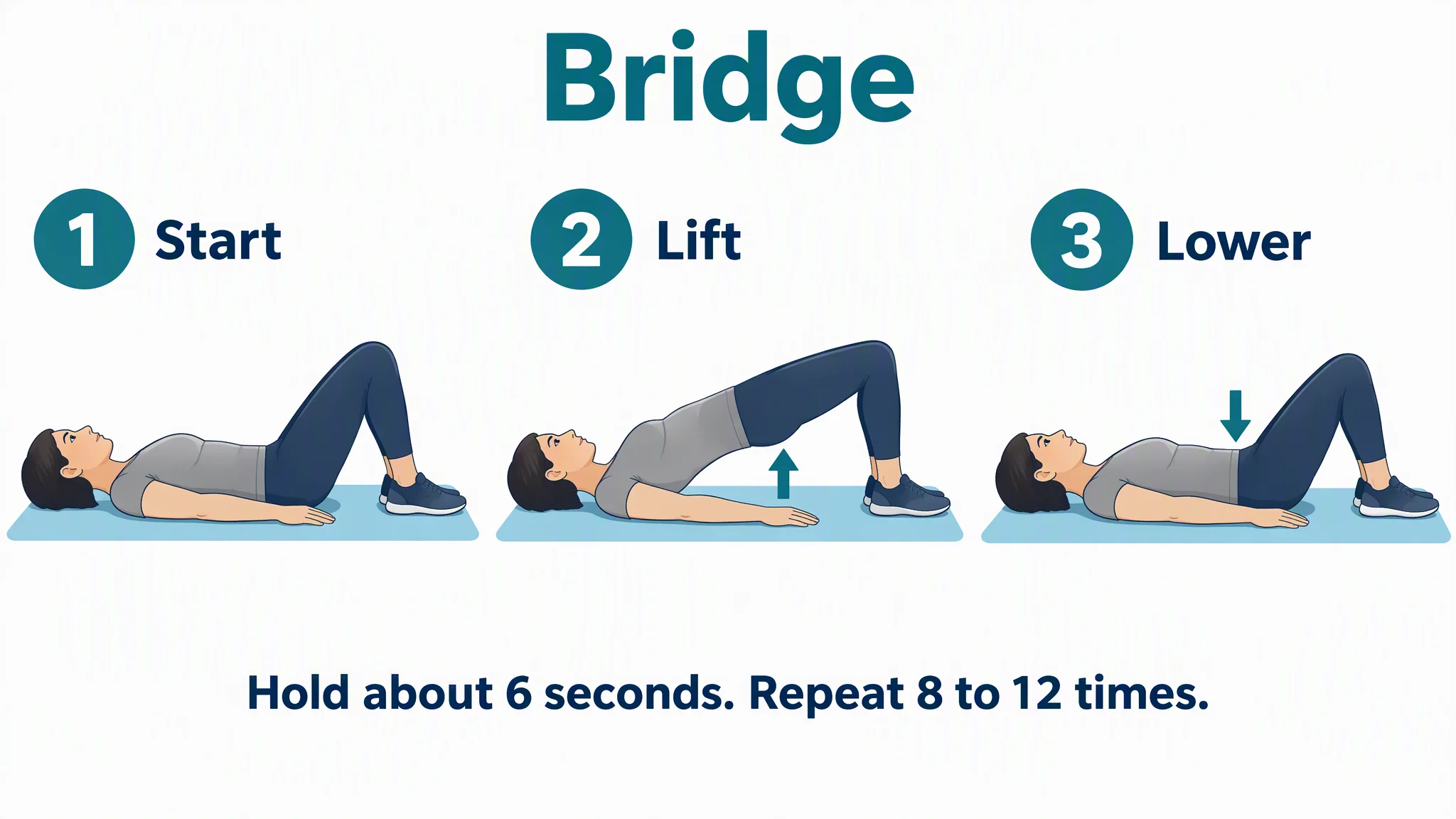 Example: Bridge in three stepsView full size
Preview is free on this page ·
Your exercise illustration will appear here
AI drawings are drafts. Check every pose, joint angle, arrow and word against your source, and have a therapist review before use with patients. No real patient data.
Exercise Illustration Examples
Four AI illustrations, each checked against a named source and with known flaws noted. No real patients. A therapist should review every illustration before patient use.
Bridge in three steps (AI illustration)
AI-generated from the prompt shown. The same woman, mat and outfit appear in all three panels, and the text came out as written on the first try. We checked it against the Kaiser Permanente "Hip Arthritis: Exercises" page (current as of June 9, 2026; checked October 2026), which describes lying on the back with both knees bent, pressing the feet into the floor, squeezing the buttocks and lifting the hips until the shoulders, hips and knees form a straight line, holding about 6 seconds and repeating 8 to 12 times. In the Lift panel the shoulders, hips and knees run close to one line. Known flaws: only the near leg is visible in the side view, so the picture cannot show that both feet push evenly; the knee angle in Start looks nearer 70 to 80 degrees than 90; the hip lift in Lift is shallow, with the hips below the line from the shoulders to the knees; the arrow in Lift sits under the body and not on the hips, and in Lower the down arrow sits over the thighs and not the hips; Lower looks the same as Start apart from the arrow; nothing in the picture says to squeeze the buttocks, so that cue lives only in the page text; the footer tells people to hold and repeat but does not say to breathe normally or rest between repeats.
Clamshell in three steps (AI illustration)
AI-generated from the prompt shown. The same woman, mat and outfit appear in all three panels, and the labels and footer came out as written on the first try. We checked it against the Kaiser Permanente "Hip Arthritis: Exercises" page (checked October 2026): lie on your side with knees bent and feet together, lift the top knee while the feet stay together, and do not let the hips roll back; the page holds the lift 6 seconds and repeats 8 to 12 times on each side. In Open the feet stay together and the top knee lifts. Known flaws: the footer leaves out the 6 second hold and the switch to the other side, which the source includes; the figure clearly turns toward the viewer, with chest and face facing the camera, so the shoulders and hips are not stacked and the picture cannot show the hips not rolling back, which is the one cue the source gives; the hips are bent only a little, with the thighs almost in line with the body, so this reads as a gentle version and not the usual starting position; Close looks the same as Start apart from the arrow; the curved arrows suggest direction but not how far to lift.
Shoulder pendulum in three steps (AI illustration)
AI-generated from the prompt shown, second try. The first try bent the man forward only about halfway, so we asked for a torso nearly parallel to the floor and generated again. We checked it against the AAOS OrthoInfo "Shoulder Surgery Exercise Guide" (checked October 2026): bend forward 90 degrees at the waist with the other hand on a table, let the arm hang relaxed, rock the body so the arm moves in a circle through the shoulder joint, 10 times clockwise then 10 times counterclockwise, in circles about 1 to 2 feet wide, 3 sessions a day. Known flaws: the bend is closer to a right angle but still not fully flat, with the torso rising at the shoulders; the arrows in Reverse have arrowheads at both ends of the loop, so the direction is unclear (the text says the other way); the arm hangs the same in Swing and Reverse because a still picture cannot show motion; the picture does not show how small the circle is, and the footer leaves out the 1 to 2 foot circle size and the 3 sessions a day; this is the version OrthoInfo gives for people after shoulder surgery, so whether it suits a given person is for their surgeon or therapist to say.
One-page home exercise handout (AI illustration)
AI-generated from the prompt shown: a one-page handout with two exercises, two steps each, and blank lines a therapist can fill in by hand after printing. All the text came out as written, and the woman looks the same in all four panels. The exercise wording follows the same Kaiser Permanente source as the bridge and clamshell above (checked October 2026). Known flaws: the blank lines are drawn lines in a picture, not typeable fields; the Name and Date lines sit close to the edge of the border; the panel frames and mats are cut off slightly at the edges; the Lift panel shows a second, darker arm outline behind the near arm; the curved arrow on the clamshell Open panel has heads at both ends, so the direction is unclear; it uses two steps per exercise, so it has no Lower or Close panel; and it leaves out the 6 second hold for the clamshell and the other side. A therapist still has to fill in sets and times a day for the person.
Need a labeled anatomy figure for the same joint? Try the Shoulder Anatomy Diagram Generator or the Spine Anatomy Diagram Generator, the Medical Illustration Generator for other anatomy, or the Medical Infographic Maker for facts and thresholds laid out as a chart. Sources, checked October 2026: Kaiser Permanente, Hip Arthritis: Exercises and AAOS OrthoInfo, Shoulder Surgery Exercise Guide.
What this page is for
This page is for physical therapists, occupational therapists, rehab clinic staff, and fitness and wellness writers who need a clear picture of how an exercise is done, for a home exercise program (HEP) handout. You describe one exercise, the position of the body at each step, and the exact words you want on the picture. The generator draws a first version. You then check every pose against your source and your own clinical judgment before the picture goes anywhere near a patient. This is a drawing tool, not a library of approved exercises, and the examples on this page are not medical advice.
How this differs from exercise software and stock illustrations
- Home exercise program software gives you a fixed library of exercises, usually with video and a prescription builder. Stock illustration sites give you finished drawings of common exercises. Both are good when the exercise you need is in the library. They do not help when you want a variation, a different body type, a seated version, your own wording, or a pose the library does not have.
- Here you describe the pose and the generator draws it, then you decide whether it is right. That moves the work to the part that matters: checking joint angles, direction, and wording. For labeled anatomy such as the hip or shoulder joint, use the Medical Illustration Generator. For facts, categories and thresholds laid out as a chart or poster, use the Medical Infographic Maker. This page is for the body in motion, step by step.
Check the source: what we verified for the three exercises
- Bridging (called Bridge on this page): lie on your back with both knees bent; press your feet into the floor, squeeze your buttocks, and lift your hips until your shoulders, hips and knees form a straight line; hold about 6 seconds; lower slowly and rest; repeat 8 to 12 times. Source: Kaiser Permanente health encyclopedia, "Hip Arthritis: Exercises" (current as of June 9, 2026). Checked October 2026.
- Clamshell: lie on your side with knees bent and feet together; lift the top knee while keeping the feet together, and do not let your hips roll back; hold 6 seconds, lower slowly and rest; repeat 8 to 12 times, then switch sides. Same Kaiser Permanente page, where it is called Clamshell. Checked October 2026.
- Pendulum (listed as Pendulum, Circular, or Codman's exercises): bend forward 90 degrees at the waist with the other hand on a table for support, let the arm hang relaxed, and rock your body so the arm makes a circle about 1 to 2 feet wide, 10 times clockwise and 10 times counterclockwise, from the shoulder joint; 3 sessions a day. Source: AAOS OrthoInfo, "Shoulder Surgery Exercise Guide", which tells readers to check with their physical therapist or orthopaedic surgeon before doing any of the exercises, says the surgeon or therapist may recommend which exercises and how often, and says to use pain as your guide. Checked October 2026.
- The numbers of repeats and sessions above come from those pages for the people they were written for. A therapist sets the real numbers for each person. When you make your own handout, name the source and the date you checked it, and keep a copy of the page you used.
How to get a consistent exercise sequence
- Ask for one exercise per picture and one figure across all the panels: say "the SAME adult woman with short dark hair in a grey top and navy leggings, drawn in the same style and size" and repeat the clothing, mat, and camera side in every panel.
- Describe each pose in plain body terms: "knees bent about 90 degrees, feet flat on the mat, arms at her sides" is better than "bridge position". Say what the joint angle should be at the end, for example "shoulders, hips and knees form one straight line".
- Number the steps and give each a one-word label (Start, Lift, Lower), and say where each arrow goes and which way it points.
- Put the exact words you want in quotes, such as the footer with repeats, and add "every word spelled exactly as given, no extra words".
- For a portrait handout, choose the 3:4 portrait size above before you generate; choosing an example fills the prompt but does not change the size.
- Say what must not appear: "exactly two arms, two legs, five fingers on each hand, no extra limbs". Then check the result panel by panel against your source.
Accuracy and what AI gets wrong
The four pictures on this page were generated from the prompts shown, and each caption lists the flaws we found. In all of them the same figure stayed the same across the panels and the words were spelled right. The problems were in the details of the body and the arrows: a knee bend that was not quite 90 degrees, a side-lying figure that turns noticeably toward the viewer, a forward bend that took a second try to get close to the source, and arrows with heads at both ends in two of the pictures. The first pendulum try bent the man forward only about halfway. Common problems with AI exercise drawings are extra or missing limbs, hands with the wrong number of fingers, joint angles that do not match the instructions, arrows pointing the wrong way, and a figure that changes from one panel to the next. Across separate generations the person will change, so keep a whole sequence in one picture. Treat each result as a draft. It does not diagnose, it does not give medical advice, and a qualified therapist should review it before it is given to a patient.
Exercises are not the same for everyone
The pictures show general versions of common exercises. Whether an exercise suits a person, how far to go, how many to do, and what to stop for depends on their condition, surgery, and pain. Both sources we used say to follow a therapist or surgeon and to ease off if pain starts. Put a line such as "Follow your therapist's instructions. Stop if pain increases." on every handout.
Privacy and use with patients
Do not enter patient names, dates of birth, record numbers, or details of a real person's condition, and do not upload patient photos. Describe a general figure and a general exercise. Check your organization's policy on AI tools and on what may go into patient materials, and follow its review and sign-off rules.
Free trial and downloads
Start free with 2 image credits, valid for 7 days, no card required. Free accounts download PNG or JPG.
Frequently Asked Questions
Related Medical Tools
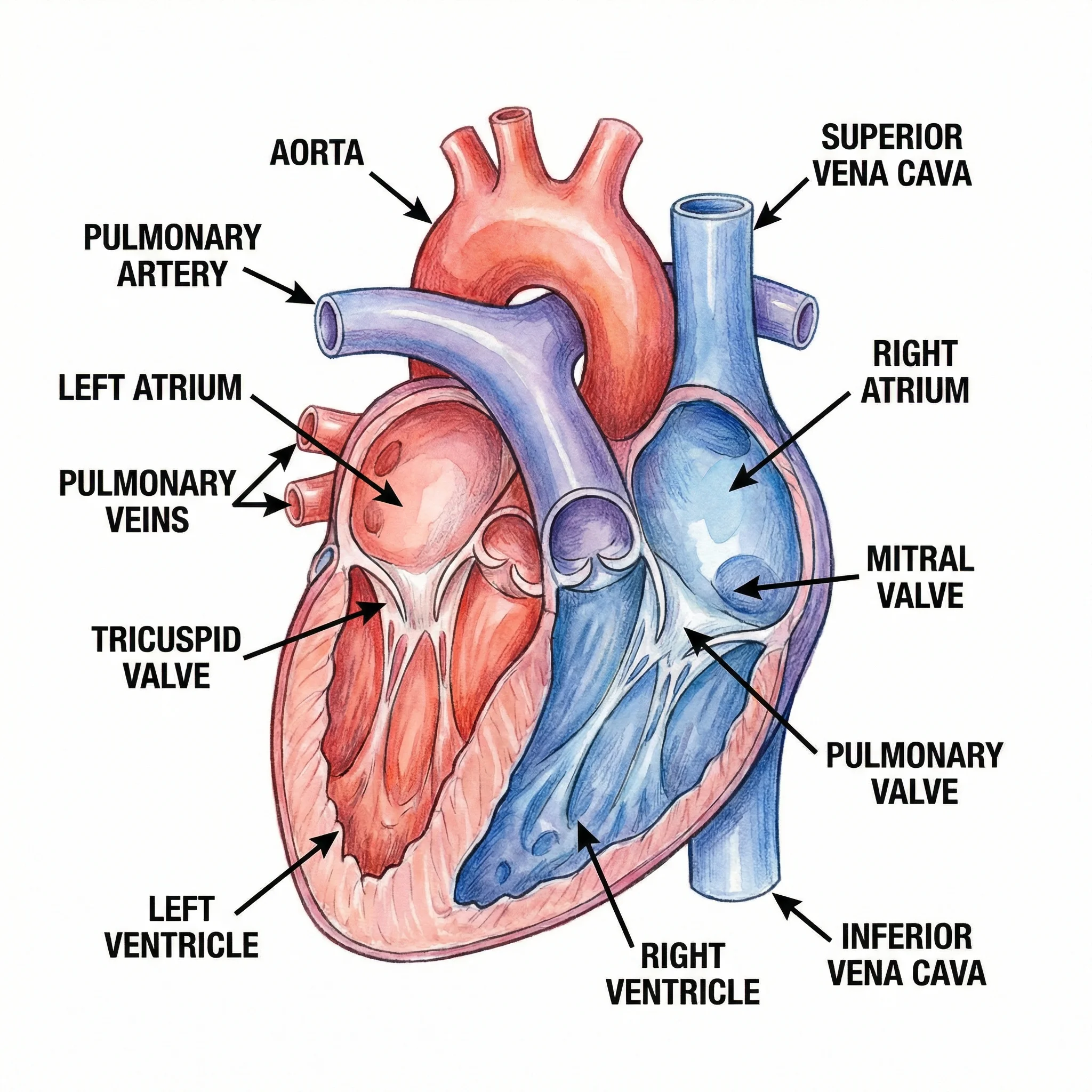 Medical
Medical Illustration Generator
Create labeled medical and anatomy illustrations for teaching and patient education.
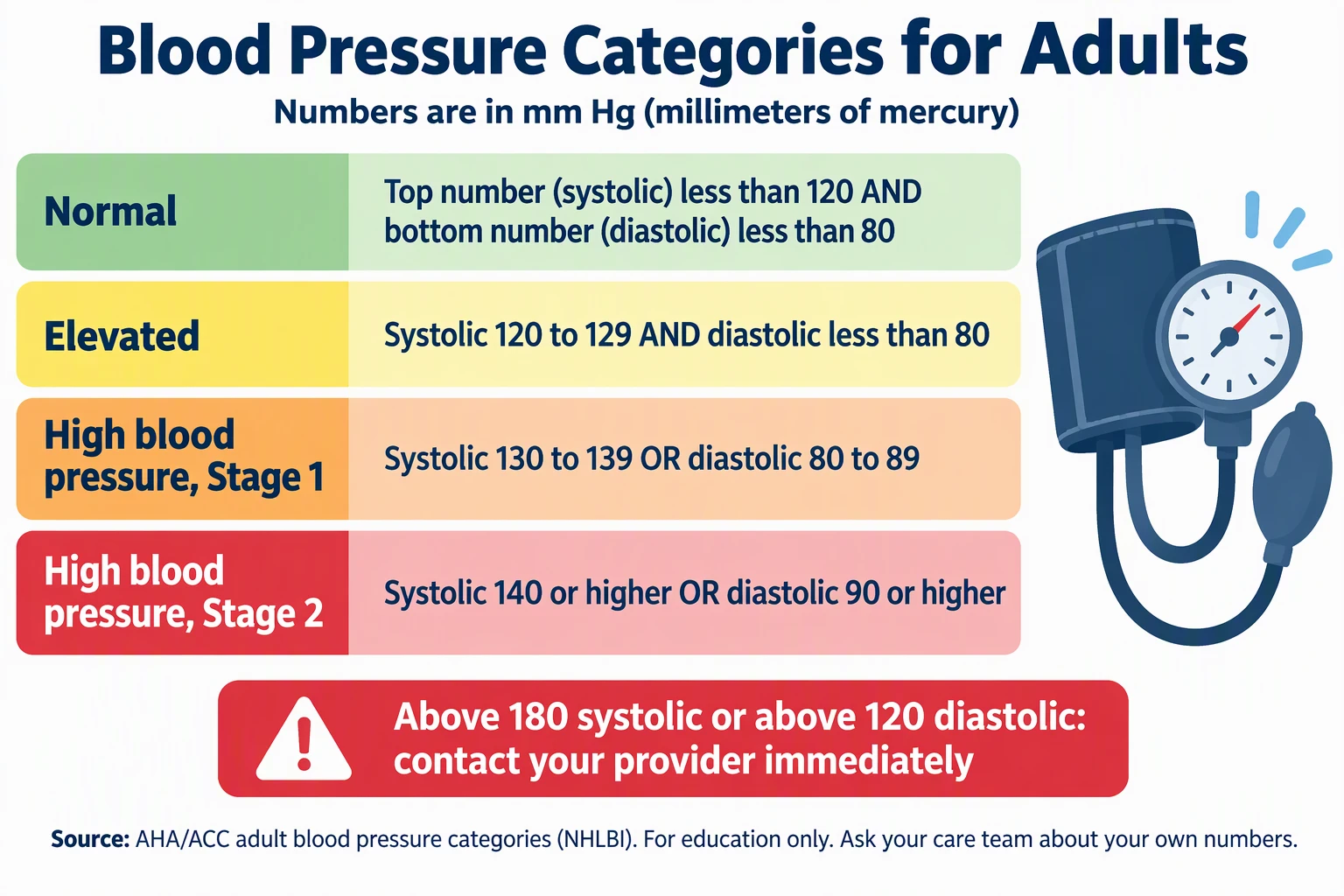 Medical
Medical Infographic Maker
Make medical and patient education infographics from facts you cite. Clinician review needed.
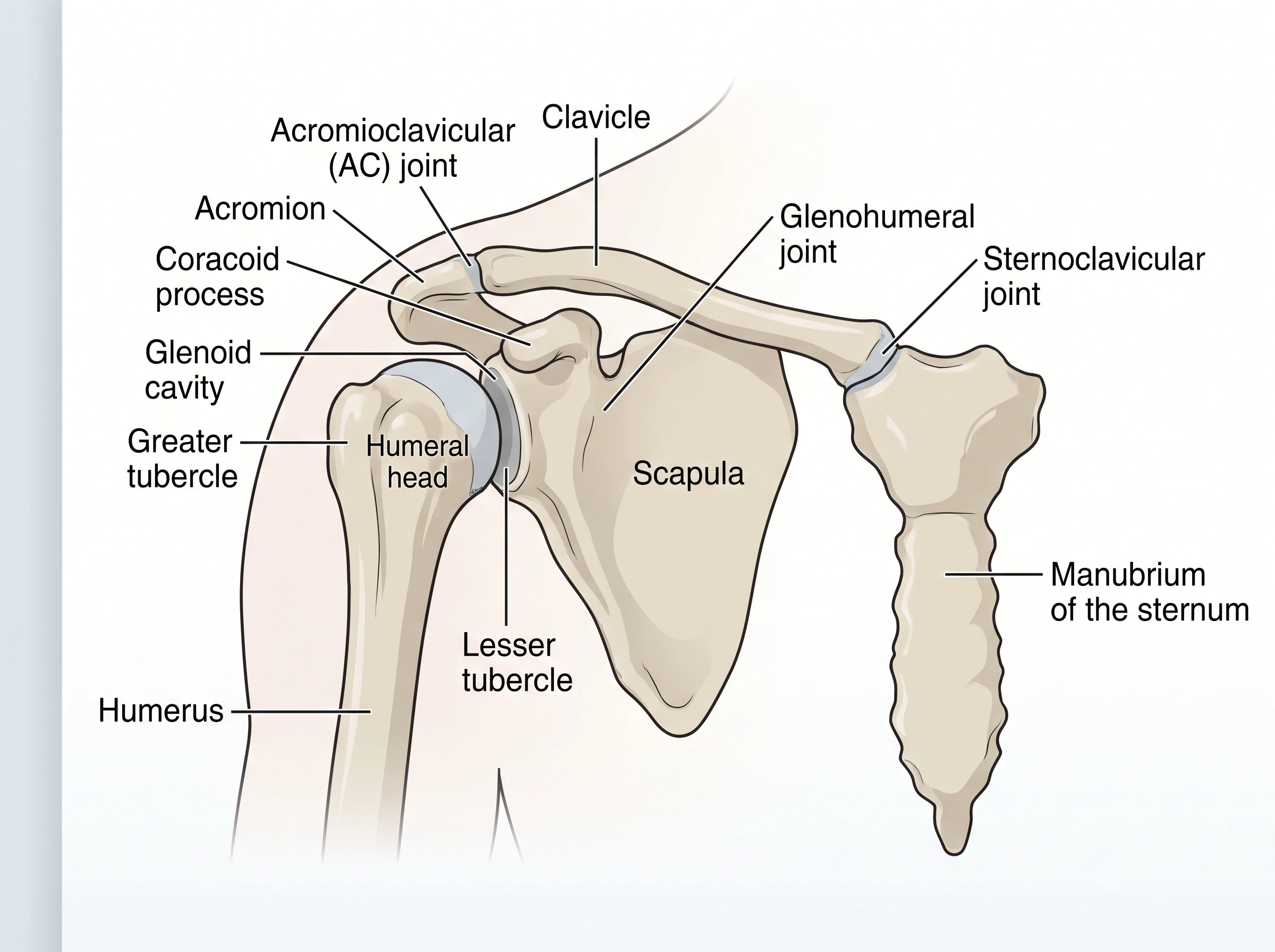 Medical
Shoulder Anatomy Diagram Generator
Make labeled shoulder bone, joint, ligament, and muscle diagrams for patient talks and study.