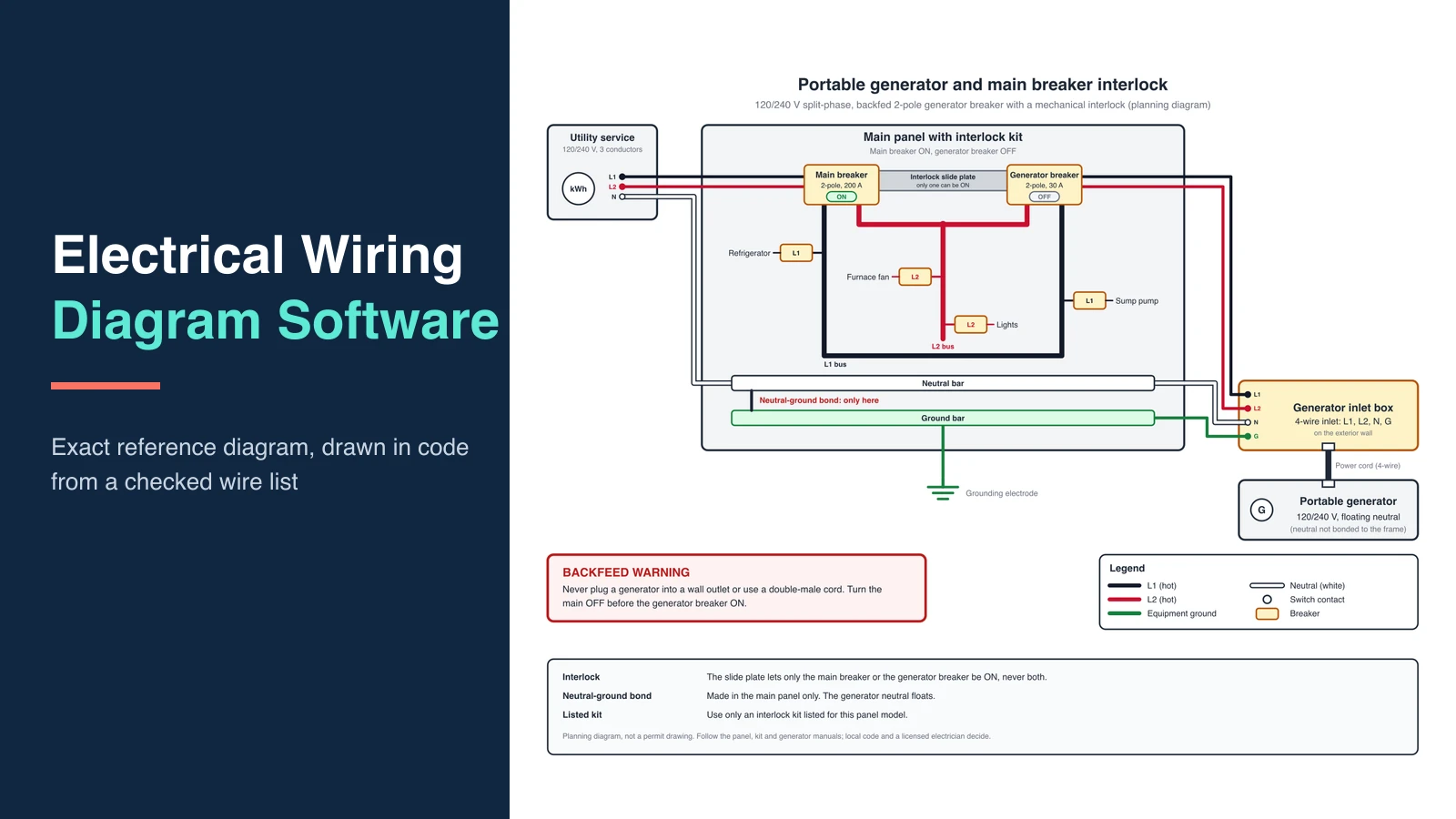
12 Best Wiring Diagram Software & Apps (2026)
Compare 12 wiring diagram programs and apps for electrical, panel, and automotive work, with prices checked in October 2026, free options, and car lookup apps.
Working on an automotive relay example? Our 4-pin and 5-pin relay wiring guide includes precise contact-state diagrams and a 85/86/30/87/87a reference to check before drawing the harness.
Best Wiring Diagram Software: Complete Guide
This page helps you pick a tool, not learn the method. If you need the method (IEC vs ANSI, wire numbers, title block), use How to Make a Wiring Diagram. Here you are choosing software for point-to-point wiring: which terminal on which device gets which conductor.
The twelve tools below cover AI first drafts, free and online editors, light electrical CAD, office diagramming, harness design, and full industrial suites. If you came here for a car wiring diagram app that shows the factory diagram for your vehicle, skip to Automotive: look up a diagram or draw one. That is a different kind of tool.
Looking for electronic circuit schematics, simulation or PCB tools instead? See our best circuit diagram software comparison.
Prices were checked on the vendors' own pages on October 7, 2026. Promotions change often, so confirm before you buy.
Quick comparison
| Software | Best for | Platform | Price (Oct 2026) | Free option |
|---|---|---|---|---|
| ConceptViz | AI first-pass wiring sheet | Web | From $20.83/mo billed yearly, or credit packs | 2 trial credits |
| AutoCAD Electrical toolset | Professional electrical CAD, DWG | Windows | $2,095/yr or $260/mo (AutoCAD) | 15-day trial, free for students |
| EPLAN | Industrial automation | Windows | Quote | No public free tier |
| ProfiCAD | Light electrical CAD, no subscription | Windows | $277 one-time | Free Home edition |
| SmartDraw | Office diagrams plus light electrical | Web, Windows | $10.95/mo billed yearly | Trial |
| EdrawMax | Cross-platform all-rounder | Win, Mac, Linux, web | $99/yr or $198 perpetual | Watermarked free plan |
| SolidWorks Electrical | Machines already in SolidWorks | Windows | Quote | Ask a reseller |
| QElectroTech | Free open-source electrical CAD | Win, Mac, Linux | Free | Yes |
| draw.io | Free general diagrams, car projects | Web, desktop | Free | Yes |
| DigiKey Scheme It | Free online schematics with parts | Web | Free | Yes |
| RapidHarness | Wire harness and formboard drawings | Web | $219/mo or $2,199/yr | Free: 5 designs, 30 connections each |
| Zuken E3.series | Enterprise harness and cabinet design | Windows | Quote | No public free tier |
Wiring Diagram Maker
Describe a panel, motor, or harness in plain language and get a first-pass wiring diagram. Redline the terminals before it leaves the shop.
Draft a wiring diagram →Wiring vs schematic vs single-line
Search "wiring diagram software" and many lists mix three drawings. Mixing them is how a tech lands on the wrong terminal.
| Drawing | Question it answers | ConceptViz page |
|---|---|---|
| Wiring (connection / point-to-point) | Which terminal is landed on which wire? | Wiring Diagram Maker |
| Schematic (elementary) | How does the function work? | Schematic Diagram Maker |
| Single-line | How does power flow at system level? | Single-Line Diagram Generator |
You often need a schematic and a wiring sheet. AutoCAD Electrical and EPLAN treat them as related documents, not synonyms.
What actually matters in wiring software
| Feature | Why it matters on a real job |
|---|---|
| IEC / ANSI symbol sets | Mixed coil shapes fail a design review |
| Wire numbering and device tags | Shop packets live on these, not on pretty lines |
| From-to / terminal reports | Panel builders land from lists, not screenshots |
| Cross-references | Multi-page jobs need to know where coil K1 appears |
| Export | PDF for the shop; DWG when the client's CAD library owns the job |
| Price model | Seat vs perpetual vs pay-per-draft |
AI generation is useful for a first sheet. It does not certify symbols or invent missing datasheet pins.
1. ConceptViz: Best for an AI first draft
ConceptViz generates a wiring diagram from a written brief: devices, voltage, and what must be landed. Use it when you need a sheet for a review, a teaching example, or a client conversation before anyone opens CAD.
It is not a substitute for AutoCAD Electrical or EPLAN on a code-compliant construction package.
What it is good at
- A readable first pass in minutes
- Control-panel, motor, HVAC, and harness-style briefs
- A free JPEG download, or an SVG export on paid plans, so someone else can redline
What it is not
- Not a certified IEC / ANSI symbol library
- Not automatic wire numbering or a from-to report
- Not an as-built. Confirm every terminal against the datasheet
Pricing
New accounts get 2 image credits to try it. Paid plans start at $20.83/month billed yearly (Standard), and image credit packs are available if you only draft now and then. Trial credits are for testing, not production work.
Schematic Diagram Maker
When the job is function (coils, contacts, signal flow), not physical landing.
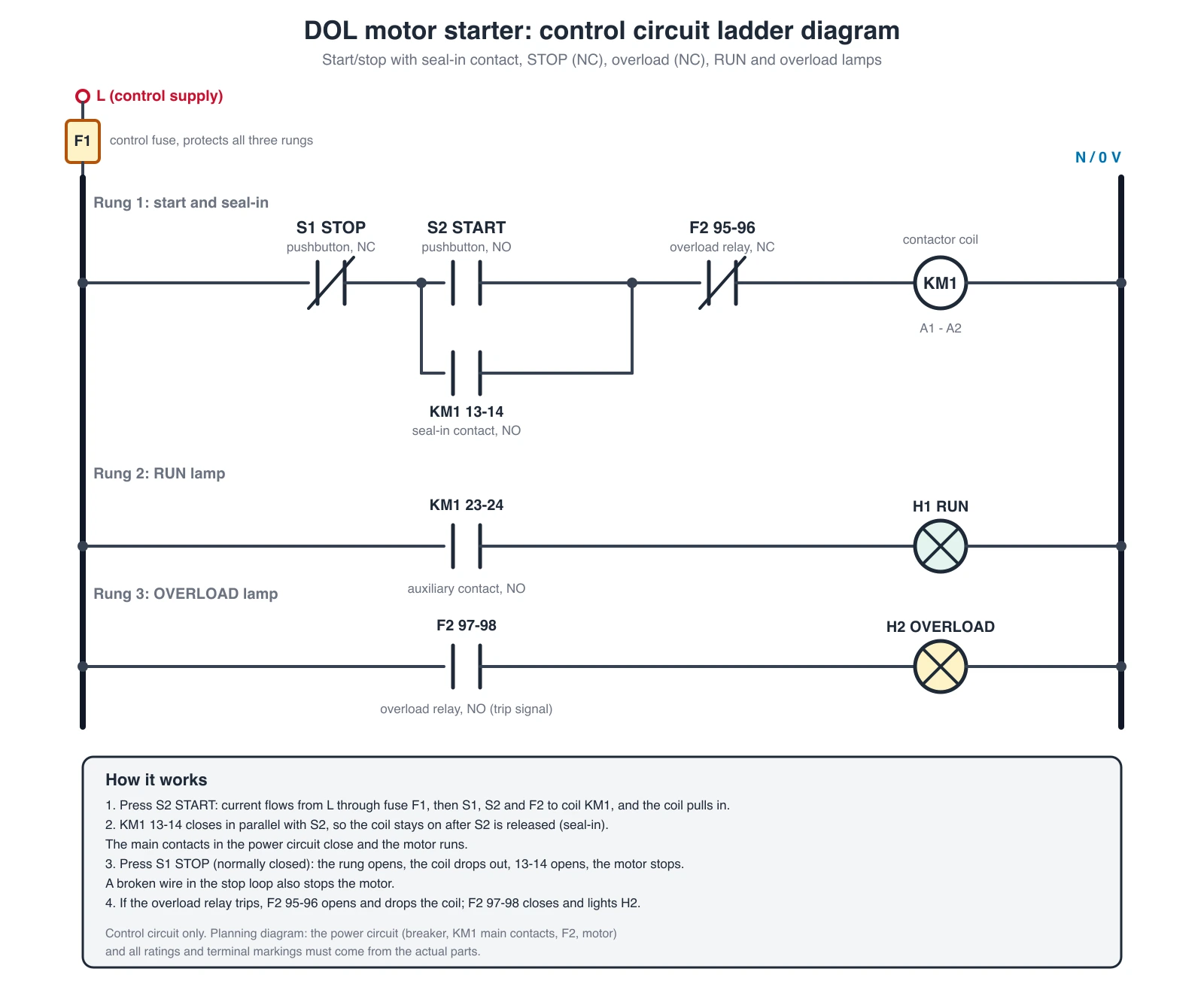
An exact motor-starter control circuit, drawn in code from a checked wire list. Control and wiring sheets show devices and conductors. They are not a one-line of the facility and not a breadboard cartoon.
2. AutoCAD Electrical: Best dedicated electrical CAD
AutoCAD Electrical is the default when the deliverable is DWG, the client already lives in Autodesk, and the packet needs wire numbers, component tags, and error checks. It now ships as the Electrical toolset inside a standard AutoCAD subscription.
Strengths
- Large IEC / JIC / JIS / GB symbol sets
- Automatic wire numbering and component tagging
- Cross-reference reports across sheets
- BOM from the drawing
- Native DWG
Limits
- Steep if you are not already an AutoCAD user
- The toolsets run on AutoCAD for Windows
- Overkill for a one-page review sketch
- Subscription cost is a project-line item, not a hobby price
Pricing
AutoCAD lists at $2,095 per year or $260 per month in the US, and the subscription includes the Electrical toolset. There is a 15-day free trial, and students and educators get free one-year access. Production jobs usually cannot use education licenses.
3. EPLAN: Best for industrial automation
EPLAN is a project database with drawings attached, not a smarter AutoCAD. OEM and SI teams use it when PLC I/O, manufacturer parts, and cabinet layout have to stay in one system.
Strengths
- EPLAN Data Portal (manufacturer parts)
- Bidirectional cross-references
- 3D cabinet layout on higher modules
- Multi-user engineering and revision control
- ERP hooks on enterprise rollouts
Limits
- Quote-level pricing and a real training ramp
- Wrong tool for a one-off sketch
- Implementation is a project, not a download
Pricing
Enterprise or seat quote. Public "street" numbers move, so get a current quote if you are comparing against AutoCAD Electrical.
4. ProfiCAD: Best light electrical CAD
ProfiCAD is a small Windows program aimed at electrical and control diagrams. It ships with over 2,000 symbols, automatic bills of materials, and an ISO 7200 title block, with no subscription.
Strengths
- Wire numbering and connection lists
- BOM and title blocks
- Small install, works offline
- Perpetual license for the version you buy
Limits
- Windows only
- Smaller library than AutoCAD Electrical or EPLAN
- No real-time multi-user CAD
- Not for PCB layout or full DWG editing
Pricing
A free Home edition covers home and hobby projects. A single-user license is $277 and a site license is $827, both one-time, with a 30-day full trial and no card required. Major upgrades are 50% off and optional.
5. SmartDraw: Best when wiring is one of many diagram types
SmartDraw is an office diagrammer with electrical templates. Use it when the same seat also has to produce flowcharts and the wiring sheet is documentation, not a shop packet.
Strengths
- Large general symbol set, including IEEE / IEC-style electrical shapes
- Templates and easy sharing
- Web plus Windows
Limits
- Not automatic industrial wire numbering
- Not a substitute for EPLAN on a multi-page panel job
- Subscription adds up if you only draw wiring twice a year
Pricing
The Individual plan is $10.95 per month billed annually, with an introductory $7.95 for new customers. Team plans need at least 3 users.
6. EdrawMax: Best cross-platform all-rounder
EdrawMax covers electrical templates plus Visio-like general diagramming on Windows, Mac, Linux, and web.
Strengths
- Broad template library (panels, residential, circuits)
- Visio / PDF / SVG / image export
- One-time license option
Limits
- Template quality varies
- Not dedicated electrical CAD for complex industrial designs
- The free plan caps shapes and pages and watermarks exports
Pricing
US$99 per year, or a US$198 perpetual license for the current desktop version (sale prices on the store page in October 2026). The free plan is limited and watermarks exports.
7. SolidWorks Electrical: Best if the machine is already in SolidWorks
SolidWorks Electrical ties 2D schematics to 3D assemblies and harnesses. It belongs on this list when the wiring job is a machine or OEM product, not a building.
Strengths
- Schematic and 3D stay in one vendor stack
- Useful for cabinet-to-machine coordination
- Familiar if the mechanical team already pays for SolidWorks
Limits
- You are buying a Dassault workflow, not a cheap wiring app
- Poor fit if you only need a one-page landing sheet
- We have not run a full hands-on of every module; confirm features on the current datasheet
Pricing
Dassault reseller quote. Ask for Electrical Schematic vs Electrical 3D separately.
8. QElectroTech: Best free open-source electrical CAD
QElectroTech is an open-source editor for electrical, automation, and process diagrams. It is a closer peer to ProfiCAD than to a breadboard toy.
Strengths
- Free, offline, IEC-oriented
- Windows, Mac, and Linux
- Fine for school labs and internal sketches with no license fight
Limits
- Smaller ecosystem than AutoCAD Electrical
- No manufacturer parts portal
- Collaboration is file-based
Pricing
Free (open source).
9. draw.io: Best free general-purpose option
draw.io (diagrams.net) is a free, open-source diagram editor that runs in the browser or as a desktop app, with no sign-up. It has basic electrical shape libraries, and it is a common pick in motorsport and car-build forums for documenting a custom loom.
Strengths
- Free forever, Apache 2.0 licensed
- Works offline in the desktop app
- Saves to your own drive, so files stay yours
Limits
- No wire numbering, from-to reports, or cross-references
- You build every symbol connection by hand
Pricing
Free.
10. DigiKey Scheme It: Best free online schematic tool
Scheme It is DigiKey's free browser-based schematic and diagram editor. Its symbol library links to the DigiKey catalog, which is handy when the drawing doubles as a parts list for a small build.
Strengths
- Free, nothing to install
- Electronic symbol library tied to real part numbers
- Good for hobby control boxes and student projects
Limits
- Built for electronics more than industrial panels
- No industrial reports or DWG export
Pricing
Free.
11. RapidHarness: Best for wire harness drawings
RapidHarness is web-based harness CAD for manufacturing drawings: connector pinouts, wire lists, and 1:1 formboard drawings. Use it when the job is a cable assembly or vehicle harness that someone will actually build.
Strengths
- Manufacturing-ready harness documents
- Formboard drawings at 1:1 scale
- Parts library and monthly billing option
Limits
- Harness-only, not general panel or building wiring
- Free tier is small
Pricing
Free for up to 5 harness designs with 30 connections each. Standard is $219 per month or $2,199 per year; Professional is $299 per month or $2,999 per year.
12. Zuken E3.series: Best enterprise harness and cabinet suite
E3.series covers electrical schematics, cabinet layout, and harness design in one database. It sits in the same tier as EPLAN, and it is common in automotive, rail, and aerospace teams.
Strengths
- Object-based design: one change updates every sheet
- Strong harness and cable documentation
- Built for multi-engineer projects
Limits
- Enterprise pricing and onboarding
- Far more than a hobbyist or single panel needs
Pricing
Quote through Zuken.
Automotive: look up a diagram or draw one
Searches like "all car wiring diagram app" or "automotive wiring diagram software" mix two needs. Most people want to look up the factory diagram for a specific vehicle. Fewer want to draw a new one for a custom build. The tools are different.
Apps to look up factory car wiring diagrams
| App or service | What you get | Price (Oct 2026) |
|---|---|---|
| ALLDATAdiy | Factory repair info for one vehicle, including interactive color wiring diagrams, TSBs, and DTCs. Covers 30,000+ vehicles from 1982 to 2021 (US and Canada) | $19.99 for 1 month, $59.99 for 1 year, $129.99 for 3 years, per vehicle |
| Mitchell 1 ProDemand | Interactive wiring diagrams for professional repair shops | Shop subscription, quote |
| AutoZone repair guides | Free wiring diagram repair guides for many cars, trucks, and SUVs | Free |
| Carmin | Mobile app (Android and iOS) that collects wiring diagrams for popular makes and models | Free app |
Use the OEM-sourced services when the repair matters. Free collections are useful for orientation, but the diagram may not match your exact trim, engine, or model year.
Software to draw automotive wiring
For a custom loom, a trailer, an off-road accessory panel, or a race car, you need a drawing tool instead:
- draw.io for a free, quick sketch you can share on a forum
- ConceptViz to turn a written description of the circuit into a first draft you can mark up
- RapidHarness when the harness will be built from your drawing
- Zuken E3.series or SolidWorks Electrical for production vehicle and machine programs
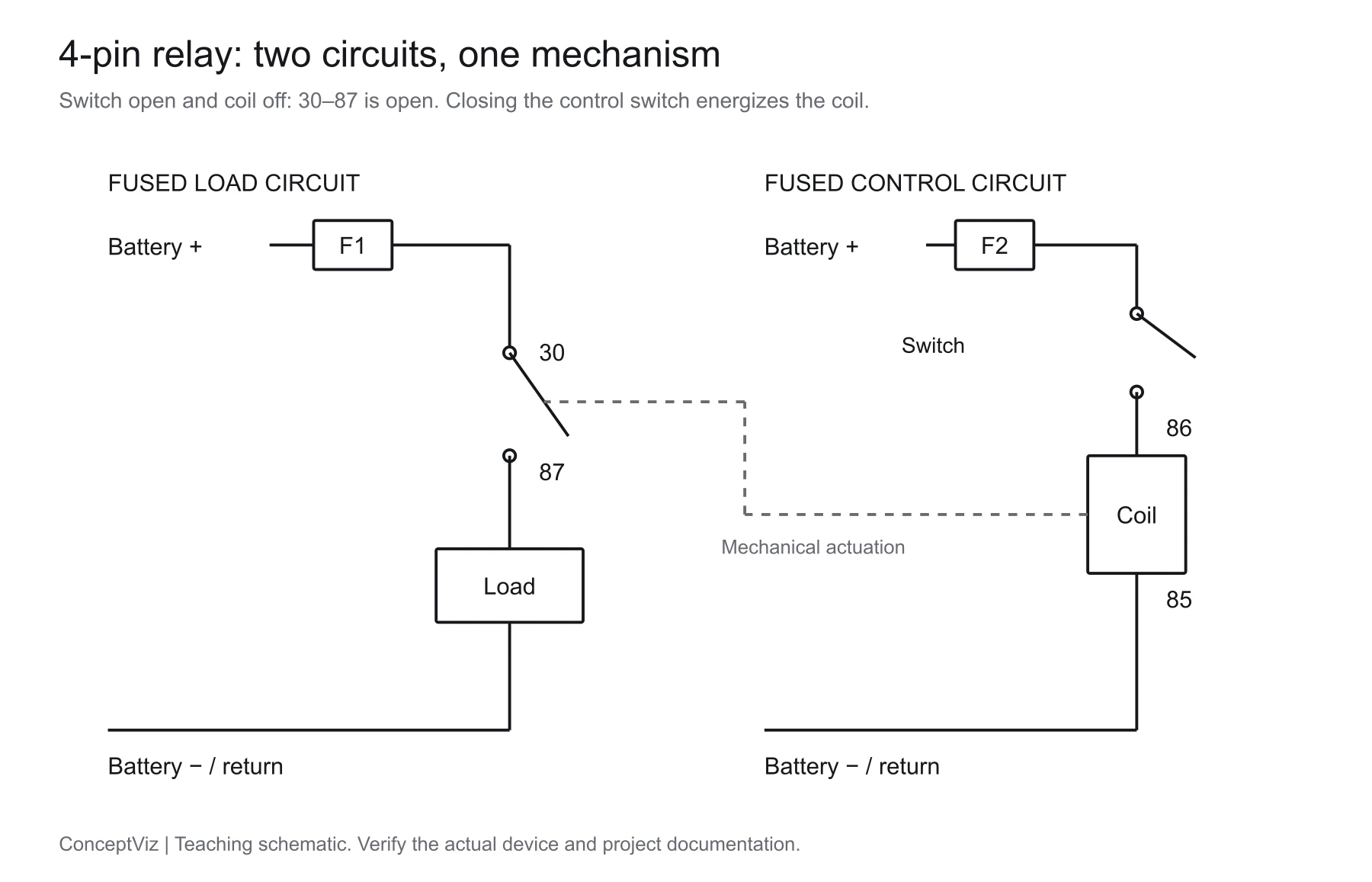
Wiring Diagram Maker
Describe the relay, fuse, switch, and load, and get a first-pass automotive or panel wiring sheet.
Which tool for which job
Control panel / industrial landing. AutoCAD Electrical or EPLAN. ConceptViz only for the first review sheet.
Machine / OEM already on SolidWorks. SolidWorks Electrical.
Vehicle or cable harness to be built. RapidHarness, or Zuken E3.series at enterprise scale.
Look up a factory diagram for your car. ALLDATAdiy for one vehicle, ProDemand for a shop.
One electrician, no seat budget. ProfiCAD Home or QElectroTech.
Office documentation, mixed diagram types. SmartDraw or EdrawMax.
Need a draft today, CAD later. ConceptViz Wiring Diagram Maker, then promote survivors into CAD.
Single-Line Diagram Generator
System-level power flow (feeders and loads), not point-to-point landing.
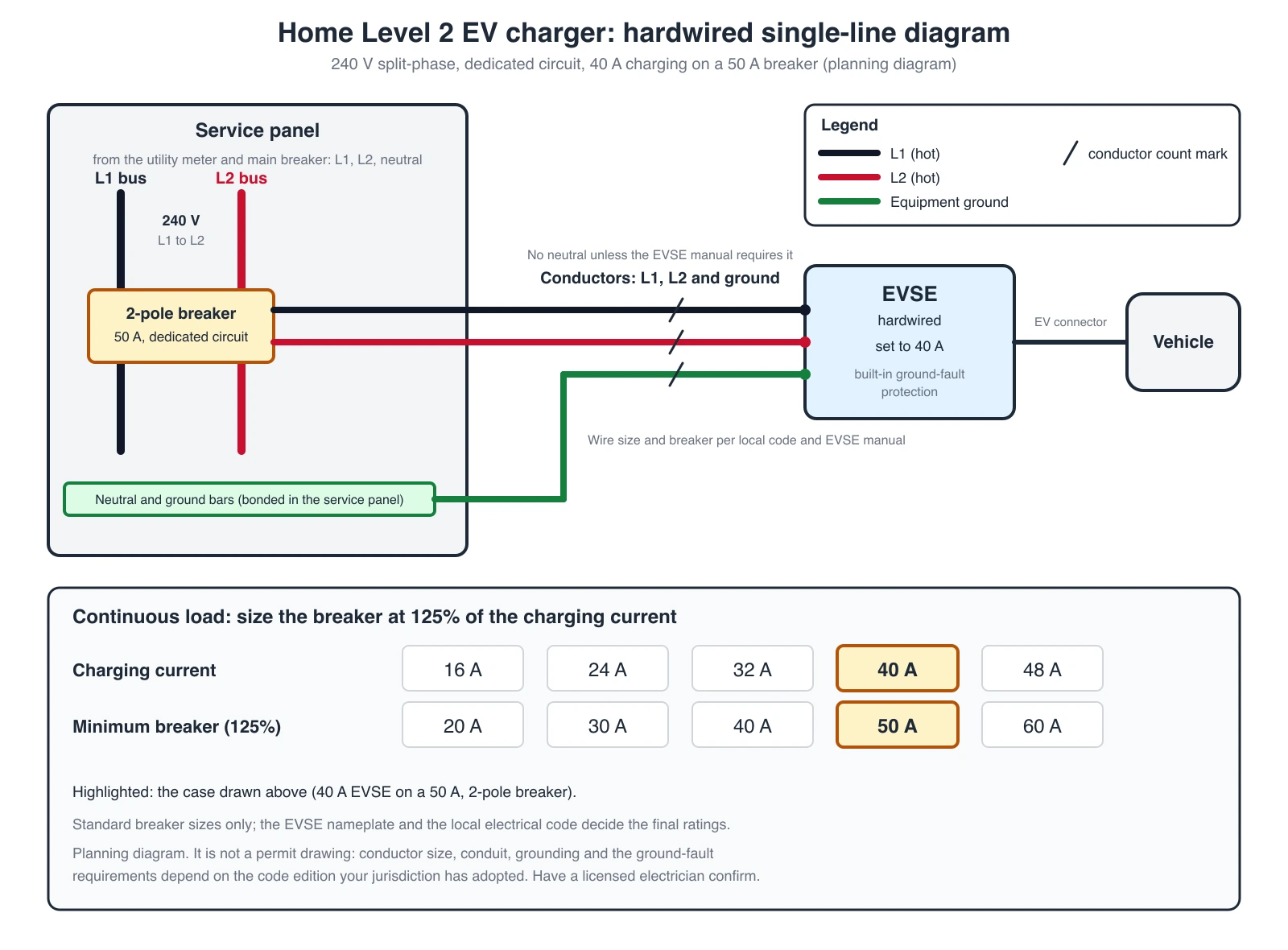
An exact EV charger diagram, drawn in code. Equipment jobs still start with the nameplate and the datasheet terminals. Software only records what you already verified.
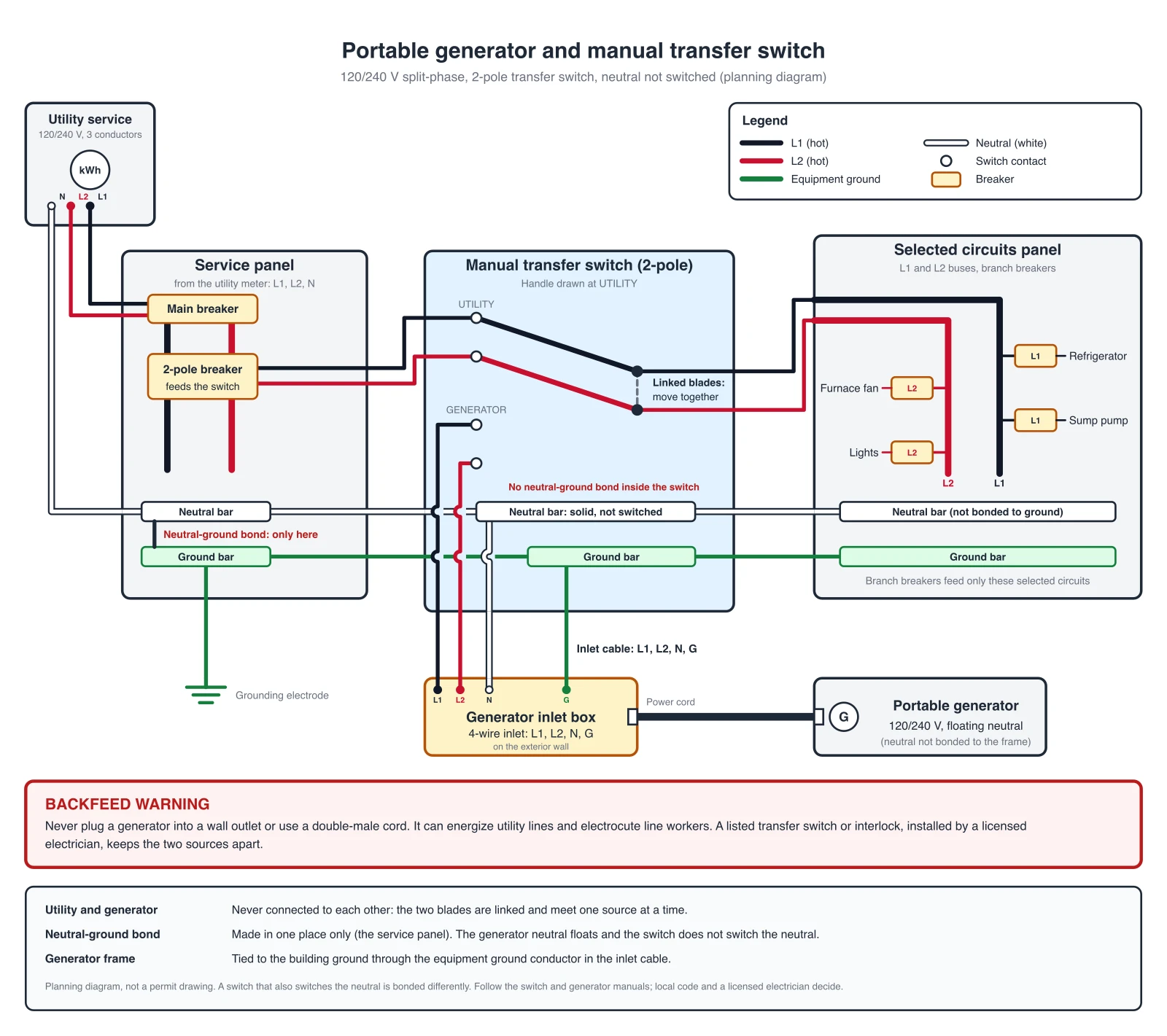
For home and backup-power jobs, the EV charger wiring diagram generator and the generator transfer switch wiring diagram generator draw exact reference diagrams for those two cases.
Free vs paid
Pay when the packet is a client deliverable, a permit set, or a multi-page job that needs wire numbers and from-to lists. Stay on a free or credit-pack tool when you are still arguing about the circuit.
| Need | Usually enough |
|---|---|
| Review sketch this afternoon | ConceptViz, draw.io, or QElectroTech |
| Hobby electronics or a small control box | DigiKey Scheme It or ProfiCAD Home |
| Commercial one-off sheets | ProfiCAD paid or EdrawMax |
| Shop packet with reports | AutoCAD Electrical |
| Harness for production | RapidHarness or Zuken E3.series |
| Plant / OEM standard | EPLAN or SolidWorks Electrical |
Frequently Asked Questions
What is the best free wiring diagram software?
For real electrical CAD on a budget, start with QElectroTech (free and open source) or ProfiCAD's free Home edition. For quick general diagrams, draw.io and DigiKey Scheme It are free in the browser. ConceptViz gives 2 trial credits for an AI first draft. None of these replace AutoCAD Electrical on a stamped package.
What is the best app for car wiring diagrams?
To look up the factory diagram for one vehicle, ALLDATAdiy sells single-vehicle access from $19.99 for a month. Shops use Mitchell 1 ProDemand. Free options include AutoZone's online repair guides and the Carmin mobile app, but check that the diagram matches your exact model year and engine.
What software is best for drawing automotive wiring diagrams?
For a custom build, draw.io is a free starting point and ConceptViz can turn a written circuit description into a first draft. If the harness will be manufactured, use harness CAD such as RapidHarness, or Zuken E3.series for enterprise programs.
What is the difference between a wiring diagram and a schematic?
A wiring diagram shows physical landing: terminals, wire numbers, and how the panel is built. A schematic shows function, such as which contact opens which coil, without promising physical routing. You usually need both. The method is in our how-to-make-a-wiring-diagram guide.
Can ChatGPT or AI create wiring diagrams?
AI tools can draft a readable wiring diagram from a description, which helps for reviews, teaching, and early planning. They do not check symbols against a standard or know pins that are not in your brief, so verify every terminal against the datasheet and redraw issued sheets in electrical CAD.
Which software do professional electricians and panel shops use?
Industrial and OEM work clusters around AutoCAD Electrical and EPLAN. Smaller shops often use ProfiCAD or EdrawMax for documentation. Many teams draft in a quick tool, then redraw the issued sheets in CAD.
Can I use Microsoft Visio for wiring diagrams?
Visio can hold simple electrical stencils. It does not give industrial wire numbering, cross-references, or a manufacturer parts portal. Use it for a slide, not a landing list.
What file format should I use for sharing wiring diagrams?
PDF for the shop and the client. DWG when another CAD library will edit the job. SVG or PNG for a review comment thread. Keep the native CAD file if anyone still has to change wire numbers.
Conclusion
Pick the tool that matches the issued document:
- First-pass wiring sheet: ConceptViz Wiring Diagram Maker
- Issued electrical CAD: AutoCAD Electrical or EPLAN
- Light / free electrical CAD: ProfiCAD or QElectroTech
- Free online sketch: draw.io or DigiKey Scheme It
- Harness to be built: RapidHarness or Zuken E3.series
- Office documentation: SmartDraw or EdrawMax
- Machine already in SolidWorks: SolidWorks Electrical
- Factory diagram for your car: ALLDATAdiy or ProDemand
How to number wires and freeze IEC vs ANSI is in How to Make a Wiring Diagram, not here.
Категории
Ещё публикации

How to Design an Award-Winning Scientific Poster: Complete Guide
Master the art of scientific poster design with proven strategies used by award winners. Learn layout principles, visual hierarchy, and presentation tips.

How to Illustrate Science: Methods, Tools & Examples (2026)
Learn 8 proven ways to illustrate science for research papers, posters, and presentations. Covers diagrams, infographics, graphical abstracts, and more.

Servier Medical Art: How to Use and Credit It
Servier Medical Art offers 3,000+ free medical illustrations under CC BY 4.0. How to download the PowerPoint kits, edit them, credit them, and when to use AI.