What Is a P&ID? Piping & Instrumentation Diagrams Explained
A P&ID shows every pipe, valve, and instrument in a process. Learn to read piping and instrumentation diagrams, ISA symbols, and how a P&ID differs from a PFD.
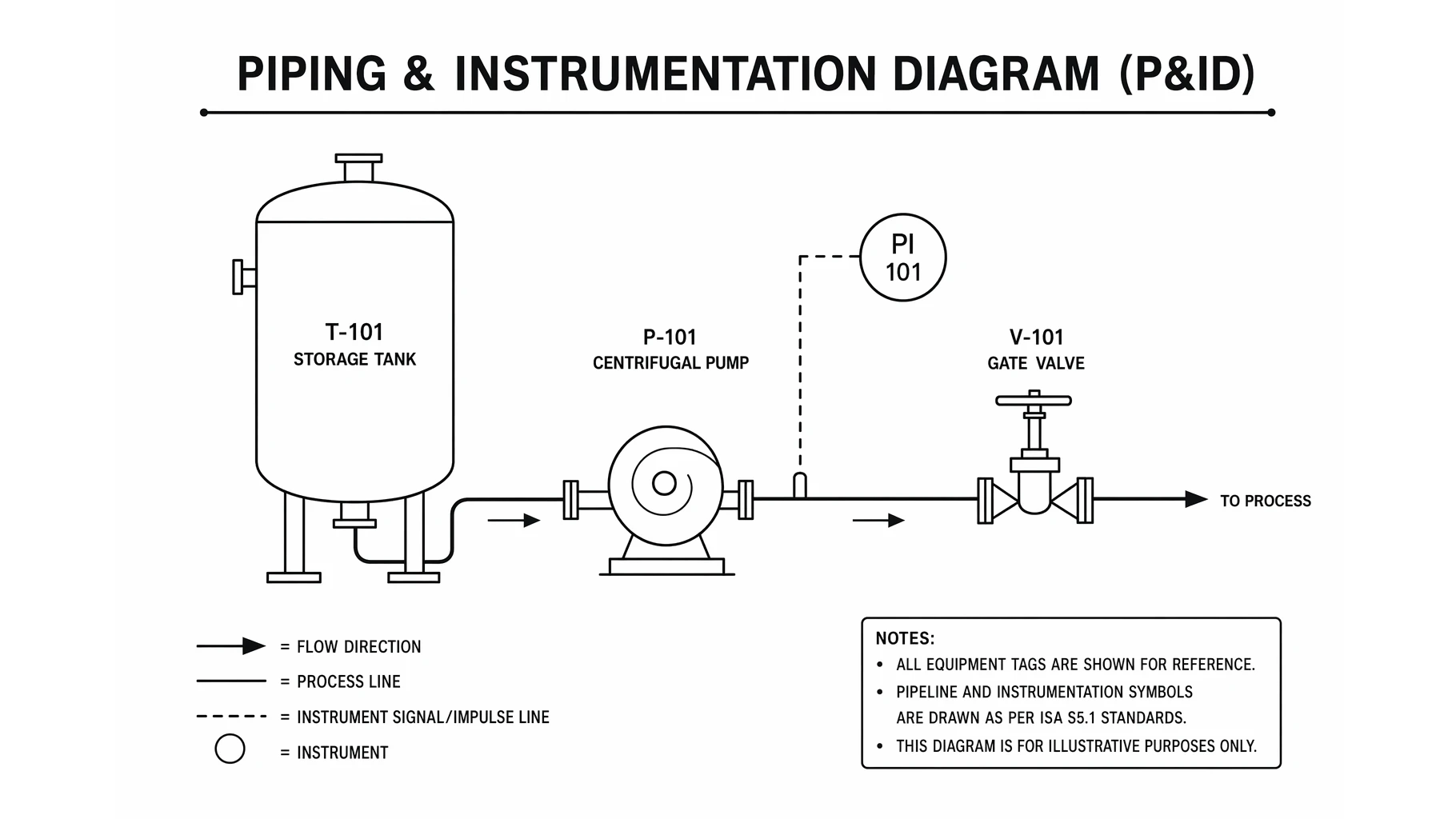
A P&ID — piping and instrumentation diagram — is the master schematic of a process plant. It shows every pipe, valve, vessel, pump, and instrument, and exactly how they connect, so engineers and operators can build, run, and troubleshoot the process from a single drawing.
This guide explains what a P&ID is, how to read its standard symbols, the instrument bubble notation, and how a P&ID differs from a process flow diagram (PFD).
Quick Answer: What Is a P&ID?
A piping and instrumentation diagram (P&ID) is a detailed schematic that shows the equipment, piping, valves, and instrumentation of a process and how they are interconnected. It is the working document used for design, construction, operation, and maintenance — far more detailed than a high-level process flow diagram.
P&ID symbols are standardized, most commonly by the ISA S5.1 standard, so the same drawing can be read by engineers anywhere.
P&ID Symbol Categories
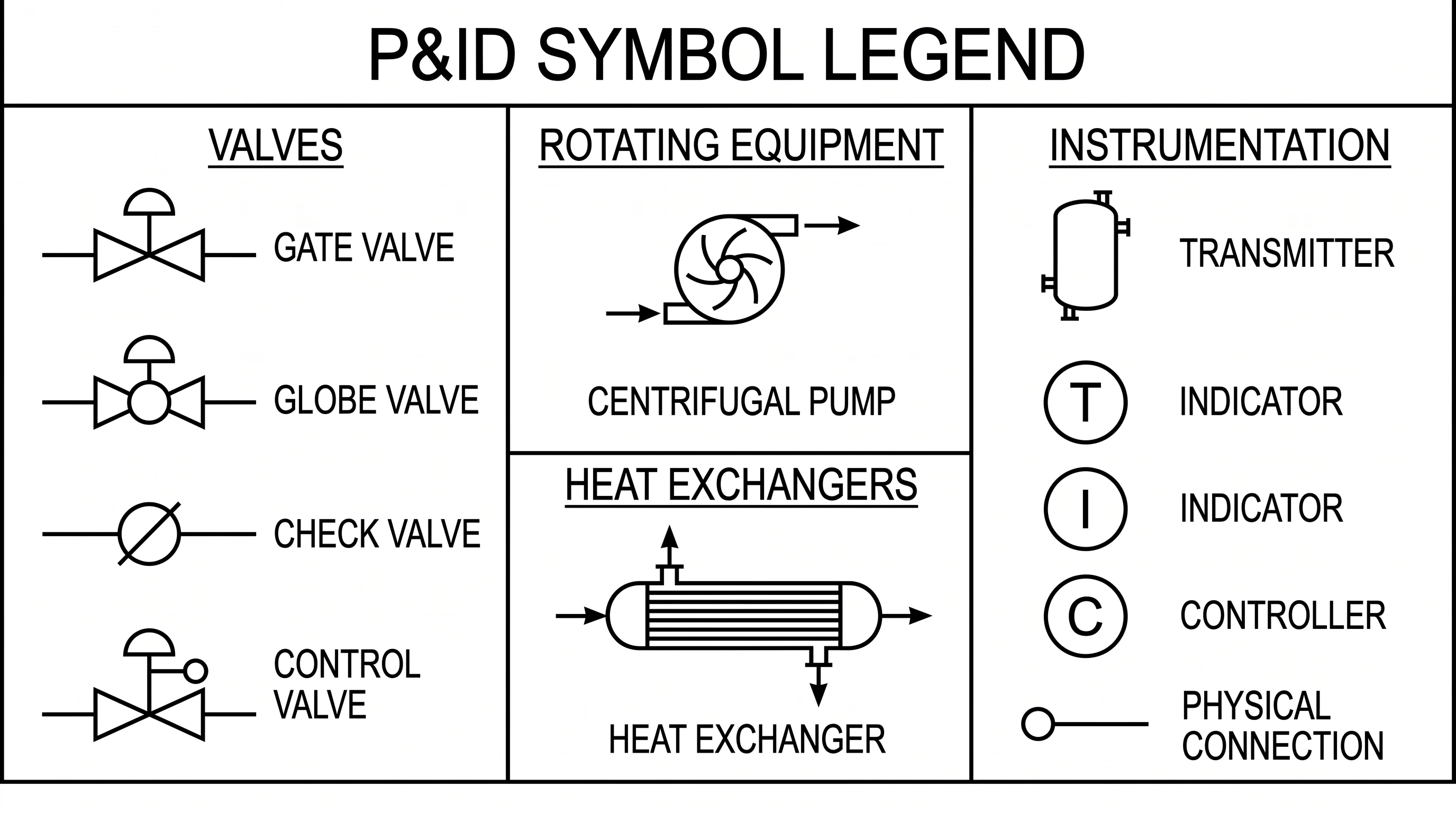
P&ID symbols fall into a few main groups:
- Piping — process lines, signal lines, connectors, reducers, and fittings.
- Valves — gate, globe, check, ball, and control valves, each with a distinct symbol.
- Equipment / vessels — tanks, columns, drums, and reactors.
- Rotating equipment — pumps, compressors, and turbines.
- Heat exchangers — shell-and-tube, condensers, and boilers.
- Instrumentation — measurement and control devices, drawn as circles ("bubbles").
P&ID Maker
Create piping and instrumentation diagrams with standard ISA symbols for valves, pumps, vessels, and instruments, then download them free as SVG or PNG.
Make a P&ID ->Reading Instrument Bubbles
Instruments are drawn as circles, and two things tell you what each one does:
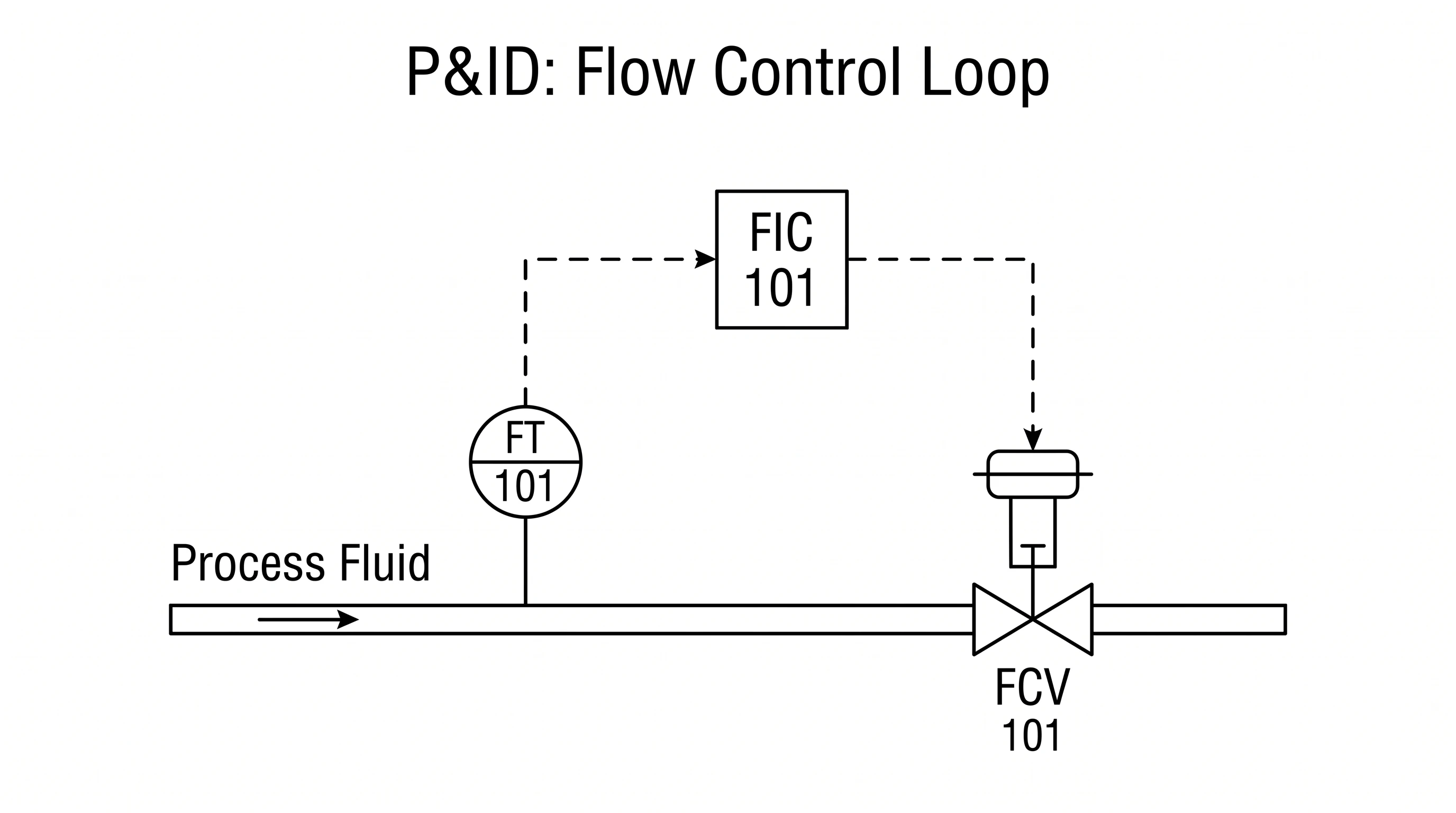
- The letters inside follow the ISA tag system. The first letter is the measured variable (F = flow, T = temperature, P = pressure, L = level), and the following letters are the function (I = indicator, T = transmitter, C = controller, R = recorder). So FIC is a flow indicating controller and PT is a pressure transmitter.
- The line through the bubble tells you where it lives: no line = a field instrument near the process; a solid line = mounted in the control room; a dashed line = a shared/DCS function. Dashed lines connecting instruments are signal lines, not pipes.
How to Read a P&ID
- Follow the process lines (the heavy lines) to trace the flow of material through the plant.
- Identify the equipment by its symbol and tag number (for example T-101 for a tank, P-101 for a pump).
- Note the valves along each line and what type they are.
- Read the instrument bubbles to see what is measured and controlled, and how the control loops work.
- Distinguish signal lines (dashed) from process pipes (solid).
P&ID vs PFD
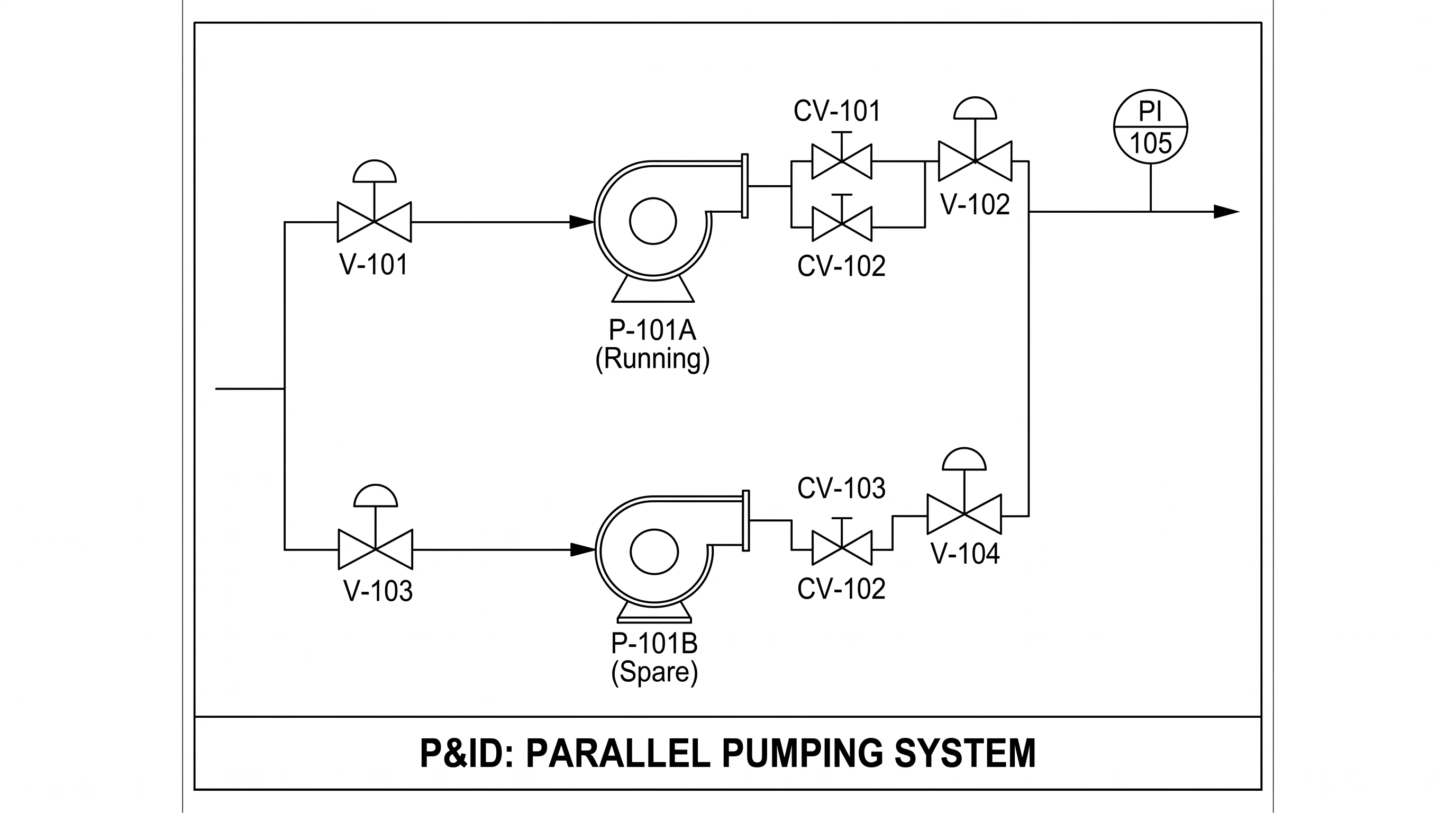
A process flow diagram (PFD) is the big-picture overview: it shows the major equipment and the main flow of material, often with operating conditions, but leaves out most valves and instruments. A P&ID zooms in and adds every valve, line, and instrument needed to actually build and control the plant. In short: the PFD shows what the process does; the P&ID shows how it is built and controlled.
Common Mistakes
- Confusing process lines and signal lines. Solid heavy lines are pipes; dashed (or specially marked) lines are instrument signals.
- Misreading instrument tags. The first letter is the variable, the rest are the function — FIC ≠ FI.
- Ignoring the bubble line convention. No line, solid line, and dashed line mean different instrument locations.
- Treating a P&ID like a PFD. A P&ID is detailed and to-symbol, not a simplified overview.
FAQ
What is a P&ID?
A P&ID (piping and instrumentation diagram) is a detailed schematic showing all the equipment, piping, valves, and instrumentation in a process and how they are connected. It is used for design, construction, operation, and maintenance.
What do the symbols on a P&ID mean?
They are standardized graphics (commonly ISA S5.1) for piping, valves, vessels, pumps, heat exchangers, and instruments. Each symbol represents a specific component so the diagram can be read consistently.
What do the letters in an instrument bubble mean?
They follow the ISA tag system: the first letter is the measured variable (F, T, P, L) and the following letters are the function (I = indicator, T = transmitter, C = controller). For example, FIC is a flow indicating controller.
What is the difference between a P&ID and a PFD?
A PFD (process flow diagram) is a simplified overview of the major equipment and flow. A P&ID is far more detailed, showing every valve, line, and instrument needed to build and control the process.
What standard is used for P&ID symbols?
The most widely used is ISA S5.1 (Instrumentation Symbols and Identification) from the International Society of Automation, which defines instrument symbols and tag identification.
Further Reading
Categories
More Posts

How to Design an Award-Winning Scientific Poster: Complete Guide
Master the art of scientific poster design with proven strategies used by award winners. Learn layout principles, visual hierarchy, and presentation tips.
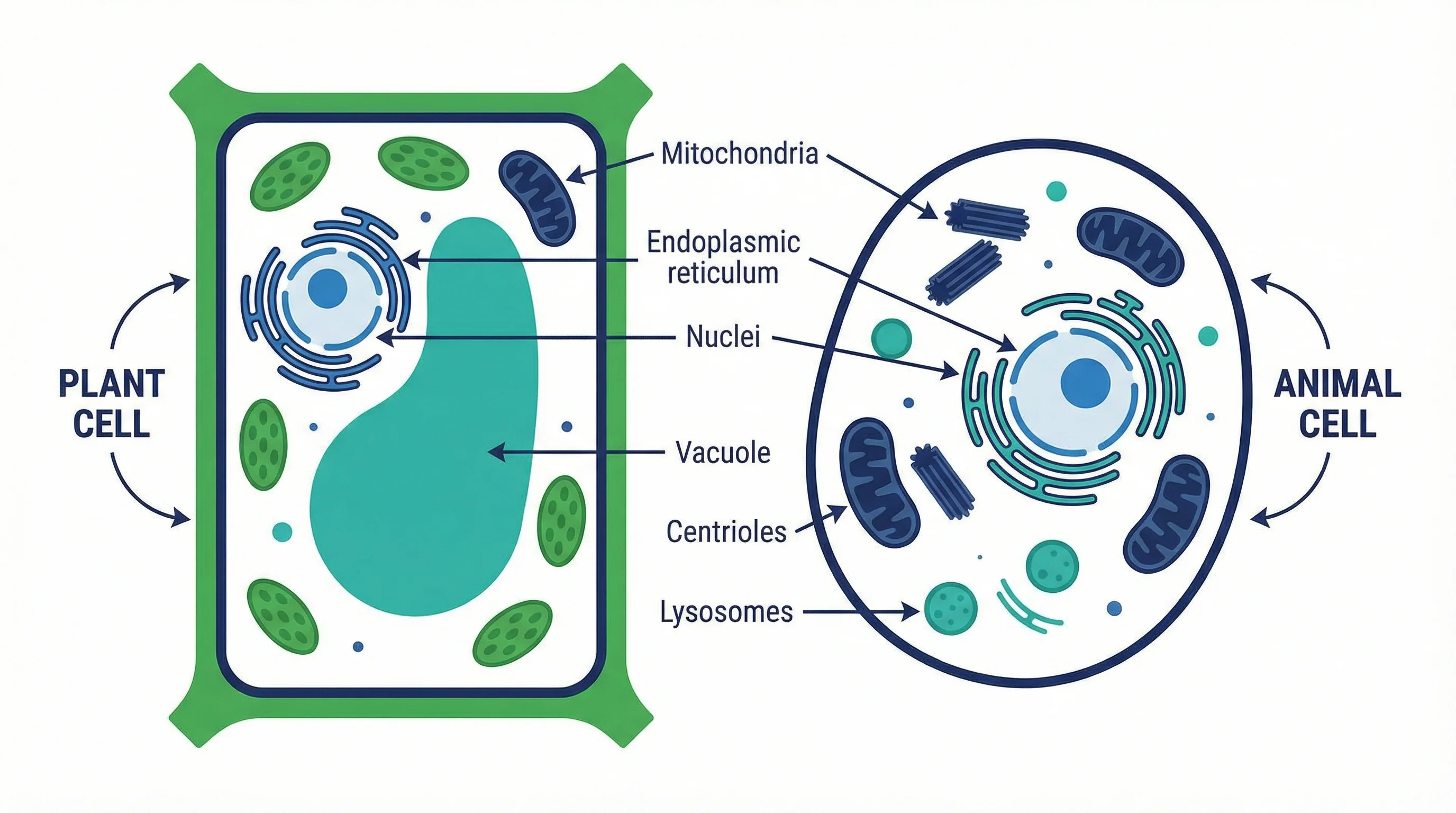
Plant Cell vs Animal Cell: Key Differences with Labeled Diagrams (2026)
Compare plant cells and animal cells side by side. Learn the key differences in organelles, structure, and function, with labeled diagrams and a Venn diagram.
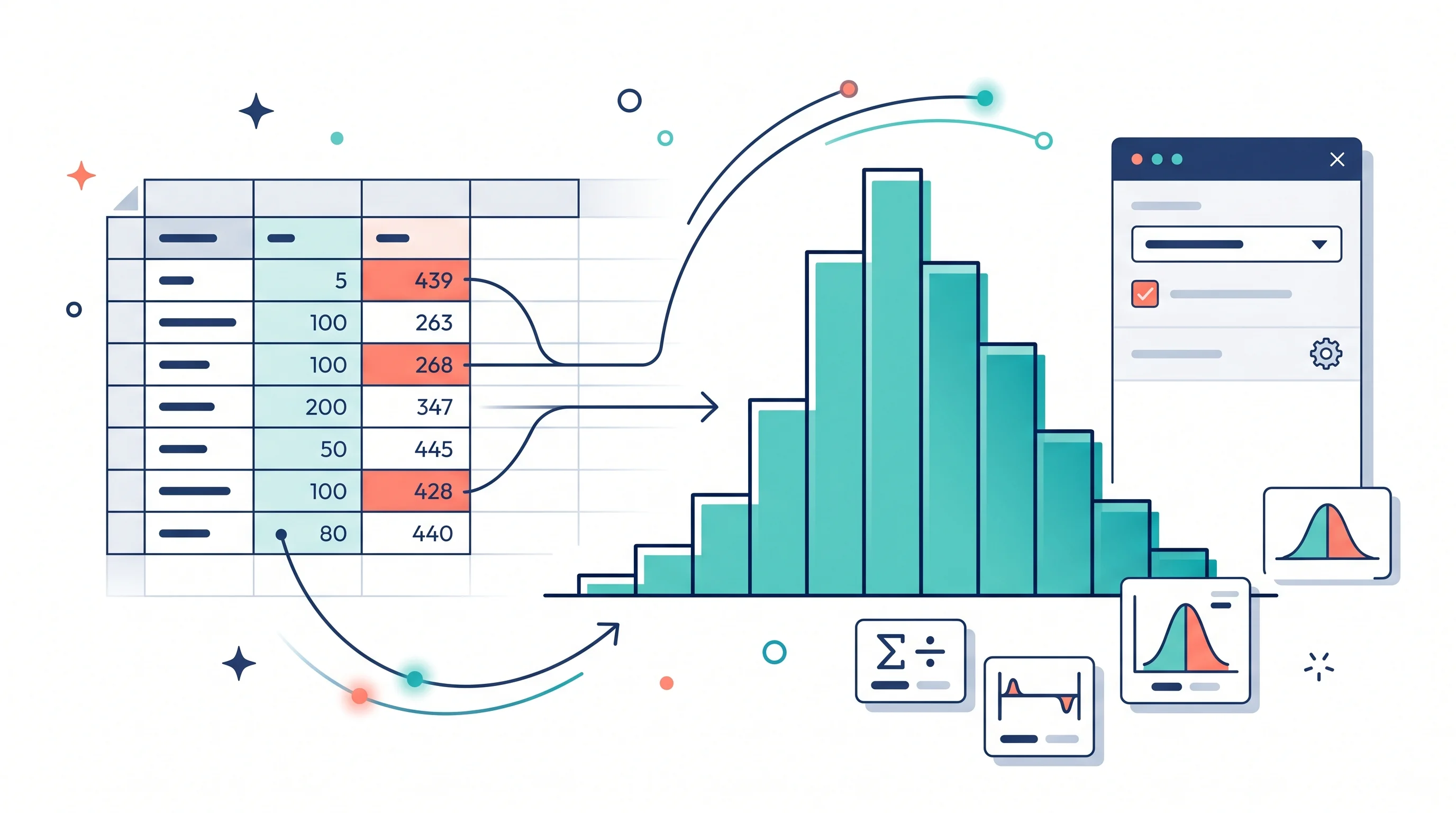
How to Make a Histogram in Google Sheets: Bins, Frequency Tables, and Chart Editor Tips
Learn how to make a histogram in Google Sheets, change bucket size, use frequency tables, fix common chart issues, and format a readable distribution chart.