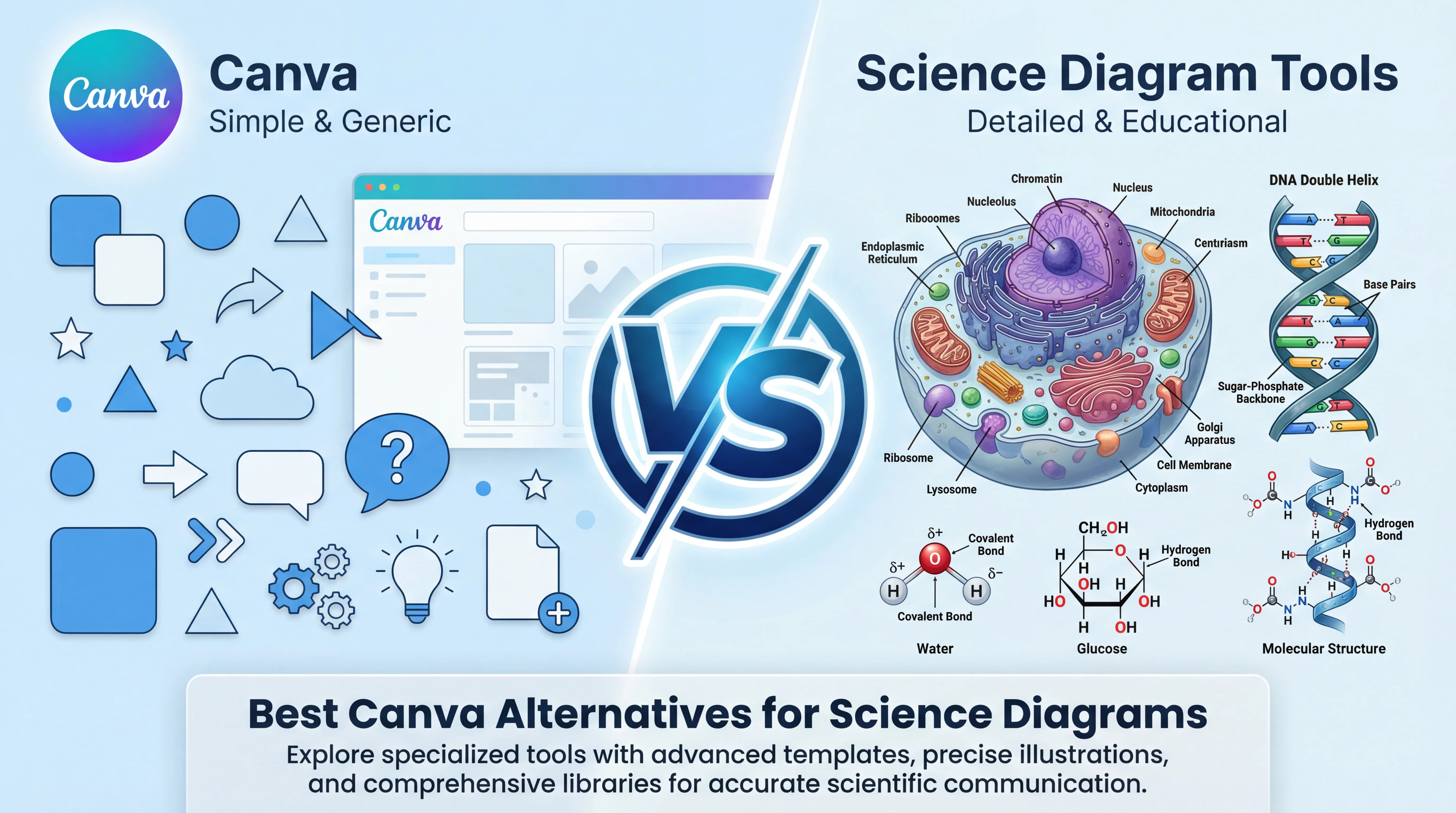
5 Best Free Canva Alternatives for Diagrams in 2026
Best free Canva alternatives for diagrams: BioRender, draw.io, ConceptViz & more. Compare specialized tools that create professional diagrams faster than Canva.
5 Best Free Canva Alternatives for Diagrams in 2026
Canva is the go-to design tool for millions — and for good reason. It's intuitive, free for educators, and makes beautiful posters and presentations. But when you need professional diagrams — flowcharts, technical illustrations, or scientific figures — Canva starts showing its limits.
According to EdTech Impact, Canva for Education is used by over 100 million students and teachers. But being popular doesn't mean it's the best tool for every task.
After researching forums and comparing tools, we've identified why professionals are looking beyond Canva for diagrams — and which specialized alternatives actually solve the problem.

AI Diagram Generator
Create professional diagrams from text descriptions in seconds. No design skills needed.
Try it free →Why Canva Falls Short for Science Diagrams
1. No Scientific Accuracy Built-In
Canva is a general design tool. When you search for "cell diagram" or "photosynthesis," you get:
- Stock illustrations that may be scientifically inaccurate
- Generic graphics not designed for education
- Templates that require extensive modification
The problem: Teachers spend time fixing incorrect labels, adding missing organelles, or redrawing processes that aren't quite right. According to ResearchGate discussions, researchers and educators note that Canva is "not specialized for technical or scientific diagrams."
2. No Labeled/Unlabeled Toggle
Every science teacher needs two versions of diagrams:
- Labeled — for teaching and reference
- Unlabeled — for quizzes and worksheets
In Canva, creating both means:
- Making the labeled version
- Duplicating it
- Manually deleting every label
- Hoping you didn't miss any
With 30 organelles in a cell diagram, that's 30 text boxes to delete. Multiply by 10 diagrams per unit, and you've lost hours.
3. Time-Consuming for Complex Science Content
Building a mitosis diagram in Canva means:
- Searching through thousands of generic shapes
- Finding (or drawing) chromosomes, spindle fibers, centrioles
- Positioning everything accurately
- Adding labels one by one
- Repeating for each phase (prophase, metaphase, anaphase, telophase)
What should take 5 minutes takes 45 minutes — if the shapes you need even exist.
4. Limited Science-Specific Templates
Canva's science templates are mostly:
- Science fair posters
- Lab report covers
- Generic "science-themed" graphics
Where are the:
- Water cycle diagrams with proper evaporation/condensation labels?
- Food chain worksheets showing trophic levels?
- Human body system diagrams with accurate anatomy?
They don't exist — because Canva wasn't built for curriculum-specific content.
5. No Grade-Level Adaptation
A 3rd grader's cell diagram should look different from a high schooler's. Canva gives you one template (if you're lucky) with no way to automatically simplify or add complexity for different grade levels.
Quick Comparison: Canva vs Science Diagram Alternatives
| Feature | Canva | BioRender | draw.io | ConceptViz |
|---|---|---|---|---|
| Price | Free for teachers | $99+/month | Free | Free tier + Paid |
| Science-Specific | No | Yes (life sciences) | No | Yes (K-12 science) |
| Labeled/Unlabeled | Manual | Manual | Manual | Automatic |
| AI Generation | Limited | No | No | Yes |
| Grade Levels | No | Research-focused | No | K-12 adapted |
| Best For | Posters, presentations | Research papers | General diagrams | Science classrooms |
1. BioRender — Best for Research-Level Accuracy
Price: Free (5 diagrams, no publishing) | $99+/month (academic)
BioRender is often called the "Canva for Science." According to Rigorous Themes, it offers thousands of pre-made icons across 30+ life science fields.
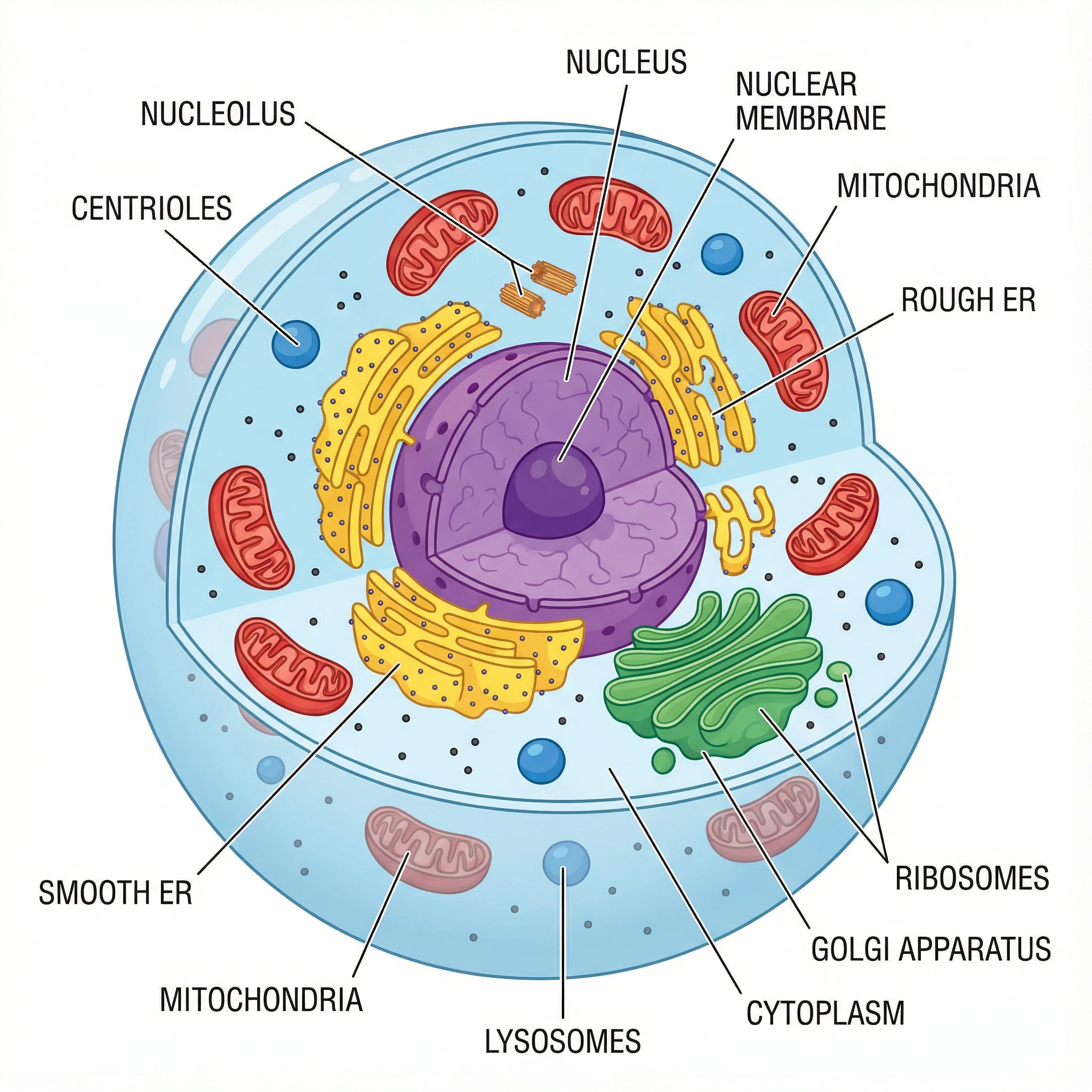 Complex cell diagrams like this require either hours in Canva or seconds with specialized tools.
Why Researchers Choose BioRender Over Canva:
| Canva Limitation | BioRender Solution |
|---|---|
| Generic science clipart | 30,000+ accurate science icons |
| No molecular structures | Proteins, DNA, cellular components |
| Inaccurate proportions | Scientifically validated graphics |
| No citation-ready exports | Publication-quality figures |
Best For:
- University researchers
- Graduate students
- Publication-quality figures
- Life science fields (biology, biochemistry, medicine)
Limitations:
- Expensive — free tier limits publishing rights
- Research-focused — overkill for K-12 teaching
- No K-12 templates — designed for papers, not worksheets
Verdict: If you're publishing research, BioRender is worth the investment. For K-12 teachers, it's expensive and not designed for classroom needs.
Related: Best Free BioRender Alternatives for Teachers
2. draw.io — Best Free General Diagramming
Price: 100% Free, forever
draw.io (diagrams.net) is the gold standard for free diagramming. According to AlternativeTo, it's one of the top-recommended alternatives for any diagram type.
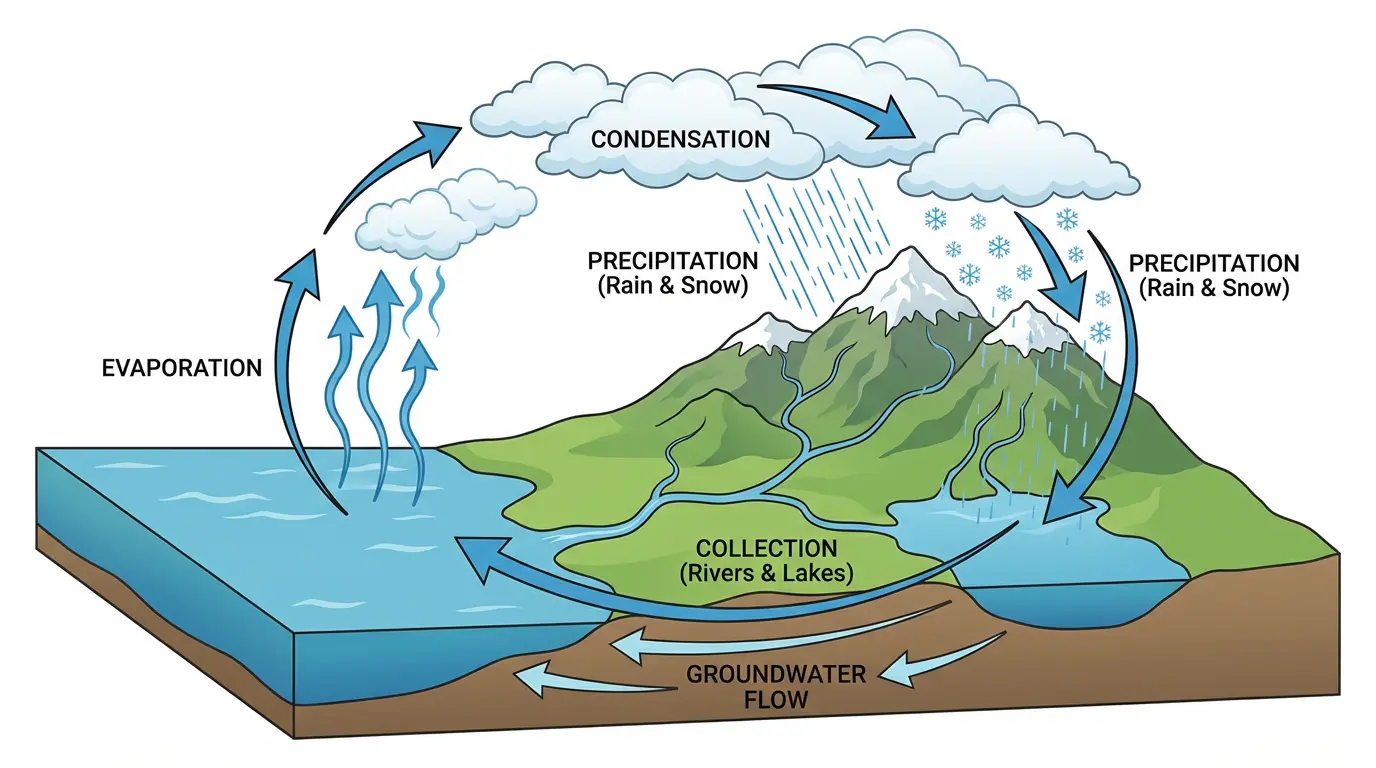 Diagrams like this water cycle can be built in draw.io — but require manual construction.
Why Teachers Choose draw.io Over Canva:
| Canva Limitation | draw.io Solution |
|---|---|
| Limited shape libraries | Extensive technical shapes |
| Cloud storage limits | Save to Google Drive free |
| Internet required | Desktop app available |
| Account required | Works without login |
What You Get:
- Zero cost — no trials, no watermarks, no limits
- Cloud integration — direct save to Google Drive, OneDrive
- Visio compatible — import/export professional formats
- Works offline — desktop apps for Windows/Mac/Linux
Limitations:
- No science-specific shapes — still need to build from scratch
- No AI assistance — manual creation only
- Time-consuming — same drag-and-drop problem as Canva
- No labeled/unlabeled toggle — manual duplication
Verdict: Better than Canva for technical diagrams, but still requires manual building. Great for flowcharts; less ideal for complex science content.
Related: Best Free EdrawMax Alternatives for Teachers
3. ConceptViz — Best for K-12 Science Teachers
Price: Free credits on signup, then pay-as-you-go credit packs from $5 — no subscription
Here's where it gets interesting. Instead of dragging shapes like Canva, ConceptViz uses AI to generate science diagrams from text descriptions.
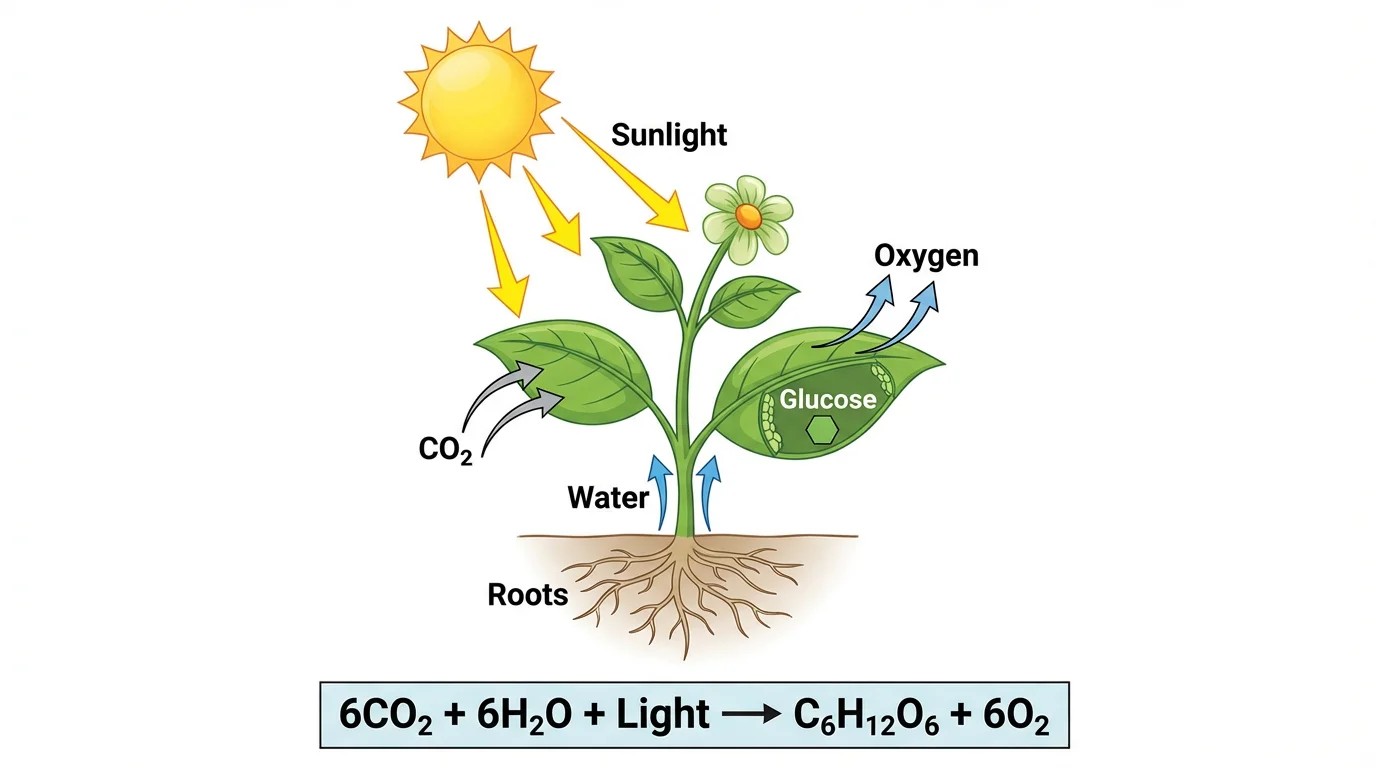 AI-generated photosynthesis diagram — created by describing what you need, not hunting for shapes.
Why Science Teachers Choose ConceptViz Over Canva:
| Canva Approach | ConceptViz Approach |
|---|---|
| Search 10,000 templates for "cell" | Type "animal cell for middle school" |
| Drag 30+ shapes to build diagram | AI generates complete diagram |
| Manually label each part | Auto-labeled with correct terminology |
| Create unlabeled version by hand | Toggle between labeled/unlabeled |
| One size fits all | Adapts to grade level |
Specialized Science Tools:
ConceptViz offers dedicated generators for the diagrams teachers actually need:
- Animal Cell Diagram Generator — organelles, membranes, labeled/unlabeled
- Plant Cell Diagram Generator — cell walls, chloroplasts, vacuoles
- Photosynthesis Diagram Generator — light reactions, Calvin cycle
- Mitosis Diagram Generator — all phases of cell division
- Water Cycle Diagram Generator — evaporation, condensation, precipitation
- Life Cycle Diagram Generator — butterflies, frogs, plants
- Food Chain Diagram Generator — ecosystems, trophic levels
- Human Body Systems Diagram Generator — digestive, circulatory, respiratory
Example Workflow:
In Canva (30+ minutes):
- Search "mitosis diagram"
- Find nothing useful
- Search "cell division"
- Find generic graphics
- Manually draw chromosomes
- Position for each phase
- Add labels one by one
- Duplicate and remove labels for quiz version
In ConceptViz (30 seconds):
- Select "Mitosis Diagram"
- Choose grade level (Elementary/Middle/High)
- Pick labeled or unlabeled
- Download
 Complete mitosis diagram generated instantly — compare this to building from scratch in Canva.
Limitations:
- AI-generated content should be reviewed for accuracy
- Free tier has limited generations
- Focused on science, not general design
Verdict: If you're a science teacher who spends hours building diagrams in Canva, ConceptViz does the same work in seconds. Not a Canva replacement — a Canva complement for science content.
4. Mind the Graph — Best Icon Library for Science
Price: Free tier | Paid from $14/month
Mind the Graph offers 65,000+ scientific icons across 80+ fields — far more than Canva's generic clipart.
Why It Beats Canva for Science:
- Scientifically accurate icons — designed by scientists
- Multiple science fields — biology, chemistry, physics, medicine
- Infographic templates — research posters and presentations
- Better than stock photos — consistent visual style
Best For:
- Creating scientific infographics
- Research posters and presentations
- Teachers who want drag-and-drop with science icons
Limitations:
- Still requires manual diagram building
- No AI generation
- No labeled/unlabeled toggle
Verdict: If you like Canva's interface but need better science graphics, Mind the Graph is the upgrade.
5. Chemix — Best for Lab Diagrams
Price: 100% Free
Chemix is a free online tool specifically for creating lab diagrams — something Canva can't do well.
What You Get:
- Lab equipment shapes (beakers, flasks, burners, etc.)
- Proper laboratory setup diagrams
- No signup required
- Completely free
Best For:
- Chemistry teachers
- Lab setup diagrams
- Safety procedure visuals
Limitations:
- Only lab equipment — no biology or earth science
- Basic functionality
- No advanced features
Verdict: Perfect for chemistry lab diagrams. Use alongside other tools for biology and earth science.
Free Scientific Icon Libraries
For teachers who want to keep using Canva but need better science graphics, these free resources help:
Bioicons
Website: bioicons.com
- 2,700+ free SVG icons
- Molecular biology, microbiology, ecology
- No attribution required — use in Canva
SciDraw
Website: scidraw.io
- High-quality scientific drawings
- Animals, lab equipment, experimental setups
- Creative Commons licensed
NIH BioART
Website: bioart.niaid.nih.gov
- Medical and biological illustrations from NIH
- Vector format for any resolution
- Free for educational use
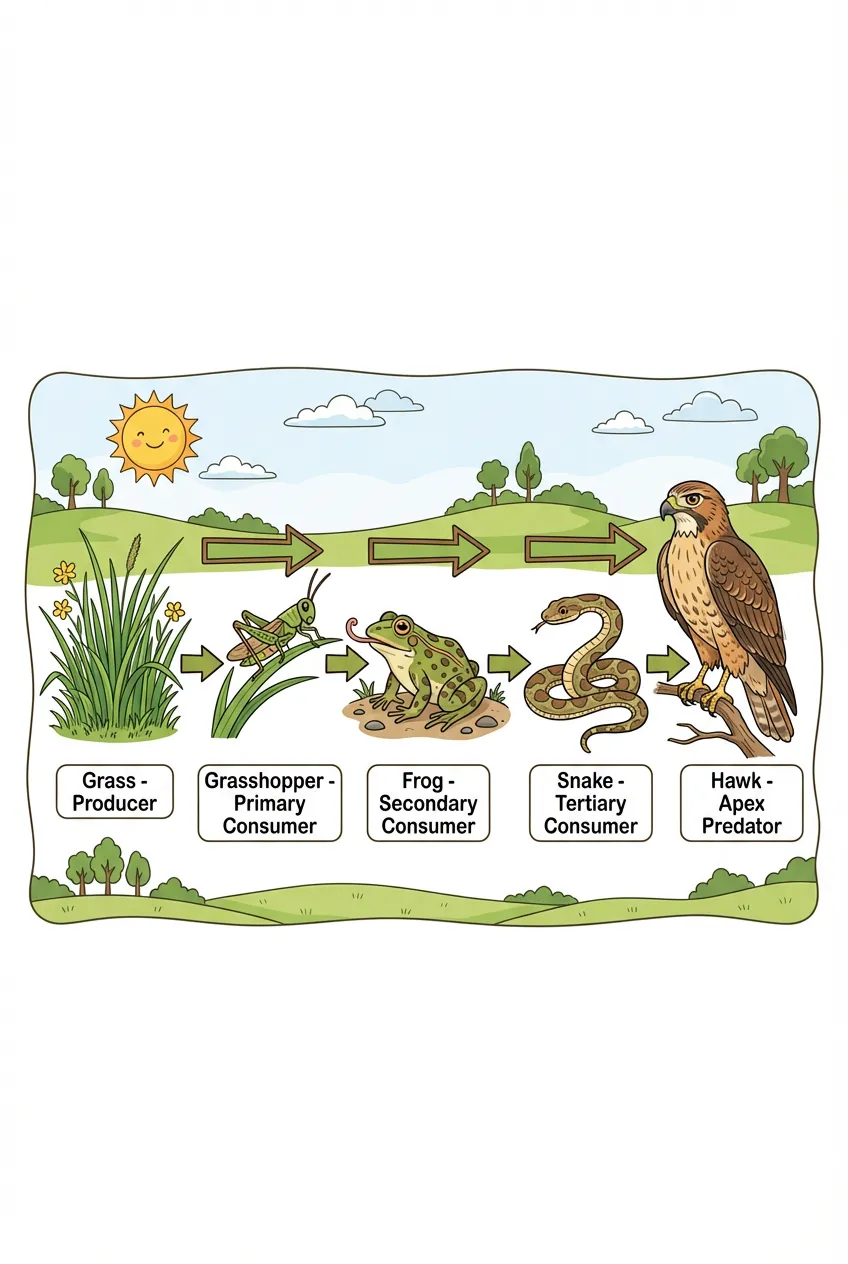 Complex ecosystem diagrams can be built with icon libraries or generated instantly with AI tools.
Pro tip: Download icons from these libraries and upload to Canva's "Uploads" — instant science graphics upgrade.
Decision Guide: Which Tool Replaces Canva for Science?
Your Need → Best Tool
| If you need... | Use this |
|---|---|
| Research publication figures | BioRender (paid) |
| Free general diagramming | draw.io (free) |
| K-12 science diagrams fast | ConceptViz (AI-powered) |
| Better science icons in Canva | Mind the Graph or Bioicons |
| Lab setup diagrams | Chemix (free) |
By Subject Area
Biology (cells, anatomy, life cycles): → ConceptViz (AI generation) or BioRender (manual + icon library)
Chemistry (lab setups, molecular structures): → Chemix (lab diagrams) or draw.io (flowcharts)
Earth Science (water cycle, rock cycle, ecosystems): → ConceptViz (curriculum-aligned) or draw.io (manual)
Physics (forces, energy, circuits): → draw.io (technical shapes) or Canva (simple concepts)
By Time Available
Need it in 5 minutes: → ConceptViz — describe what you need, AI generates
Have 30 minutes: → Canva with Bioicons — build from quality components
Have unlimited time: → draw.io or BioRender — maximum customization
When to Keep Using Canva
Canva is still excellent for:
- Posters and presentations — beautiful templates, easy customization
- Worksheets with text — vocabulary, reading comprehension, fill-in-blank
- Classroom decorations — bulletin boards, labels, certificates
- Simple science graphics — basic shapes, non-technical content
- Student projects — collaboration features, student accounts
The smart approach: Use Canva for design and presentations, specialized tools for science diagrams.
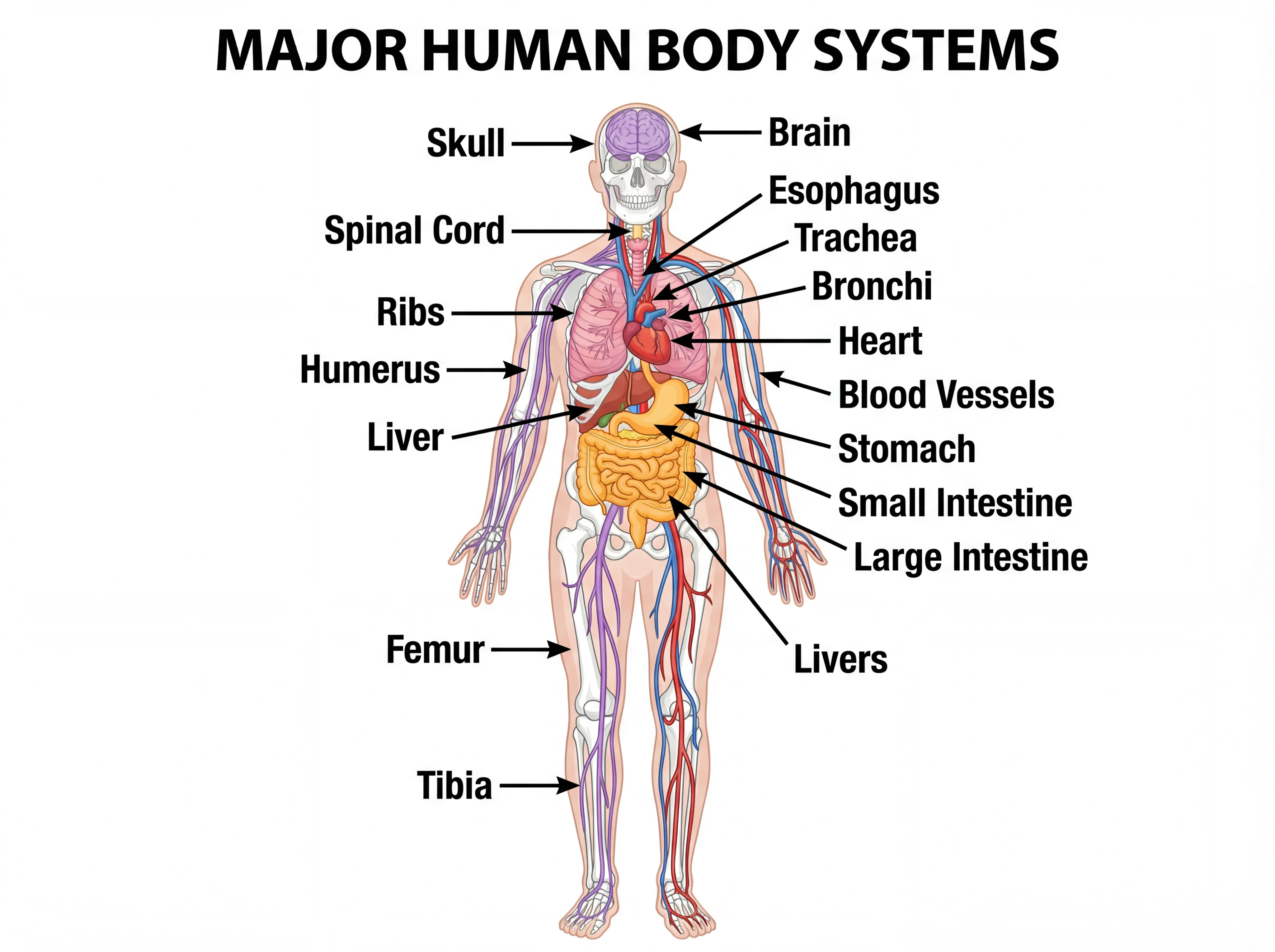 Anatomical diagrams like this require specialized tools — Canva's generic shapes won't work.
Conclusion
Canva is a fantastic tool — just not for everything. For science teachers who need accurate, curriculum-aligned diagrams, specialized alternatives save hours of frustration.
Our recommendations:
- For K-12 science diagrams: ConceptViz — AI generates what you describe in seconds
- For free general diagrams: draw.io — no cost, no limits
- For research publications: BioRender — worth the investment
- For better Canva graphics: Bioicons — free science icons
Ready to stop spending hours on diagrams? Try ConceptViz's free science diagram generators — describe what you need, and AI does the rest.
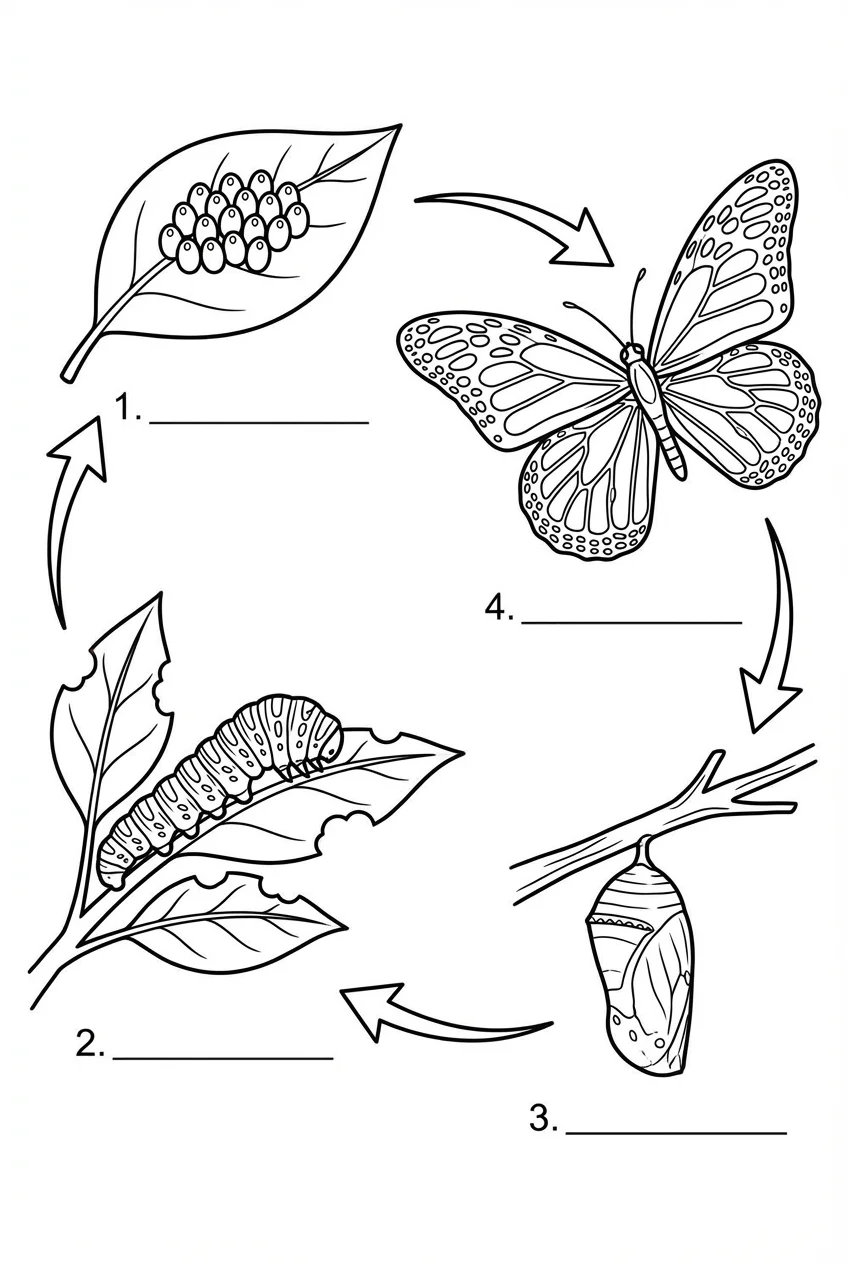 Unlabeled butterfly life cycle — perfect for student assessments. Generated in seconds.
FAQ
Is Canva really free for teachers?
Yes! Canva for Education is 100% free for verified K-12 teachers and their students. It includes all Canva Pro features ($130/year value) at no cost. However, being free doesn't make it the best tool for science diagrams — it's a general design tool, not a science-specific one.
What's the best free alternative to Canva for science diagrams?
For quick, accurate science diagrams, ConceptViz offers free AI-powered generation specifically for K-12 science. For general diagramming without cost limits, draw.io is completely free. For better science icons to use within Canva, Bioicons offers 2,700+ free scientific illustrations.
Can I use Canva for biology diagrams?
You can, but it's time-consuming. Canva lacks science-specific shapes, labeled/unlabeled toggles, and grade-level adaptation. You'll spend more time searching and building than teaching. For biology specifically, ConceptViz offers dedicated generators for cells, mitosis, photosynthesis, and more.
How does Canva compare to BioRender?
Canva is a general design tool (free for teachers); BioRender is specialized for life science research ($99+/month). BioRender has 30,000+ accurate science icons but is designed for publication, not K-12 teaching. For classroom needs, ConceptViz bridges the gap with AI-powered generation at education-friendly pricing.
What's the fastest way to create science worksheets?
Traditional approach: Open Canva → Search templates → Build from scratch → 30+ minutes.
AI approach: Open ConceptViz → Select diagram type → Choose grade level → Download → 30 seconds.
For teachers creating multiple diagrams per unit, the time savings add up quickly.
Can students use these Canva alternatives?
- Canva for Education: Yes, free student accounts with teacher oversight
- draw.io: Yes, no account required
- ConceptViz: Yes, free tier available
- BioRender: Limited free tier for students
For student projects and collaboration, Canva for Education remains the best option. For teacher-created materials, specialized tools are more efficient.
Categories
More Posts
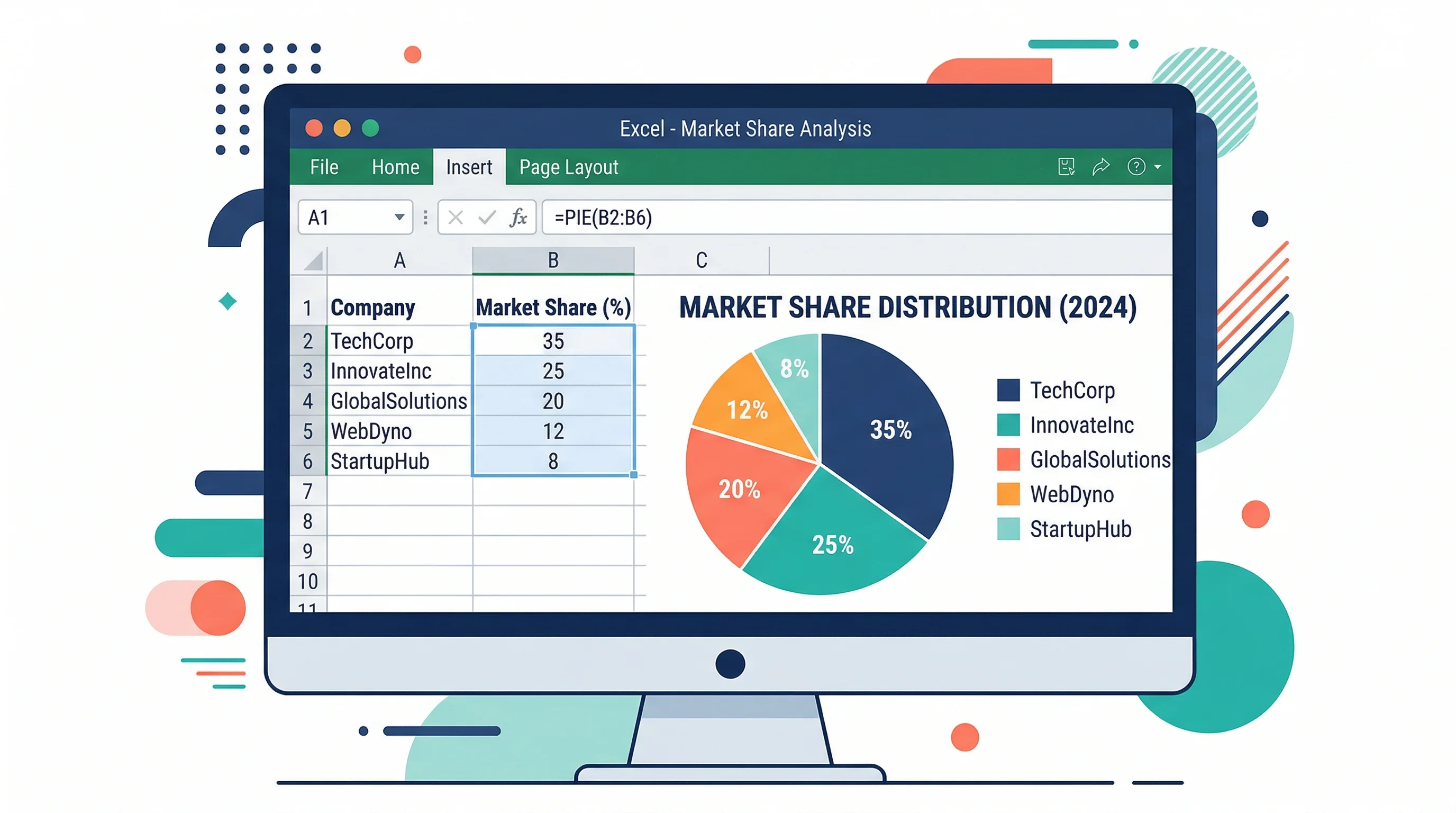
How to Make a Pie Chart in Excel: Step-by-Step Guide (2026)
Learn how to create a pie chart in Excel, format labels, choose better colors, and avoid misleading slices. Includes Excel 365, 2024, 2021, and 2019 workflows.
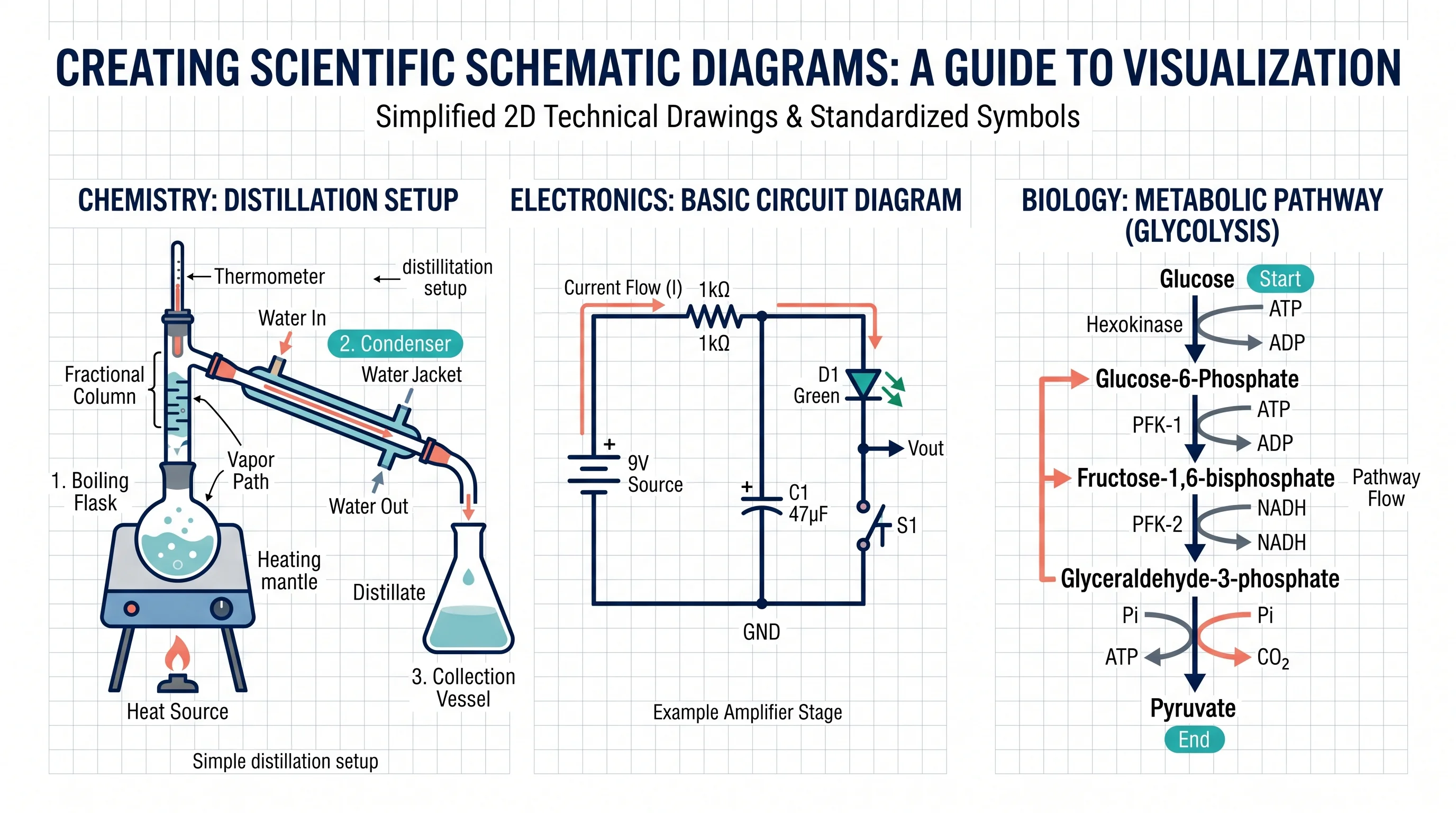
How to Make a Schematic Diagram: Step-by-Step Guide for Scientists and Students
Learn how to make a schematic diagram for science, lab experiments, and research. Step-by-step guide covering rules, symbols, software tools, and examples for biology, chemistry, and physics.
Best Open-Source Diagramming Tools: Draw.io & Mermaid
Compare open-source diagramming tools for flowcharts, UML, whiteboards and docs: Draw.io, Excalidraw, Mermaid, PlantUML, Graphviz and self-hosted options.