8 Best Free EdrawMax Alternatives in 2026 (No Watermark)
Best free EdrawMax alternatives without watermarks: draw.io, Lucidchart, Canva & more. Cloud-based diagram tools for flowcharts and mind maps.
8 Best Free EdrawMax Alternatives in 2026 (No Watermark)
EdrawMax by Wondershare markets itself as the "all-in-one" diagramming solution with 280+ diagram types. But the watermarks on free exports and complex pricing frustrate many users. Looking for a simpler, free alternative?
After researching user reviews on G2, Capterra, and TrustRadius, we've identified the best free alternatives—without watermarks.
AI Flowchart Generator
Create flowcharts and diagrams with AI. No watermarks, no subscription needed.
Try it free →The Real Problems with EdrawMax
1. Confusing Pricing Structure
EdrawMax's pricing is notoriously complex. According to GetApp's pricing guide, here's what you're looking at:
| Plan | Price | What You Get |
|---|---|---|
| Monthly | $15.90/month | Browser only, 10,000 AI tokens |
| Annual | $5.90-$11.50/month | All platforms |
| Individual Lifetime | $199 one-time | 3 devices, major version only |
| Business Lifetime | $245 one-time | Per user |
| Full Perpetual | $495 one-time | All platforms, lifetime updates |
Users on TrustRadius specifically mention "confusing pricing" as a disadvantage, with some reporting billing issues and refund difficulties.
2. The Watermark Problem
This is the dealbreaker for most teachers. EdrawMax's free version adds watermarks to all exports. According to EdrawMax's own FAQ:
"When you export or print the drawing, there will be a watermark."
Imagine projecting a biology diagram to your class with "EDRAWMAX TRIAL" stamped across it. Not professional.
Additional free version limitations:
- Only 2 templates per diagram type
- Maximum 3 pages per document
- 15-day trial period
- Cannot use for commercial purposes (including paid tutoring)
3. Desktop Software in a Cloud-First World
EdrawMax is primarily desktop software. According to TechRadar's review:
"The desktop version can't be used online... if you're not on the system where EdrawMax was installed, you need to download it again."
For teachers who work across classroom computers, home laptops, and school Chromebooks, this is a major limitation. The browser version exists but users report it "tends to hang at times."
4. Feature Overload
280+ diagram types sounds impressive until you realize most teachers use maybe 5:
- Flowcharts
- Mind maps
- Science diagrams (cells, cycles, processes)
- Organizational charts
- Timelines
The rest — network diagrams, UML, electrical schematics, floor plans — just add complexity without value for educators.
5. Weak Collaboration Features
According to multiple reviews on G2:
"Multiple users can't work on Edraw at the same time."
In 2025, when Google Docs and Canva offer seamless real-time collaboration, this is a significant gap for co-teaching situations and student group projects.
Quick Comparison: EdrawMax vs Teacher-Friendly Alternatives
| Feature | EdrawMax | draw.io | Canva Edu | ConceptViz |
|---|---|---|---|---|
| Free Version | Watermarked | Fully free | Fully free | Free tier |
| Cloud-Based | Limited | Yes | Yes | Yes |
| Offline Mode | Yes | Yes | No | No |
| Real-time Collaboration | No | Limited | Yes | No |
| AI Generation | Basic | No | Limited | Yes |
| Science Templates | Generic | Generic | General | Specialized |
| Learning Curve | Steep | Moderate | Easy | Very Easy |
| Best For | Power users | General diagrams | Visual materials | Science teachers |
1. draw.io — Best Free EdrawMax Replacement
Price: 100% Free, forever
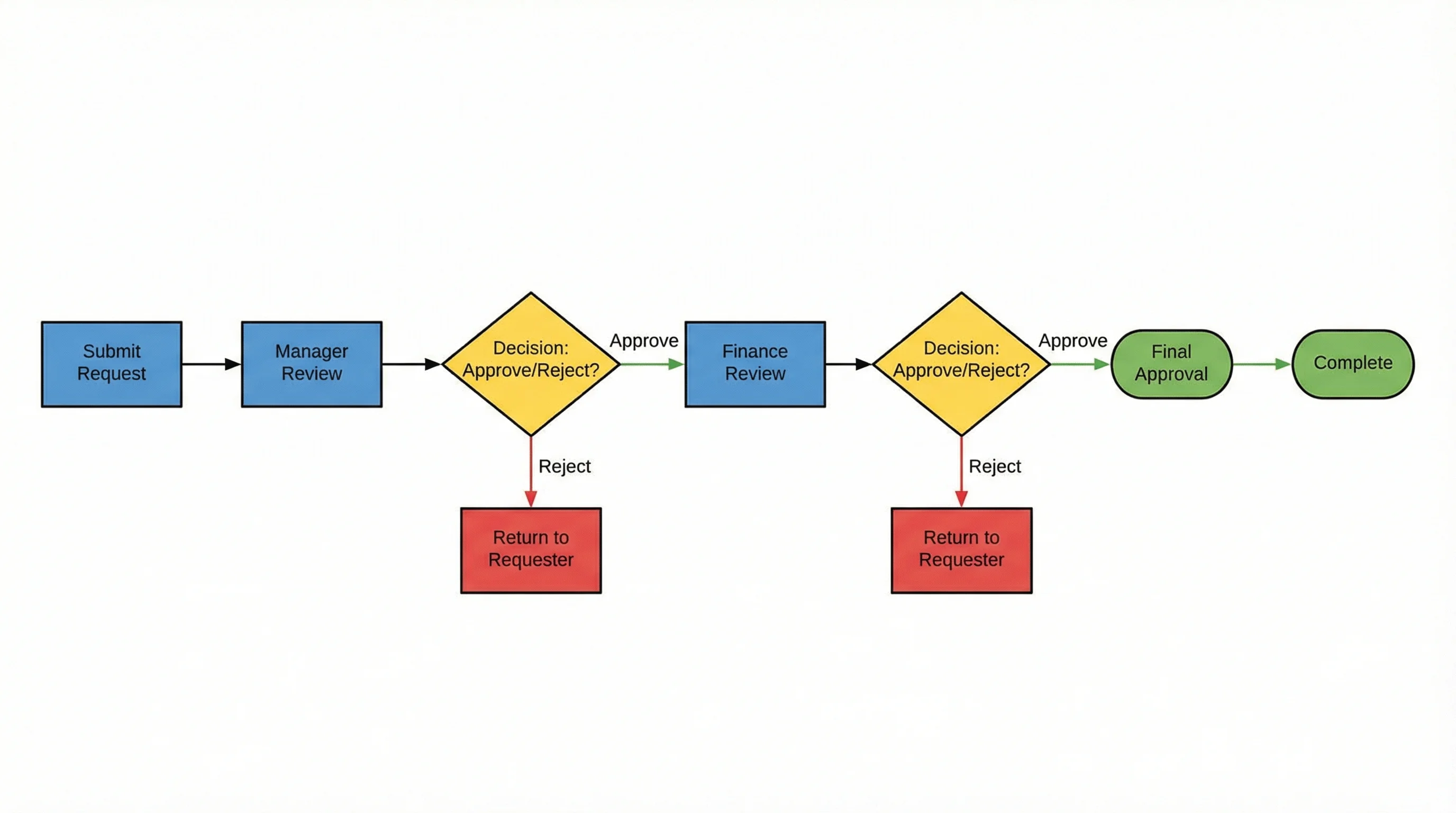
draw.io (also known as diagrams.net) is the closest thing to a free EdrawMax. According to Capterra's comparison, draw.io scores 4.56/5 (769 reviews) vs EdrawMax's 4.55/5 (205 reviews).
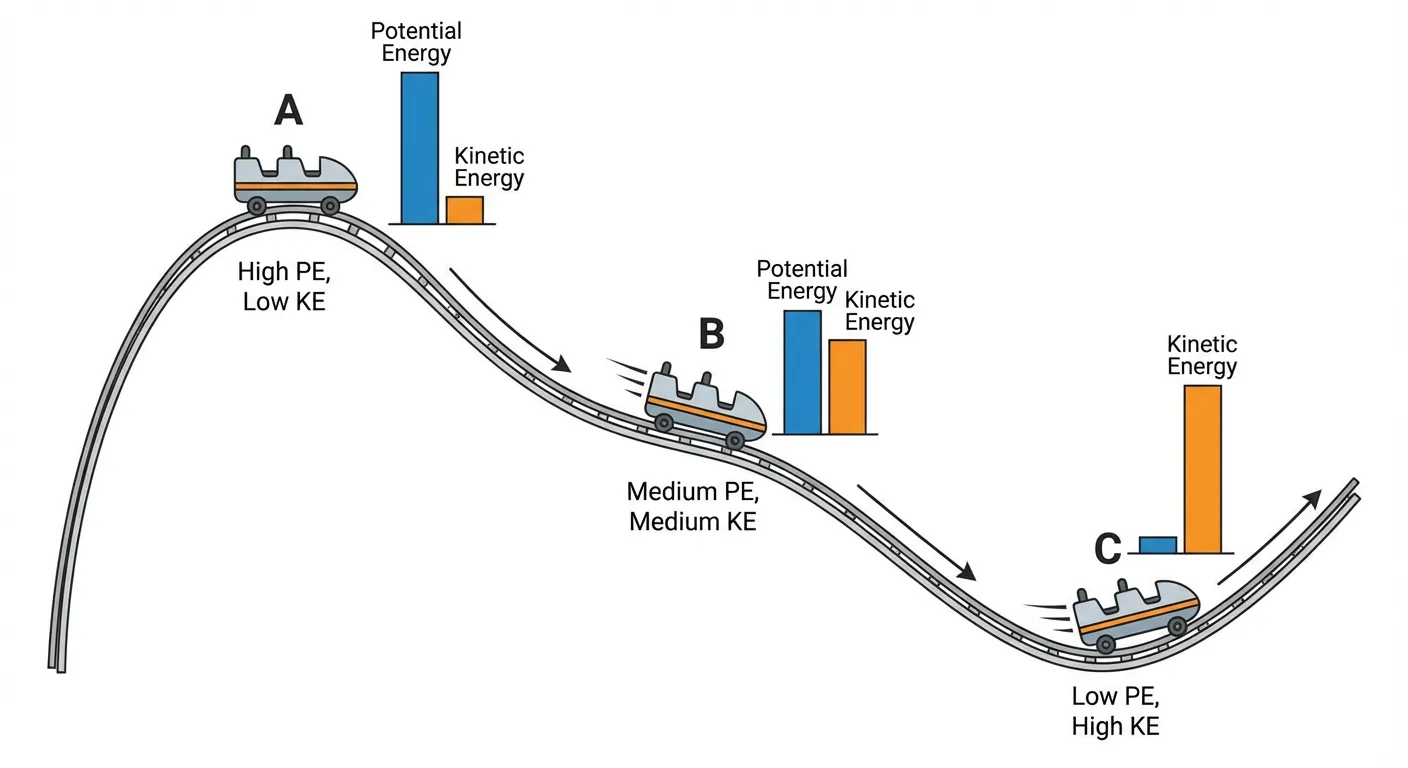 Educational diagrams like this energy comparison can be created for free with draw.io.
Why Teachers Choose draw.io Over EdrawMax:
| EdrawMax Problem | draw.io Solution |
|---|---|
| Watermarks on exports | No watermarks, ever |
| Complex pricing | Completely free |
| Desktop installation required | Works in browser instantly |
| Subscription needed | One-time use, no account |
| Cloud storage limits | Saves to Google Drive/OneDrive |
What You Get:
- Zero cost — no trials, no watermarks, no limits
- Works everywhere — browser, desktop apps for Windows/Mac/Linux
- Cloud integration — direct save to Google Drive, OneDrive, Dropbox
- Visio compatible — import/export VSDX files
- Privacy-friendly — open-source, data stays on your chosen storage
Limitations:
- Interface is functional but not beautiful
- No AI-powered features
- Collaboration features are basic (through shared cloud files)
Verdict: If EdrawMax's watermarks and pricing drove you away, draw.io is the obvious first choice. Same core functionality, zero cost.
2. Canva for Education — Best for Non-Technical Teachers
Price: 100% Free for verified K-12 teachers (includes Canva Pro features worth $130/year)
Canva for Education takes the opposite approach from EdrawMax: instead of 280 diagram types, it focuses on making simple diagrams look beautiful.
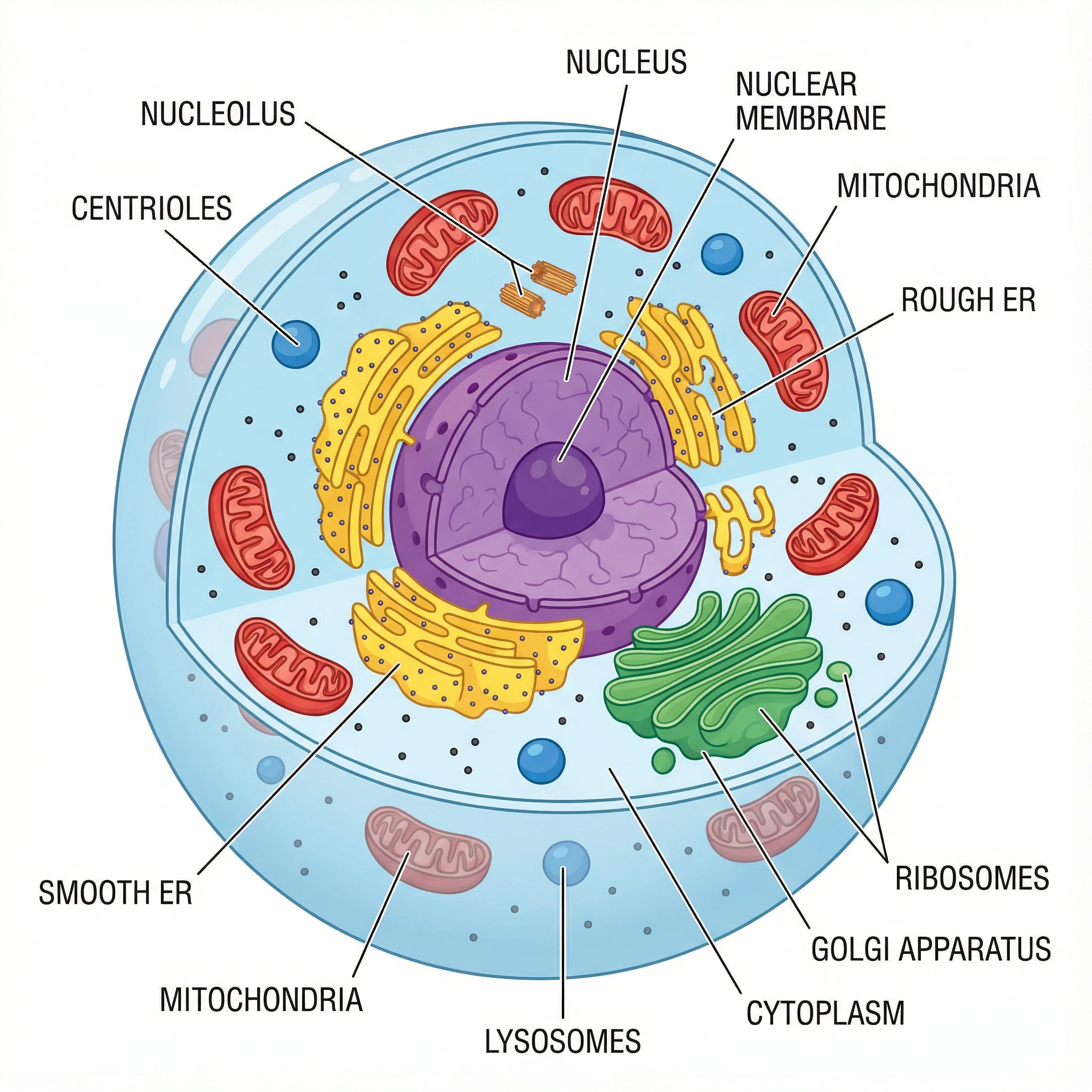 Science diagrams like this labeled animal cell are easy to create in Canva.
Why Teachers Choose Canva Over EdrawMax:
| EdrawMax Problem | Canva Solution |
|---|---|
| Steep learning curve | Intuitive drag-and-drop |
| Generic templates | 100,000+ designed templates |
| Desktop-focused | Cloud-native, works on Chromebooks |
| No LMS integration | Google Classroom, Canvas, Schoology |
| Individual licenses | Entire classroom can collaborate |
What You Get:
- Real-time collaboration — students and co-teachers can work together
- LMS integration — assign directly through Google Classroom
- Brand Kit — save school colors and logos
- Presentation mode — present directly from Canva
- Student accounts — free accounts for your entire class
Best For:
- Teachers who aren't "technical"
- Creating posters, presentations, and visual materials
- Classrooms already using Google Workspace
- Group projects and collaborative work
Limitations:
- Not designed for technical diagrams (UML, network diagrams)
- Science-specific shapes are limited
- Requires internet connection
Verdict: If you found EdrawMax overwhelming, Canva is refreshingly simple. Perfect for teachers who need professional results without a learning curve.
3. ConceptViz — Best for Science Teachers
Price: Free credits on signup, then pay-as-you-go credit packs from $5 — no subscription
Here's a different approach entirely: instead of dragging shapes like EdrawMax, ConceptViz uses AI to generate diagrams from text descriptions.
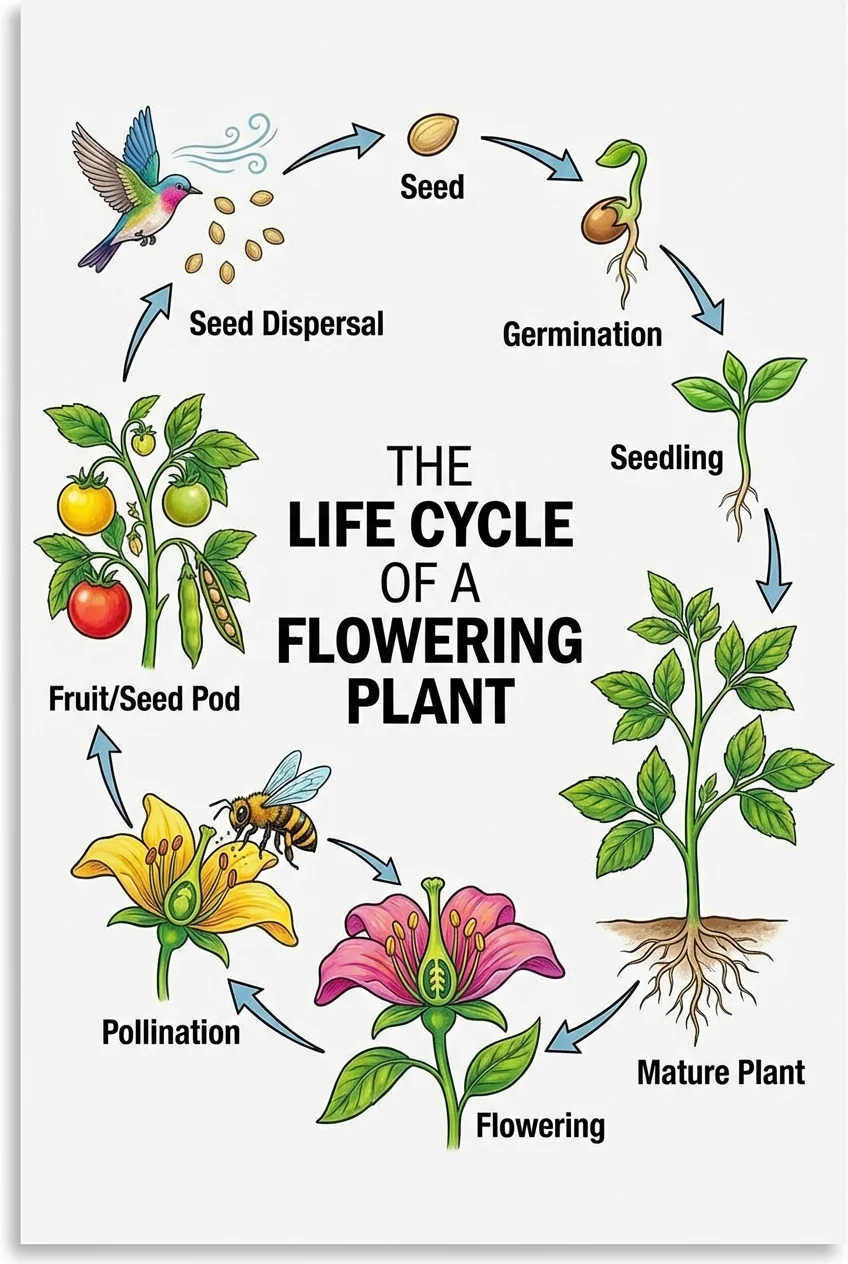 AI-generated plant life cycle — created by describing what you need, not dragging shapes.
Why Science Teachers Choose ConceptViz Over EdrawMax:
| EdrawMax Approach | ConceptViz Approach |
|---|---|
| Drag 50+ shapes to make a cell | Type "animal cell diagram for high school" |
| Search through 280 diagram types | AI knows what science diagrams look like |
| Manually label everything | Auto-generates labeled AND unlabeled versions |
| One diagram, one export | Multiple grade levels from same prompt |
Specialized Science Tools:
- Life Cycle Diagram Generator — butterflies, frogs, plants
- Mitosis Diagram Generator — cell division phases
- Photosynthesis Diagram Generator — light/dark reactions
- Water Cycle Diagram Generator — evaporation, condensation, precipitation
- Animal Cell Diagram Generator — organelles, membranes
- Plant Cell Diagram Generator — cell walls, chloroplasts
Example Workflow:
- Select "Mitosis Diagram"
- Choose grade level (Elementary/Middle/High School)
- Pick labeled (for teaching) or unlabeled (for quizzes)
- Download in seconds
No dragging, no shape hunting, no manual labeling.
 Mitosis diagram generated by AI — compare this to manually building in EdrawMax.
Limitations:
- AI-generated content should be reviewed
- Free tier has limited generations
- Focused on science, not general business diagrams
Verdict: If you're a science teacher who's tired of spending 30 minutes building a cell diagram in EdrawMax, ConceptViz creates the same thing in 30 seconds.
4. Creately — Best for Teacher Collaboration
Price: Free tier (5 documents) + Paid from $5/month
Creately directly addresses EdrawMax's biggest weakness: collaboration. According to Capterra, Creately scores higher in ease of use (4.4 vs 4.2).
Why Teams Choose Creately Over EdrawMax:
| EdrawMax Problem | Creately Solution |
|---|---|
| No simultaneous editing | Real-time collaboration |
| Desktop-only sharing | Cloud-based, share via link |
| No feedback tools | Built-in comments and reviews |
| Individual licenses | Team pricing from $5/user |
What You Get:
- Real-time cursors — see where collaborators are working
- Built-in video chat — discuss while diagramming
- Version history — track changes over time
- Presentation mode — present directly from diagrams
- 1,000+ templates — including educational content
Best For:
- Department teams creating shared curriculum materials
- Co-teaching situations
- Student group projects
- Schools needing affordable team licenses
Limitations:
- Free plan limited to 5 documents
- Fewer diagram types than EdrawMax
- Some features require paid plans
Verdict: If your EdrawMax frustration is about collaboration, Creately is purpose-built for teams.
5. Coggle — Best for Mind Mapping
Price: Free tier (3 private diagrams, unlimited public) + Paid from $5/month
If you mainly use EdrawMax for mind maps, Coggle does that one thing exceptionally well.
Why Mind Mappers Choose Coggle:
- Automatic layout — no manual positioning needed
- Beautiful defaults — looks professional without effort
- Real-time collaboration — work with students simultaneously
- Unlimited public diagrams — share freely for classroom use
- Simple interface — no 280 diagram types to navigate
Best For:
- Brainstorming sessions with students
- Concept mapping for any subject
- Lesson planning and outlining
- Visual note-taking activities
Limitations:
- Only does mind maps (no flowcharts, org charts, etc.)
- Limited customization compared to EdrawMax
- Free plan restricts private diagrams
Verdict: If mind mapping is your primary use case, Coggle's focused approach beats EdrawMax's cluttered interface.
Free Scientific Icon Libraries
For teachers who prefer building diagrams in PowerPoint or Google Slides, these free resources provide professional scientific illustrations:
Bioicons
Website: bioicons.com
- 2,700+ free SVG icons
- Molecular biology, microbiology, ecology
- No attribution required
SciDraw
Website: scidraw.io
- High-quality scientific drawings
- Animals, lab equipment, experimental setups
- Creative Commons licensed
NIH BioART
Website: bioart.niaid.nih.gov
- Medical and biological illustrations from NIH
- Vector format for any resolution
- Free for educational use
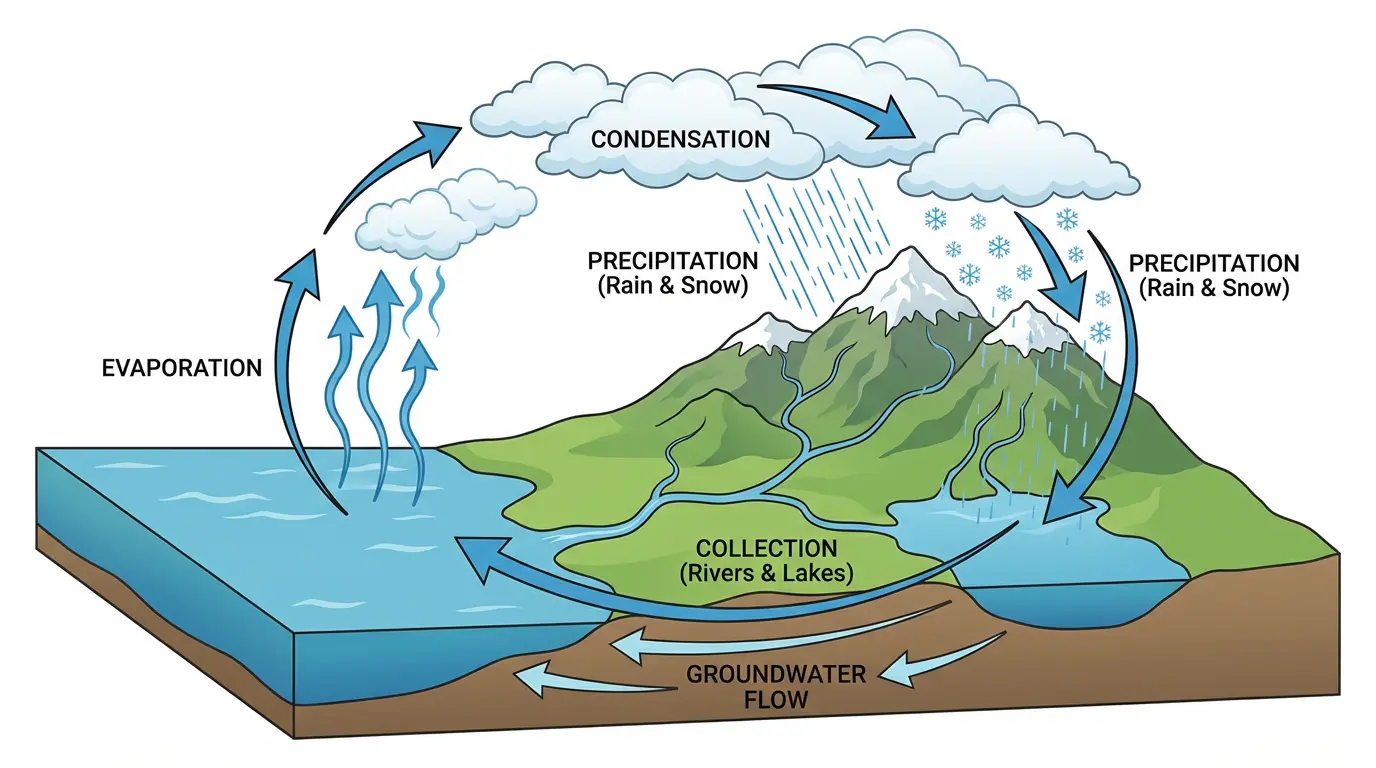 Complex diagrams like this water cycle can be built with free icon libraries or generated instantly with ConceptViz.
Decision Guide: Which Tool Replaces EdrawMax for You?
Your Main Frustration → Best Alternative
| If EdrawMax frustrates you because... | Try this instead |
|---|---|
| Watermarks on free exports | draw.io (100% free, no watermarks) |
| Too complicated to learn | Canva for Education (intuitive interface) |
| Takes too long to build science diagrams | ConceptViz (AI generates in seconds) |
| Can't collaborate with colleagues | Creately (real-time teamwork) |
| Interface is overwhelming | Coggle (focused on mind maps only) |
| Confusing pricing | draw.io (free) or Canva (free for teachers) |
By Use Case
General flowcharts and org charts: → draw.io (free) or Creately (collaboration)
Science classroom diagrams: → ConceptViz (AI-powered) or Canva (templates)
Mind maps and brainstorming: → Coggle (specialized) or Canva (versatile)
Team/department resources: → Creately (collaboration) or Canva for Education (free for teachers)
Student projects: → Canva for Education (classroom features) or draw.io (no login required)
Conclusion
EdrawMax is a powerful tool — for engineers, architects, and IT professionals who need 280 diagram types. For teachers who need a cell diagram or flowchart without watermarks, there are better options.
Our recommendations:
- Best free replacement: draw.io — same functionality, zero cost
- Easiest to learn: Canva for Education — beautiful results, no learning curve
- Best for science: ConceptViz — AI generates diagrams in seconds
- Best for teams: Creately — real-time collaboration built-in
Ready to create professional diagrams without EdrawMax's watermarks and complexity? Try ConceptViz's free science diagram generators — describe what you need, and AI does the rest.
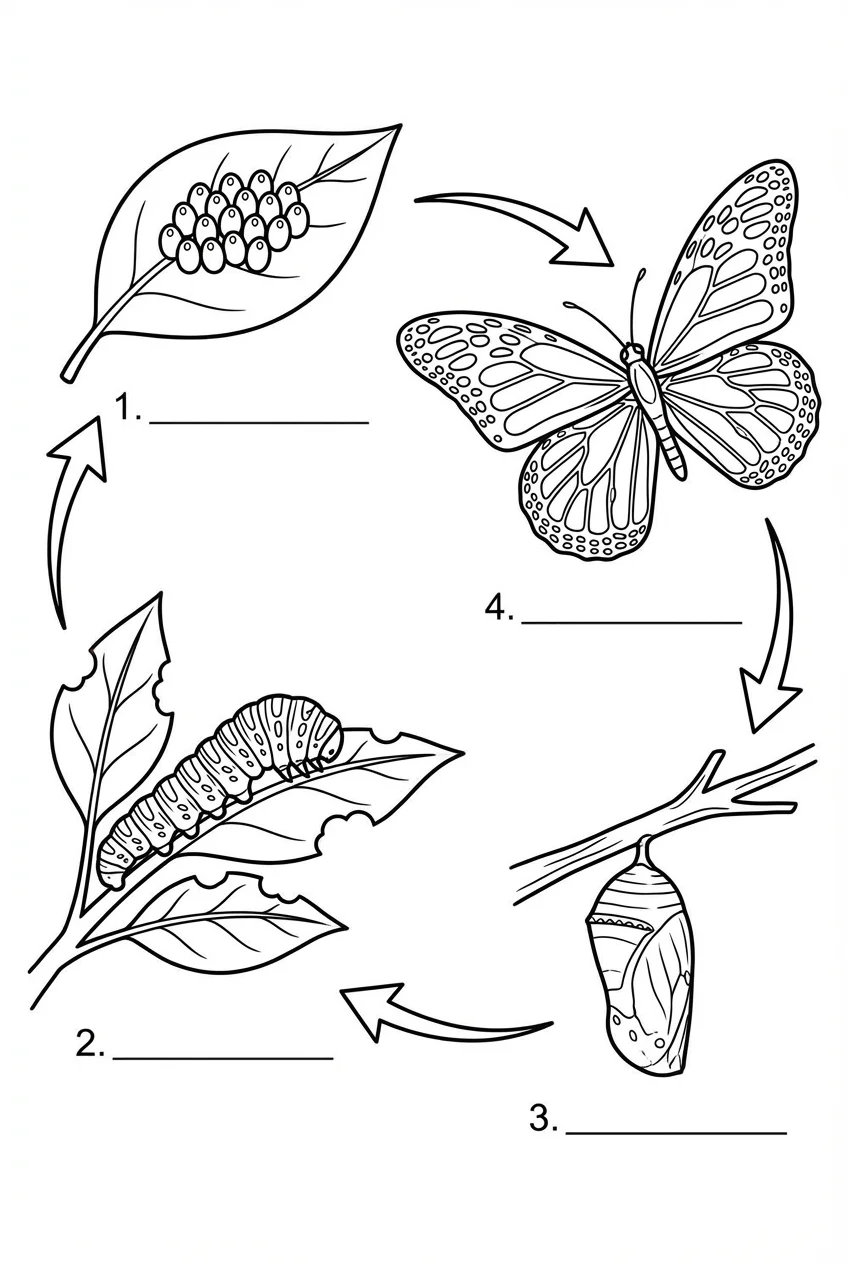 Unlabeled butterfly life cycle — perfect for student assessments. Generated in seconds, not hours.
FAQ
Is EdrawMax really free?
EdrawMax has a free version, but it's heavily limited. According to their official documentation, free users face watermarks on all exports, only 2 templates per diagram type, maximum 3 pages per document, and a 15-day trial period. For watermark-free diagrams, draw.io is completely free.
What's the best free alternative to EdrawMax?
draw.io (diagrams.net) is the closest free alternative with similar capabilities — flowcharts, org charts, and technical diagrams without watermarks or limits. For science-specific diagrams, ConceptViz offers AI-powered generation that's faster than manual diagramming.
Does EdrawMax work on Chromebooks?
EdrawMax's browser version works on Chromebooks, but users report stability issues. According to TechRadar, "the browser version tends to hang at times." Cloud-native alternatives like Canva, draw.io (web version), and ConceptViz work more reliably on Chromebooks.
Can EdrawMax diagrams be used commercially?
Not with the free version. EdrawMax's terms state that diagrams created with the unlicensed version cannot be used commercially — this includes paid tutoring or educational consulting. draw.io and Canva for Education have no such restrictions.
Which tool has the best science diagram templates?
Canva for Education has the largest general template library. For specialized, curriculum-aligned science diagrams (cells, life cycles, photosynthesis, mitosis), ConceptViz offers AI-powered generators specifically designed for K-12 science education.
How does EdrawMax compare to Lucidchart?
Both are premium diagramming tools. According to Capterra, Lucidchart ($9/month) is slightly cheaper than EdrawMax ($11.50/month) and has better collaboration features. However, both are overkill for most classroom needs — free alternatives like draw.io or Canva serve teachers better.
Categories
More Posts
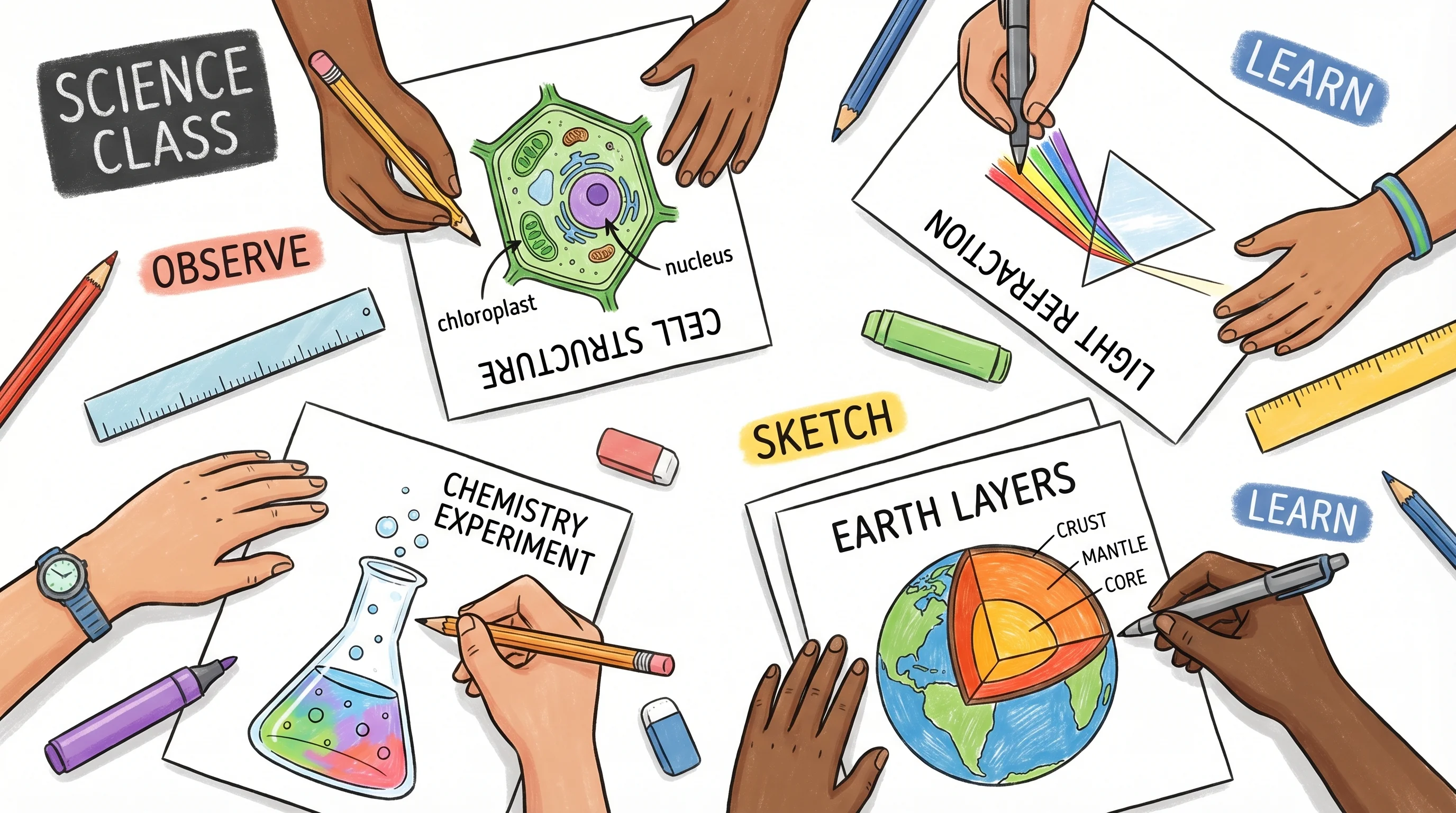
How to Create Science Drawings: Easy Step-by-Step Guide for Students
Learn how to create clear, labeled science drawings for biology, chemistry, and physics class. Step-by-step guide with tips, examples, and free AI tools for students.
BioRender Pricing 2026: Plans, Academic Cost, When to Switch
BioRender pricing in 2026: Academic Individual is $35/month billed yearly. Compare plans, add-ons, publication rights, and when switching makes sense.

AI Conceptual Framework for Thesis: Prompts, Examples, and Chapter 1 Workflow
Create an AI conceptual framework for thesis work with prompts, examples, variable tables, Chapter 1 writing tips, and validation checks.