Software Architecture Diagram Generator Architecture Diagrams
Describe your software system and our AI will create professional architecture diagrams with clear component relationships. Perfect for system design, technical documentation, and engineering presentations.
Software Architecture Diagram Generator
Free to try ·
Your architecture diagram will appear here
Describe your system and click Generate
Software Architecture Diagram Examples
Browse system design examples or generate your own above
Microservices Architecture
A microservices architecture diagram showing API gateway, service mesh, individual services (auth, payment, inventory, notification), message queue, and databases with inter-service communication.
MVC Pattern
Model-View-Controller architecture diagram showing the three main components with labeled arrows for user input to controller, controller updates model, model notifies view, and view renders to user.
Client-Server Architecture
Client-server architecture showing web browser and mobile app clients connecting through a load balancer to multiple application servers, with cache layer and database cluster including primary and replicas.
Cloud Architecture (AWS)
AWS cloud architecture diagram with VPC, EC2 instances in Auto Scaling Group, RDS database with read replicas, S3 for static assets, CloudFront CDN, Route 53 DNS, Lambda functions, and SQS message queue.
Event-Driven Architecture
Event-driven architecture showing event producers (User Service, Order Service, Payment Service), an event bus/broker (Apache Kafka) in the center, event consumers (Analytics, Notification, Reporting), and an event store database.
Layered Architecture
Traditional layered/N-tier architecture diagram showing four horizontal layers: presentation layer (UI components), business logic layer (services, rules), data access layer (repositories, ORMs), and database layer (SQL, NoSQL) with downward dependency arrows.
4 more examples available
Sign in for free to unlock all example diagrams and generate your own 4k custom diagrams.
What Is a Software Architecture Diagram?
A software architecture diagram is a visual representation of a system's structure that shows the major components, their relationships, and how they interact. These diagrams communicate the high-level design decisions of a software system, including how code is organized into modules, how services communicate, where data is stored, and how users interact with the application. Software architecture diagrams are essential for system design, onboarding new team members, technical documentation, and communicating with stakeholders who need to understand the system without reading code.
Common Software Architecture Patterns
- Microservices Architecture: Decomposes an application into small, independent services that communicate via APIs, enabling independent deployment, scaling, and technology diversity
- Model-View-Controller (MVC): Separates an application into three interconnected components — Model (data), View (UI), and Controller (logic) — widely used in web frameworks like Rails, Django, and Spring
- Client-Server Architecture: Divides the system into clients that request services and servers that provide them, with a clear separation of concerns between front-end and back-end
- Event-Driven Architecture: Components communicate through events rather than direct calls, enabling loose coupling, asynchronous processing, and better scalability for real-time systems
- Layered (N-Tier) Architecture: Organizes code into horizontal layers (presentation, business logic, data access, database) where each layer only depends on the layer directly below it
- Serverless Architecture: Delegates infrastructure management to cloud providers, with application logic running in stateless functions triggered by events, reducing operational overhead
Key Components of Architecture Diagrams
Effective software architecture diagrams include several critical elements. Services and components are shown as labeled boxes or containers representing distinct parts of the system. Connections and arrows indicate communication between components, labeled with protocols (REST, gRPC, WebSocket) or data formats (JSON, Protobuf). Databases and data stores are represented with cylinder shapes showing where state is persisted. External systems and third-party integrations are shown at the boundaries. Infrastructure elements like load balancers, message queues, caches, and CDNs illustrate the operational environment. Clear boundaries and groupings (such as VPCs, namespaces, or domains) help readers understand the scope and ownership of each part.
When to Use Software Architecture Diagrams
Software architecture diagrams are most valuable during system design to evaluate different approaches before writing code, helping teams identify potential bottlenecks, single points of failure, and security boundaries early. They are essential during technical interviews and system design discussions where candidates must communicate distributed system designs clearly. Architecture diagrams support code reviews and pull requests by providing context for how new changes fit into the broader system. They serve as living documentation for DevOps teams managing deployments and infrastructure. Cloud migration projects depend heavily on architecture diagrams to map on-premise systems to cloud-native equivalents.
Best Practices for Architecture Diagrams
- Use the C4 model approach: create diagrams at multiple levels of abstraction — context, container, component, and code — so each audience gets the right level of detail
- Label all connections with communication protocols (HTTP, gRPC, AMQP) and indicate whether communication is synchronous or asynchronous
- Show data flow direction with arrows and annotate with data formats, payload sizes, or throughput requirements where relevant
- Include infrastructure components like load balancers, message queues, caches, and CDNs that affect system behavior and performance
- Keep diagrams focused: separate concerns into different views (deployment view, data flow view, security view) rather than overloading a single diagram
- Version control your architecture diagrams alongside code so they stay in sync with the actual system as it evolves
Frequently Asked Questions
More Diagram Tools
DiagramsNetwork Diagram Generator
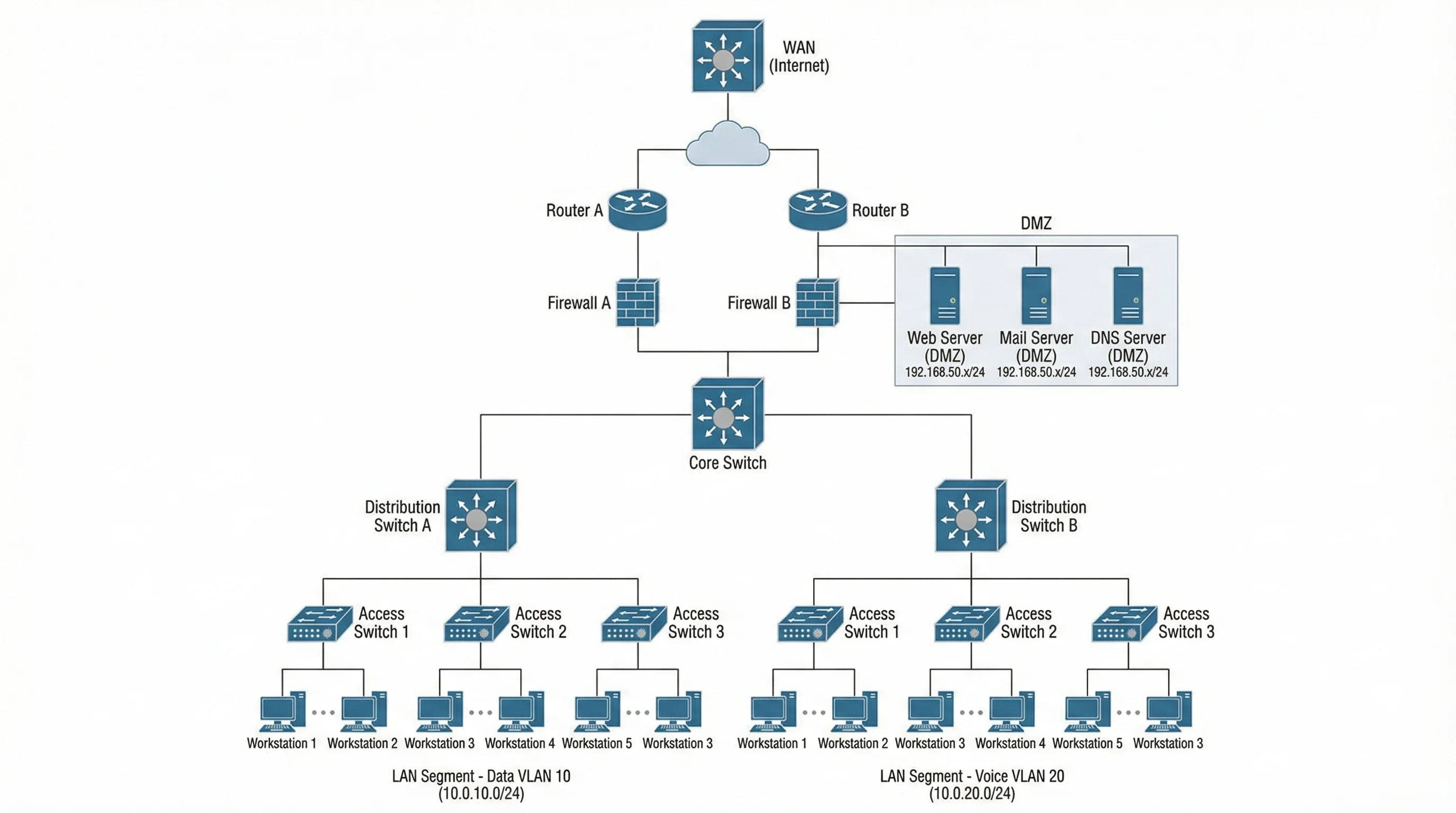
Create professional network diagrams and topology maps for IT infrastructure, cloud architecture, and security planning.
DiagramsUML Diagram Generator
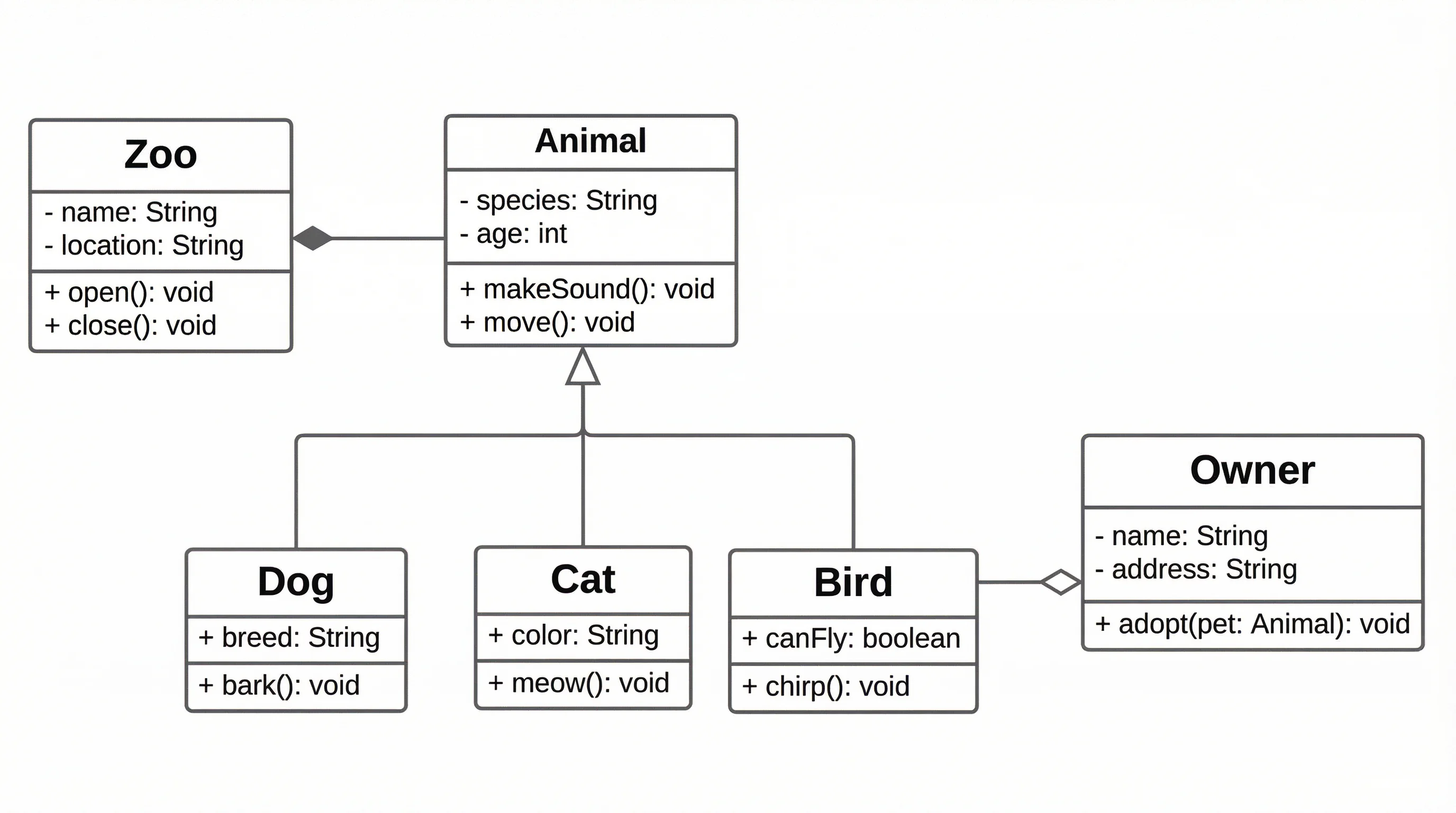
Generate UML diagrams including class diagrams, sequence diagrams, use case diagrams, and more with AI.
DiagramsText to Diagram Generator
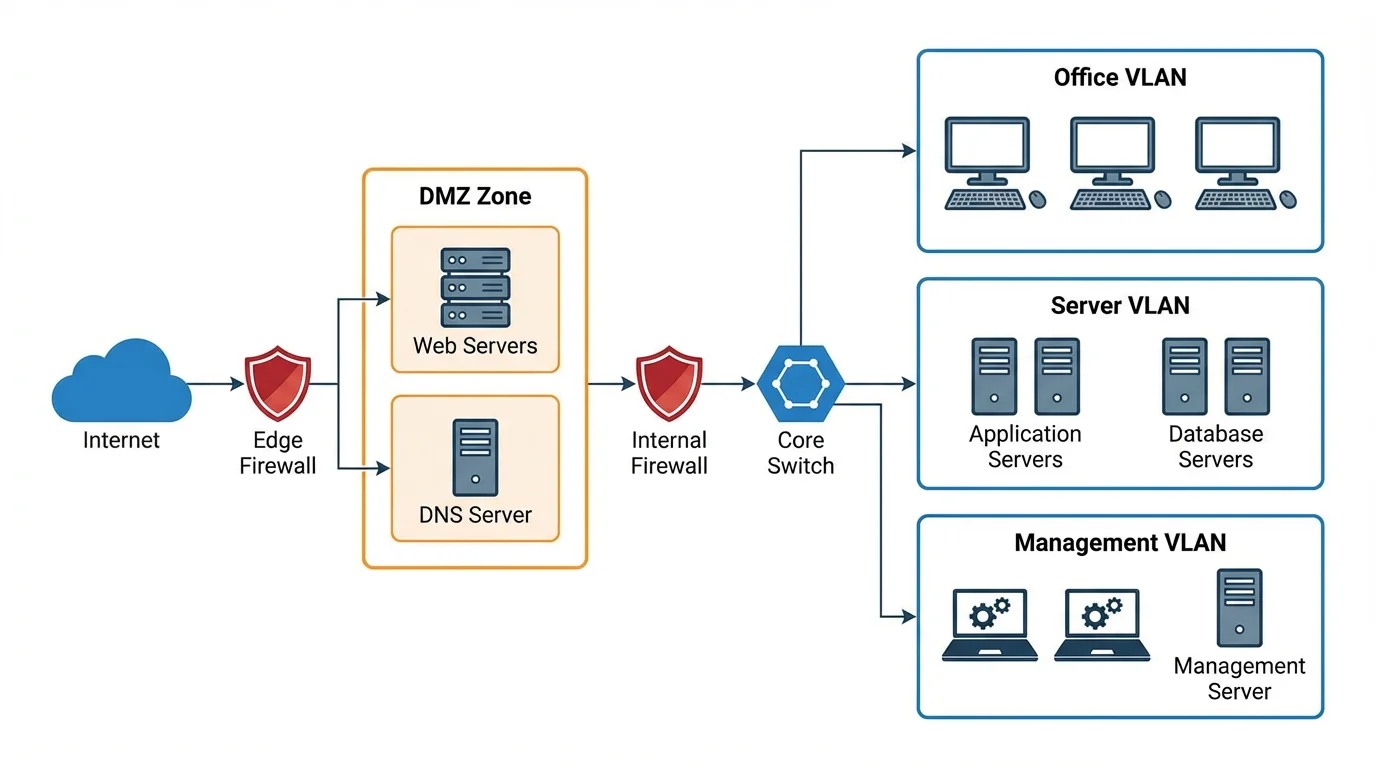
Convert text descriptions into structured diagrams including flowcharts, architecture diagrams, and more.
DiagramsBlock Diagram Generator
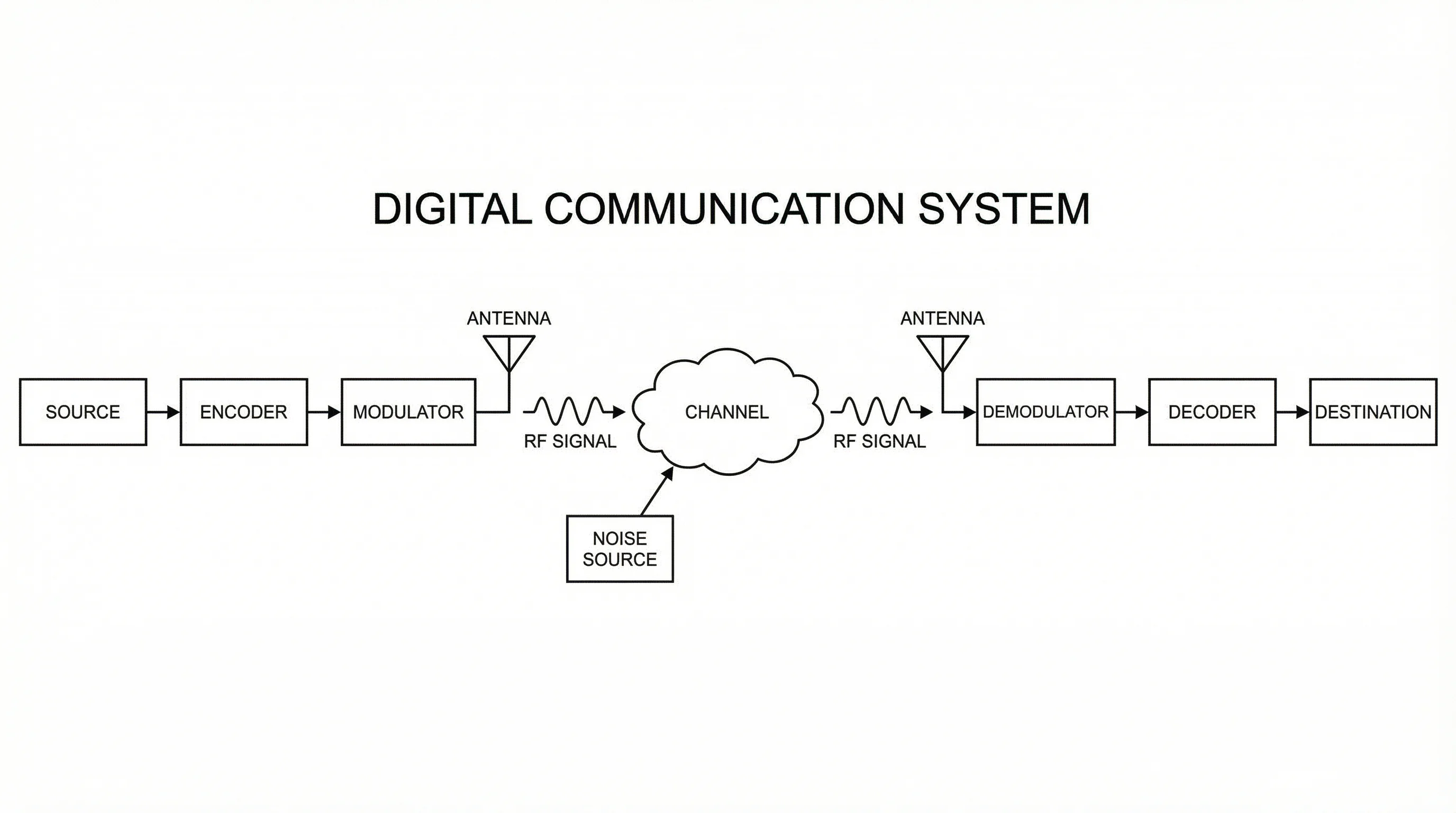
Create block diagrams for system overviews, signal processing, and engineering documentation.