Block Diagram Maker Block Diagrams
Describe your system or process, and our AI will create a professional block diagram instantly. Perfect for control systems, signal processing, and system architecture documentation.
Block Diagram Generator
Free to try ·
Your block diagram will appear here
Describe your system and click Generate
Block Diagram Examples
Browse examples from different engineering fields or generate your own above
Control System Feedback Loop
Classic closed-loop feedback control system with transfer function notation, ideal for control engineering courses and research.
Signal Processing Pipeline
Digital signal processing pipeline block diagram showing audio signal flow through processing stages.
Communication System
Telecommunications block diagram showing complete digital communication system with transmitter and receiver.
Power Supply System
Electrical engineering block diagram for a regulated power supply showing signal transformation at each stage.
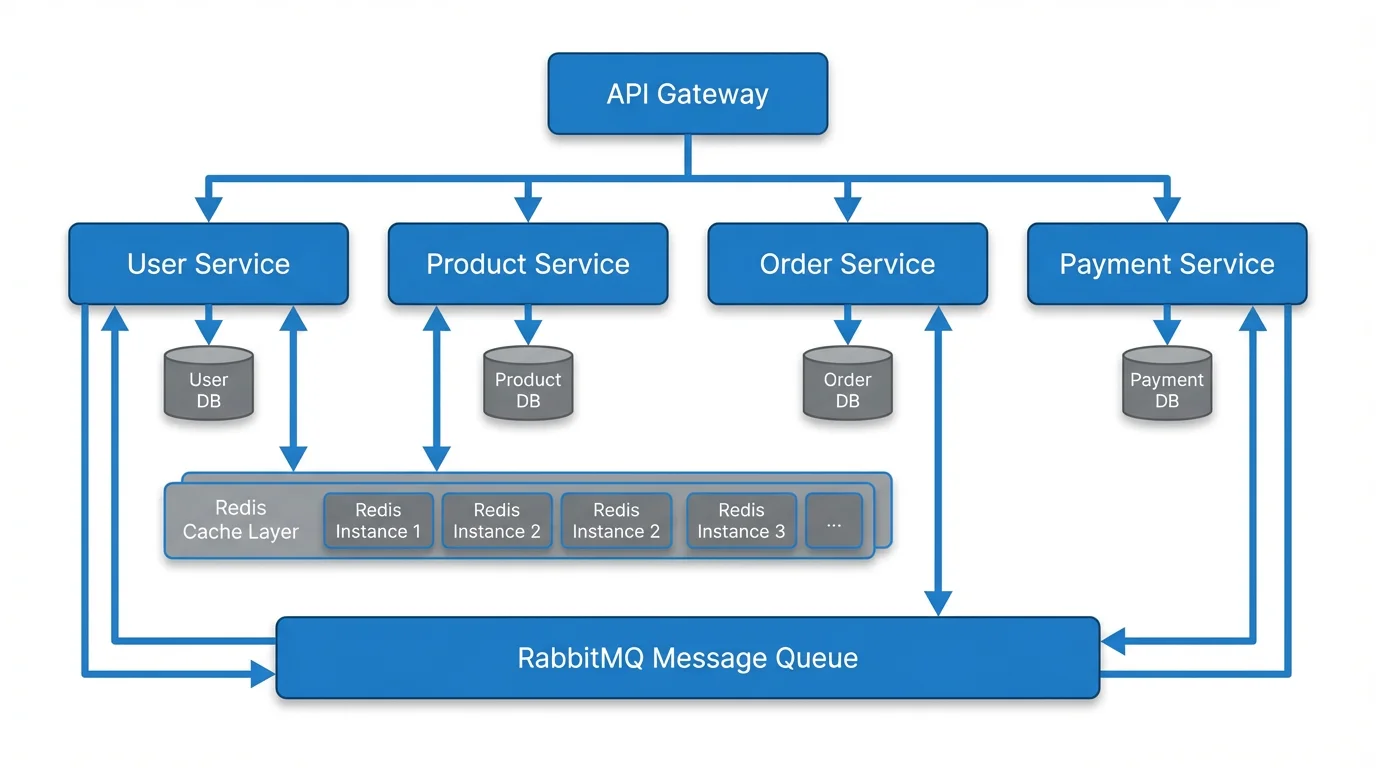
Embedded System Architecture
Computer engineering block diagram showing embedded system architecture with peripherals and interfaces.
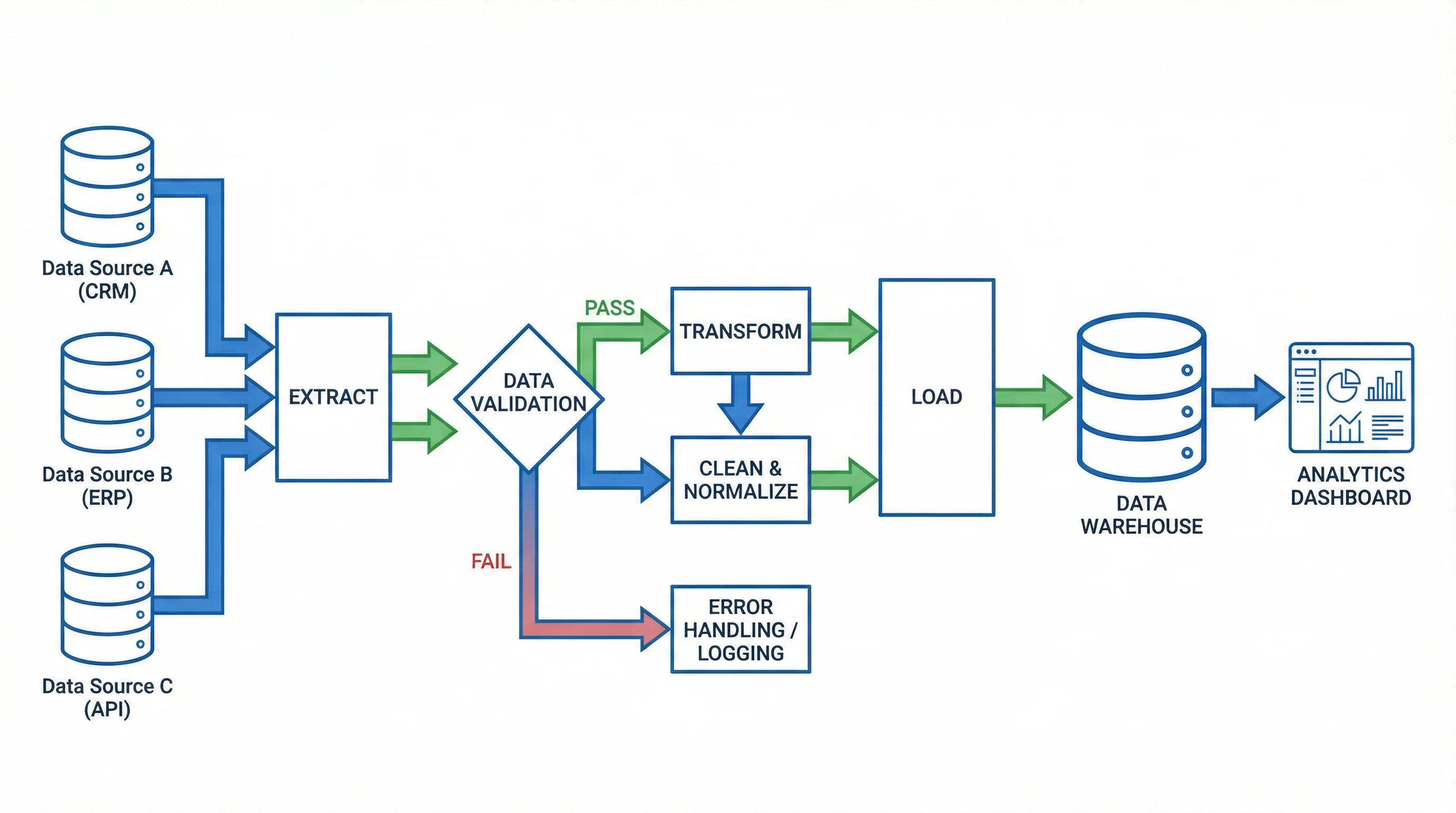
Manufacturing Process Flow
Industrial engineering block diagram showing manufacturing process flow with feedback loops and quality control.
4 more examples available
Sign in for free to unlock all example diagrams and generate your own 4k custom diagrams.
What is a Block Diagram?
A block diagram is a simplified graphical representation of a system, process, or algorithm that uses rectangular blocks connected by lines or arrows to show the relationship between components. Each block represents a functional unit or operation, and the connections show the flow of signals, data, or materials between them. Block diagrams are fundamental tools in engineering, computer science, and project management, providing a high-level overview of complex systems without getting into implementation details.
Types of Block Diagrams
- Functional block diagrams: Show the functions and interrelationships of system components
- System block diagrams: Represent the overall architecture of hardware or software systems
- Process block diagrams: Illustrate sequential steps in manufacturing or chemical processes
- Control system block diagrams: Use transfer functions to model feedback and control loops
- Signal flow block diagrams: Show how signals propagate through processing stages
- Hardware block diagrams: Depict the physical components and connections in electronic systems
Block Diagram Algebra and Reduction Rules
In control engineering, block diagram algebra provides systematic rules for simplifying complex diagrams. Series (cascade) blocks multiply their transfer functions. Parallel blocks add their transfer functions. Feedback loops use the formula G/(1+GH) for negative feedback. Moving a summing point or takeoff point requires compensating with the appropriate transfer function. These reduction rules allow engineers to derive the overall transfer function of a system from its block diagram, which is essential for stability analysis and controller design.
When to Use Block Diagrams
- System design: Planning the architecture of new hardware or software systems
- Control engineering: Modeling feedback loops, PID controllers, and plant dynamics
- Signal processing: Visualizing filter chains, codec pipelines, and DSP algorithms
- Education: Teaching students about system components and their interactions
- Troubleshooting: Identifying where faults or bottlenecks occur in a system
- Documentation: Creating clear technical documentation for complex systems
Applications in Engineering and Research
Block diagrams are used extensively across engineering disciplines. In electrical engineering, they represent power systems, communication networks, and circuit architectures. In mechanical engineering, they model control systems for robotics and automation. In software engineering, they illustrate microservice architectures, data pipelines, and system integrations. In chemical engineering, they depict process flows and reactor systems. Our AI block diagram generator creates professional diagrams for all these applications, following standard engineering notation and conventions.
Frequently Asked Questions
More Engineering Diagram Tools
VisualizationAI Flowchart Generator
Create professional flowcharts for process documentation, decision trees, and workflow visualization.
VisualizationText to Diagram Generator
Convert text descriptions into professional diagrams including network topology and architecture diagrams.
ResearchConceptual Framework Generator
Create professional conceptual frameworks to visualize research variables and their relationships.