Activity Diagram Generator Activity Diagrams
Describe your workflow or process and our AI will create a professional UML activity diagram with standard notation. Perfect for modeling business processes, software workflows, and system behavior.
Activity Diagram Generator
Free to try ·
Your activity diagram will appear here
Describe your workflow and click Generate
Activity Diagram Examples
Browse workflow and process examples or generate your own above
User Login Flow
User login activity diagram with decision nodes for credential validation, optional two-factor authentication branch, account lockout after failed attempts, and session creation on success.
Order Processing Workflow
E-commerce order processing activity diagram featuring a fork bar for parallel payment verification and inventory check, join bar for synchronization, and swimlanes for Customer, System, and Warehouse roles.
CI/CD Pipeline
Continuous integration and deployment activity diagram showing code commit trigger, parallel unit and integration tests with fork/join, quality gate decision, staging deploy, approval gate, and production release.
Patient Admission Process
Hospital patient admission activity diagram with swimlanes for Reception, Nursing, and Doctor roles, covering registration, triage assessment, insurance verification, and bed assignment.
ATM Withdrawal Process
ATM cash withdrawal activity diagram showing card insertion, PIN verification with retry logic, amount entry, balance check, cash dispensing, and receipt printing with decision nodes for each validation step.
Code Review Process
Software code review activity diagram with swimlanes for Developer and Reviewer, including pull request creation, automated checks, peer review cycles, approval workflow, and merge to main branch.
What Is a UML Activity Diagram?
A UML activity diagram is a behavioral diagram that models the dynamic flow of actions, decisions, and parallel processes within a system or business workflow. Originally part of the Unified Modeling Language specification, activity diagrams have become one of the most widely used UML diagram types because they intuitively represent step-by-step processes that both technical and non-technical stakeholders can understand. Activity diagrams are similar to flowcharts but add powerful UML-specific constructs like fork/join bars for concurrency, swimlanes for role separation, and signal events for inter-process communication, making them far more expressive for modeling real-world processes.
UML Activity Diagram Notation and Symbols
Activity diagrams use a well-defined set of UML notation symbols. The initial node (filled circle) marks the starting point, while the activity final node (circle with inner filled circle) marks the end. Action nodes (rounded rectangles) represent individual steps or tasks. Decision nodes (diamonds) introduce conditional branching with guard conditions on outgoing edges. Merge nodes (also diamonds) combine alternative flows back together. Object nodes (rectangles) represent data objects passed between actions. Connector edges (arrows) show the flow direction between nodes. Understanding these core symbols is essential for reading and creating standards-compliant activity diagrams that any software professional can interpret.
Swim Lanes in Activity Diagrams
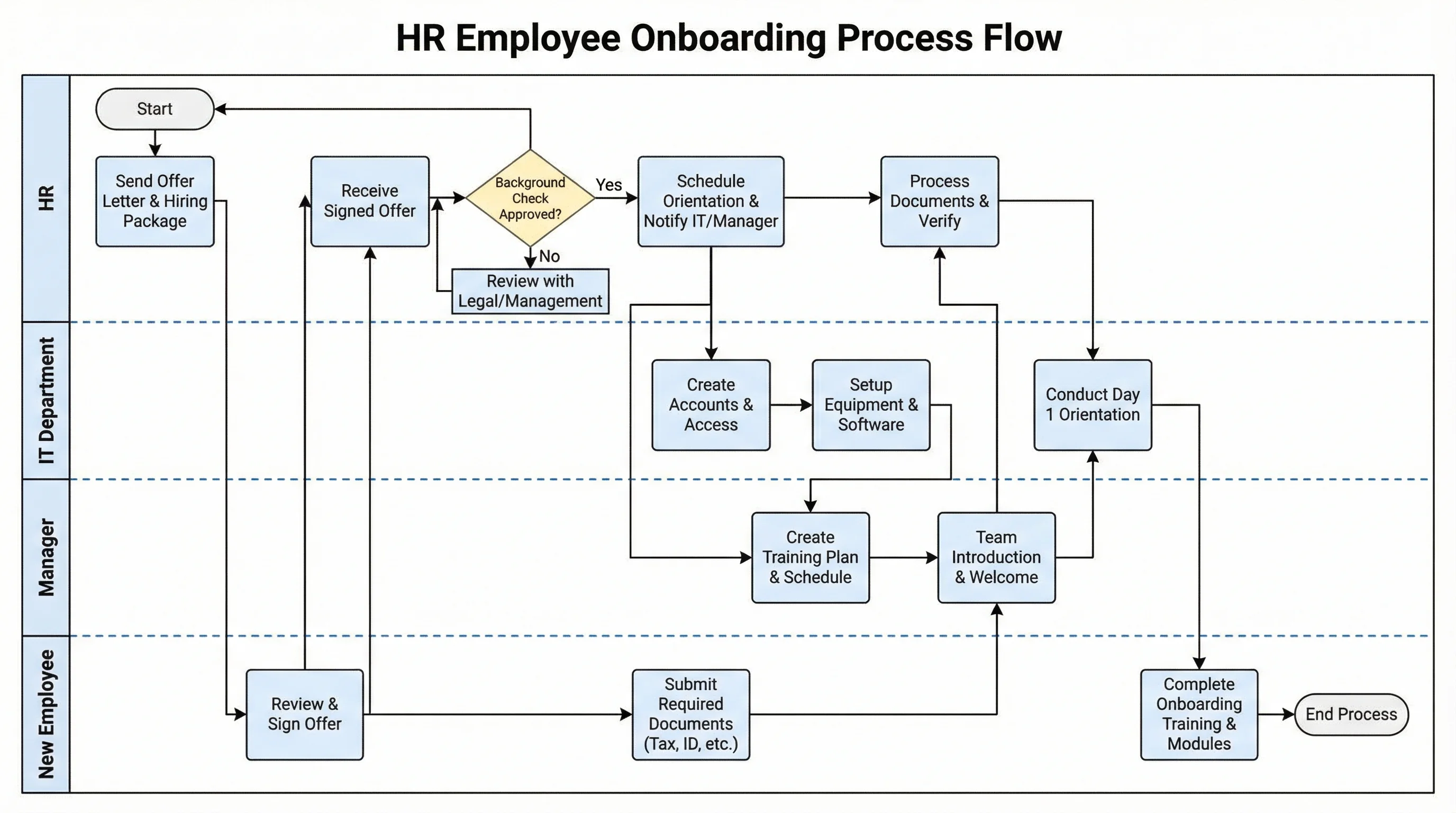
Swim lanes (also called activity partitions) divide an activity diagram into vertical or horizontal bands, each representing a responsible actor, department, or system component. Swim lanes make it immediately clear who is responsible for each action in a process, which is invaluable for cross-functional workflows involving multiple teams or services. For example, an order processing diagram might have swim lanes for Customer, Order System, Payment Gateway, and Warehouse. Actions are placed within the lane of the responsible party, while flow arrows crossing lane boundaries indicate handoffs between actors. Swim lanes transform activity diagrams from simple process flows into powerful responsibility-assignment tools.
Decision Nodes and Guard Conditions
Decision nodes are diamond-shaped elements that split a single incoming flow into two or more outgoing paths based on guard conditions. Guard conditions are Boolean expressions enclosed in square brackets (e.g., [balance >= amount]) placed on the outgoing edges. Every decision node must have mutually exclusive and collectively exhaustive guard conditions to ensure exactly one path is taken. Merge nodes recombine alternative paths back into a single flow. Complex workflows often chain multiple decision nodes to model nested conditional logic. Our AI generator automatically creates proper decision-merge pairs with clearly labeled guard conditions from your plain text process description.
Fork and Join for Parallel Activities
Fork and join bars (thick horizontal or vertical lines) model concurrency in activity diagrams. A fork bar splits one incoming flow into multiple outgoing concurrent flows that execute simultaneously. A join bar synchronizes multiple concurrent flows back into a single flow — execution only proceeds past the join when all incoming paths have completed. This notation is essential for modeling real-world parallelism such as simultaneous payment processing and inventory checking during order fulfillment, or parallel testing stages in a CI/CD pipeline. Proper use of fork/join ensures your diagrams accurately capture the parallel nature of modern distributed systems and business processes.
Frequently Asked Questions
More Diagram Tools
SoftwareUML Diagram Generator
Create all types of UML diagrams including class, sequence, use case, and component diagrams with AI.
SoftwareState Diagram Generator
Create UML state machine diagrams and state transition diagrams for modeling object lifecycle behavior.
SoftwareSwimlane Diagram Generator
Create cross-functional swimlane diagrams and process flowcharts to visualize responsibilities across teams.
SoftwareData Flow Diagram Generator
Create data flow diagrams (DFD) to model how data moves through systems, processes, and data stores.