Use Case Diagram Generator for Software Requirements
Create UML use case diagrams online from actors, system boundaries, use cases, and include or extend relationships. Export clean SVG, PNG, and PlantUML.
Use case model
Enter actors, use cases, and UML relationships.
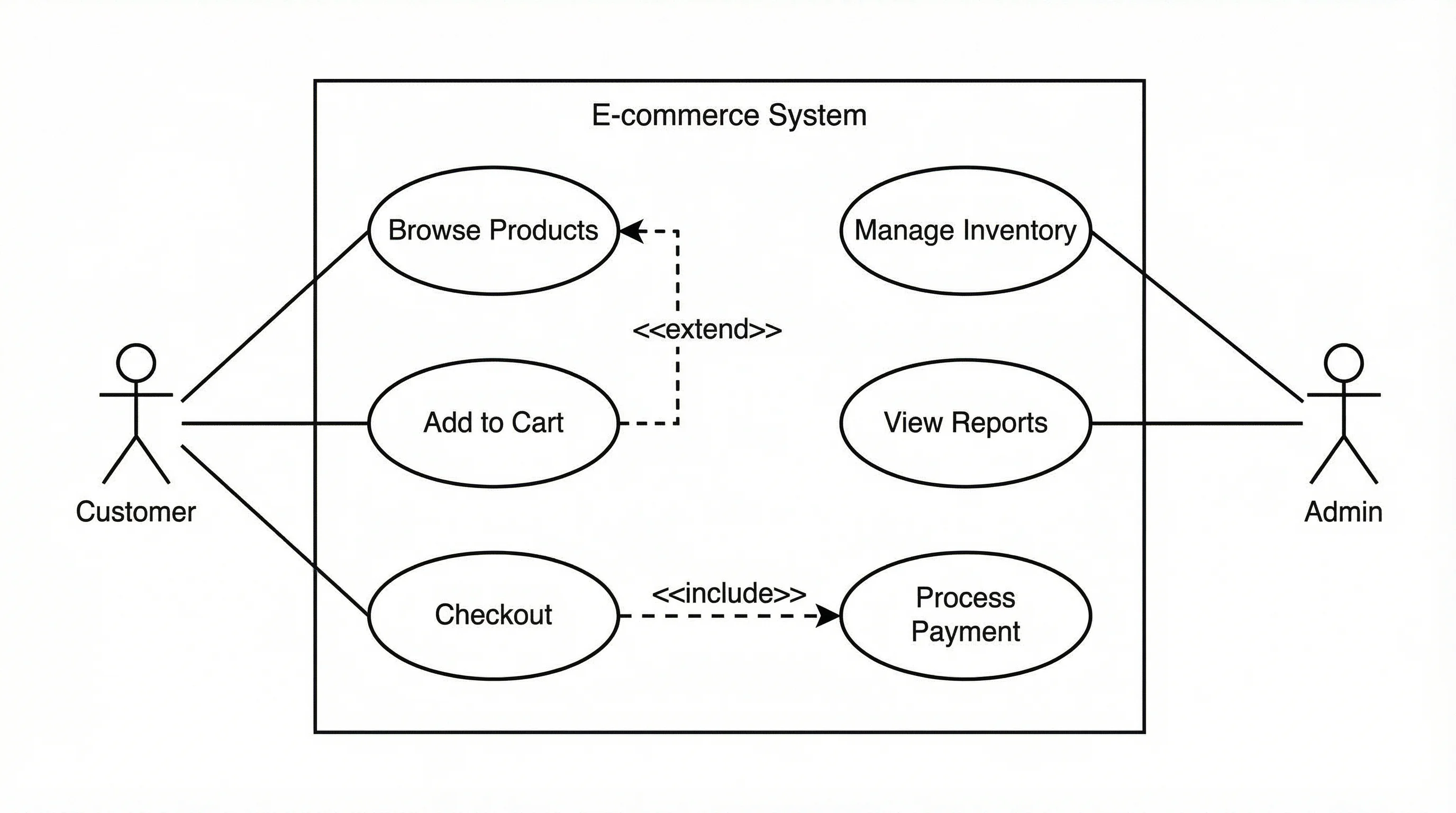
Solid lines connect actors to goals. Dashed arrows show mandatory include and optional extend behavior.
@startuml
left to right direction
actor "Customer" as ACustomer
actor "Admin" as AAdmin
actor "Payment Gateway" as APaymentGateway
rectangle "Online Store" {
  usecase "Browse Products" as UCBrowseProducts
  usecase "Add to Cart" as UCAddtoCart
  usecase "Checkout" as UCCheckout
  usecase "Process Payment" as UCProcessPayment
  usecase "Manage Inventory" as UCManageInventory
  usecase "View Reports" as UCViewReports
  usecase "Apply Coupon" as UCApplyCoupon
}
ACustomer -- UCBrowseProducts
ACustomer -- UCAddtoCart
ACustomer -- UCCheckout
AAdmin -- UCManageInventory
AAdmin -- UCViewReports
APaymentGateway -- UCProcessPayment
UCCheckout ..> UCProcessPayment : <<include>>
UCApplyCoupon ..> UCCheckout : <<extend>>
@enduml
Use Case Diagram Examples
Review common UML use case models for software requirements and system analysis
E-commerce Checkout
Customer, admin, and payment gateway actors connected to checkout and inventory use cases.
Library Management System
Library member and librarian interactions for borrowing, returning, reserving, and catalog management.
Mobile Banking App
Banking app model with sign-in, balance viewing, transfers, bill payment, and fraud detection.
Hospital Appointment Portal
Patient, doctor, and clinic admin roles for booking appointments and managing schedules.
Learning Platform
Student, instructor, and payment service interactions for courses, quizzes, grades, and enrollment.
Ride Sharing App
Rider, driver, and payment processor actors around requesting rides, accepting rides, and payments.
What is a use case diagram generator?
A use case diagram generator turns a requirements model into a UML diagram that shows who uses a system and what goals they can accomplish. It keeps actors outside the system boundary, places user goals as ovals inside the system, and connects them with standard UML relationships.
What should you enter?
- System boundary: the product, application, service, or subsystem being modeled.
- Actors: people, roles, external systems, or services that interact with the system.
- Use cases: goal-oriented actions such as Checkout, Borrow Book, Transfer Funds, or Generate Report.
- Associations: actor-to-use-case links using syntax like Customer -> Checkout.
- Include and extend relationships when one use case always reuses another or conditionally adds behavior.
Why this is not a generic diagram tool
Use case diagrams have strict notation. A flowchart or general AI image may look polished but still put actors inside the system boundary, overuse include arrows, or describe implementation steps instead of user goals. This generator focuses only on UML use case structure so the result is easier to review in software requirements documents.
How to model include and extend
- Use include when a base use case always requires another use case, such as Checkout including Process Payment.
- Use extend when optional or conditional behavior adds to a base use case, such as Apply Coupon extending Checkout.
- Keep the diagram high level. Use a sequence diagram or activity diagram for detailed step-by-step behavior.
- Use PlantUML export when you want a version-controlled text representation of the diagram.
When should you use it?
- Software requirements documents and SRS assignments.
- Product discovery workshops where roles and goals need to be clarified quickly.
- System analysis classes that require standard UML notation.
- Engineering documentation before writing sequence diagrams, class diagrams, or API specifications.
Frequently Asked Questions
Related UML Tools
 Software
UML Diagram Generator
Create class diagrams, sequence diagrams, activity diagrams, and other UML visuals with AI.
 Software
Activity Diagram Generator
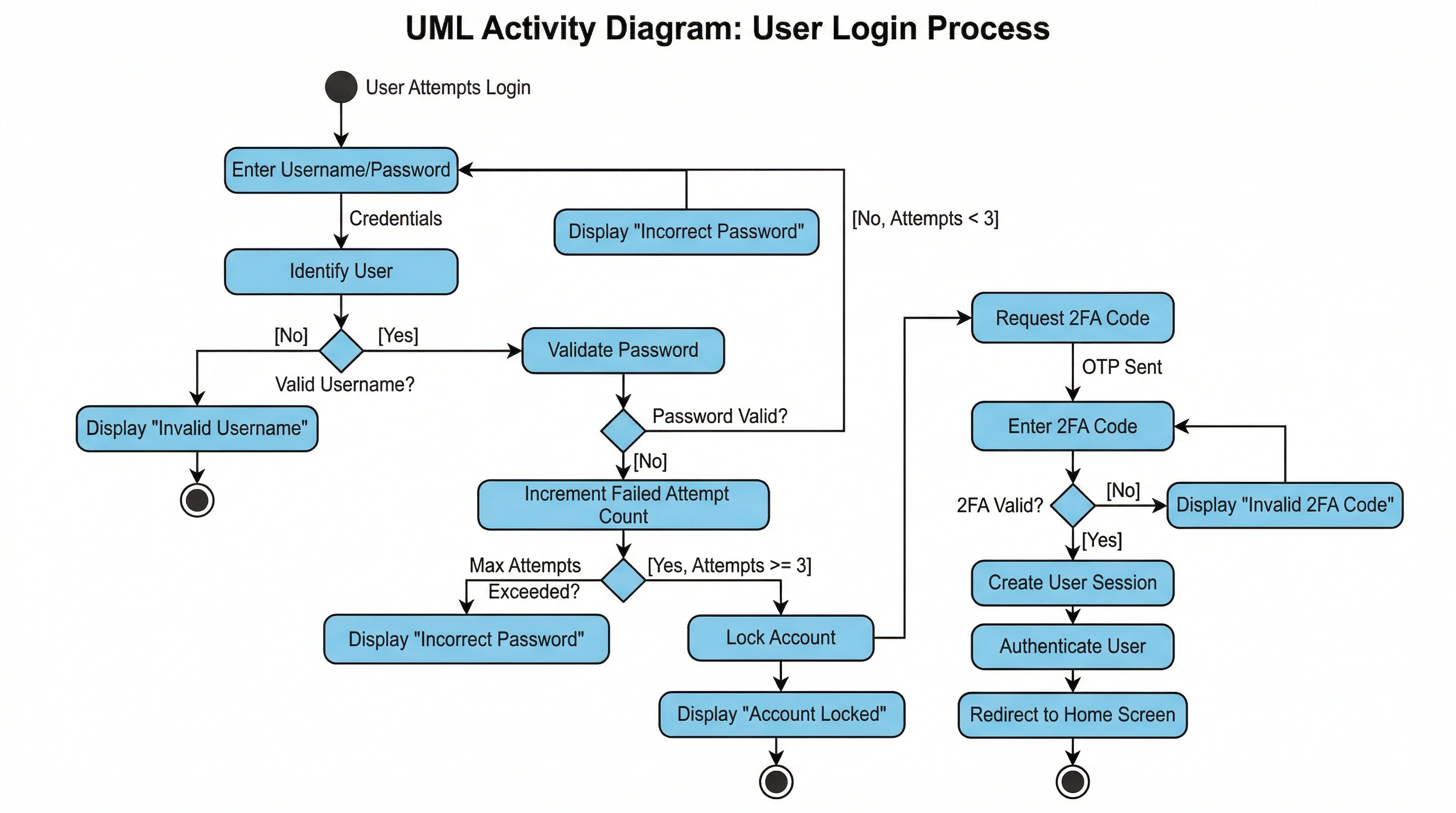
Create UML activity diagrams for workflows, decision nodes, swimlanes, and system behavior.
 Research
Text to Diagram Generator
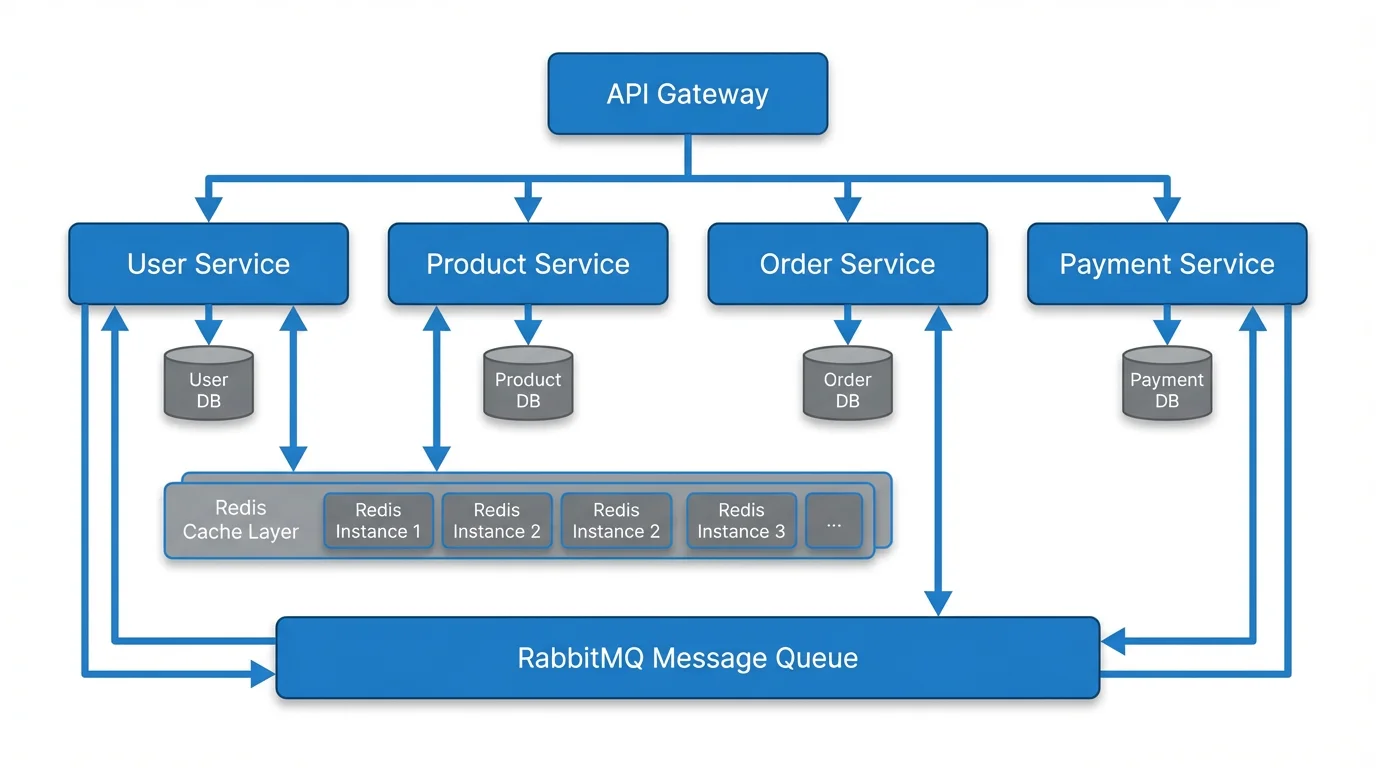
Transform plain text descriptions into software architecture diagrams, workflows, and process maps.