Biology Drawing Generator for Labeled Diagrams & Figures
Generate clean, labeled biology drawings, diagrams, and figures from a short description — cells, anatomy, plants, genetics, ecology, and more — for notes, worksheets, lab reports, posters, and slides.
Biology Drawing Generator
Free to try ·
Your biology drawing will appear here
Describe the biological concept to illustrate
Biology Drawing Examples
Labeled diagrams and figures across cells, genetics, anatomy, and ecology
Labeled Animal Cell
A clean cell diagram with every major organelle labeled — ideal for study notes and worksheets.
DNA Replication
A molecular process figure with leading and lagging strands and labeled enzymes.
Photosynthesis in a Chloroplast
Both stages of photosynthesis in one chloroplast, with inputs and outputs labeled.
Labeled Neuron
A motor neuron with an inset synapse — useful for anatomy and physiology notes.
Dihybrid Genetics Cross
A Punnett square cross laid out with the expected phenotype ratio below.
Ecological Energy Pyramid
Trophic levels stacked by energy, with the 10% transfer rule shown between them.
What this biology drawing generator makes
This biology diagram maker turns a short description into a clean, labeled biology drawing. Type what you want — an animal cell, a neuron, a chloroplast, a Punnett square, a food web — and it generates an illustration with the parts laid out and labeled in clear biological terms. The result is a single image you can drop into study notes, a worksheet, a lab report, a poster, or a slide. It is built for the moment when you understand a concept but need a figure for it, and you do not have time to draw one by hand or hunt for one you are allowed to reuse.
The range of biology topics it covers
- Cell biology: animal and plant cells, organelles, the cell membrane, mitosis and meiosis stages.
- Anatomy and physiology: the nervous, respiratory, circulatory, digestive, and skeletal systems, plus individual organs.
- Plants and botany: leaf and root structure, photosynthesis, transpiration, and the parts of a flower.
- Genetics: DNA structure, replication, transcription, and Punnett-square crosses.
- Ecology: food chains and webs, energy pyramids, nutrient cycles, and ecosystems.
- Microbiology: bacteria, viruses, and other microorganisms with labeled structures.
What you can use the drawings for
The figures fit the everyday work of studying, teaching, and writing about biology. Students use them to build clearer study notes and revision sheets. Teachers add labeled diagrams to worksheets, quizzes, and handouts. Researchers and writers draft figures for lab reports, presentations, and paper submissions — a quick first-draft illustration to refine, or a clean visual for a slide. Because each drawing is generated to your description, you can match it to the exact topic and labels your notes, assignment, or talk needs, instead of cropping something that almost fits.
Clearly labeled diagrams, not just art
A biology figure is only useful if the parts are named. This tool aims for labeled diagrams — leader lines pointing to structures, text labels in standard terminology, and a clean layout on a plain background so the labels stay readable. When you list the specific parts you want labeled in your prompt, the generator places them on the drawing, which is what separates a usable study figure from a decorative illustration. Diagrams render well in landscape for slides and reports, or square for notes and social posts.
Tips for accurate biology figures
- Name the exact structures you want labeled — for a cell, list "nucleus, mitochondria, ER, Golgi, ribosomes" rather than just "label the parts".
- State the level and style — "high-school biology textbook style" or "simple labeled diagram" guides the detail and tone.
- Specify the view or stage — a cross-section, a side view, or a particular phase such as metaphase or the light-dependent reactions.
- Ask for a plain white background and clear leader lines so the figure stays clean and the labels are legible.
- Keep one concept per drawing — a focused figure reads far better than one that tries to show an entire system at once.
How to generate a biology drawing from a description
Open the generator, describe the biology drawing you want in plain English, and include the structures and labels you need. Choose an aspect ratio — landscape for slides and reports, square for notes — and generate. You will get a labeled illustration in seconds; refine the wording and generate again until it matches what your notes or assignment call for. The drawings are AI-generated, so always review them for scientific accuracy before using them in graded work or a publication: check that every label is correct, that structures are in the right place, and that counts and ratios match the biology. Treat the output as a strong first draft you verify, not an authoritative source.
Frequently Asked Questions
Related Biology Tools
 Education
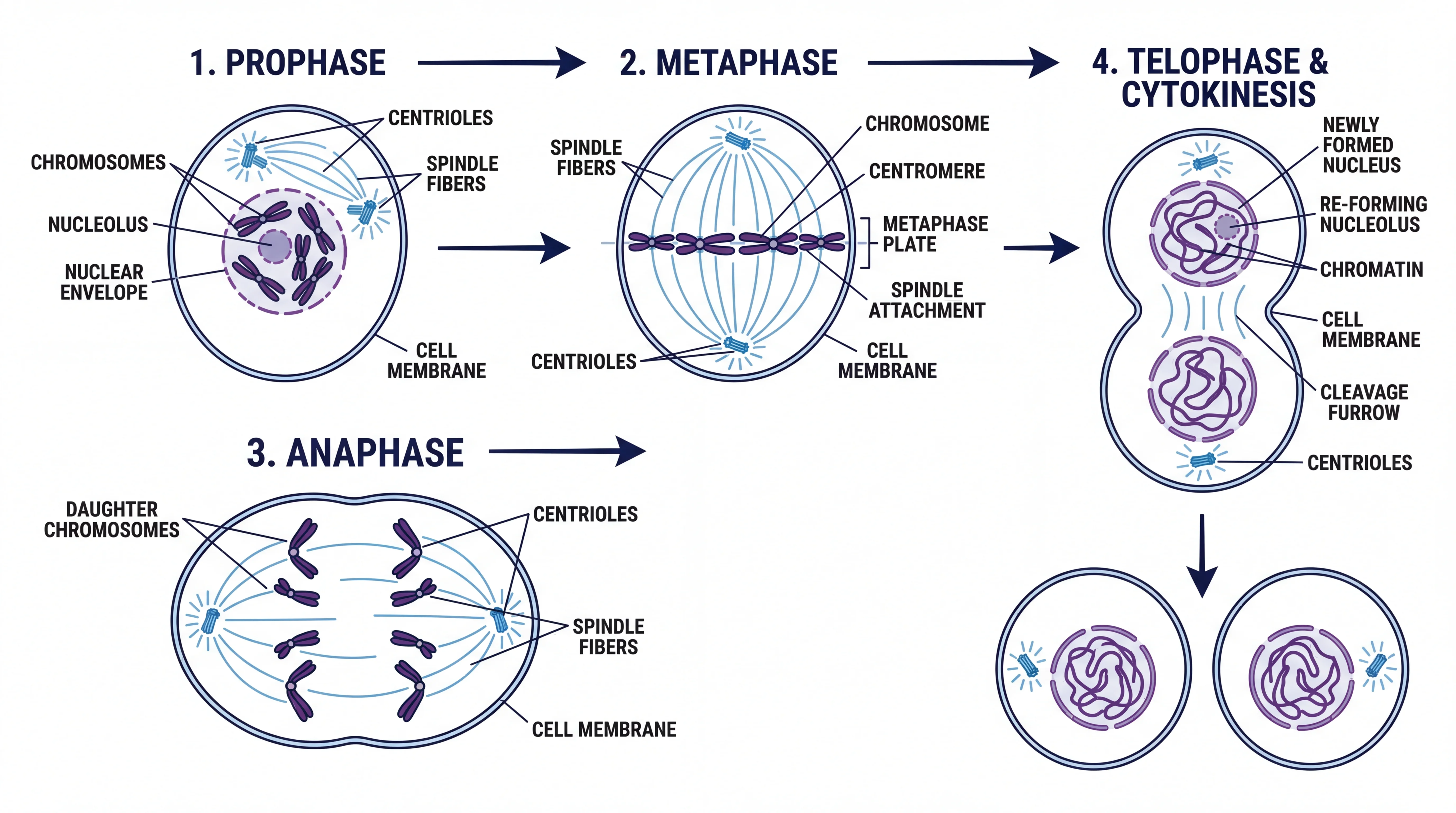
Science Drawing Generator
Generate labeled science drawings and illustrations across biology, chemistry, and physics.
 Biology
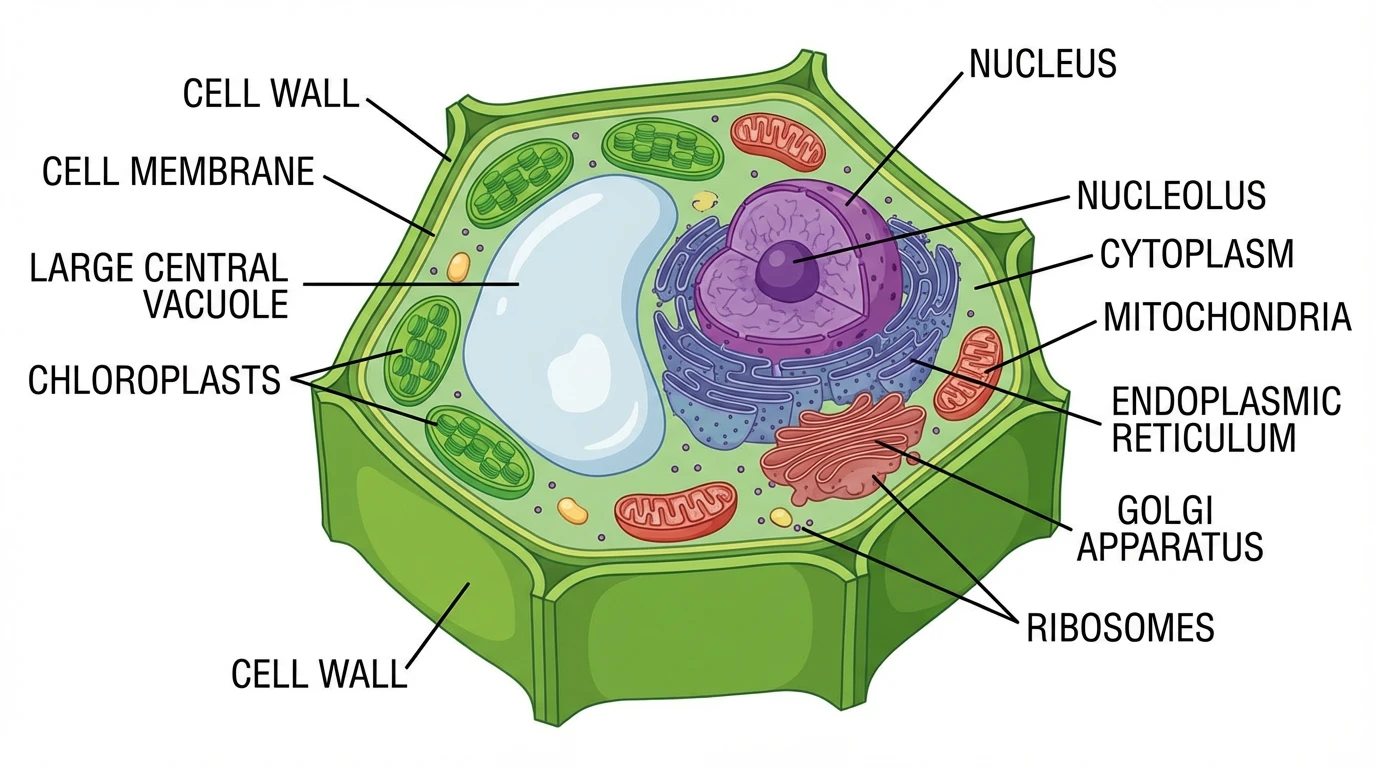
Plant Cell Diagram Generator
Create labeled plant cell diagrams with the cell wall, chloroplasts, vacuole, and other organelles.
 Biology
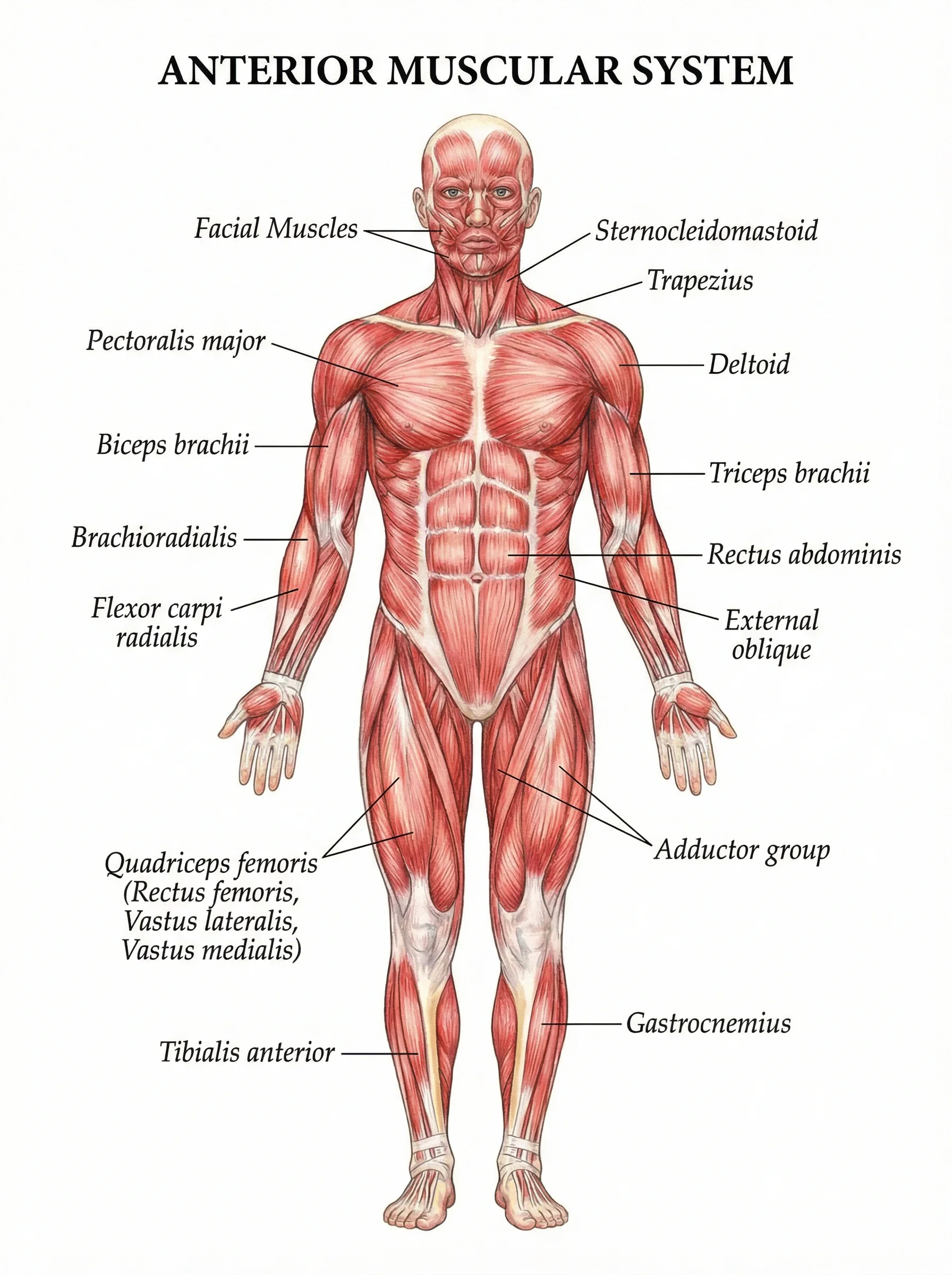
Anatomical Drawing Generator
Draw labeled human anatomy figures — muscular, skeletal, and other body systems.