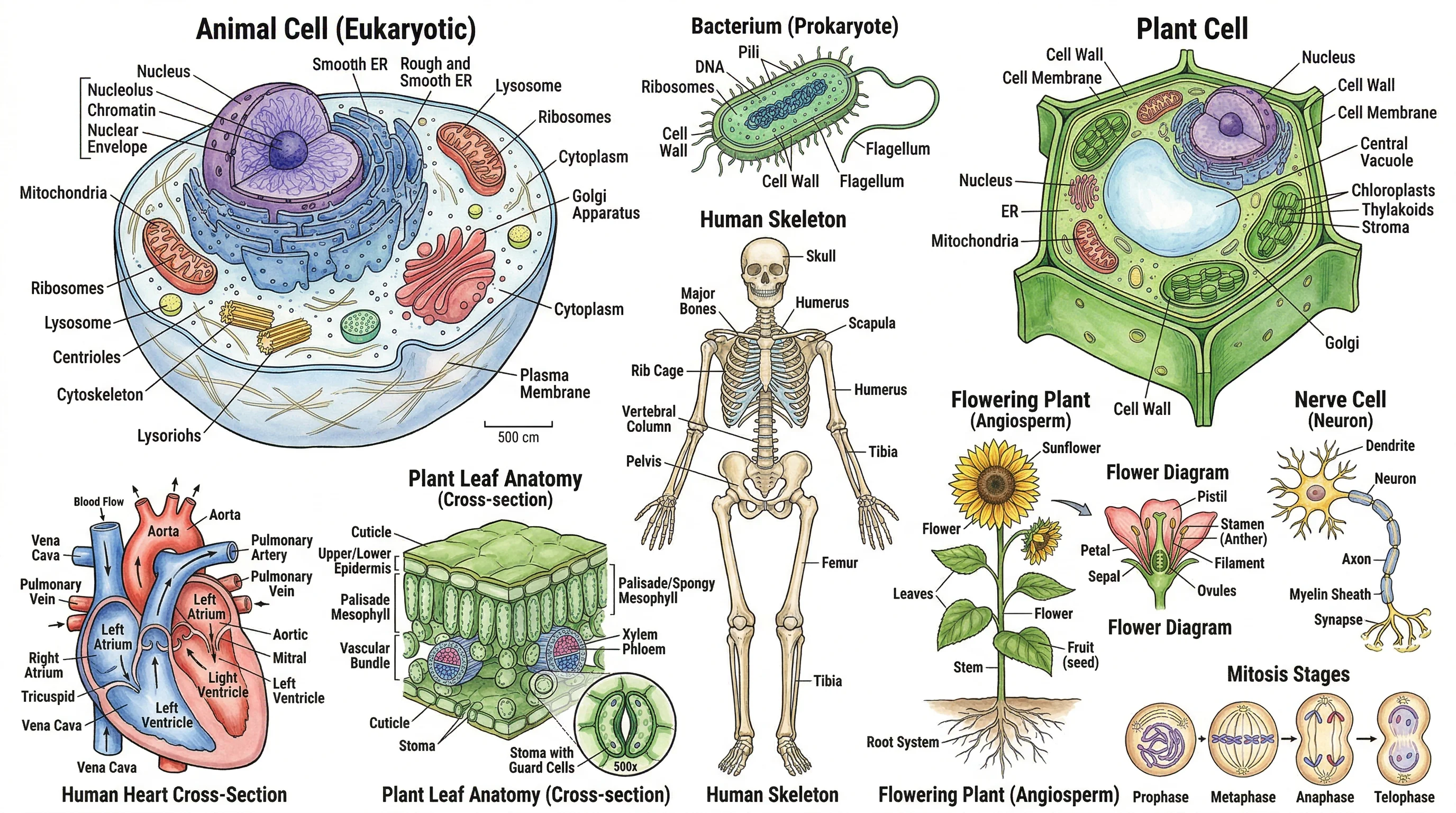
Biology Drawing Guide: Create Scientific Diagrams (2026)
Learn how to create accurate biology drawings and scientific diagrams. Covers cell diagrams, organism drawings, labeling techniques, and AI-powered tools.
Biology drawing is one of the most fundamental skills in the life sciences. Whether you are a student sketching a cell for the first time or a researcher preparing publication-quality figures, the ability to create clear, accurate biological diagrams is essential for communicating scientific ideas.
This guide covers everything you need to know about biology drawing in 2026 — from foundational principles and diagram types to modern digital methods and AI-powered tools that can generate professional biology diagrams in seconds.
What Is Biology Drawing?
Biology drawing, also known as scientific biological illustration, is the practice of creating visual representations of living organisms, their structures, and biological processes. Unlike artistic sketches, biology drawings follow strict scientific conventions designed to maximize accuracy and clarity.
A biology drawing serves several critical purposes:
- Communication: Conveying complex biological structures and processes visually
- Documentation: Recording observations from microscopy, fieldwork, or dissection
- Education: Teaching students about anatomy, cell biology, ecology, and physiology
- Research: Illustrating findings for journal articles, textbooks, and presentations
Biology drawing differs from general illustration in its commitment to scientific accuracy. Every line, label, and proportion must faithfully represent the biological subject. As the Guild of Natural Science Illustrators emphasizes, scientific illustrations must be "accurate, informative, and visually compelling."
| Feature | Biology Drawing | Artistic Drawing |
|---|---|---|
| Primary goal | Scientific accuracy | Aesthetic expression |
| Proportions | Must reflect real measurements | Can be stylized |
| Labeling | Required with leader lines | Optional |
| Shading | Used to show depth and texture | Used for mood and effect |
| Color | Follows biological conventions | Creative freedom |
| Scale | Must include scale bar or magnification | Not required |
Key Principles of Biology Drawing
Whether you are drawing by hand or using digital tools, these principles apply to every biology diagram.
1. Accuracy Above All
The most important rule of biology drawing is accuracy. Every structure must be drawn in correct proportion to other structures. If you are drawing a cell, the nucleus should not be larger than the cell itself. If you are illustrating an organism, limb ratios and body proportions should reflect reality.
Practical tips:
- Work from actual specimens, micrographs, or verified reference images
- Measure and compare proportions before committing to the final drawing
- Cross-reference your drawing with textbook diagrams and peer-reviewed sources
2. Clear and Consistent Labeling
Labels are what transform a sketch into a scientific diagram. Every significant structure should be identified with a clear label connected by a straight leader line (not curved arrows or freehand lines).
Labeling conventions:
- Use horizontal leader lines that do not cross each other
- Place labels outside the drawing, aligned neatly on one or both sides
- Use standard biological terminology (e.g., "mitochondrion" not "powerhouse")
- Include a title that states the subject and magnification if applicable
3. Appropriate Scale and Magnification
Biology drawings span an enormous range of scales — from molecular structures measured in nanometers to ecosystem maps covering hundreds of kilometers. Always indicate the scale of your drawing.
- Microscopy drawings: Include the magnification (e.g., x400) or a scale bar
- Organism drawings: Note the actual size or use a ratio scale
- Process diagrams: Use consistent sizing for sequential steps
4. Cross-Sections and Cutaway Views
Many biological structures are three-dimensional, but drawings are two-dimensional. Cross-sections and cutaway views solve this problem by showing internal structures that would otherwise be hidden.
- Use stippling (dots) or hatching (parallel lines) to indicate cut surfaces
- Label the plane of section (transverse, longitudinal, or oblique)
- Show both the external view and the cross-section when both are informative
5. Use of Stippling Over Shading
In traditional biology drawing, stippling (creating tone through dots) is preferred over pencil shading. Stippling reproduces more cleanly in print and avoids the ambiguity of graphite gradients.
- Denser dots indicate darker areas or recessed structures
- Fewer dots indicate lighter areas or raised surfaces
- Avoid solid black fills except for structures that are naturally dark (e.g., pupil of an eye)
Types of Biology Drawings
Biology drawing encompasses many sub-disciplines. Here are the most common types you will encounter.
Cell Diagrams
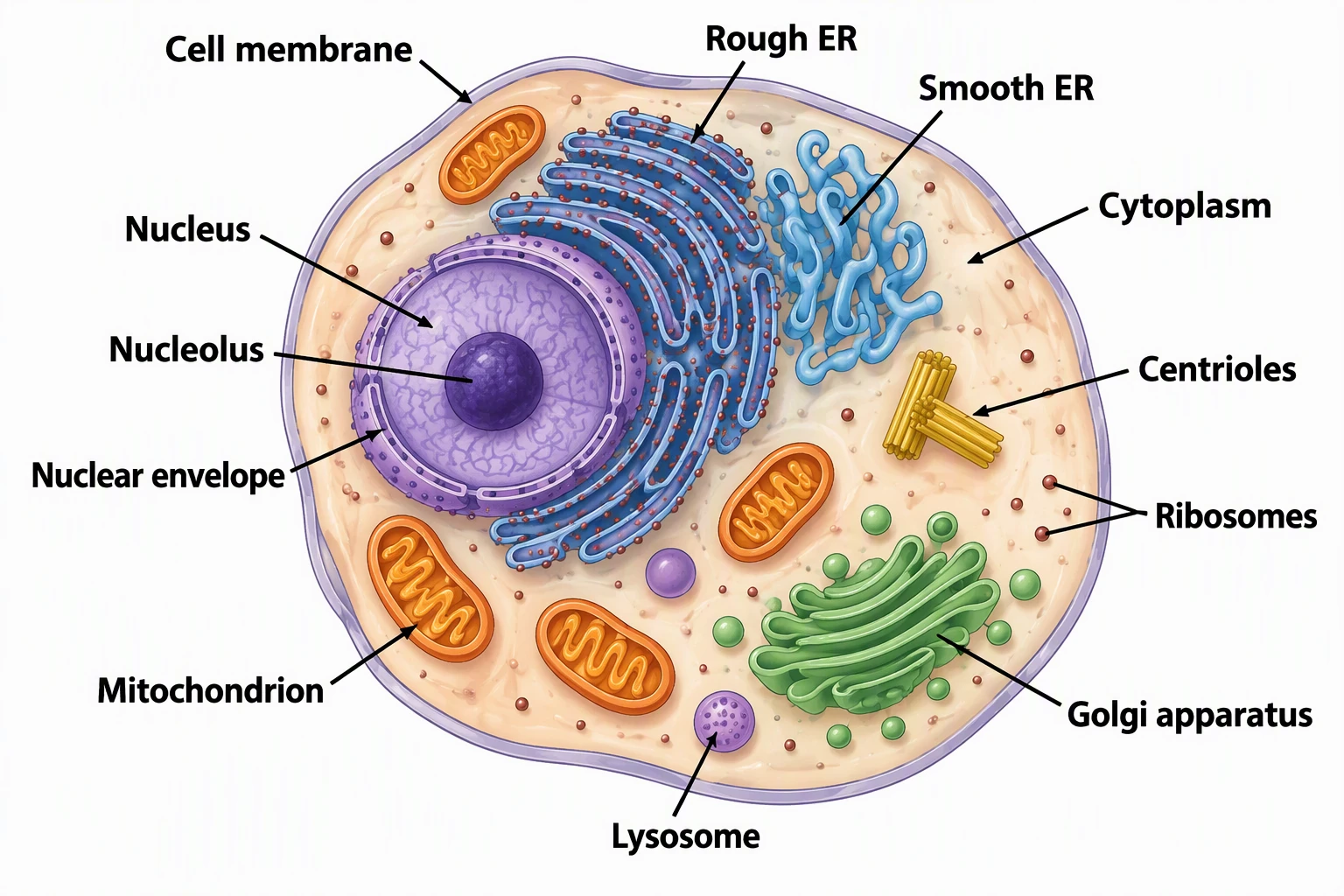
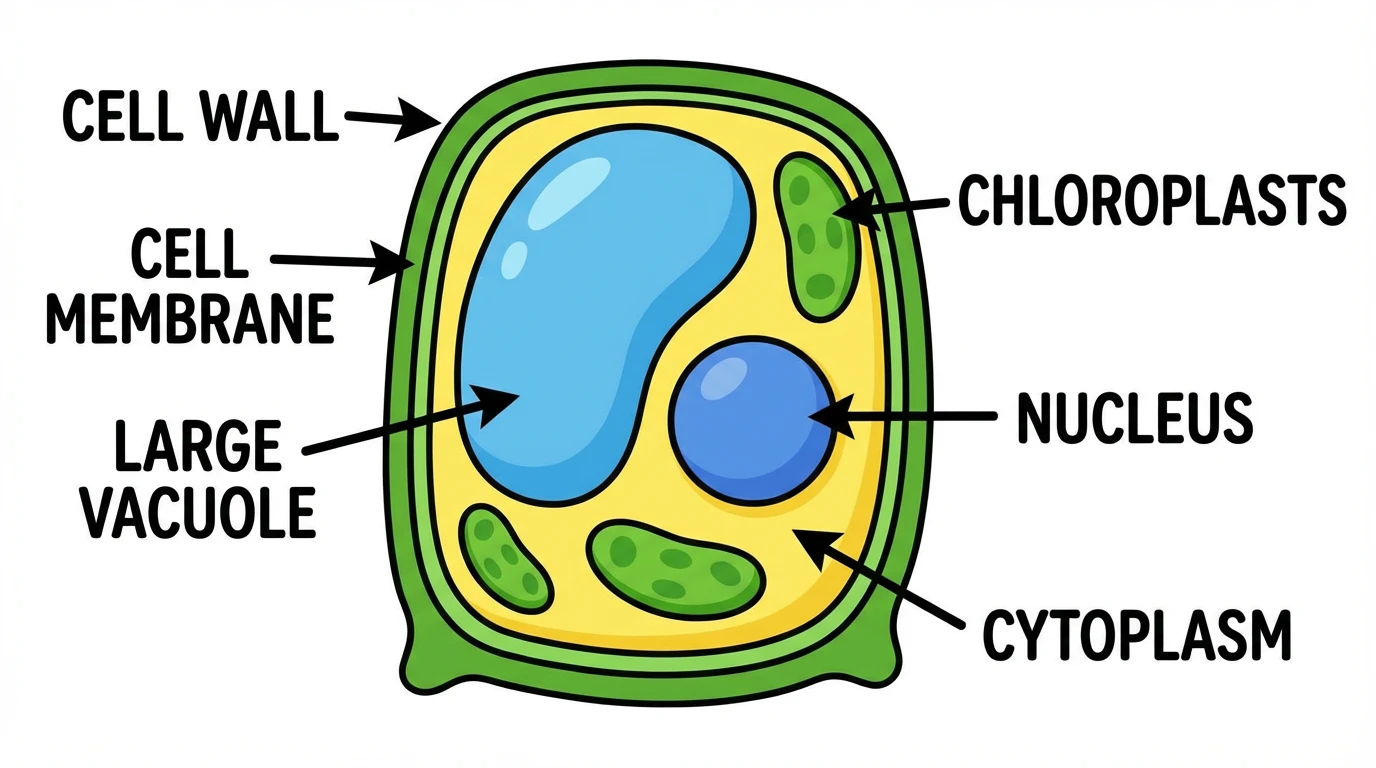
Cell diagrams are arguably the most frequently drawn biology illustrations, from middle school through graduate research. They include:
-
Animal cell diagrams: Showing the nucleus, mitochondria, endoplasmic reticulum, Golgi apparatus, lysosomes, and cell membrane
-
Plant cell diagrams: Including the cell wall, chloroplasts, central vacuole, and plasmodesmata in addition to shared organelles
-
Prokaryotic cell diagrams: Depicting the nucleoid region, ribosomes, flagella, and cell wall of bacteria
-
Specialized cell types: Neurons, red blood cells, muscle fibers, and epithelial cells
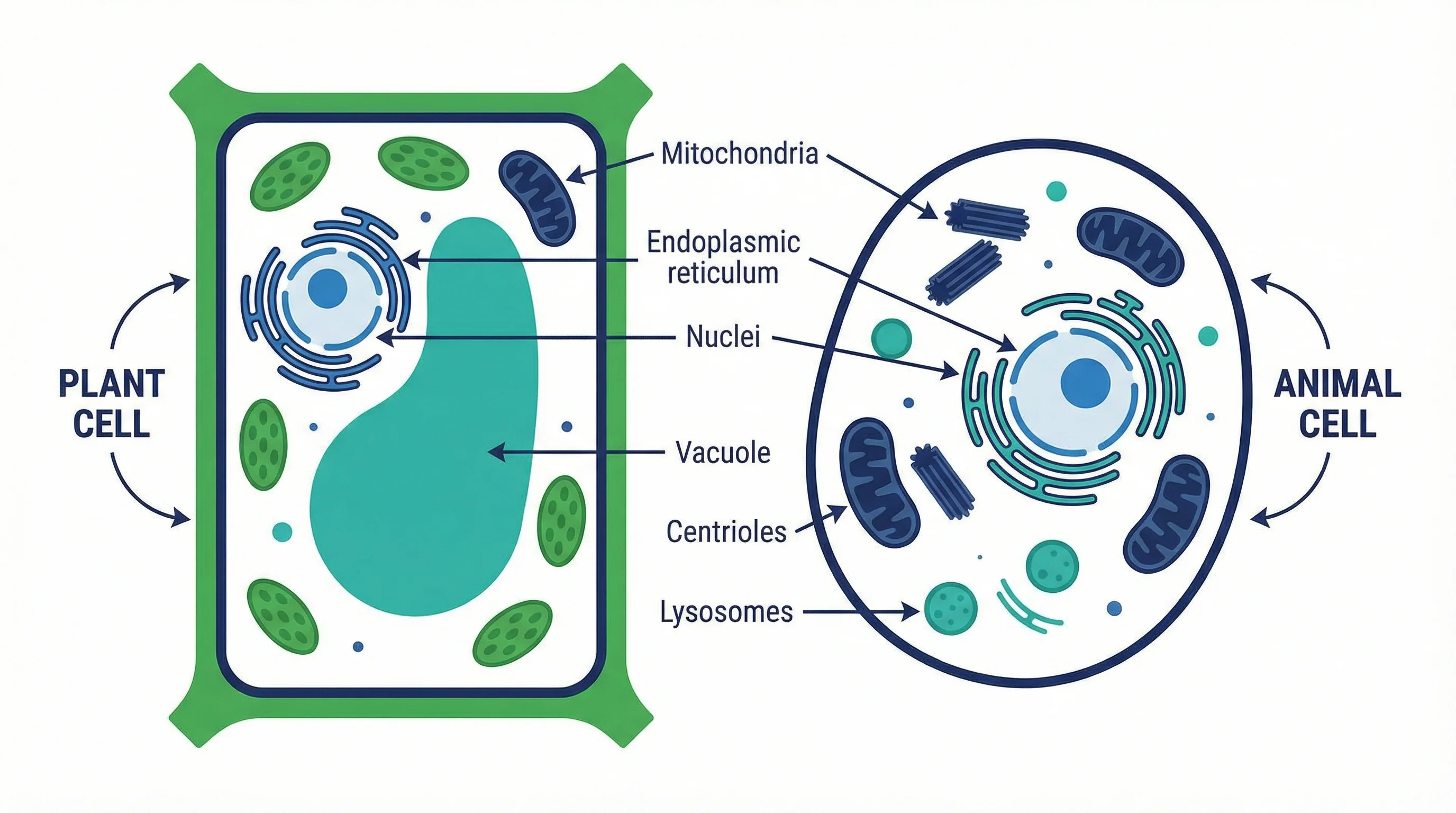
Animal Cell Diagram Generator
Generate detailed, labeled animal cell diagrams instantly with AI. Perfect for biology education, worksheets, and research papers.
Try it free →Plant Cell Diagram Generator
Create labeled or unlabeled plant cell diagrams instantly with AI. Perfect for worksheets, presentations, and classroom posters.
Try it free →For a detailed comparison of plant and animal cells, see our Plant Cell vs Animal Cell Differences Guide.
Organism and Anatomical Drawings
Whole-organism drawings document external morphology, while anatomical drawings reveal internal systems:
- External morphology: Body plans, appendages, surface features, and coloration patterns
- Skeletal systems: Bone structure, joints, and comparative anatomy
- Organ systems: Digestive, respiratory, circulatory, nervous, and reproductive systems
- Dissection diagrams: Showing the arrangement of internal organs as exposed during dissection
Ecological and Environmental Diagrams
These drawings illustrate relationships between organisms and their environments:
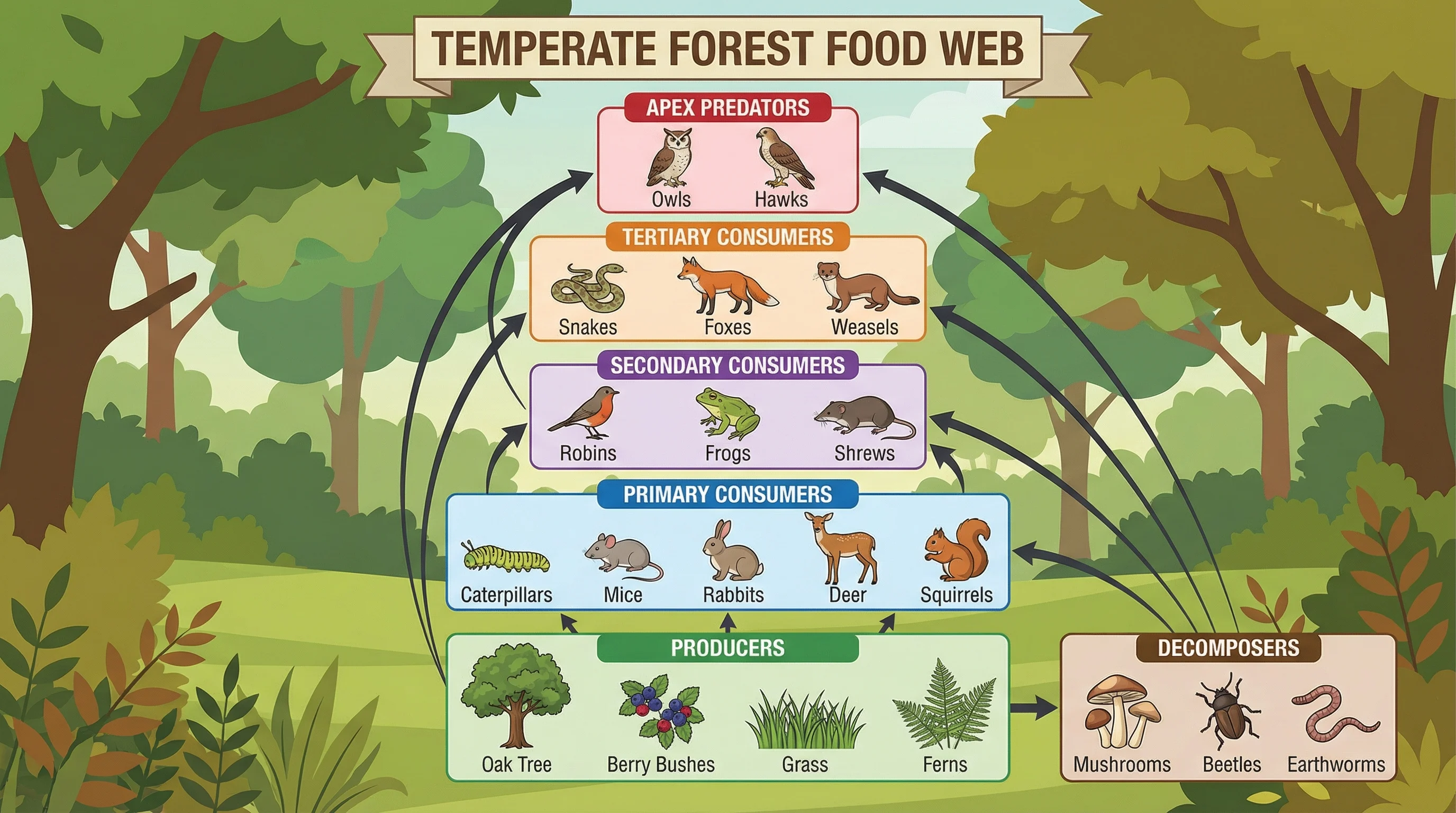
- Food webs and food chains: Showing energy flow through trophic levels
- Ecosystem diagrams: Depicting habitat structure and species interactions
- Life cycles: Illustrating stages of development from birth to reproduction
- Biogeochemical cycles: The water cycle, nitrogen cycle, carbon cycle, and more
Process and Pathway Diagrams
Biological processes are often best explained through sequential diagrams:
- Photosynthesis: Light reactions and the Calvin cycle
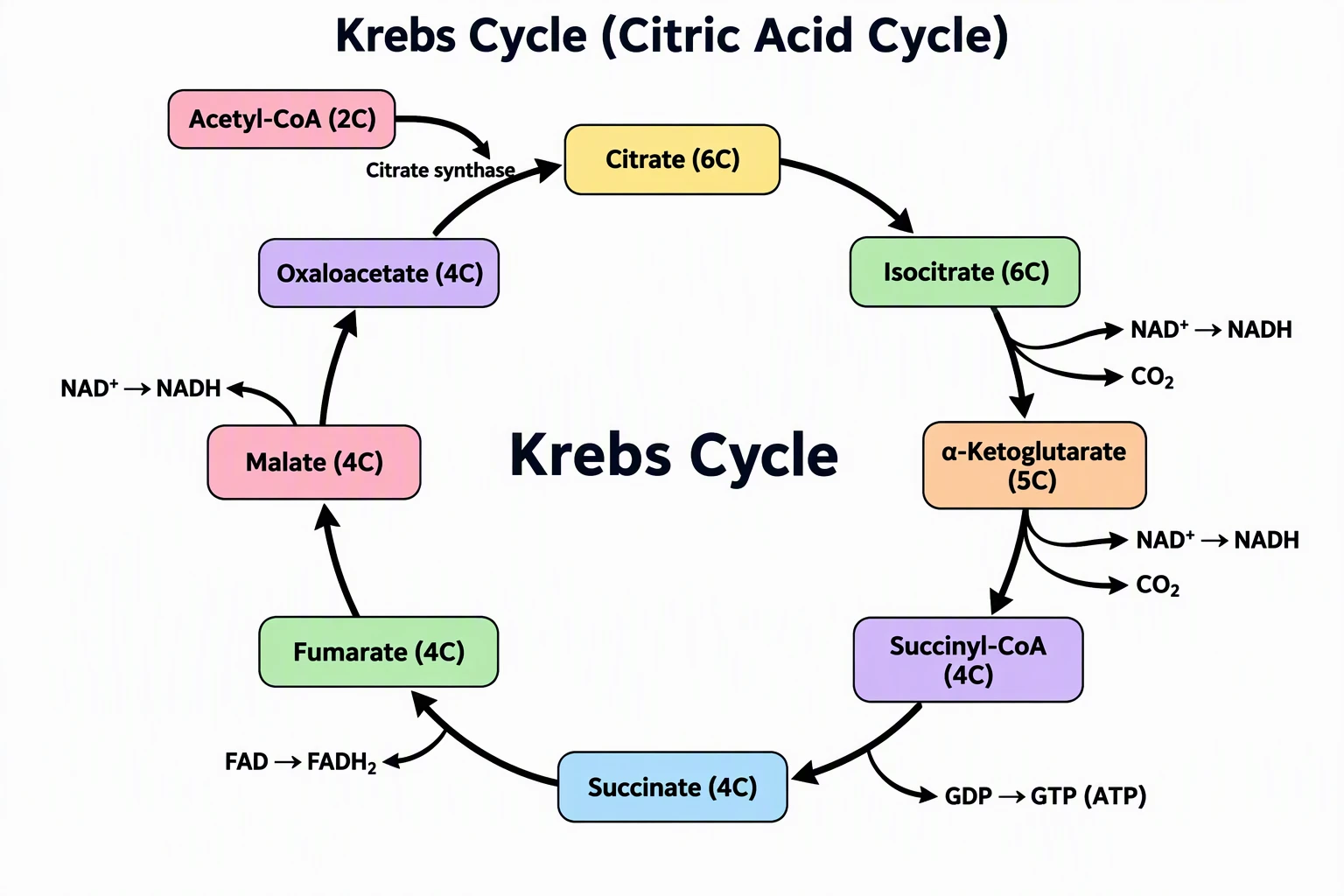
- Cellular respiration: Glycolysis, the Krebs cycle, and oxidative phosphorylation
- Mitosis and meiosis: Stages of cell division with chromosome behavior
- DNA replication and protein synthesis: Transcription and translation steps
- Signal transduction pathways: Receptor activation through cellular response
Molecular and Structural Biology Drawings
At the smallest scale, biology drawing depicts molecular structures:
- Protein structures: Primary through quaternary structure representations
- DNA and RNA: Double helix, nucleotide structure, and base pairing
- Membrane structure: The fluid mosaic model with phospholipids, proteins, and cholesterol
- Enzyme-substrate interactions: Lock-and-key and induced-fit models
Traditional vs Digital Biology Drawing Methods
Traditional (Hand-Drawn) Methods
Hand drawing remains a valuable skill, especially for laboratory observations and fieldwork.
Tools needed:
- HB and 2H pencils for fine lines
- Technical pens (0.1mm to 0.5mm) for inking
- Stippling pens for tonal work
- Ruler and compass for geometric elements
- Tracing paper for overlays and revisions
- High-quality paper (Bristol board or cartridge paper)
Advantages:
- Develops observational skills and attention to detail
- No technology or software costs
- Suitable for fieldwork where digital devices are impractical
- Many biology exams still require hand-drawn diagrams
Limitations:
- Time-consuming for complex diagrams
- Difficult to edit or revise without starting over
- Hard to reproduce or share digitally
- Inconsistent results depending on drawing skill
Digital Methods
Digital biology drawing has become the standard for publication and professional use.
Popular software:
- Adobe Illustrator: Industry standard for vector-based scientific illustration
- Inkscape: Free, open-source alternative to Illustrator
- BioRender: Purpose-built for life science illustrations with drag-and-drop components
- Procreate / Krita: Digital painting apps suitable for more artistic biology illustrations
- GIMP: Free raster editing for photo-based biology diagrams
Advantages:
- Easy editing, undoing, and versioning
- Precise control over proportions and alignment
- Scalable vector graphics that maintain quality at any size
- Consistent style across multiple figures
- Easy to share and collaborate
Limitations:
- Learning curve for professional software
- Cost of premium tools (Adobe Creative Cloud, BioRender subscriptions)
- Requires a computer or tablet
- Can feel less intuitive than drawing by hand
AI-Powered Biology Drawing Tools
The newest category of biology drawing tools uses artificial intelligence to generate diagrams from text descriptions. These tools represent a significant shift in how biology diagrams are created.
How AI biology drawing works:
- You describe the biology diagram you need in plain language
- The AI interprets your description and generates a scientifically accurate diagram
- You review and refine the output
Advantages of AI-powered tools:
- Generate publication-quality diagrams in seconds
- No drawing skill required
- Consistent, professional results every time
- Cost-effective compared to hiring illustrators
- Easy to iterate on designs with text-based adjustments
ConceptViz is an AI-powered platform designed specifically for scientific and educational diagrams. It offers specialized generators for common biology drawings, including animal cell diagrams, plant cell diagrams, photosynthesis diagrams, food web diagrams, and many more.
Step-by-Step: How to Draw a Biology Diagram
Whether you are working by hand or digitally, follow these steps to create an effective biology diagram.
Step 1: Define Your Purpose
Before picking up a pencil or opening software, clarify what the diagram needs to communicate:
- What biological concept or structure is the subject?
- Who is the audience (students, researchers, general public)?
- What level of detail is appropriate?
- Will it be printed, displayed digitally, or projected?
Step 2: Gather References
Never draw from memory alone. Collect multiple reference sources:
- Textbook diagrams and micrographs
- Peer-reviewed journal figures
- High-resolution microscopy images
- Verified online databases (e.g., NCBI, UniProt)
Step 3: Plan the Layout
Sketch a rough layout before committing to the final version:
- Decide on the orientation (portrait or landscape)
- Determine what structures to include and exclude
- Plan where labels will go (avoid overcrowding)
- Consider whether multiple views (e.g., external + cross-section) are needed
Step 4: Draw the Outline
Start with the largest structures and work inward:
- Draw the outer boundary (cell membrane, body outline, or organ contour)
- Add major internal structures in correct proportion
- Add smaller details and sub-structures
- Use light pencil lines that can be refined later
Step 5: Add Detail and Texture
Once the basic shapes are in place:
- Add stippling or patterns to indicate different tissue types
- Use line thickness to distinguish foreground from background
- Include internal features like cristae in mitochondria or thylakoids in chloroplasts
- Ensure organelles and structures are recognizable by their standard shapes
Step 6: Label Everything
Apply labels following biological conventions:
- Write labels horizontally, not at angles
- Use straight leader lines with a small dot or arrow at the structure
- Avoid crossing leader lines
- Add a title, magnification, and any necessary annotations
- Use consistent font size and style for all labels
Step 7: Review for Accuracy
Before finalizing:
- Compare your diagram against multiple reference sources
- Check that proportions are realistic
- Verify all labels use correct terminology
- Ensure the scale bar or magnification is accurate
- Ask a peer or instructor to review if possible
Common Mistakes to Avoid
Even experienced biology students and researchers make these errors. Being aware of them will immediately improve your diagrams.
1. Incorrect Proportions
Drawing the nucleus as half the cell's diameter, or making mitochondria the same size as the nucleus, destroys the scientific value of the diagram. Always check relative sizes against micrographs.
2. Missing or Sloppy Labels
A biology diagram without labels is just a picture. Labels are what make it a scientific communication tool. Use neat, horizontal text with straight leader lines.
3. Artistic Shading Instead of Stippling
Heavy pencil shading looks muddy when reproduced and does not follow biological illustration conventions. Use stippling for tone and texture.
4. Drawing from Memory
Memory is unreliable. Even experts misremember structural details. Always work from verified references.
5. Overcrowding the Diagram
Trying to include every possible structure in a single diagram makes it unreadable. Focus on the structures relevant to your purpose and create separate diagrams for different aspects.
6. Ignoring Scale
A diagram without a scale bar or magnification notation is scientifically incomplete. Always indicate scale.
7. Using Non-Standard Terminology
Use accepted biological nomenclature. Write "endoplasmic reticulum," not "ER tubes." Write "Golgi apparatus," not "Golgi body" (unless your curriculum specifically uses that term).
8. Forgetting the Title
Every biology diagram needs a descriptive title that tells the viewer exactly what they are looking at, including the organism, structure, view type, and magnification where applicable.
Biology Drawing for Different Education Levels
Middle School (Grades 6-8)
At this level, biology drawings should be:
- Simple and clearly labeled
- Focused on major organelles (nucleus, cell membrane, mitochondria, cell wall for plants)
- Color-coded for easy identification
- Accompanied by brief function descriptions
High School (Grades 9-12)
High school biology drawings require:
- Greater structural detail (e.g., rough and smooth ER, nuclear pores)
- Proper stippling technique
- Scale bars or magnification notation
- Comparison diagrams (plant vs. animal, mitosis vs. meiosis)
University and Research
At the university level and beyond:
- Publication-quality figures following journal guidelines
- Molecular-level detail where appropriate
- Integration with data visualizations (graphs, charts)
- Adherence to specific style guides (e.g., Nature, Cell, Science)
For guidance on creating figures for top journals, see our guide to making figures for Nature and Science journals.
Tools and Resources for Biology Drawing
Free Tools
| Tool | Best For | Platform |
|---|---|---|
| Inkscape | Vector diagrams | Windows, Mac, Linux |
| GIMP | Photo-based diagrams | Windows, Mac, Linux |
| draw.io | Flowcharts and process diagrams | Web-based |
| ConceptViz | AI-generated biology diagrams | Web-based |
Premium Tools
| Tool | Best For | Price Range |
|---|---|---|
| Adobe Illustrator | Professional vector illustration | $22/month |
| BioRender | Life science diagrams | $39/month+ |
| Procreate | Digital painting on iPad | $13 one-time |
| Affinity Designer | Vector alternative to Illustrator | $70 one-time |
AI-Powered Generators
For quick, accurate biology diagrams, ConceptViz offers specialized tools:
- Animal Cell Diagram Generator — Labeled and unlabeled animal cell diagrams
- Plant Cell Diagram Generator — Detailed plant cell illustrations
- Photosynthesis Diagram Generator — Light reactions and Calvin cycle visuals
- Food Web Maker — Ecosystem food web diagrams
- Life Cycle Diagram Generator — Organism life cycle illustrations
- Krebs Cycle Diagram Generator — Cellular respiration pathway diagrams
- Phylogenetic Tree Maker — Evolutionary relationship diagrams
Frequently Asked Questions
What is biology drawing?
Biology drawing is the practice of creating accurate visual representations of living organisms, their structures, and biological processes for scientific communication, education, and research. It follows strict conventions for labeling, scale, and proportion to ensure scientific accuracy.
What are the basic rules for biology drawing?
The basic rules include drawing in correct proportion, using stippling instead of shading, labeling all structures with straight horizontal leader lines, including a title and scale bar or magnification, working from verified references rather than memory, and using standard biological terminology.
What tools do I need for biology drawing?
For hand drawing, you need HB and 2H pencils, technical pens (0.1-0.5mm), a ruler, and quality paper. For digital work, popular options include Adobe Illustrator, BioRender, and Inkscape. AI-powered tools like ConceptViz can generate biology diagrams from text descriptions without any drawing skill.
How do I draw a cell diagram for biology class?
Start by drawing the cell membrane (and cell wall for plant cells) as the outer boundary. Add the nucleus as the largest organelle, then add mitochondria, endoplasmic reticulum, Golgi apparatus, and other organelles in correct relative proportions. Label every structure with straight leader lines and include a title with magnification.
What is the difference between a biology drawing and an artistic drawing?
Biology drawings prioritize scientific accuracy over aesthetics. They require correct proportions, standardized labeling, scale indicators, and stippling for tone. Artistic drawings allow creative freedom with style, color, and composition. In biology drawing, every detail must be scientifically verifiable.
Can AI tools create accurate biology diagrams?
Yes, modern AI tools like ConceptViz can generate scientifically accurate biology diagrams from text descriptions. These tools are trained on scientific conventions and produce publication-quality cell diagrams, process illustrations, and anatomical drawings in seconds. They are especially useful for students and researchers who need professional diagrams quickly.
Категории
Ещё публикации
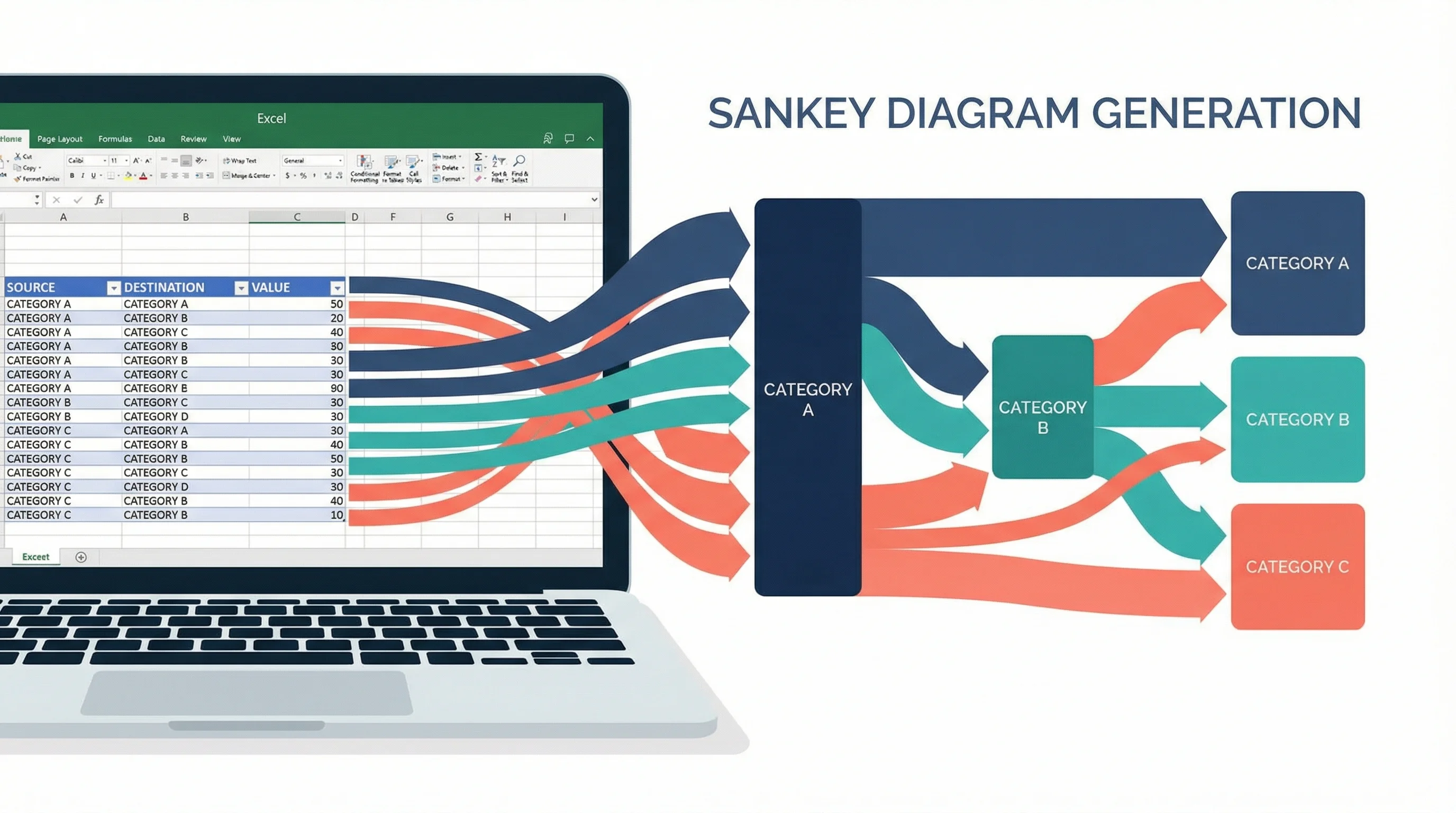
How to Create a Sankey Diagram in Excel: Step-by-Step Guide (2026)
Learn how to make Sankey diagrams in Excel using add-ins, manual workarounds, and dedicated tools. A step-by-step guide with templates and alternatives.
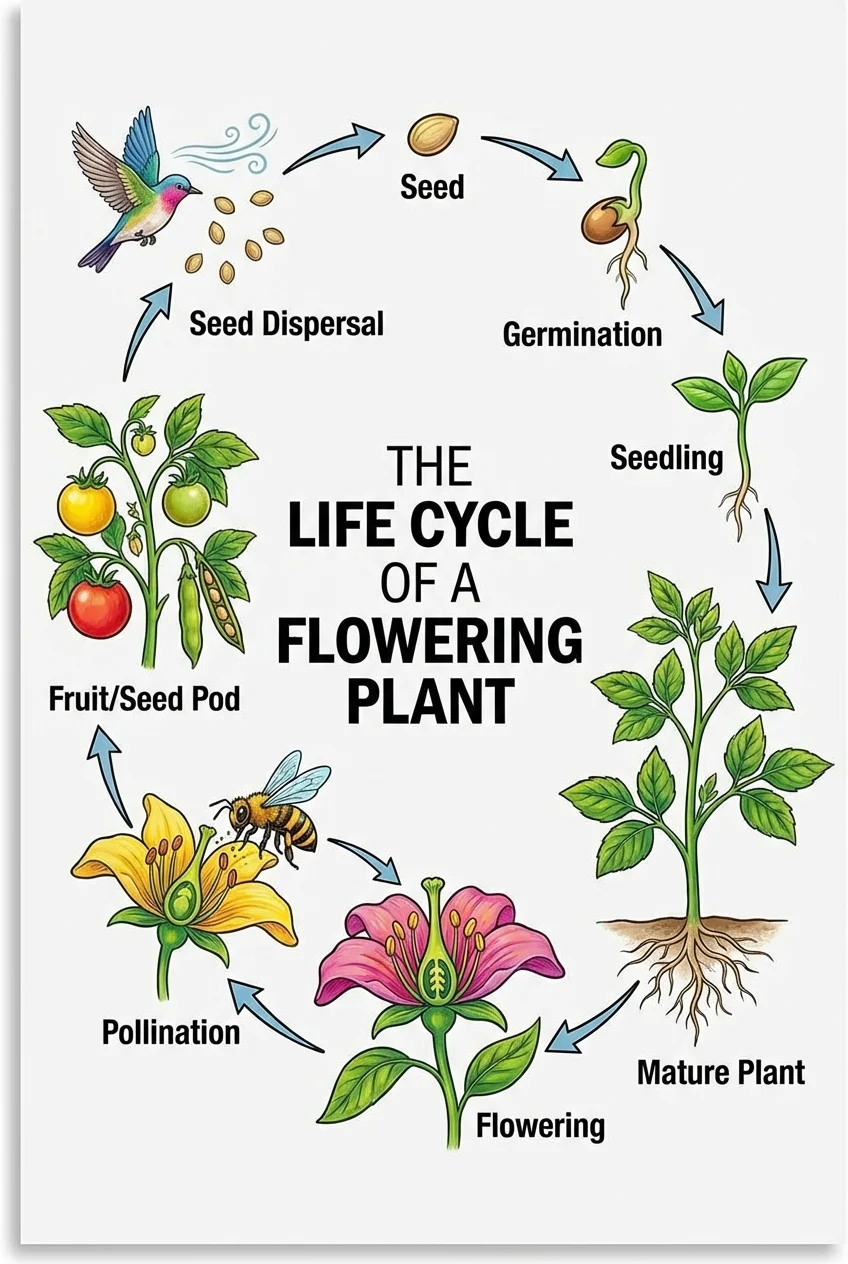
Free Printable Life Cycle Worksheets for Teachers (2026)
Free printable life cycle worksheets for plants, butterflies, frogs, and chickens, with labeled diagrams, blank quiz worksheets, and NGSS-aligned activities.
How to Create a Scatter Plot Diagram: Complete Guide for Researchers & Students (2026)
Learn how to draw a scatter diagram in Excel, Python, R, and with AI tools. A step-by-step scatter plot guide with best practices and common mistakes.