7 Best Free Lucidchart Alternatives 2026: No 3-Doc Limit
Lucidchart limits free accounts to 3 documents. These 7 alternatives offer unlimited diagrams free: draw.io, Canva, Miro, Excalidraw & ConceptViz.
Lucidchart is one of the most popular diagramming tools, used by over 70 million users worldwide. But at $9/month for individuals or up to $36.50/month for teams, many users find it hard to justify the cost — especially when excellent free alternatives exist.
In this guide, we'll compare 7 best free Lucidchart alternatives for creating flowcharts, diagrams, mind maps, and more. Whether you need a simple sketching tool or a full-featured diagramming platform, you'll find the right option here.
AI Flowchart Generator
Create professional flowcharts and diagrams with AI. No design skills needed.
Try it free →Why Look for Lucidchart Alternatives?
Before diving into alternatives, let's understand why Lucidchart might not be the best fit for everyone:
| Issue | Details |
|---|---|
| Pricing | $9/month individual, $30/month team (3 licenses) |
| Free Plan Limits | Only 3 editable documents, 60 shapes per document |
| Learning Curve | Complex interface designed for business users |
| Target Audience | Built for enterprise users, overkill for simple diagrams |
| Storage Limits | Free plan only includes 250MB storage |
According to Capterra's comparison data, many users rate Lucidchart lower on value-for-money (4.4/5) compared to free alternatives like draw.io (4.7/5).
Quick Comparison: 7 Best Free Lucidchart Alternatives
| Tool | Price | Best For | Ease of Use |
|---|---|---|---|
| draw.io | Free | General diagrams & flowcharts | Easy |
| Canva | Free tier | Visual diagrams & presentations | Very Easy |
| ConceptViz | Free tier + paid | AI-generated science diagrams | Very Easy |
| Miro | Free tier | Collaborative whiteboards | Easy |
| Creately | Free tier | Team diagramming | Moderate |
| Excalidraw | Free | Hand-drawn style diagrams | Very Easy |
1. draw.io (diagrams.net) — Best Free Alternative Overall
Price: 100% Free, open-source
draw.io (also known as diagrams.net) is the most popular free alternative to Lucidchart. According to Software Advice's 2025 comparison, draw.io scores higher on value-for-money than Lucidchart.
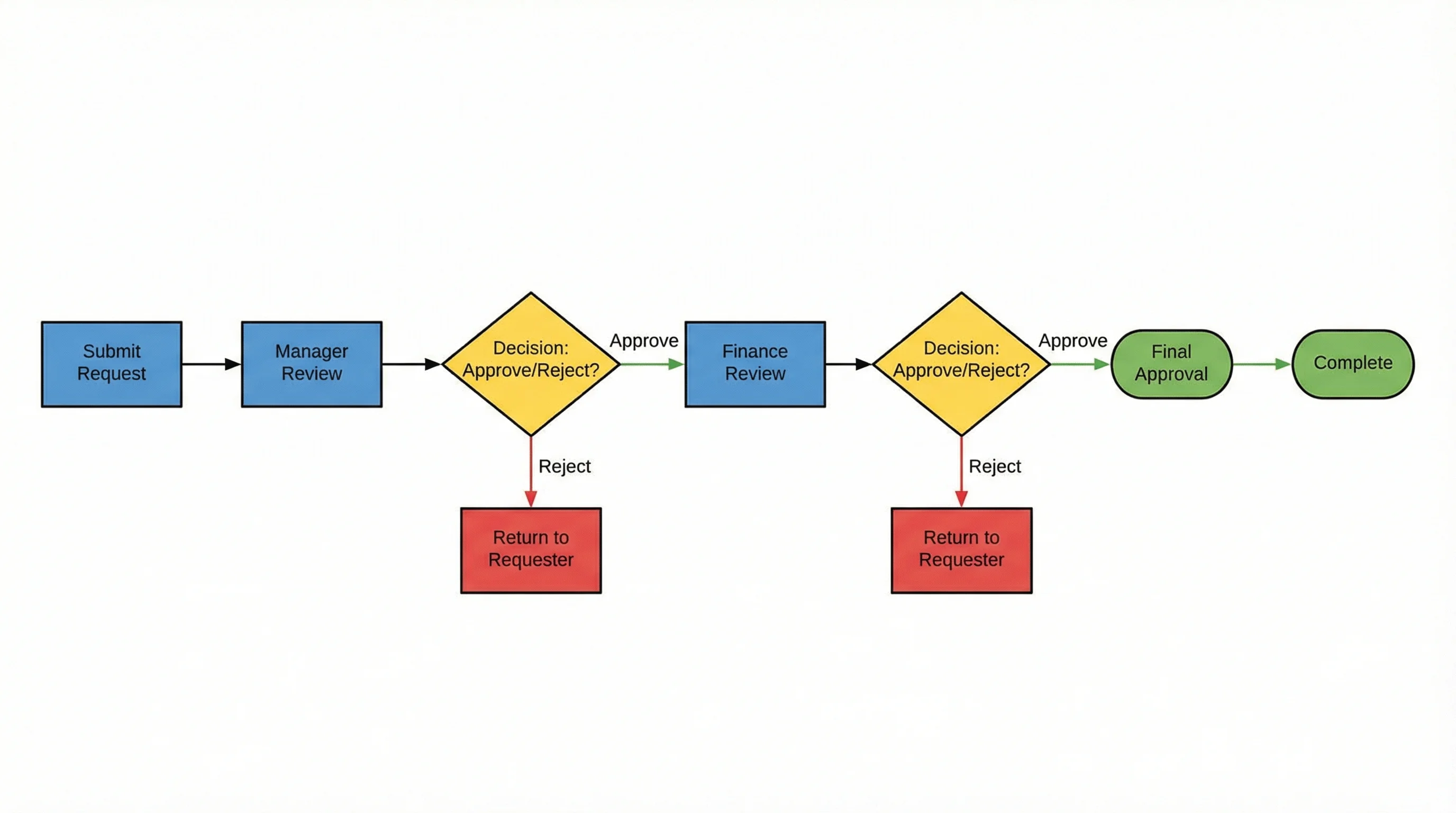
 Educational diagrams like this energy comparison can be created with free tools like draw.io or ConceptViz.
What You Get:
- No account required — start creating immediately
- Works offline — download the desktop app for Windows, Mac, or Linux
- Cloud integration — save to Google Drive, OneDrive, Dropbox, or locally
- Extensive shape libraries — flowcharts, UML, network diagrams, and more
- SVG/PNG/PDF export — high-quality exports for worksheets
Key Advantages Over Lucidchart:
According to Gleek's 2025 comparison:
- draw.io is completely free with no usage limits
- No sign-up required to start creating
- Better offline capabilities with desktop apps
- Open-source and privacy-friendly
Best For:
- Teachers who need unlimited free diagrams
- Schools that require privacy-compliant tools
- Creating flowcharts, mind maps, and process diagrams
- Those comfortable with basic design tools
Limitations:
- Less polished interface than Lucidchart
- Fewer real-time collaboration features
- No AI-powered features
Verdict: If you want a completely free Lucidchart replacement with no limits, draw.io is the best choice.
2. Canva — Best for Visual Diagrams & Presentations
Price: Free tier + Pro from $12.99/month (Free for educators)
Canva is a versatile design platform with powerful diagramming capabilities. It's become one of the most popular tools for creating visual content of all kinds.
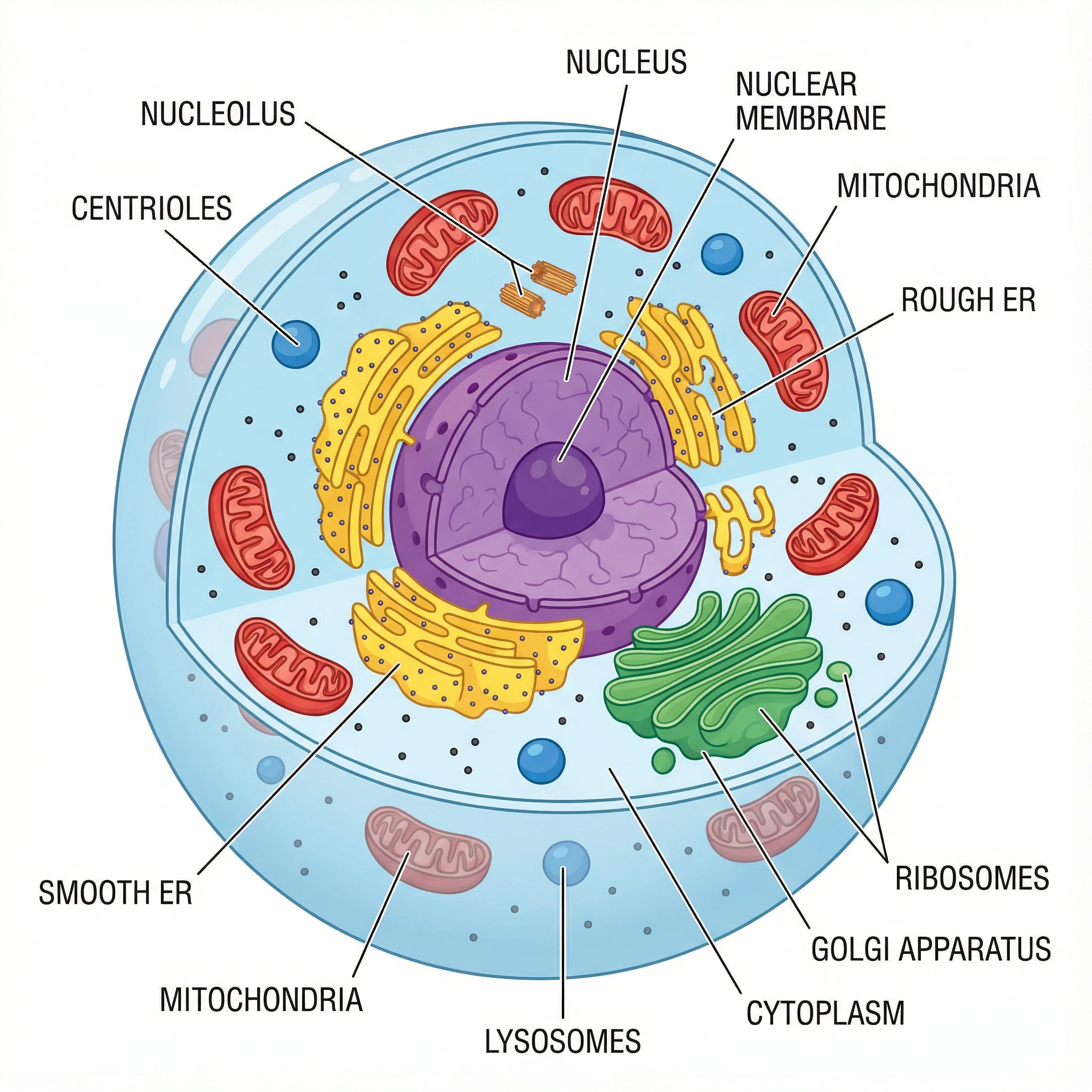 Science diagrams like this labeled animal cell can be created with Canva or ConceptViz.
What You Get:
- Free flowchart maker — Canva's flowchart tool includes drag-and-drop shapes and automatic connectors
- 250,000+ templates — including flowcharts, mind maps, org charts, and more
- Quick Flow feature — automatically connects shapes as you build flowcharts
- Whiteboard feature — infinite canvas for brainstorming and diagramming
- Brand Kit — maintain consistent colors and fonts across diagrams
Best For:
- Creating visually appealing diagrams and presentations
- Marketing teams and content creators
- Collaborative projects with real-time editing
- Users who want an all-in-one design tool
Limitations:
- Less focused on technical diagramming than Lucidchart
- Science-specific shape libraries are limited
- Not ideal for complex flowcharts or UML diagrams
Verdict: Perfect for users who need beautiful visual materials beyond just diagrams.
3. ConceptViz — Best for AI-Generated Diagrams
Price: Free credits on signup, then pay-as-you-go credit packs from $5 — no subscription
ConceptViz takes a completely different approach: instead of manually dragging and dropping shapes, you describe what you need in plain English, and AI generates a professional diagram instantly.
 AI-generated plant life cycle diagram — created in seconds with ConceptViz.
What Makes It Unique:
- AI-powered generation — describe your diagram, get results in seconds
- Multiple output styles — labeled, unlabeled, and customizable versions
- Specialized generators — optimized for specific diagram types
- Science-focused tools:
Example Use Cases:
- Generate a labeled butterfly life cycle for biology presentations
- Create process flowcharts for documentation
- Make a water cycle diagram with custom complexity levels
- Produce black-and-white diagrams for printing
 Mitosis phases diagram — created with AI in seconds.
Best For:
- Users who need diagrams quickly without design skills
- Creating multiple variations of the same concept
- Anyone who wants AI to do the design work
- Science and educational content creators
Limitations:
- AI-generated content should be reviewed for accuracy
- Free tier has limited generations
- Focused on specific diagram types rather than general diagramming
Verdict: If you need professional diagrams without design skills, ConceptViz's AI saves hours of work.
4. Miro — Best for Collaborative Whiteboards
Price: Free tier (3 boards) + Paid from $8/user/month
Miro is a versatile online whiteboard platform that excels at real-time collaboration. According to ClickUp's 2025 comparison, Miro is more user-friendly than Lucidchart for beginners.
What You Get:
- Infinite canvas — no size limits for brainstorming
- 130+ integrations — twice as many as Lucidchart according to Miro's comparison page
- Miroverse templates — 2,500+ community-created templates
- Real-time collaboration — perfect for remote learning
- Built-in video chat — no need to switch apps
Best For:
- Virtual classroom activities
- Collaborative brainstorming sessions
- Design sprints and workshops
- Remote learning environments
Limitations:
- Free tier limited to 3 boards
- Less focused on precise technical diagramming
- Can be overwhelming for simple diagram needs
Verdict: Excellent for teachers who need collaborative, interactive whiteboard experiences.
5. Creately — Best for Team Diagramming
Price: Free tier (unlimited workspaces, 45 elements per workspace) + Paid from $8/month
Creately positions itself as a Lucidchart alternative with better collaboration features and easier interface.
What You Get:
- Unlimited workspaces on free plan
- Real-time cursor tracking — see where collaborators are working
- Built-in video chat — collaborate without switching apps
- In-context comments and tasks — keep feedback organized
- Agile project management — built-in tooling for workflows
Comparison with Lucidchart:
According to FinancesOnline, Creately scores 9.2 overall vs. Lucidchart's 8.9, with 92% user satisfaction vs. 89%.
Best For:
- Teacher teams creating shared resources
- Department-wide curriculum planning
- Schools that need affordable team licenses
Limitations:
- Free plan limited to 45 elements per workspace
- Fewer integrations than Lucidchart
Verdict: Great value for teacher teams who need to collaborate on diagrams.
6. Excalidraw — Best for Hand-Drawn Style Diagrams
Price: 100% Free, open-source
Excalidraw creates diagrams with a unique hand-drawn aesthetic that students often find more approachable than sterile corporate diagrams.
What You Get:
- Sketchy, hand-drawn style — less intimidating for students
- Real-time collaboration — share a link and work together
- No account required — start immediately
- End-to-end encryption — privacy-focused
- Export to PNG, SVG — use in any document
Best For:
- Making diagrams feel more informal and approachable
- Quick sketches during live lessons
- Collaborative problem-solving
- Teachers who want a "whiteboard" feel
Limitations:
- Limited shape libraries
- No templates
- Not suitable for precise technical diagrams
Verdict: Perfect for teachers who want diagrams that don't look "corporate."
7. Boardmix — Best for All-in-One Whiteboard
Price: Free tier + Paid from $7.99/month
Boardmix is an emerging diagramming platform that combines whiteboarding, mind mapping, and flowcharting in one tool.
What You Get:
- Multiple diagram types — flowcharts, mind maps, UML, org charts
- AI-powered features — generate diagrams with AI assistance
- Real-time collaboration — work with team members simultaneously
- Presentation mode — present diagrams directly from the platform
- Cloud storage — access your work from anywhere
Best For:
- Teams needing an all-in-one whiteboard solution
- Users who want AI-assisted diagramming
- Remote collaboration and brainstorming
- Creating various diagram types in one place
Limitations:
- Newer platform with smaller community
- Fewer integrations than established tools
Verdict: A promising all-in-one alternative with AI features, great for teams.
Bonus: Free Icon Libraries for DIY Diagrams
If you prefer building diagrams in PowerPoint, Google Slides, or other tools, these free icon libraries provide professional illustrations:
- Bioicons — 2,700+ free scientific icons in SVG format
- SciDraw — High-quality scientific drawings
- NIH BioART — Medical and biological illustrations
 Complex diagrams like this water cycle can be created with icon libraries or AI tools like ConceptViz.
Lucidchart Free Plan: What You Get
Before choosing an alternative, note that Lucidchart does offer a free plan:
- 3 editable documents maximum
- 60 shapes per document limit
- Basic features only
- Educational accounts get slightly more features
However, even the free plan has significant limitations compared to fully free alternatives like draw.io.
Which Tool Should You Choose?
Here's a quick decision guide:
Choose draw.io if:
- You want completely free, unlimited diagramming
- You need offline capabilities
- Privacy and data ownership matter to you
- You're comfortable with DIY design
Choose Canva if:
- You need various design materials beyond diagrams
- Visual appeal is important
- You want a large template library
- You prefer templates over building from scratch
Choose ConceptViz if:
- You need science or process diagrams
- You want labeled and unlabeled diagram versions
- You want AI to do the design work
- You need diagrams quickly without design skills
Choose Miro if:
- Real-time collaboration is essential
- You work remotely or hybrid
- You need interactive whiteboard features
- Brainstorming is important for your workflow
Choose Creately if:
- You work with a team
- You need project management features
- Video chat integration is helpful
Choose Excalidraw if:
- You want informal, hand-drawn style diagrams
- Quick sketches are more important than polish
- Privacy is a concern
Conclusion
You don't need to pay $9-36/month for Lucidchart to create professional diagrams. Whether you choose draw.io's unlimited free diagramming, Canva's beautiful templates, or ConceptViz's AI-powered diagram generation, there are excellent options for every need and budget.
Our top recommendations:
- Best free option: draw.io (diagrams.net)
- Best for visual materials: Canva
- Best for AI diagrams: ConceptViz
- Best for collaboration: Miro
Ready to create your first diagram? Try ConceptViz's free diagram generators — no design skills required.
 Unlabeled butterfly life cycle worksheet — perfect for student assessments.
FAQ
Is Lucidchart free?
Lucidchart offers a free plan with limited features: only 3 editable documents and 60 shapes per document. For unlimited free diagramming, draw.io is a better choice.
What's the best free alternative to Lucidchart?
draw.io (diagrams.net) is the best completely free alternative. It offers unlimited diagrams, no account required, and works offline. For science-specific diagrams, ConceptViz offers AI-powered generation.
Can I use these tools on a Chromebook?
Yes! draw.io, Canva, ConceptViz, Miro, Creately, and Excalidraw all work in web browsers and are compatible with Chromebooks. Lucidchart's free education plan also works on Chromebooks.
Which tool has the best templates?
Canva has the largest general template library with 250,000+ options. For science-specific diagrams (cells, life cycles, photosynthesis), ConceptViz offers specialized AI-powered generators.
Do I need design skills to use these tools?
Not for most of them. Canva, ConceptViz, and Excalidraw are designed for non-designers. draw.io and Creately require slightly more familiarity with diagramming concepts but are still accessible to beginners.
Can students collaborate on diagrams?
Yes. Miro, Canva, Creately, and Excalidraw all support real-time collaboration. draw.io supports collaboration through shared cloud storage (Google Drive, OneDrive).
Categories
More Posts

How to Make a Gantt Chart in Excel: Step-by-Step Project Timing Guide (2026)
Learn how to build a Gantt chart in Excel using a stacked bar chart, start dates, duration formulas, and milestone formatting. Includes Microsoft and ExcelJet references.
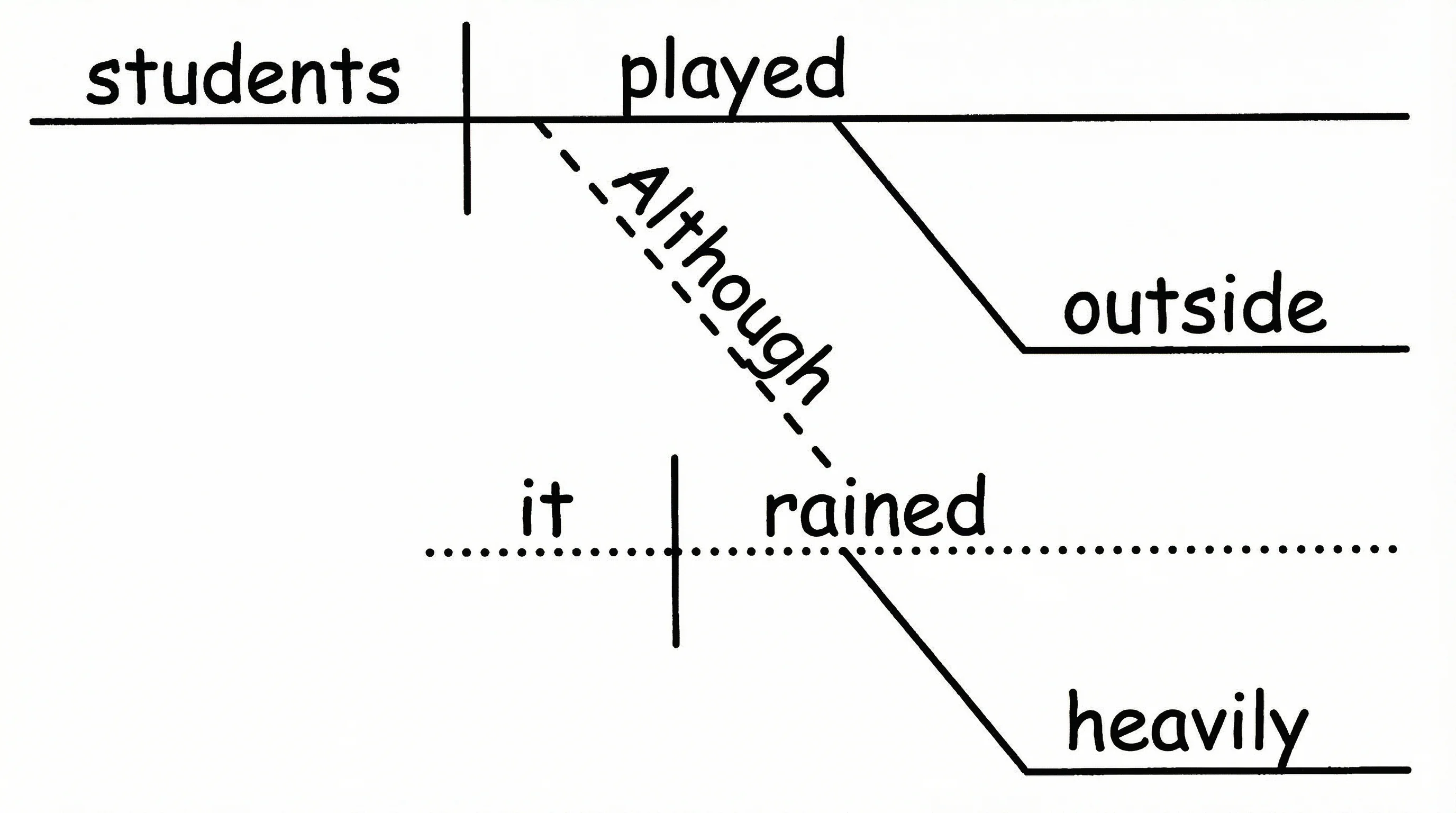
How to Diagram a Sentence: Complete Guide with Examples & Free Generator (2026)
Master sentence diagramming with our step-by-step Reed-Kellogg guide. See 15+ examples from simple to complex — or use our free AI sentence diagram generator.
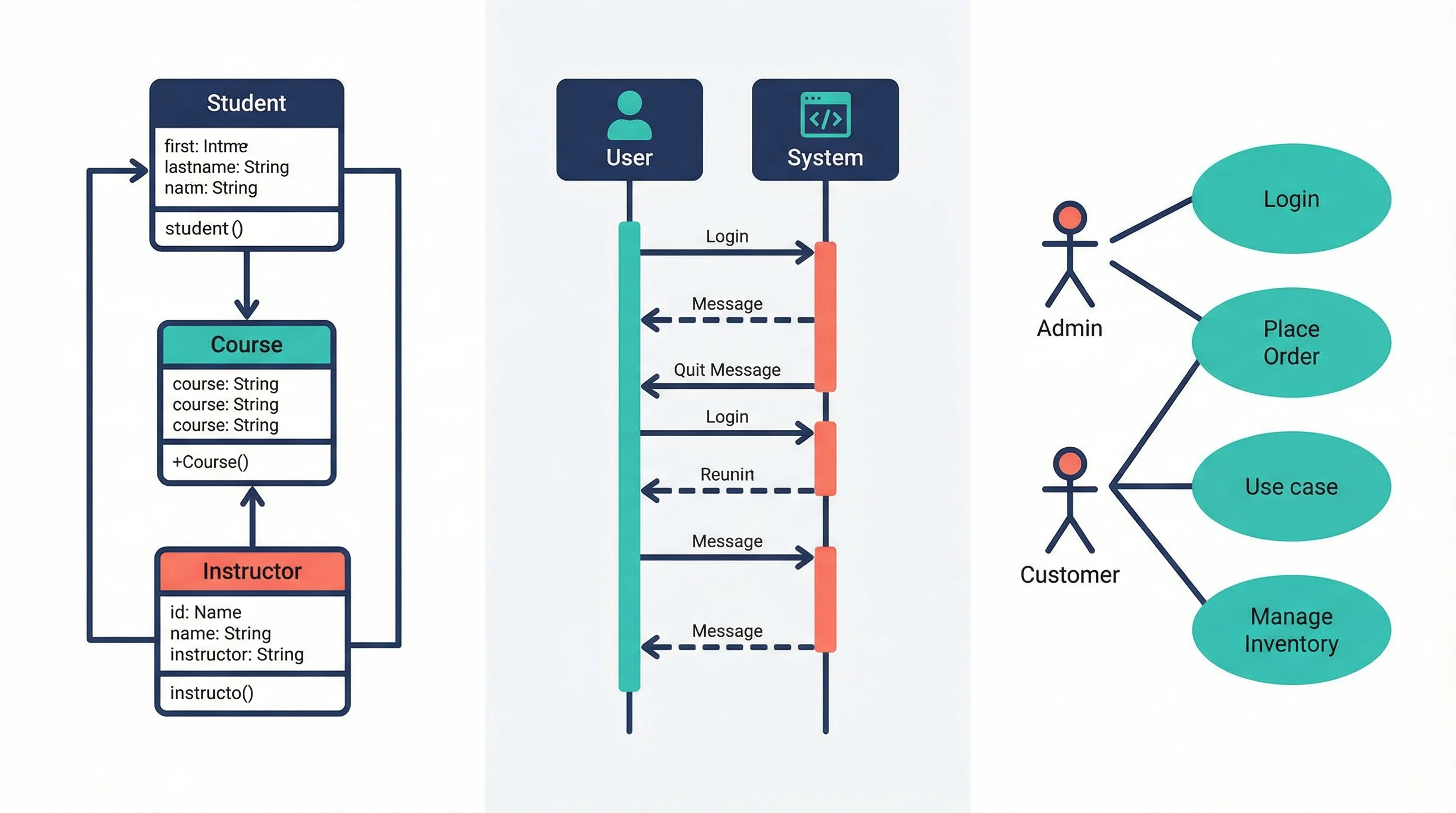
UML Diagram Types Explained: Class, Sequence & Use Case Guide (2026)
Learn the 14 UML diagram types with examples. Step-by-step guide to creating class diagrams, sequence diagrams, and use case diagrams for software projects.