Best Open-Source Diagramming Tools: Draw.io & Mermaid
Compare open-source diagramming tools for flowcharts, UML, whiteboards and docs: Draw.io, Excalidraw, Mermaid, PlantUML, Graphviz and self-hosted options.
The Best Open Source Diagramming and Whiteboarding Tools
Whether you are documenting software architecture, creating flowcharts for a business process, or teaching students about network topologies, open source diagramming tools offer a powerful alternative to proprietary solutions like Visio, Lucidchart, or Miro. They are free, transparent, community-driven, and free from vendor lock-in.
This guide compares the best open source diagramming and whiteboarding applications available in 2026. We cover GUI-based editors for visual drag-and-drop design, diagram-as-code tools for developer workflows, and collaborative whiteboards for team brainstorming.
Quick Picks
| Need | Best Open-Source Option |
|---|---|
| General-purpose diagrams | Draw.io / Diagrams.net |
| Quick collaborative sketches | Excalidraw |
| Markdown-native diagrams | Mermaid.js |
| UML from code-like syntax | PlantUML |
| Graph and network layouts | Graphviz |
| Self-hosted team whiteboard | WBO or Excalidraw self-hosted |
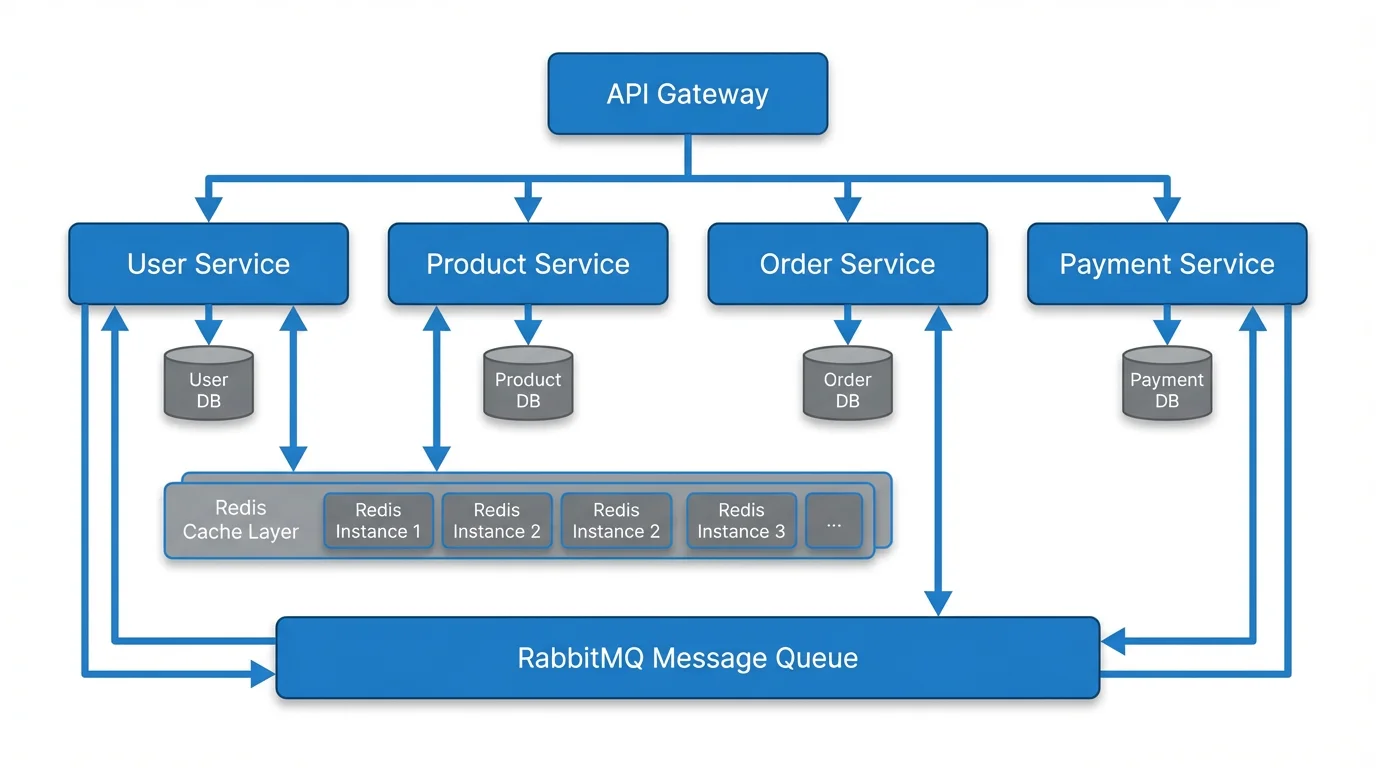
Text to Diagram Generator
Convert plain text descriptions into professional diagrams instantly. Powered by AI — supports flowcharts, sequence diagrams, network diagrams, and more.
Try it free →Why Choose Open Source Diagramming Tools?
Before diving into specific tools, it helps to understand why open source matters for diagramming:
| Benefit | Description |
|---|---|
| No license fees | Free forever — no per-seat pricing or subscription tiers |
| No vendor lock-in | Export to standard formats (SVG, PNG, PDF) and switch tools freely |
| Transparency | Source code is auditable — important for security-sensitive organizations |
| Community-driven | Features and fixes contributed by thousands of developers worldwide |
| Self-hosting option | Run on your own servers for full data control and compliance |
| Customization | Modify the tool to fit your exact workflow and integration needs |
| Offline access | Many tools work completely offline, no internet connection required |
The trade-off is that open source tools sometimes lack the polish, customer support, and seamless integrations of commercial alternatives. But for many teams, the benefits far outweigh the drawbacks.
GUI-Based Open Source Diagramming Tools
These tools offer visual, drag-and-drop interfaces similar to commercial diagramming software.
1. Draw.io (diagrams.net)
The gold standard for open source diagramming
Draw.io (now officially diagrams.net) is arguably the most popular open source diagramming tool in the world. It runs in the browser, works offline, and integrates with virtually every platform.
Key features:
- Extensive shape libraries covering flowcharts, UML, network diagrams, floor plans, and more
- Direct integration with Google Drive, OneDrive, Dropbox, GitHub, and GitLab
- Offline desktop app available for Windows, macOS, and Linux
- Confluence and Jira plugins for Atlassian users
- Export to SVG, PNG, PDF, XML, HTML, and VSDX (Visio format)
- Version history and diff support for diagram files
- Completely free with no feature restrictions
Best for: General-purpose diagramming, software architecture, IT network diagrams, and teams already using Atlassian or Google Workspace.
| Detail | Info |
|---|---|
| License | Apache 2.0 |
| GitHub stars | 45,000+ |
| Platform | Web, Desktop (Electron), Mobile |
| Self-hosting | Yes |
| Collaboration | Via cloud storage sharing |
Limitations: The interface can feel cluttered for simple diagrams. Real-time collaborative editing requires a cloud storage backend (no built-in multiplayer). The visual style is functional but not as polished as modern tools like Excalidraw.
2. Excalidraw
The hand-drawn whiteboard that developers love
Excalidraw has exploded in popularity thanks to its distinctive hand-drawn visual style and frictionless user experience. It is the go-to tool for quick sketches, architecture discussions, and collaborative whiteboarding.
Key features:
- Beautiful hand-drawn aesthetic that makes diagrams feel approachable
- Real-time collaboration with end-to-end encryption
- Infinite canvas with zero setup — just open and start drawing
- Extensive shape library with arrows, connectors, and text
- Public library of reusable components and templates
- Embeddable in other applications via React component
- Live collaboration rooms without sign-up
Best for: Quick sketches, architecture discussions, brainstorming sessions, and teams that value aesthetics and simplicity.
| Detail | Info |
|---|---|
| License | MIT |
| GitHub stars | 90,000+ |
| Platform | Web, Embeddable |
| Self-hosting | Yes |
| Collaboration | Built-in real-time |
Limitations: Not suitable for formal, production-quality diagrams (the hand-drawn style is by design). Limited shape libraries compared to draw.io. No built-in support for UML, BPMN, or other standardized diagram notations.
3. LibreOffice Draw
The desktop workhorse for offline diagramming
Part of the LibreOffice suite, Draw is a full-featured vector graphics editor that handles diagrams, flowcharts, and technical drawings. It is the closest open source equivalent to Microsoft Visio.
Key features:
- Node editing with Bezier curves for precise shapes
- Connector points and auto-routing for flowcharts
- Layer support for complex diagrams
- Template system for consistent styling
- Direct integration with other LibreOffice apps (Writer, Impress, Calc)
- Export to SVG, PDF, PNG, and ODP formats
- Runs completely offline
Best for: Users who need a desktop-first diagramming tool that works offline and integrates with document workflows.
| Detail | Info |
|---|---|
| License | MPL 2.0 |
| GitHub stars | N/A (LibreOffice mirror) |
| Platform | Windows, macOS, Linux |
| Self-hosting | Desktop app |
| Collaboration | None built-in |
Limitations: Dated interface compared to web-based tools. No real-time collaboration. Slower update cycle than web-based alternatives. Steeper learning curve for new users.
4. yEd Graph Editor
Powerful automatic layout algorithms
yEd is a free (though not fully open source — the yEd Live web version is proprietary while desktop is freeware) graph editor known for its powerful automatic layout algorithms. It can take a tangled mess of nodes and edges and rearrange them into clean, readable diagrams.
Key features:
- Over a dozen automatic layout algorithms (hierarchical, organic, orthogonal, circular, tree, etc.)
- Import data from Excel, GraphML, and other formats
- Extensive properties panel for fine-grained styling
- Grouping and folding for complex hierarchical diagrams
- Export to SVG, PNG, PDF, and EMF
Best for: Large, complex graphs where manual layout is impractical — such as network topologies, organizational charts, and dependency graphs.
| Detail | Info |
|---|---|
| License | Freeware (desktop), Proprietary (web) |
| Platform | Windows, macOS, Linux, Web |
| Self-hosting | Desktop only |
| Collaboration | None |
Limitations: Not truly open source (freeware). The interface looks dated. Limited web version compared to desktop. No real-time collaboration.
Diagram-as-Code Tools
These tools take a different approach: you write code or markup, and the tool renders the visual diagram. This is ideal for developers who want diagrams in version control, automated documentation pipelines, or CI/CD workflows.
5. Mermaid.js
Diagrams in Markdown, rendered everywhere
Mermaid has become the de facto standard for diagram-as-code in documentation. Write simple text syntax, and Mermaid renders flowcharts, sequence diagrams, Gantt charts, class diagrams, and more. Its native integration with GitHub, GitLab, Notion, and other platforms makes it incredibly accessible.
Key features:
- Simple, readable text syntax for 15+ diagram types
- Native rendering in GitHub Markdown files (no plugins needed)
- Supports flowcharts, sequence diagrams, class diagrams, ER diagrams, Gantt charts, pie charts, gitgraph, and more
- Active development with regular new diagram types
- Embeddable via CDN or npm package
- Live editor at mermaid.live for quick prototyping
Best for: Developers writing documentation, README files, and technical specs that need to live alongside code.
| Detail | Info |
|---|---|
| License | MIT |
| GitHub stars | 75,000+ |
| Platform | Web, CLI, Embeddable |
| Self-hosting | Yes |
| Collaboration | Via version control |
Example syntax:
flowchart LR
    A[User Request] --> B{Authenticated?}
    B -->|Yes| C[Process Request]
    B -->|No| D[Login Page]
    C --> E[Return Response]
Limitations: Limited styling control — diagrams look the same. Auto-layout can produce awkward results for complex diagrams. No drag-and-drop editing. Debugging layout issues requires trial and error with the text syntax.
For more on working with Mermaid, see our guide on converting Mermaid diagrams to images.
6. PlantUML
The veteran of diagram-as-code
PlantUML has been around since 2009 and remains the most feature-rich diagram-as-code tool available. It excels at UML diagrams but supports far more types than its name suggests.
Key features:
- Comprehensive UML support: class, sequence, activity, use case, component, deployment, object, and state diagrams
- Non-UML diagrams: wireframes, Gantt charts, mind maps, JSON/YAML visualization
- Advanced customization with themes, sprites, and custom styles
- Integration with IDEs (VS Code, IntelliJ), wikis, and documentation tools
- Runs as a Java application — self-host anywhere
- Mature, stable, and well-documented
Best for: Software engineering teams that need formal UML documentation, especially for enterprise architecture and design specifications.
| Detail | Info |
|---|---|
| License | GPL v3 |
| GitHub stars | 11,000+ |
| Platform | Java (cross-platform), Web |
| Self-hosting | Yes |
| Collaboration | Via version control |
Limitations: Requires Java runtime. Steeper learning curve than Mermaid. The rendering engine produces a distinctive "PlantUML look" that some find dated. Performance can be slow for very large diagrams.
7. Graphviz
The original graph visualization engine
Graphviz (Graph Visualization Software) is a classic tool developed at AT&T Labs. It uses the DOT language to describe graphs and has sophisticated layout algorithms that handle even very large graphs efficiently.
Key features:
- Multiple layout engines: dot (hierarchical), neato (spring model), fdp (force-directed), circo (circular), twopi (radial)
- Handles graphs with thousands of nodes
- Widely used in academic research and data science
- Available as a command-line tool and library
- Integration with many programming languages (Python, R, Java, etc.)
Best for: Automated graph generation from data, academic papers, and large-scale network visualization.
| Detail | Info |
|---|---|
| License | EPL 1.0 |
| GitHub stars | 8,000+ |
| Platform | CLI (cross-platform) |
| Self-hosting | Yes |
| Collaboration | Via version control |
Limitations: Command-line only — no visual editor. Dated visual output. The DOT syntax is less intuitive than Mermaid. Not actively developed with new features.
Collaborative Whiteboard Tools
These tools focus on real-time collaboration and free-form drawing, with diagramming as one of many capabilities.
8. WBO (Whiteboard Online)
Simple, open source collaborative whiteboard
WBO is a lightweight, open source online whiteboard that allows multiple users to draw simultaneously in real time. It is designed for simplicity — no account required, just share a link.
Key features:
- Instant collaboration with a shared URL
- Drawing tools: freehand, lines, rectangles, circles, text
- No sign-up required
- Self-hostable with Docker
- Lightweight and fast
Best for: Quick collaborative sketching sessions, teaching, and brainstorming without any setup.
| Detail | Info |
|---|---|
| License | AGPL v3 |
| GitHub stars | 2,000+ |
| Platform | Web |
| Self-hosting | Yes (Docker) |
| Collaboration | Built-in real-time |
Limitations: Very basic drawing tools — no diagram-specific shapes. No export to standard formats. No templates or shape libraries. Not suitable for formal diagrams.
Comparison Table: All Open Source Diagramming Tools
| Tool | Type | License | GitHub Stars | Self-Host | Collab | Best Diagram Types |
|---|---|---|---|---|---|---|
| Draw.io | GUI | Apache 2.0 | 45K+ | Yes | Cloud sharing | Flowcharts, UML, Network |
| Excalidraw | Whiteboard | MIT | 90K+ | Yes | Real-time | Sketches, Architecture |
| LibreOffice Draw | Desktop | MPL 2.0 | N/A | Desktop | None | Technical, Flowcharts |
| yEd | GUI | Freeware | N/A | Desktop | None | Large graphs, Networks |
| Mermaid.js | Code | MIT | 75K+ | Yes | VCS | Flowcharts, Sequence, ER |
| PlantUML | Code | GPL v3 | 11K+ | Yes | VCS | UML, Architecture |
| Graphviz | Code | EPL 1.0 | 8K+ | Yes | VCS | Graphs, Networks |
| WBO | Whiteboard | AGPL v3 | 2K+ | Yes | Real-time | Freehand sketches |
How to Choose the Right Tool
Choosing a diagramming tool depends on your workflow, team size, and diagram types. Use this decision framework:
For Software Developers
- Documentation that lives with code: Use Mermaid.js — it renders natively on GitHub and GitLab
- Quick architecture sketches: Use Excalidraw — open a browser and start drawing
- Formal UML documentation: Use PlantUML — the most complete UML support available
- Complex system diagrams: Use Draw.io — the most versatile general-purpose tool
For Non-Technical Teams
- Business process flowcharts: Use Draw.io — intuitive drag-and-drop with rich shape libraries
- Brainstorming and workshops: Use Excalidraw — the hand-drawn style encourages creative thinking
- Quick comparison diagrams: Use ConceptViz — describe what you need in plain text and get a diagram in seconds
For Educators
- Classroom whiteboarding: Use Excalidraw or WBO — no setup, instant collaboration
- Curriculum diagrams: Use Draw.io — save to Google Drive and embed in Google Docs
- Student assignments: Use Mermaid.js — teaches students text-based thinking while creating visuals
For Data Scientists and Researchers
- Automated graph generation: Use Graphviz — integrates with Python, R, and Jupyter
- Publication figures: Use Draw.io — export to SVG for vector-quality figures
- Reproducible diagrams: Use Mermaid or PlantUML — diagrams are just text files in your repository
The AI Alternative: When Open Source Is Not Enough
Open source diagramming tools are powerful but require manual effort. You either drag shapes around a canvas or write code syntax — both demand time and knowledge of the tool.
AI-powered diagram generators take a different approach. You describe what you need in natural language, and the AI creates the diagram for you. This is particularly useful when:
- You need a diagram quickly and do not want to learn a new tool
- You know what you want to visualize but not how to structure it
- You are creating diagrams for presentations where speed matters more than precision
ConceptViz is not open source, but it offers a free tier that covers most use cases. It supports flowcharts, sequence diagrams, Venn diagrams, network diagrams, and more — all generated from text descriptions.
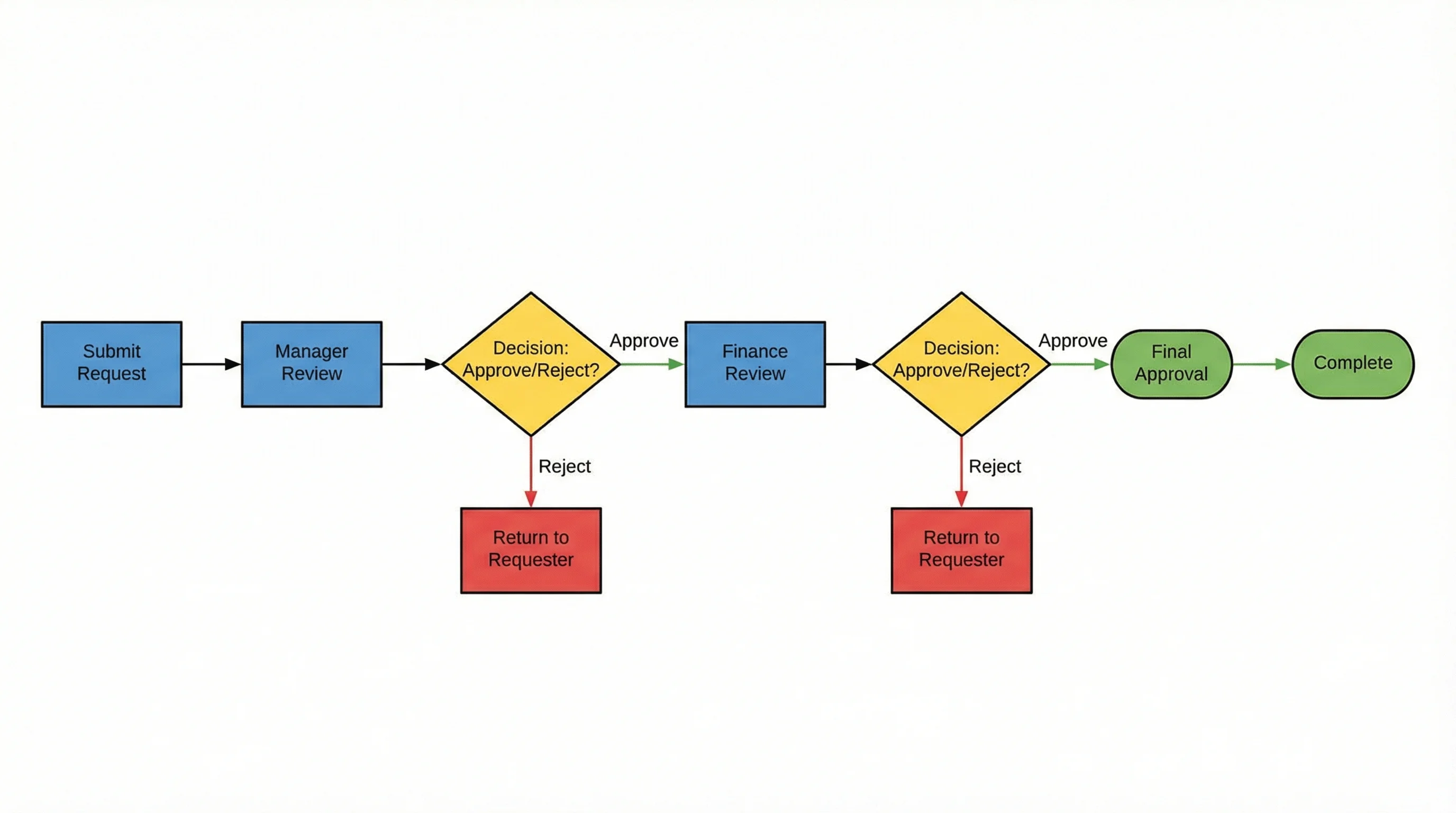
AI Flowchart Generator
Describe your process in plain text and get a professional flowchart instantly. No drag-and-drop needed.
The ideal setup for many teams is to combine open source tools for detailed, precise work (like draw.io for architecture diagrams or Mermaid for documentation) with AI-powered tools for quick, ad-hoc diagram creation.
Setting Up Open Source Diagramming Tools
Here are quick-start instructions for the most popular options:
Draw.io (No Installation Needed)
- Visit app.diagrams.net
- Choose where to save your diagrams (Google Drive, OneDrive, local device)
- Select a template or start with a blank diagram
- Start dragging shapes from the left panel
For desktop use, download the Electron app from the official releases page.
Excalidraw (No Installation Needed)
- Visit excalidraw.com
- Start drawing immediately — no account required
- Share collaboration links with your team
- Export to PNG, SVG, or Excalidraw's native JSON format
Mermaid.js (For Developers)
Add Mermaid diagrams to any GitHub or GitLab Markdown file:
```mermaid
flowchart TD
    A[Start] --> B{Decision}
    B -->|Yes| C[Action 1]
    B -->|No| D[Action 2]
    C --> E[End]
    D --> E
```
For live editing, use the Mermaid Live Editor.
PlantUML (Requires Java)
- Install Java Runtime Environment (JRE 8+)
- Download plantuml.jar from the official site
- Create a
.pumlfile with your diagram code - Run
java -jar plantuml.jar diagram.pumlto generate the image
For VS Code users, install the "PlantUML" extension for live preview.
Frequently Asked Questions
What is the best free open source diagramming tool?
Draw.io (diagrams.net) is widely considered the best overall open source diagramming tool. It is completely free with no feature restrictions, works in the browser and as a desktop app, and supports virtually every diagram type including flowcharts, UML, network diagrams, and more. For developer-focused workflows, Mermaid.js is the best choice due to its native GitHub integration.
Is draw.io really open source?
Yes, draw.io (diagrams.net) is open source under the Apache 2.0 license. The source code is publicly available on GitHub. You can self-host it, modify it, and use it without any licensing fees. The company behind it (JGraph) maintains the project and offers commercial integrations for Atlassian products.
What is the difference between a diagramming tool and a whiteboarding tool?
Diagramming tools (like draw.io, PlantUML, Mermaid) focus on creating structured diagrams with specific shapes, connectors, and notation standards. They produce precise, formal output. Whiteboarding tools (like Excalidraw, WBO, Miro) prioritize free-form drawing, collaboration, and brainstorming. The hand-drawn aesthetic of whiteboard tools encourages exploration over precision.
Can I use Mermaid diagrams in GitHub README files?
Yes, GitHub natively renders Mermaid diagrams in Markdown files. Simply wrap your Mermaid code in a fenced code block with the 'mermaid' language identifier. When anyone views the file on GitHub, the diagram is rendered automatically — no plugins or external services needed. GitLab, Notion, and many other platforms also support Mermaid rendering.
Which open source diagramming tool has real-time collaboration?
Excalidraw offers the best real-time collaboration experience among open source diagramming tools. It supports live collaborative editing with end-to-end encryption, and you can create a shared room without any sign-up. WBO (Whiteboard Online) also supports real-time collaboration but with more basic drawing tools. Draw.io supports collaboration through cloud storage sharing but not real-time co-editing.
Is there an open source alternative to Microsoft Visio?
Draw.io (diagrams.net) is the closest open source alternative to Microsoft Visio. It supports Visio file import and export (VSDX format), has extensive shape libraries similar to Visio's stencils, and offers a comparable drag-and-drop editing experience. LibreOffice Draw is another option for desktop users who prefer an offline application.
What is diagram-as-code and why should I use it?
Diagram-as-code means writing diagrams in a text-based syntax (like Mermaid or PlantUML) rather than using a visual editor. Benefits include version control (diagrams are just text files), automated generation in CI/CD pipelines, easy maintenance alongside code documentation, and no dependency on proprietary file formats. The trade-off is that you lose drag-and-drop convenience.
Can AI tools replace open source diagramming software?
AI tools like ConceptViz complement rather than replace open source diagramming software. AI excels at quickly generating standard diagram types from text descriptions — perfect for presentations, brainstorming, and first drafts. Open source tools are better for precise, detailed work where you need full control over layout, notation standards, and integration with development workflows. Many teams use both: AI for speed, open source for precision.
Conclusion
The open source diagramming ecosystem in 2026 is remarkably mature. Draw.io covers nearly every general diagramming need, Excalidraw dominates collaborative whiteboarding, Mermaid has become the standard for documentation-embedded diagrams, and PlantUML remains the most powerful UML tool available.
For most teams, the right approach is not choosing a single tool but combining them based on context:
- Draw.io for detailed architecture and process diagrams
- Excalidraw for quick sketches and team discussions
- Mermaid for diagrams in documentation and README files
- ConceptViz for instant AI-generated diagrams when speed matters
All of these tools (except ConceptViz, which offers a free tier) are completely free and open source, giving you full control over your diagramming workflow without any licensing costs or vendor lock-in.
Explore more diagramming resources: UML diagram types complete guide, ER diagrams for research, how to make scientific diagrams for research papers, and mapping diagram complete guide.
Catégories
Plus d'articles

How to Make Scientific Diagrams for Research Papers (2025 Guide)
Learn how to create professional scientific diagrams for research papers, theses, and publications. Includes best practices, tools comparison, and step-by-step tutorials for biology, chemistry, and physics diagrams.
How to Create Scatter Plots in Excel: Step-by-Step Guide (2026)
Learn how to make scatter plots in Excel with trend lines, labels, and formatting. Complete guide with screenshots and tips for research data visualization.

AI Conceptual Framework for Thesis: Prompts, Examples, and Chapter 1 Workflow
Create an AI conceptual framework for thesis work with prompts, examples, variable tables, Chapter 1 writing tips, and validation checks.