5 Best Free BioRender Alternatives in 2026 (For Science Illustrations)
Free BioRender alternatives for science illustrations. Compare Canva, ConceptViz AI, draw.io + Bioicons, Mind the Graph and more. No $420/year subscription.
Create professional cell diagrams and biology illustrations in seconds with AI.
Start with this diagram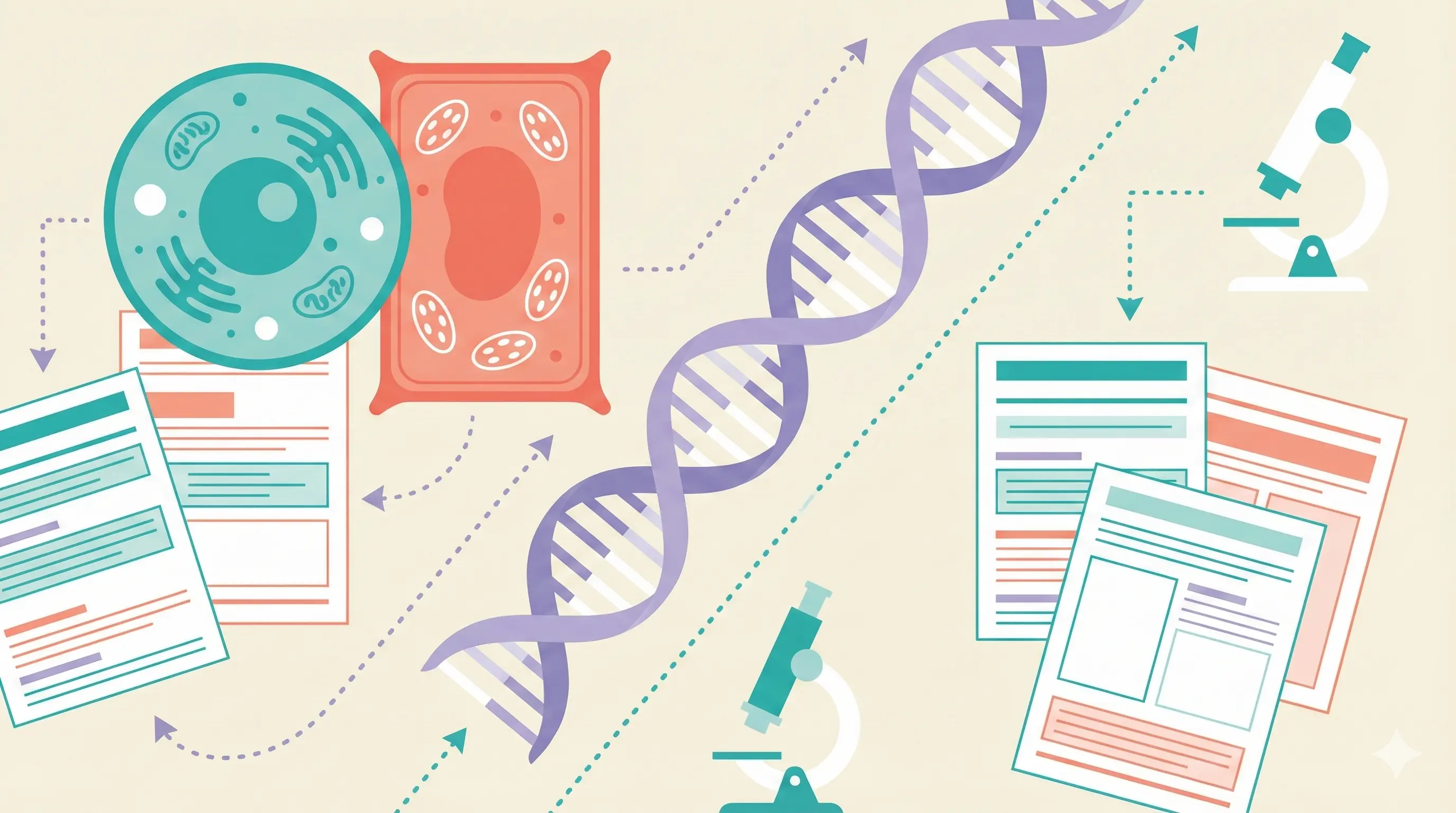
If a classroom figure will later go into a paper, check how to cite BioRender and obtain the correct publication license; a classroom credit alone does not grant publication rights.
5 Best Free BioRender Alternatives in 2026 (For Science Illustrations)
BioRender is the industry standard for scientific illustrations—but $35/month ($420/year) is expensive when you just need biology diagrams or cell illustrations. And the free plan only gives you 5 low-resolution diagrams with mandatory attribution.
The good news? There are excellent free alternatives that can create professional science illustrations without the subscription. This guide focuses on classroom and teaching use — if you're publishing figures in a paper, see our BioRender alternatives tested for science & research instead.
Why You Need a BioRender Alternative
| Issue | Details |
|---|---|
| Expensive | $35/month or $420/year for academic plan |
| Free Plan Limits | Only 5 diagrams, low resolution, mandatory attribution |
| Target Audience | Designed for researchers, overkill for educators |
| Learning Curve | Takes time to learn the icon system |
Quick Comparison: Top BioRender Alternatives
| Tool | Price | Best For | Science Icons |
|---|---|---|---|
| ConceptViz | Free tier | AI-generated diagrams | AI creates them |
| Canva | Free (Education) | General visuals | Limited |
| draw.io + Bioicons | 100% Free | Custom diagrams | 2,700+ free icons |
| Mind the Graph | $99/year or $15/month | Research quality | Extensive library |
| Chemix | Free | Lab diagrams | Chemistry-focused |
1. ConceptViz — Best AI-Native BioRender Alternative
Price: Free credits on signup, then pay-as-you-go credit packs from $5 — no subscription Website: conceptviz.app
If BioRender's appeal is "professional science figures without hiring an illustrator," ConceptViz is the closest free alternative — but instead of dragging icons onto a canvas, you describe what you need and AI generates it. No icon system to learn, no design skills required, and you get a labeled figure in seconds rather than an afternoon of assembly.
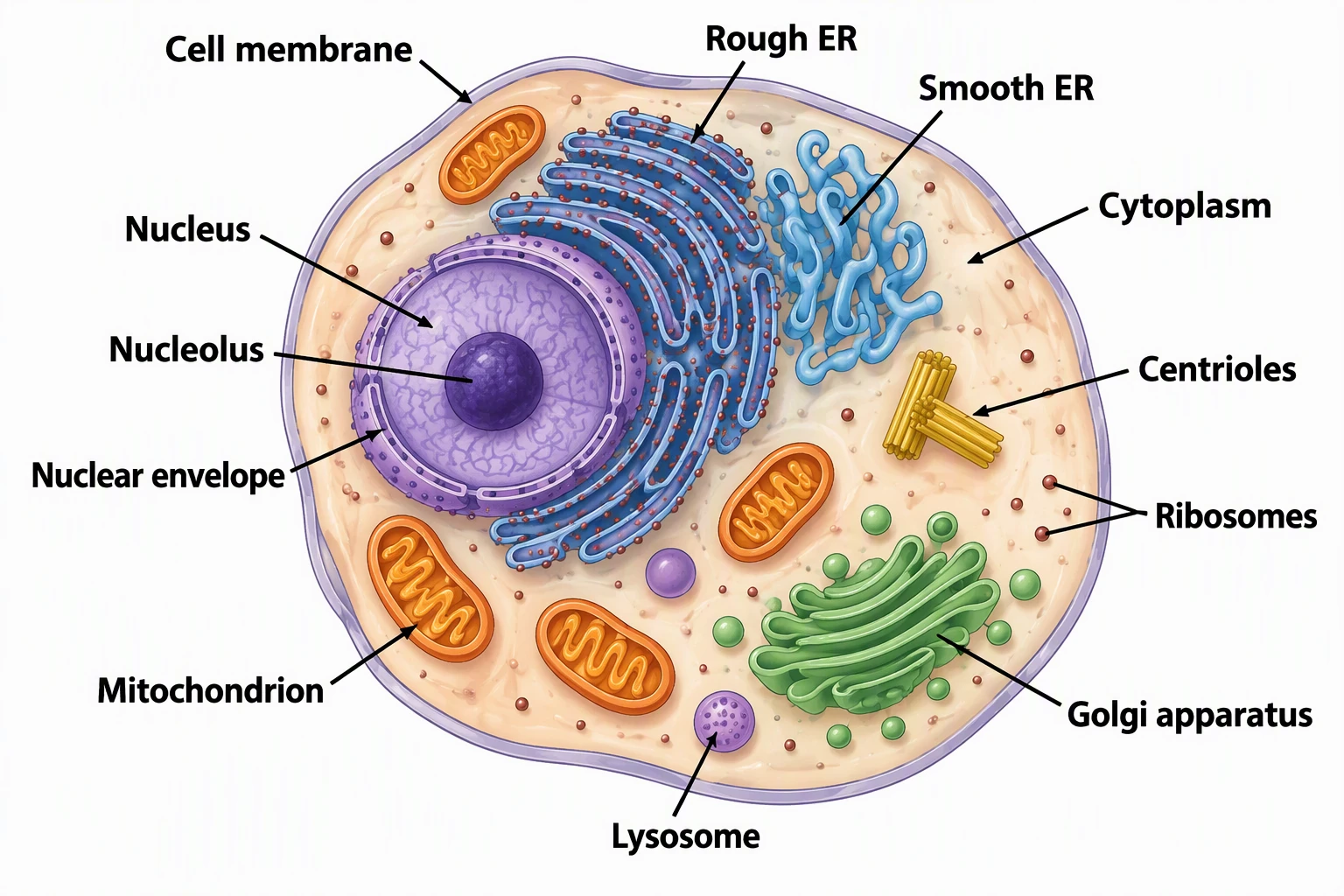
Biology & Life Science Tools:
- AI Scientific Image Generator — Any scientific concept
- Animal Cell Diagram Generator
- Plant Cell Diagram Generator
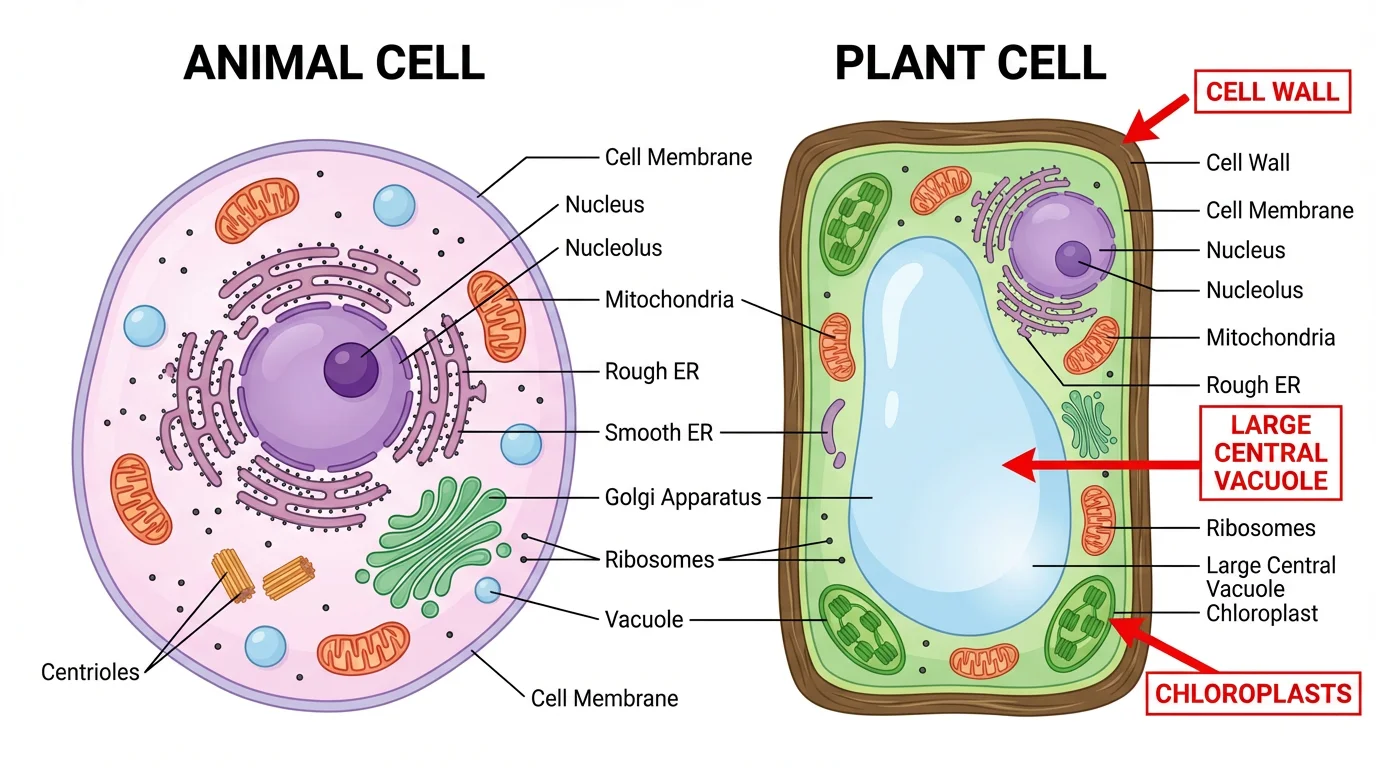
- Animal vs Plant Cell Comparison
- Photosynthesis Diagram | Water Cycle
BioRender vs ConceptViz:
| Feature | BioRender | ConceptViz |
|---|---|---|
| Price | $420/year subscription | Free credits, then packs from $5 (no subscription) |
| Method | Drag & drop icons | AI generates from text |
| Learning curve | Hours | Minutes |
| Cell diagrams | Manual assembly | Generated in seconds |
Best For:
- Cell biology and life science illustrations
- Quick diagram generation without design skills
- Multiple variations (labeled, unlabeled, different styles)
- Researchers needing graphical abstracts
Where BioRender still wins:
- A larger hand-curated icon library for highly specialized pathways
- Fine pixel-level manual control over every element
Verdict: For most people who just need a clear, labeled science figure fast, ConceptViz is the quickest BioRender alternative — describe it, generate it, download it, free.
AI Scientific Image Generator
Describe any biology or science figure and let AI draw it — free.
Create a figure free →2. Canva for Education — Best for General Visuals
Price: 100% Free for verified teachers
Canva for Education is the best free option when you need general classroom visuals — posters, slides, infographics — rather than precise scientific figures. Once you verify your teacher status, you get full access to Canva's premium features at no cost.
What You Get:
- 80,000+ educational templates including biology posters, cell diagrams, and science infographics
- Drag-and-drop interface — no design skills needed
- LMS integration — works with Google Classroom, Canvas, Schoology, and more
- Collaboration features — students can work on projects together
- Print-ready exports — high-resolution PNG and PDF downloads
Best For:
- Creating science posters and presentations
- General biology and anatomy visuals
- Classroom worksheets with visual elements
- Quick, professional-looking materials
Limitations:
- Science-specific icon library is less comprehensive than specialized tools
- Not ideal for highly detailed scientific illustrations
Verdict: If you need a free, easy-to-use tool for general science visuals and presentations, Canva for Education is a great all-around pick.
3. draw.io + Bioicons — Best Free DIY Option
Price: Completely free, open-source
draw.io (also known as diagrams.net) is a powerful free diagramming tool that becomes even more useful when combined with Bioicons, a library of 2,700+ free scientific icons.
What You Get:
- No account required — start creating immediately
- Works offline — download the desktop app for Windows, Mac, or Linux
- Cloud integration — save to Google Drive, OneDrive, or locally
- Bioicons integration — import scientific icons directly into draw.io
- SVG export — scalable graphics that look sharp at any size
How to Use Bioicons with draw.io:
- Go to Bioicons
- Select the icon libraries you need
- Click "Open in draw.io"
- Start creating your diagram
Best For:
- Teachers who want full control over their diagrams
- Creating custom scientific illustrations
- Those comfortable with basic design tools
- Schools that need a free, privacy-friendly solution
Limitations:
- Steeper learning curve than Canva or ConceptViz
- Requires more time to create diagrams from scratch
- No pre-made templates for common science topics
Verdict: Great for teachers who want complete creative control and don't mind spending extra time on design.
4. Mind the Graph — Best Affordable Paid Alternative
Price: Free tier (4 illustrations, watermarked) / Researcher plan $99/year or $15/month (US pricing, checked October 2026)
Mind the Graph positions itself as the "Canva for Scientists" and offers an impressive library of 75,000+ scientific illustrations across 80+ fields.
Key Features:
- Massive icon library — 75,000+ illustrations (vs. BioRender's 40,000)
- Higher resolution — up to 1200 DPI (vs. BioRender's 600 DPI)
- No mandatory attribution — unlike BioRender, paid users own their creations
- Publication rights — free users can publish if the watermark stays and Mind the Graph is cited
- Affordable pricing — $99/year on the annual Researcher plan, about a quarter of BioRender's $420/year academic seat
Comparison with BioRender:
| Feature | Mind the Graph | BioRender |
|---|---|---|
| Annual Cost | $99-180/year | $420/year |
| Icon Library | 75,000+ | 40,000+ |
| Max Resolution | 1200 DPI | 600 DPI |
| Attribution Required | No (paid) | Yes (always) |
| Free Tier Publishing | Yes (watermark + citation) | No |
Best For:
- Teachers who need research-quality illustrations
- Those who publish educational materials
- Schools with some budget for educational tools
Verdict: If you need more than free tools offer but can't afford BioRender, Mind the Graph is the best value.
5. Chemix — Best for Chemistry Teachers
Price: Completely free
Chemix is a specialized tool for creating chemistry lab diagrams. If you teach chemistry, this is a must-have bookmark.
What You Get:
- Comprehensive lab equipment library — beakers, flasks, burners, and more
- Web-based — no download or account required
- Export options — save as PNG or PDF
- Intuitive interface — drag and drop lab equipment onto your canvas
Best For:
- Chemistry teachers creating lab setup diagrams
- Illustrating experimental procedures
- Creating chemistry worksheets
Limitations:
- Chemistry-focused only — not useful for biology or other sciences
- Limited customization options
Verdict: Essential free tool for chemistry teachers, but not helpful for other subjects.
6. Free Icon Libraries: Bioicons, SciDraw, NIH BioART
If you're comfortable using design software like PowerPoint, Google Slides, or Inkscape, these free icon libraries provide high-quality scientific illustrations:
Bioicons
- 2,700+ free icons in SVG format
- Covers molecular biology, microbiology, ecology
- Open-source, no attribution required
- Visit Bioicons
SciDraw
- High-quality drawings of animals, scientific setups
- Creative Commons licensed
- Regularly updated
- Visit SciDraw
NIH BioART
- Developed by NIH/NIAID
- Vector-based medical and biological illustrations
- Best for detailed anatomical diagrams
- Visit NIH BioART
Best For: Teachers who are comfortable with design software and want maximum customization.
Which Tool Should You Choose?
Here's a quick decision guide:
Choose ConceptViz if:
- You primarily need cell diagrams, biology figures, or worksheets
- You want AI to do the design work for you — describe it, get it in seconds
- You need both labeled and unlabeled versions for teaching and testing
Choose Canva for Education if:
- You want a free, all-in-one solution for general classroom materials
- You need to create various types of educational visuals (posters, slides)
- You value ease of use above specialized scientific features
Choose draw.io + Bioicons if:
- You want complete control over your designs
- You prefer free, open-source tools
- You don't mind a learning curve
Choose Mind the Graph if:
- You need research-quality illustrations
- You have a small budget ($99/year or $15/month)
- You want no attribution requirements
Choose Chemix if:
- You teach chemistry
- You need lab setup diagrams specifically
Conclusion
You don't need to spend $420/year on BioRender. Here are the best alternatives in 2026:
| Your Need | Best Choice | Price |
|---|---|---|
| AI-generated diagrams | ConceptViz | Free tier |
| General science visuals | Canva | Free (Education) |
| Custom diagrams with icons | draw.io + Bioicons | 100% Free |
| Research-quality illustrations | Mind the Graph | $99/year or $15/month |
Top picks:
- Fastest results: ConceptViz AI Scientific Image Generator — AI creates diagrams in seconds
- Best 100% free: draw.io + Bioicons — 2,700+ science icons
- Easiest to use: Canva for Education — Templates and drag-and-drop
Ready to get started?
- For instant AI diagrams: ConceptViz Scientific Image Generator
- For manual creation: draw.io + Bioicons
FAQ
Q: Is BioRender worth the cost for K-12 teachers? A: For most K-12 teachers, BioRender's $420/year price tag is hard to justify when free alternatives exist. BioRender is optimized for university researchers publishing in academic journals, not classroom worksheets.
Q: Can I use these diagrams in my worksheets and presentations? A: Yes! All tools mentioned allow educational use. Check each tool's license for specific terms, especially if you plan to sell materials on Teachers Pay Teachers.
Q: Which tool has the most accurate scientific diagrams? A: Mind the Graph and Bioicons offer research-quality illustrations. ConceptViz's AI-generated diagrams are accurate for educational purposes but should be reviewed before use.
Q: Do I need design skills to use these tools? A: Canva, ConceptViz, and Chemix are designed for non-designers. Draw.io and the icon libraries require basic design knowledge.
Q: Are there any completely free options with no limits? A: draw.io, Chemix, and Bioicons are completely free with no usage limits. Canva for Education is also unlimited once you verify your teacher status.
Categorías
Más Publicaciones

How to Draw a Volcano: Step-by-Step (Easy Labeled Diagram)
Learn how to draw a volcano step by step, an easy labeled cross-section for science class with simple shapes, plus a free instant generator.
Mermaid to PNG: Export Mermaid Diagrams as PNG, SVG & PDF
Convert Mermaid diagrams to PNG, SVG or PDF with Mermaid Live Editor, mmdc CLI, VS Code and free online tools. Includes quick export steps and best formats.
Best AI Architecture Diagram Generators: 7 Tools Compared
Compare 7 AI architecture diagram tools for software, cloud and LLM apps. Prices checked October 2026 on official pages, plus three real test diagrams.