Comparison Chart Maker for Side-by-Side Comparisons
Compare products, features, or options side by side. Describe what you want to compare and the AI builds a clean comparison chart or table — feature matrix, pros and cons, pricing tiers, or before-and-after — ready for slides and docs.
Comparison Chart Maker
免費試用 ·
Your comparison chart will appear here
Describe your comparison and click Generate
Comparison Chart Examples
Feature matrices, side-by-side layouts, pros and cons, and pricing tables
Multi-Option Feature Matrix
Several options as columns, the criteria that matter as rows — the classic feature-matrix layout.
SaaS Feature Comparison
Checkmarks and crosses make feature availability scannable at a glance.
Pros and Cons Chart
A two-sided pros-and-cons layout for weighing one option against another.
Side-by-Side Tech Comparison
A side-by-side column for each option, with brand colors keeping them distinct.
Before and After Comparison
Old metrics on the left, improved metrics on the right — perfect for showing results.
Pricing Tier Comparison
Compare pricing tiers feature by feature, with the recommended plan highlighted.
What is a comparison chart?
A comparison chart (or comparison table) puts two or more options next to each other so you can weigh them at a glance. The options run across the top as columns, the features or criteria you care about run down the side as rows, and each cell shows how that option scores — a checkmark or cross, a price, a rating, or a short note. By lining everything up, a comparison chart turns a scattered set of facts into a single picture you can read in seconds, which is exactly what this maker builds from a short description.
Comparison chart vs comparison table — and the common formats
- Feature matrix: options as columns, features as rows, with checkmarks, crosses, or values in each cell — the go-to for products and software.
- Side-by-side layout: one column per option, ideal for putting two or three choices directly against each other.
- Pros and cons chart: advantages and disadvantages for each option, often color-coded green and red.
- Pricing tiers: plans as columns and features as rows, usually with the recommended plan highlighted.
- Before-and-after: the old state on one side and the new state on the other, great for showing results and improvements.
When to use a comparison chart
Reach for a comparison chart whenever your audience has to choose between options and you want the decision to be obvious. It is the standard format for product and pricing pages, buying guides, software evaluations, vendor short-lists, and competitive analysis, but it works just as well for everyday decisions — phones, cars, job offers, study notes, or two approaches to the same problem. Any time you find yourself listing the same set of points about several things, a comparison chart will present it more clearly than paragraphs ever could.
How to make a comparison chart from your data
- List the options you want to compare — these become the columns of your chart.
- Choose the criteria that actually matter to the decision (price, features, performance, ratings) — these become the rows.
- Describe it in plain English: name the options, the criteria, and the format you want (matrix, side-by-side, pros and cons, before-and-after).
- Generate the chart, then refine the prompt — add icons, color coding, or a highlighted column — until it is presentation-ready.
Using comparison charts for decisions and product comparisons
A good comparison chart does more than display data — it drives a decision. For a product comparison, list the rival products as columns and the buying criteria as rows, then mark each cell so the strongest option stands out. For a personal choice, score each criterion and let the filled-in cells point to the winner. Highlighting one column, ordering rows by importance, and using checkmarks or ratings instead of long text all make the conclusion land faster, which is why comparison charts are a staple of decision-making and competitive analysis.
Tips for clear, scannable comparison charts
Keep the chart readable by limiting it to a handful of options and the criteria that genuinely change the decision — too many columns or rows hide the answer instead of revealing it. Use consistent units and short labels, color-code or use icons so the eye can scan down a column, and highlight the recommended choice if there is one. When you describe your chart to the maker, spelling out the format, the color scheme, and which option to emphasize gives you a cleaner, more convincing result on the first try.
常見問題
Related Visualization Tools
 Visualization
AI Chart Generator
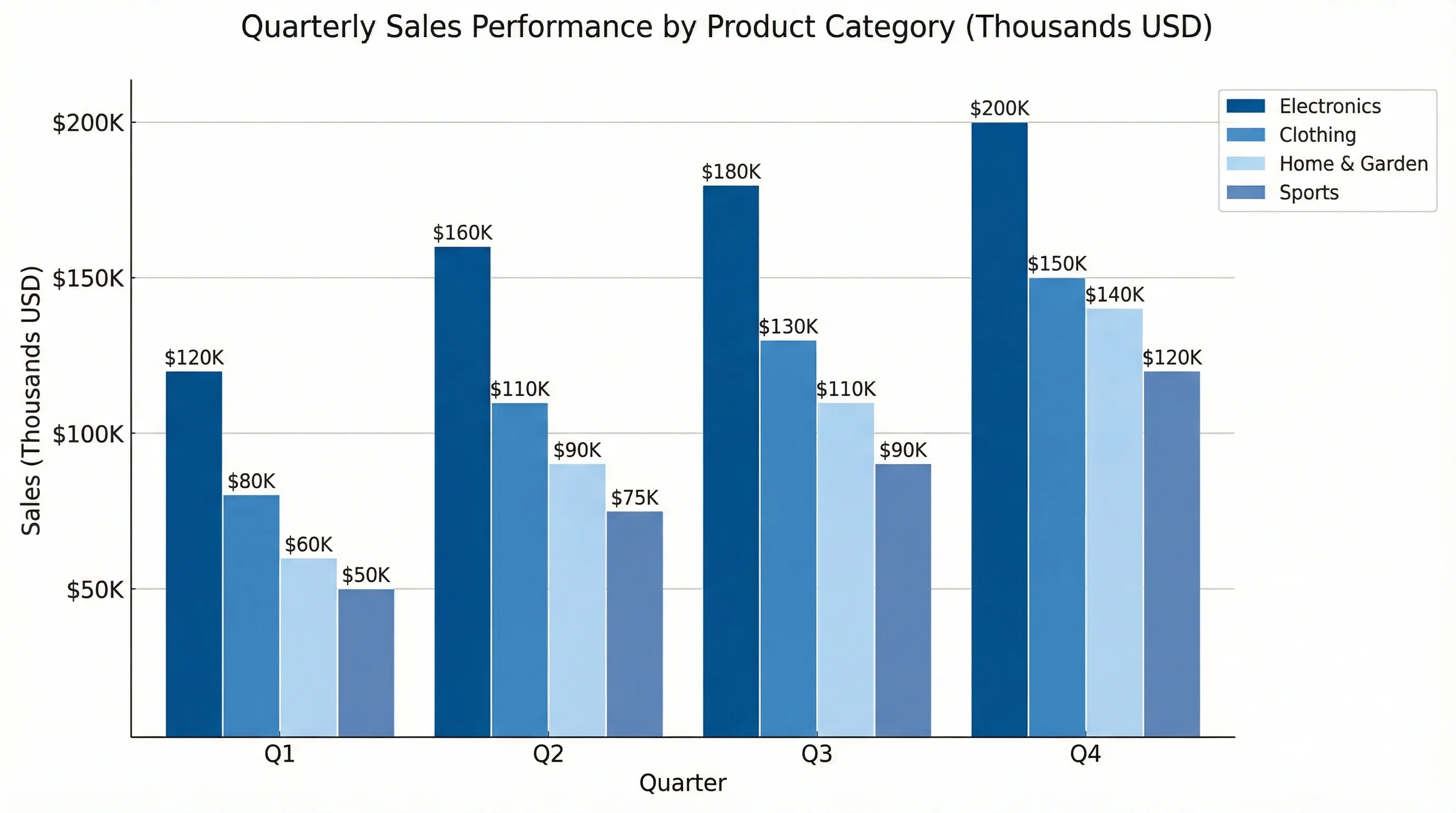
Turn your numbers into clean bar, line, and pie charts from a simple description.
 Visualization
Venn Diagram Generator
Show what two or three options share and what is unique with overlapping circles.
 Visualization
AI Infographic Generator
Create clean, shareable infographics from your data and key points.
 Business
Pugh Matrix Generator
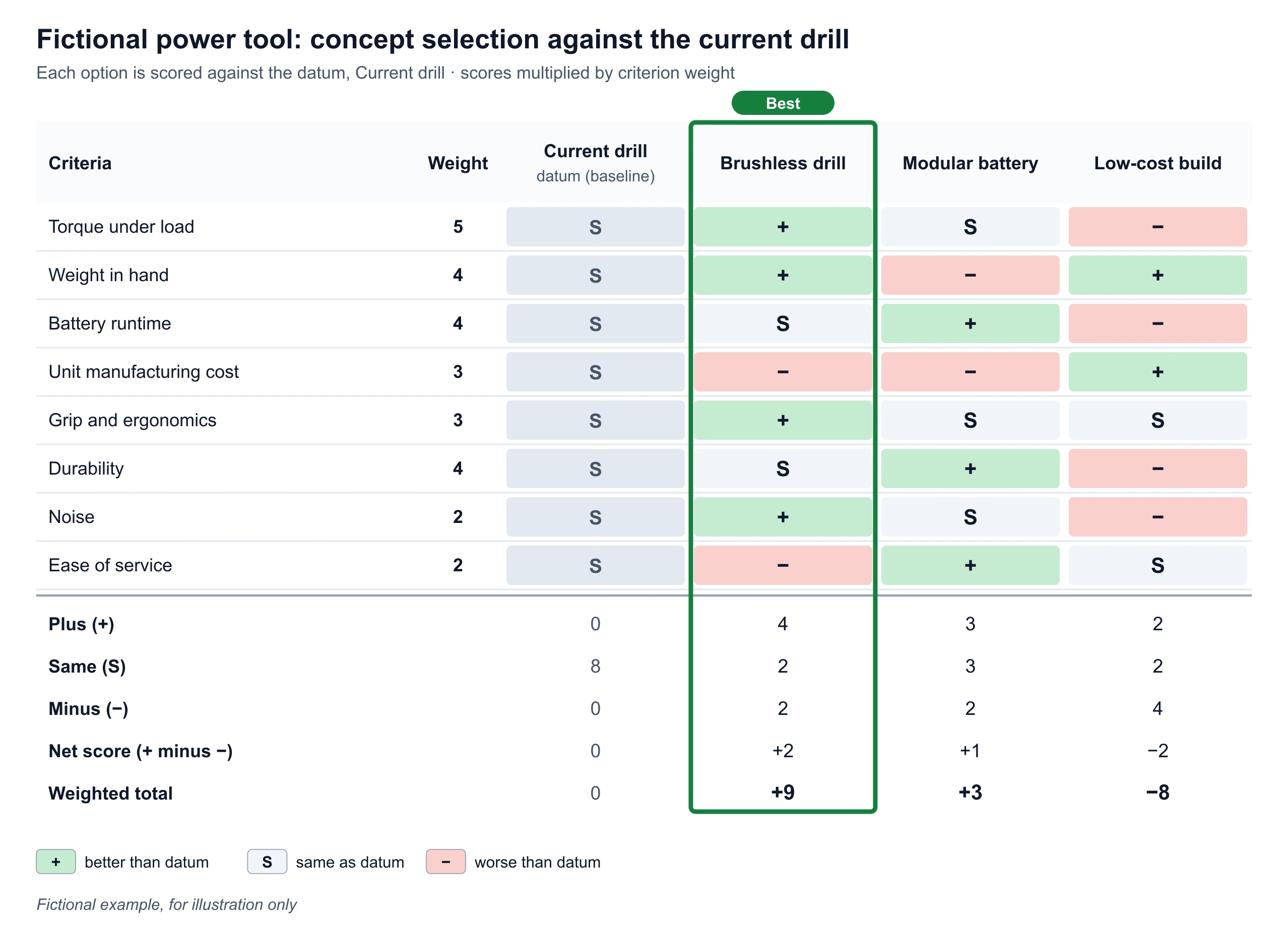
Score options against a datum with +, S and −, weight the criteria, and export a Pugh matrix.