Pie Chart Maker Pie Charts
Create professional pie charts instantly. Describe your data or upload a CSV — get a clean, labeled pie chart ready for presentations and reports.
Describe what you want — AI generates a visually polished pie chart illustration
Pie Chart Maker
Free to try ·
Your pie chart will appear here
Describe the pie chart you want
Pie Chart Maker
Free to try ·
Your pie chart will appear here
Upload data to generate a precise pie chart
Pie Chart Examples
Browse pie chart examples or generate your own above
Market Share Pie Chart
Clean market share pie chart with distinct colors and outside percentage labels.
Budget Allocation Chart
Budget allocation pie chart suitable for financial reports and presentations.
Energy Sources Distribution
Energy mix pie chart for environmental and science presentations.
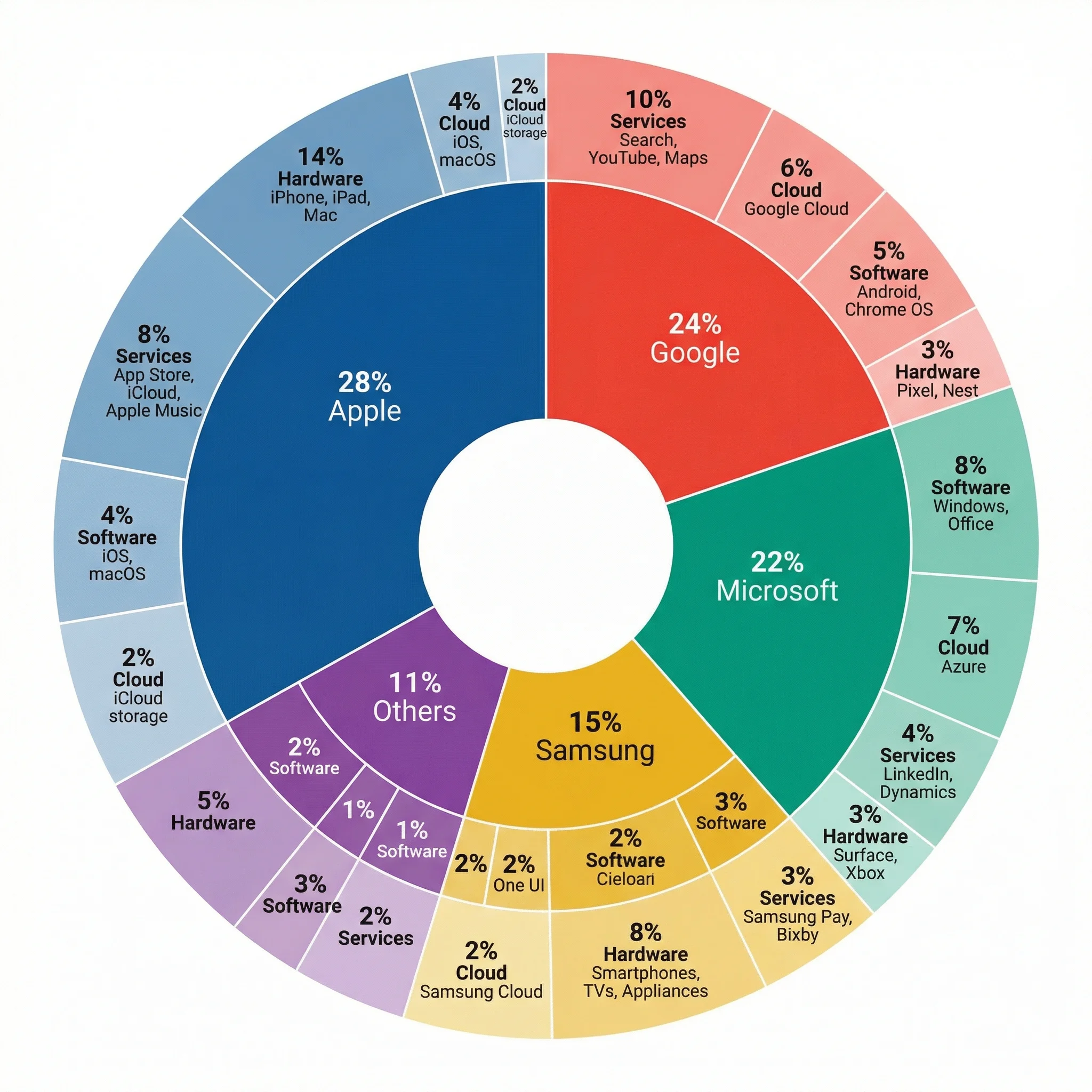
Nested Market Breakdown
Multi-level pie chart showing both category and subcategory proportions.
Population Demographics
Demographic distribution pie chart for social science research.
Research Methodology Mix
Research methodology pie chart for academic literature reviews.
What is a Pie Chart?
A pie chart is a circular graph that displays data as proportional slices of a whole. Each slice represents a category, and its size corresponds to the percentage or proportion that category contributes to the total. Pie charts are among the most widely recognized data visualizations, making them effective for communicating part-to-whole relationships to any audience.
When to Use a Pie Chart
- Showing how a total is divided into proportional parts (budget, market share, survey results)
- Communicating simple compositions with 5 or fewer categories
- Presenting part-to-whole relationships where the total is meaningful
- Creating quick visual summaries for non-technical audiences
- Comparing proportions in dashboards and executive reports
- Displaying categorical breakdowns where exact comparison is less important than overall composition
Pie Chart Design Best Practices
Keep the number of slices under six for readability. Use distinct but harmonious colors and avoid 3D effects that distort proportions. Place labels outside the chart when slices are small. Sort slices by size for easier scanning. Consider a doughnut chart for a lighter visual feel on dashboards. If readers need precise comparisons between categories, a bar chart is often more effective than a pie chart.
Pie Chart vs Other Chart Types
Pie charts excel at showing part-to-whole relationships but struggle with many categories or close values. Bar charts are better for ranking and precise comparison. Doughnut charts offer a modern alternative with space for a central label. Treemaps work better for hierarchical proportions with many categories. Stacked bar charts enable period-to-period proportion comparison, which multiple pie charts handle poorly.
Frequently Asked Questions
More Chart Tools
VisualizationAI Chart Generator
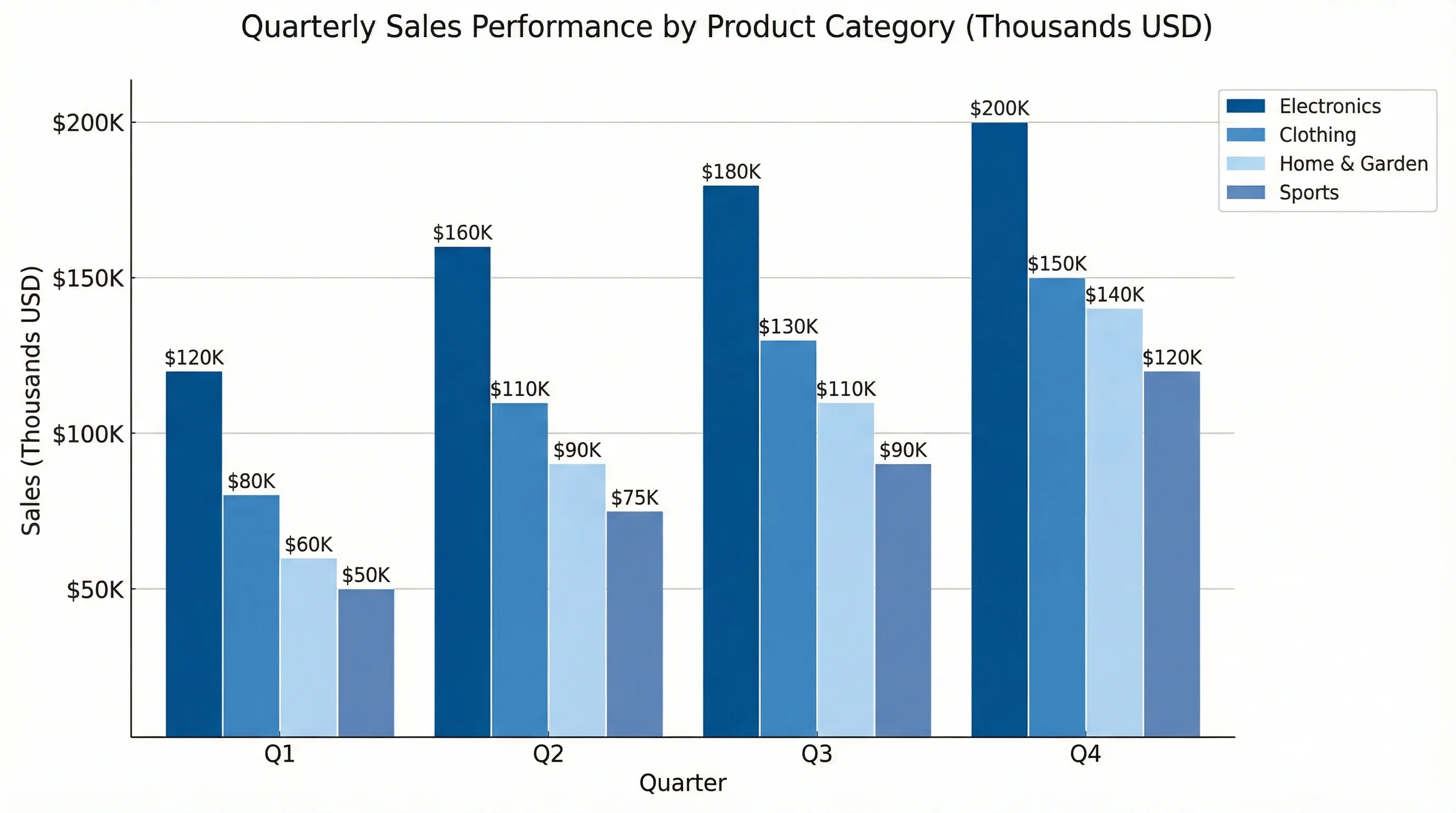
Create bar charts, line charts, and other data visualizations from text descriptions.
VisualizationMulti-Layer Pie Chart Maker
Create nested pie charts showing both category and subcategory breakdowns.
VisualizationAI Infographic Generator
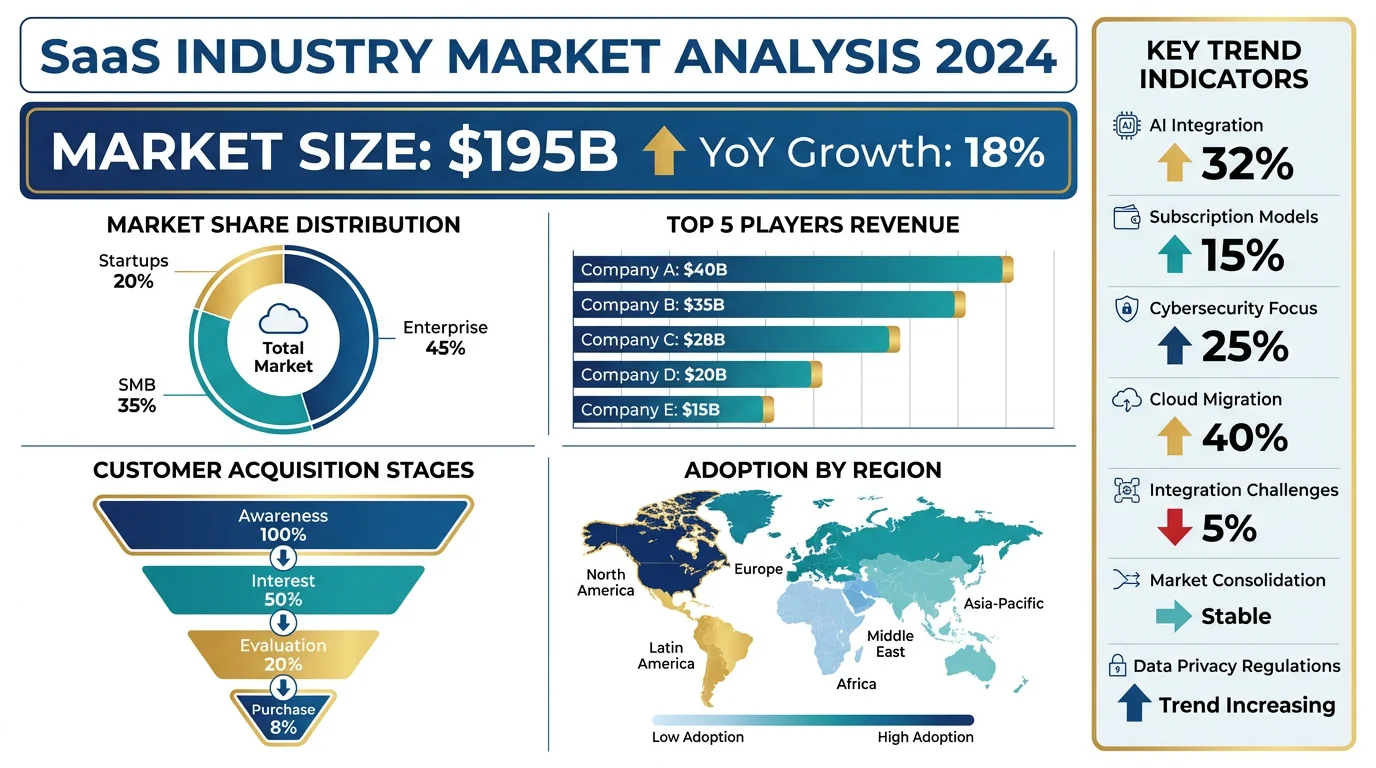
Create data-rich infographics combining charts, icons, and text.