PRISMA Flow Diagram Generator PRISMA 2020 Template, Free
Make a PRISMA 2020 flow diagram online, free. Fill in your record counts for a precise, auto-laid-out diagram, or describe your review for an AI illustration — then download an editable SVG for your systematic review or meta-analysis.
Enter your record counts — renders an exact PRISMA 2020 flow diagram as SVG, free
PRISMA 2020 counts
Fill in the numbers — rendered as SVG.
Identification
Screening
Included
Standard PRISMA 2020 template with the Identification, Screening, and Included phases. Edit the counts on the left and download an editable SVG for your manuscript, thesis, or slides.
PRISMA Flow Diagram Generator
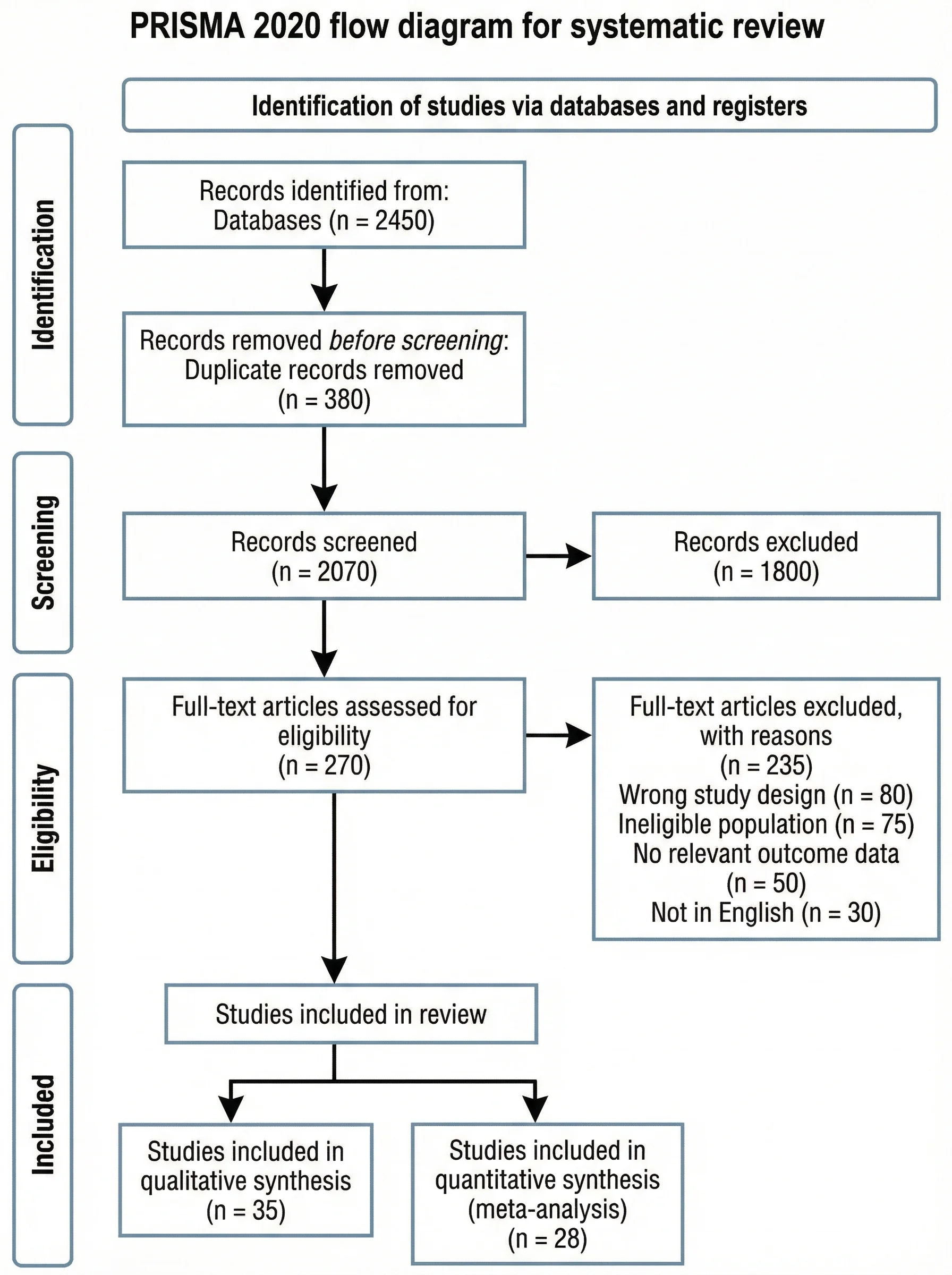 Ejemplo: Standard PRISMA 2020Ver tamaño completo
Gratis para probar ·
Your PRISMA flow diagram will appear here
Enter your review numbers and click Generate
PRISMA Flow Diagram Examples
Systematic reviews, meta-analyses, and scoping reviews on the PRISMA 2020 template
Standard PRISMA 2020
The default PRISMA 2020 layout — phase ribbon down the left, main column, and side exclusion boxes.
Multiple Databases
For searches across several databases — totals roll up into the identification stage.
Scoping Review
Adapts to scoping-review methodology, including grey literature and charted sources.
Databases + Other Methods
Captures records found through databases plus other methods like citation searching.
Meta-Analysis
Tracks studies through to both qualitative synthesis and the quantitative meta-analysis.
Clean Template
A minimal, student-friendly version — ideal for a thesis appendix or classroom example.
What is a PRISMA flow diagram?
A PRISMA flow diagram is the standard chart that shows how studies were found, screened, and selected during a systematic review or meta-analysis. PRISMA stands for Preferred Reporting Items for Systematic Reviews and Meta-Analyses, and the flow diagram is the part that makes your study-selection process transparent: it counts every record from the initial database search down to the studies finally included, and records exactly why others were dropped along the way. Journals across medicine, nursing, psychology, public health, and the social sciences expect this diagram, and this generator draws the official template for you — you just supply the numbers.
The three phases of PRISMA 2020
- Identification: the records you found in databases and registers, and the records removed before screening — duplicates, those flagged by automation tools, and any removed for other reasons.
- Screening: the records screened and the records excluded; the reports sought for retrieval and any not retrieved; and the reports assessed for eligibility together with the reports excluded, with reasons.
- Included: the studies included in the review, and the reports of those included studies that you go on to synthesize.
Two ways to build your diagram here
- Precise mode: type your record counts into the labeled fields and the tool lays out the exact PRISMA 2020 template — phase ribbon, main column, side exclusion boxes, and connecting arrows — with your numbers in place. Nothing to drag, align, or redraw.
- AI illustration mode: describe your review in plain English and the tool generates a polished, presentation-ready PRISMA illustration with clean academic styling.
- Use Precise mode for anything that must be reproducible and correct — a journal submission, thesis, or registered protocol; use AI mode when you want a styled graphic for a talk or poster.
How to make a PRISMA flow diagram
- Enter how many records you identified from databases and registers, and how many were removed before screening (duplicates, automation, other).
- Add the records screened and excluded, the reports sought and not retrieved, and the reports assessed and excluded with reasons.
- Enter the studies included in the review and the reports of those included studies.
- Check the live diagram, then download an editable SVG to drop into your manuscript, thesis appendix, or slides.
PRISMA 2020 vs the 2009 version
The PRISMA statement was updated in 2020, and the flow diagram changed with it. The original 2009 version used four phases — Identification, Screening, Eligibility, and Included. PRISMA 2020 simplifies this to three labeled phases (Identification, Screening, Included) and folds the old eligibility step into screening as the "reports assessed for eligibility" box. The 2020 version also makes the "records removed before screening" and the new-methods sources explicit. This generator follows the current 2020 structure, which is what most journals now require — so your diagram matches the latest reporting guideline rather than the deprecated one.
PRISMA flow diagram template: use it in Word or PowerPoint
- The download is an editable SVG, a vector file that stays sharp at any size. Microsoft Word and PowerPoint (2019 and Microsoft 365) can insert an SVG directly through Insert > Pictures, and Illustrator, Inkscape, and Figma open it for further edits.
- Precise mode also has a Download PNG button next to Download SVG. The PNG is rendered at 2x size on a white background, free and with no sign-up, for submission systems and tools that do not accept SVG. There is no PDF download, so export one from Word, PowerPoint, or a vector editor if you need it.
- The official PRISMA site also publishes blank Word and PDF templates. This generator is the faster route when you already have your counts, because it draws the boxes, arrows, and phase ribbon for you.
What goes in each box of the PRISMA 2020 flow diagram
- Records identified from databases and registers: the total hits across every database and register you searched, before any removal.
- Records removed before screening: duplicates, records marked as ineligible by automation tools, and records removed for other reasons. Enter each of the three separately.
- Records screened and records excluded: title and abstract screening. Records screened equals identified minus the records removed before screening.
- Reports sought for retrieval and reports not retrieved: full texts you tried to get, and those you could not find.
- Reports assessed for eligibility and reports excluded, with reasons: full-text screening. Precise mode takes the total number excluded; PRISMA 2020 asks you to list each reason with its own count (wrong population, wrong outcome, wrong study design, and so on), so add that breakdown in the diagram with a vector editor or in your manuscript text.
- Studies included in review and reports of included studies: the final set, noting that one study can have several reports.
- Worked example: 2,450 records identified, 380 duplicates removed, 2,070 screened, 1,800 excluded, 270 reports sought, 0 not retrieved, 270 assessed, 235 excluded with reasons, 35 studies included. Each line follows from the one above it, which is the arithmetic check reviewers look for.
PRISMA flow diagram templates
- The PRISMA 2020 statement (Page MJ et al., BMJ 2021;372:n71) gives four flow diagram templates, depending on whether the review is new or updated and where the records came from. Precise mode has a Layout selector with all four, and each one checks that your counts add up.
- New review, databases and registers only: the standard template. Use it when every record came from searching bibliographic databases and registers. This is the default layout.
- New review, databases, registers and other sources: adds the "Identification of studies via other methods" column. Use it when you also found records by hand, for example from websites, organisations, or citation searching. Those records go through their own reports sought, reports not retrieved, reports assessed for eligibility, and reports excluded boxes, and the reports kept join the included studies.
- Updated review, databases and registers only: use it when you are updating an earlier version of a review. A "Previous studies" column shows the studies and reports included in the previous version, the new search is drawn as "Identification of new studies via databases and registers", and a "Total studies included in review" box adds previous and new studies together.
- Updated review, databases, registers and other sources: the updated-review layout with the other methods column as well.
- The updated-review and other-sources layouts use the box names from the official templates published by the PRISMA group. The default layout shortens a few labels (for example "Duplicates removed"). Two simplifications apply to every layout: records from databases and registers are entered as one total rather than two separate counts, and precise mode takes the total number of reports excluded in each column rather than a count per reason. Add the separate counts or the per-reason breakdown in a vector editor or in your manuscript text.
Scoping reviews and PRISMA-ScR
Scoping reviews are reported against the PRISMA extension for scoping reviews (PRISMA-ScR), a checklist of 20 essential and 2 optional items (Tricco AC et al., Ann Intern Med 2018;169:467-473). The PRISMA-ScR page on prisma-statement.org lists that checklist and its explanation paper and does not list a separate flow diagram template, so we do not offer an official ScR-specific diagram. Many scoping reviews show how sources were selected with the PRISMA 2020 flow diagram layout, and you can use the matching layout above and name your sources of evidence in the box labels in your editor. Check your journal or protocol instructions, since some ask for particular wording.
Why systematic reviews need this diagram
A systematic review is only credible if a reader can see exactly how the included studies were chosen, and the PRISMA flow diagram is what makes that auditable. By reporting every count — records found, duplicates removed, records excluded, reports assessed, and studies included — you let reviewers and readers reproduce your selection and judge whether anything relevant was missed. That transparency is why the diagram is mandatory in most evidence-synthesis journals and why supervisors ask for it in dissertations. Drawing it from a fixed template, rather than freehand, also means the layout stays consistent with thousands of other published reviews.
Preguntas frecuentes
Sources
Checked October 2026.
- Page MJ, McKenzie JE, Bossuyt PM, et al. The PRISMA 2020 statement: an updated guideline for reporting systematic reviews. BMJ 2021;372:n71. Figure 1 and the flow diagram for new and updated reviews. pmc.ncbi.nlm.nih.gov
- PRISMA statement website, PRISMA flow diagram page: four templates (new or updated review; databases and registers only, or with other sources) and their Word files, distributed under CC BY 4.0. prisma-statement.org/prisma-2020-flow-diagram
- PRISMA statement website, PRISMA-Scoping Reviews page: checklist of 20 essential and 2 optional items, and Tricco AC et al. PRISMA extension for scoping reviews (PRISMA-ScR): checklist and explanation. Ann Intern Med 2018;169(7):467-473. prisma-statement.org/scoping
Related Research Tools
 Research
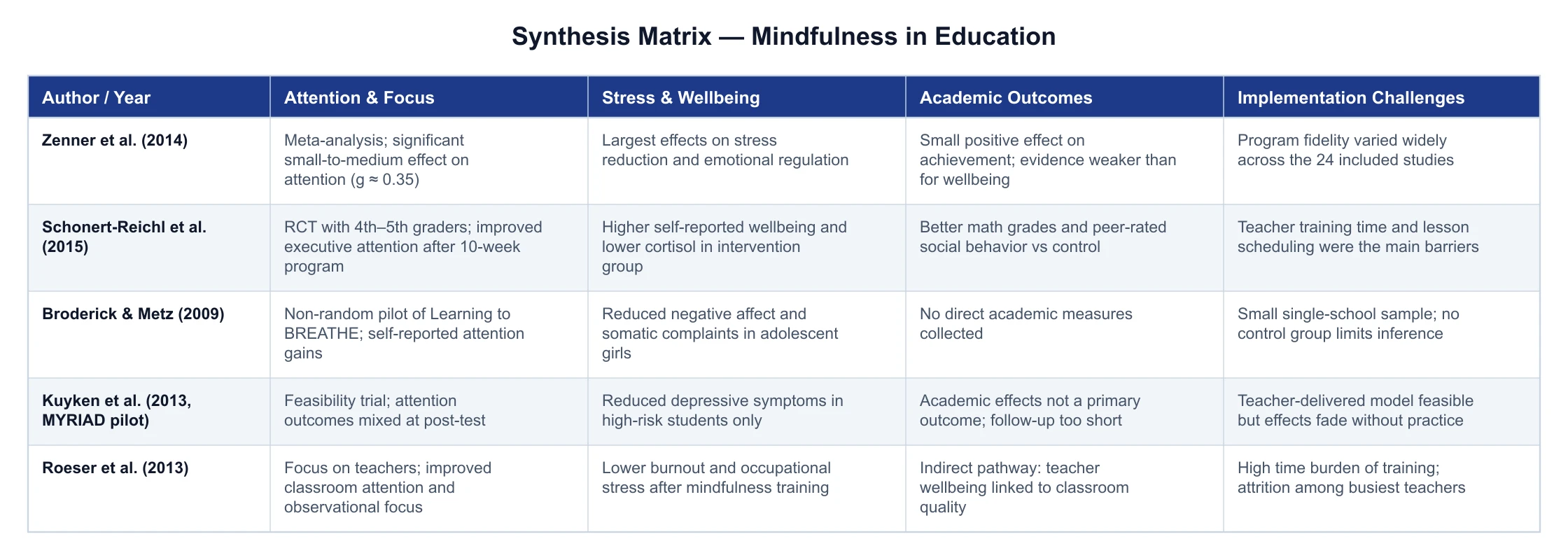
Synthesis Matrix Generator
Build a literature review matrix — sources as rows, themes as columns.
 Research
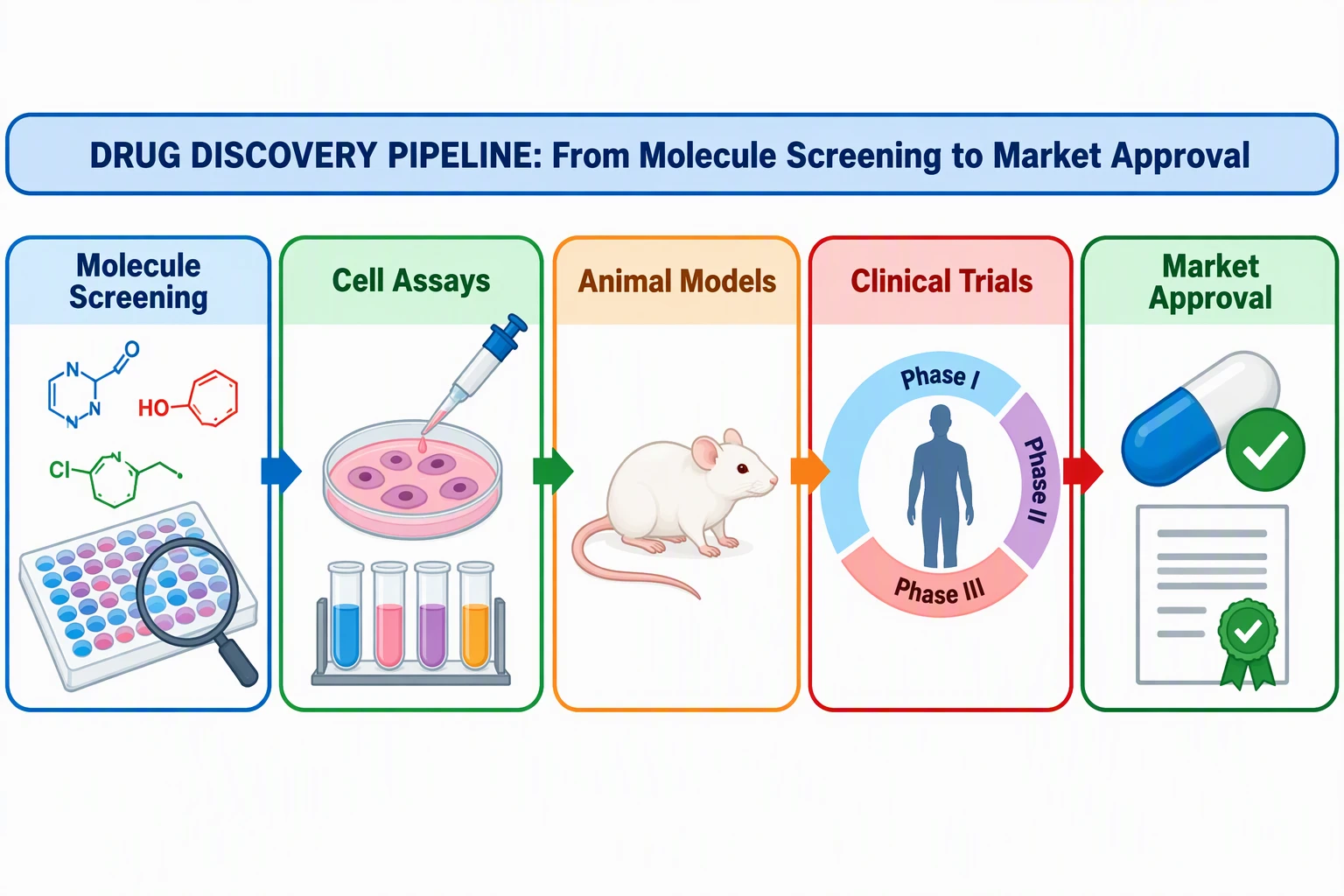
Graphical Abstract Maker
Summarize your study in a single, journal-ready graphical abstract.
 Research
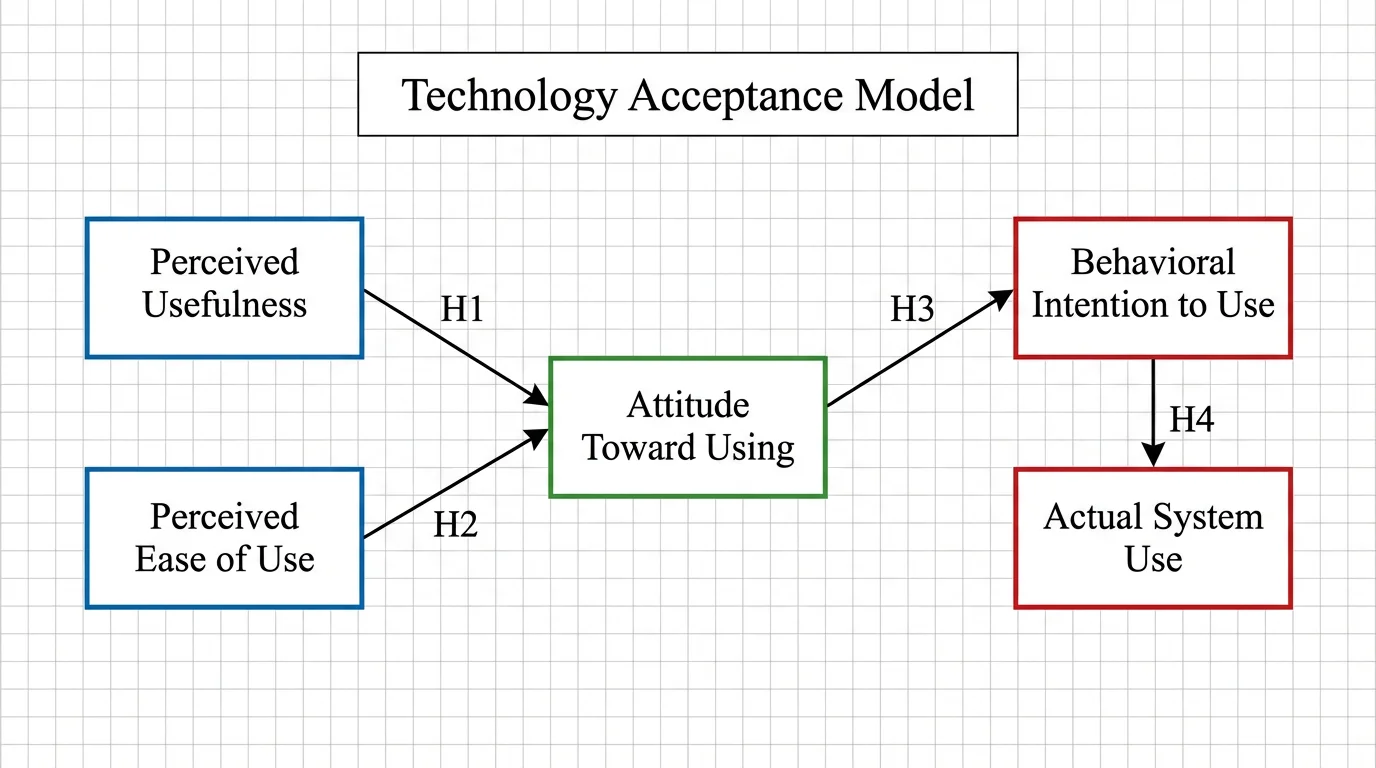
Conceptual Framework Generator
Map variables and relationships into a clear conceptual framework for research.