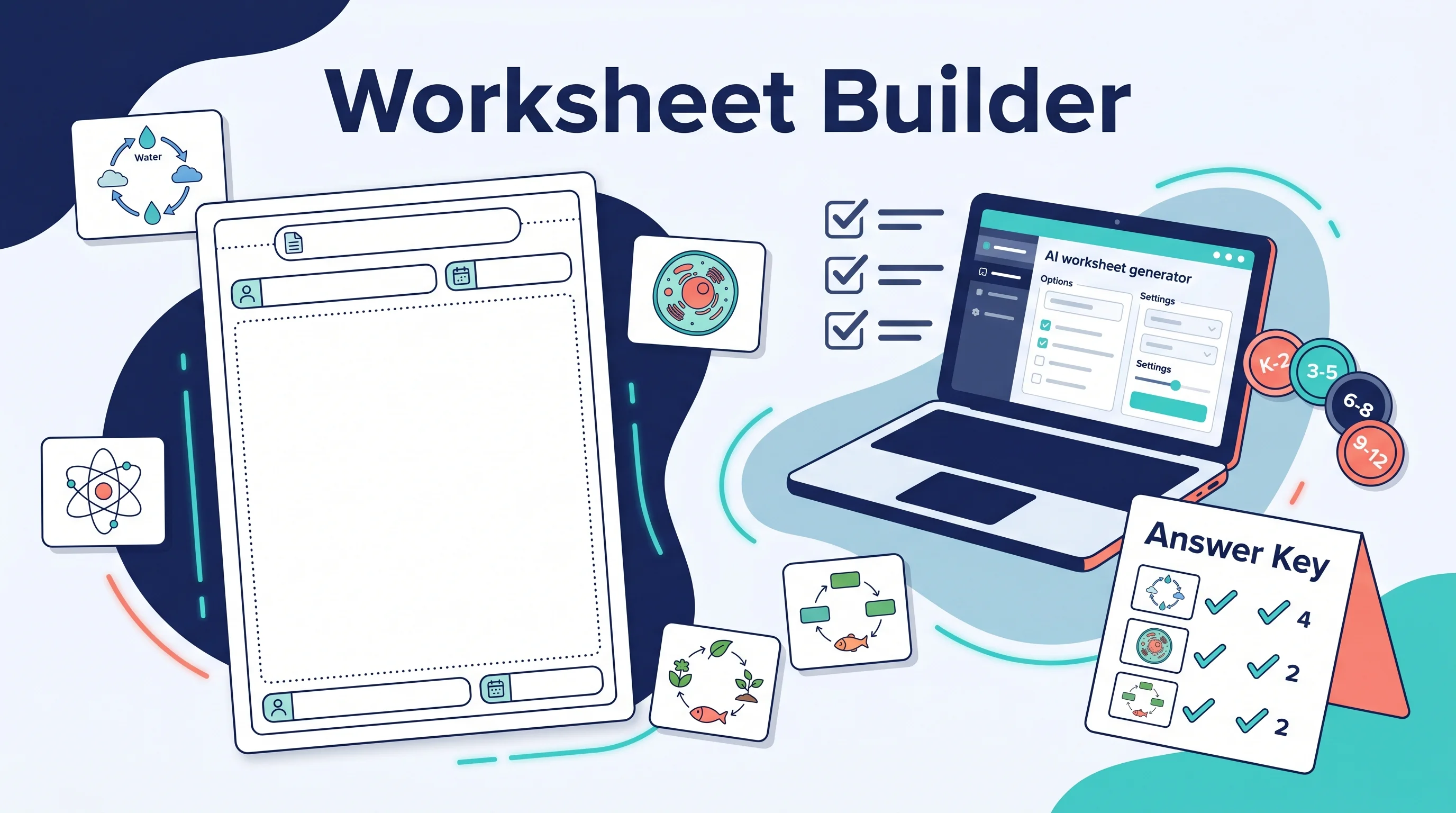
AI Worksheet Generator Guide: Create Printable Worksheets and Answer Keys
Learn how to use an AI worksheet generator for printable classroom worksheets, answer keys, differentiation, diagrams, and teacher review workflows.
An AI worksheet generator can turn a topic, grade level, and question type into a printable classroom handout. That sounds simple, but useful worksheets still need teacher judgment. The best results come from clear learning objectives, age-appropriate prompts, answer-key checks, readable formatting, and a final review before students see the material.
This guide explains how to use AI worksheet generators in a practical classroom workflow: what to ask for, which fields matter, how to create answer keys, how to differentiate versions, and where AI-generated materials need human editing.

AI Worksheet Generator
Create printable worksheets from grade level, subject, topic, question type, difficulty, and source scenarios.
Create a worksheet ->Quick Answer: How Do You Use an AI Worksheet Generator?
To use an AI worksheet generator effectively:
- Start with one learning objective.
- Choose the grade level or reading level.
- Specify the subject, topic, and standard if relevant.
- Pick the worksheet type, such as multiple choice, short answer, matching, word problems, labeling, or mixed practice.
- Set the number of questions and difficulty level.
- Ask for a separate answer key.
- Review every answer, especially math, science, and source-based questions.
- Edit wording, spacing, accessibility, and classroom instructions before printing.
The goal is not to let AI replace planning. The goal is to make a strong first draft faster so the teacher can spend more time adapting it to students.
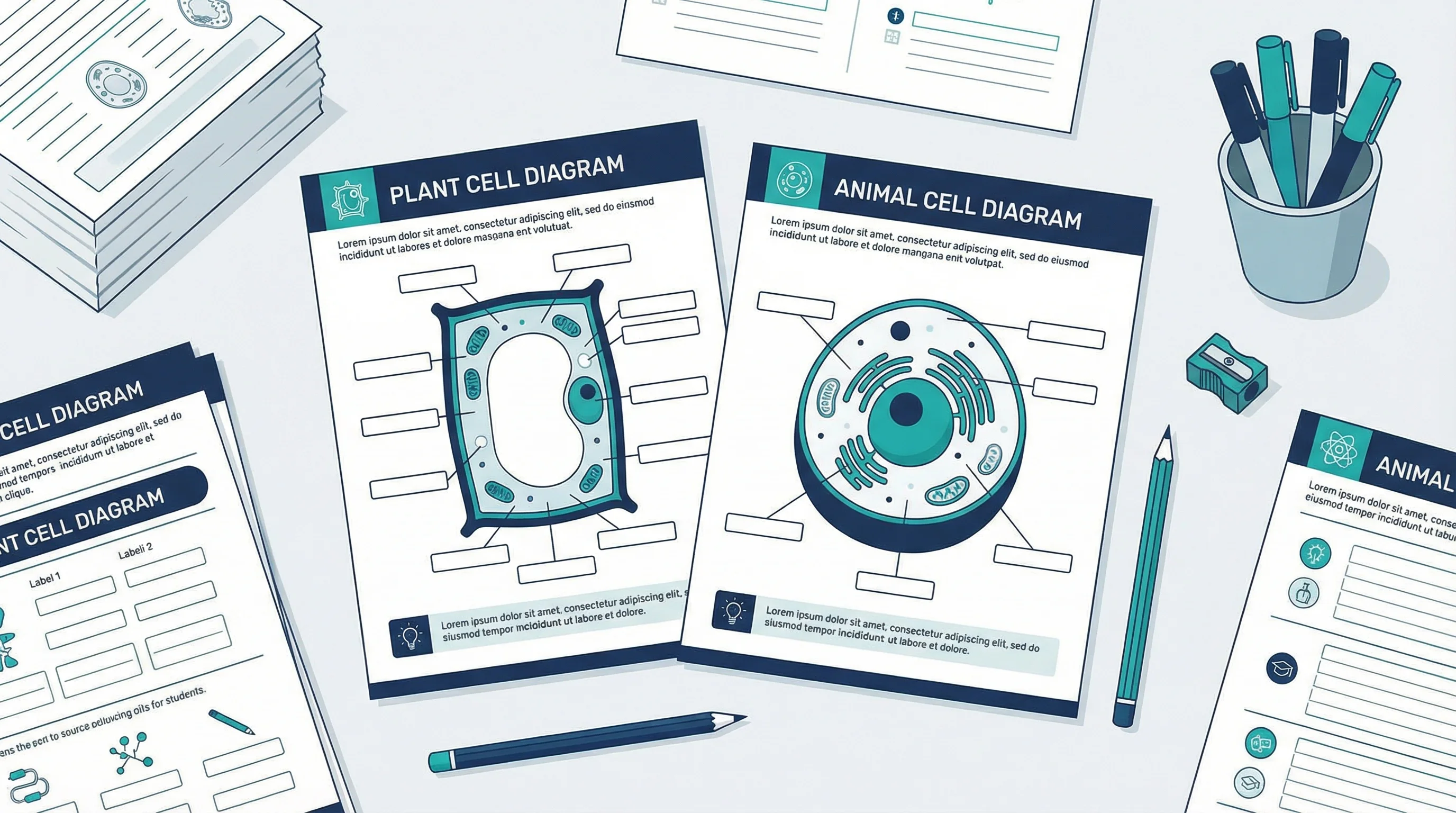
AI can draft questions quickly, but classroom worksheets still need clear visuals, space for student work, and teacher-reviewed answer keys.
What Teachers Need from an AI Worksheet Generator
An AI worksheet generator is useful only if it produces materials a teacher can actually use in class. That means more than a set of AI-written questions. Teachers usually need printable output, answer keys, grade-level targeting, subject controls, and enough structure to edit the worksheet before students see it.
WorksheetGen focuses on printable worksheets for teachers, tutors, and parents. PlanSpark's worksheet generator asks for topic, grade level, question format, and answer keys. Monsha's worksheet generator emphasizes differentiated and personalized worksheets. Those examples show the practical feature set teachers expect.
Use this checklist when evaluating or prompting any worksheet generator:
| Teacher need | What the generator should provide |
|---|---|
| Save lesson-prep time | Fast first draft from topic and grade level |
| Print or export | Clean layout, PDF or document-ready structure |
| Trust the answers | Separate answer key and review checklist |
| Differentiate | Easier, standard, and challenge versions |
| Fit curriculum | Standards, vocabulary, and learning objectives |
| Add visuals | Diagrams, labels, charts, and graphic organizers |
If a tool only says "AI can write questions," it misses the actual teacher workflow.
What an AI Worksheet Generator Should Include
A strong worksheet generator needs more than a text box. Look for controls that match how teachers plan.
| Feature | Why it matters |
|---|---|
| Grade level | Keeps vocabulary and task complexity age-appropriate |
| Subject and topic | Prevents vague or generic questions |
| Learning objective | Aligns the worksheet with the lesson |
| Question types | Supports practice, assessment, review, and enrichment |
| Difficulty control | Helps create scaffolded versions |
| Answer key | Saves grading time and catches mistakes |
| Export format | Makes the worksheet printable or editable |
| Visual support | Helps science, math, language, and early-grade materials |
| Editing workflow | Lets teachers revise before sharing |
Chalkie's AI worksheet generator frames the workflow around topic, curriculum goals, and editable output. TuroBot similarly emphasizes printable worksheets by year level and subject. Those are strong signals that teachers want usable classroom materials, not only raw AI text.
Step 1: Start with a Learning Objective
The most reliable worksheet prompt begins with the learning goal.
Weak prompt:
Make a worksheet about photosynthesis.Better prompt:
Create a Grade 7 science worksheet where students explain how light, carbon dioxide, and water are used in photosynthesis and identify glucose and oxygen as products.The better version gives the generator:
- Grade level
- Subject
- Topic
- Expected student outcome
- Key vocabulary
Learning objectives also help you decide what kind of questions belong on the worksheet.
| Objective | Better question type |
|---|---|
| Recall vocabulary | Matching, fill-in-the-blank, labeling |
| Explain a process | Short answer, sequencing, diagram annotation |
| Apply a method | Word problems, worked examples |
| Compare concepts | Venn diagram, table completion |
| Evaluate evidence | Source analysis, claim-evidence-reasoning |
If the worksheet has no objective, it often becomes a random question list.
Step 2: Choose the Right Worksheet Type
Different worksheet types solve different classroom problems.
| Worksheet type | Best for |
|---|---|
| Multiple choice | Quick checks and review |
| Short answer | Explanation and vocabulary use |
| Matching | Terms, definitions, symbols, and examples |
| Fill-in-the-blank | Key facts and sentence frames |
| Word problems | Math and applied science practice |
| Labeling diagram | Biology, geography, anatomy, circuits |
| Sequencing | Processes, timelines, procedures |
| Graphic organizer | Compare, classify, summarize, plan |
| Exit ticket | End-of-lesson check |
Do not ask for every type at once. A focused worksheet is easier to teach, print, and grade.
For example, a science teacher might create:
Create a Grade 6 worksheet on the water cycle with:
- 6 vocabulary matching questions
- 1 diagram labeling activity
- 3 short-answer questions
- a separate answer key
Use simple classroom language.
That prompt gives enough structure without overloading the page.
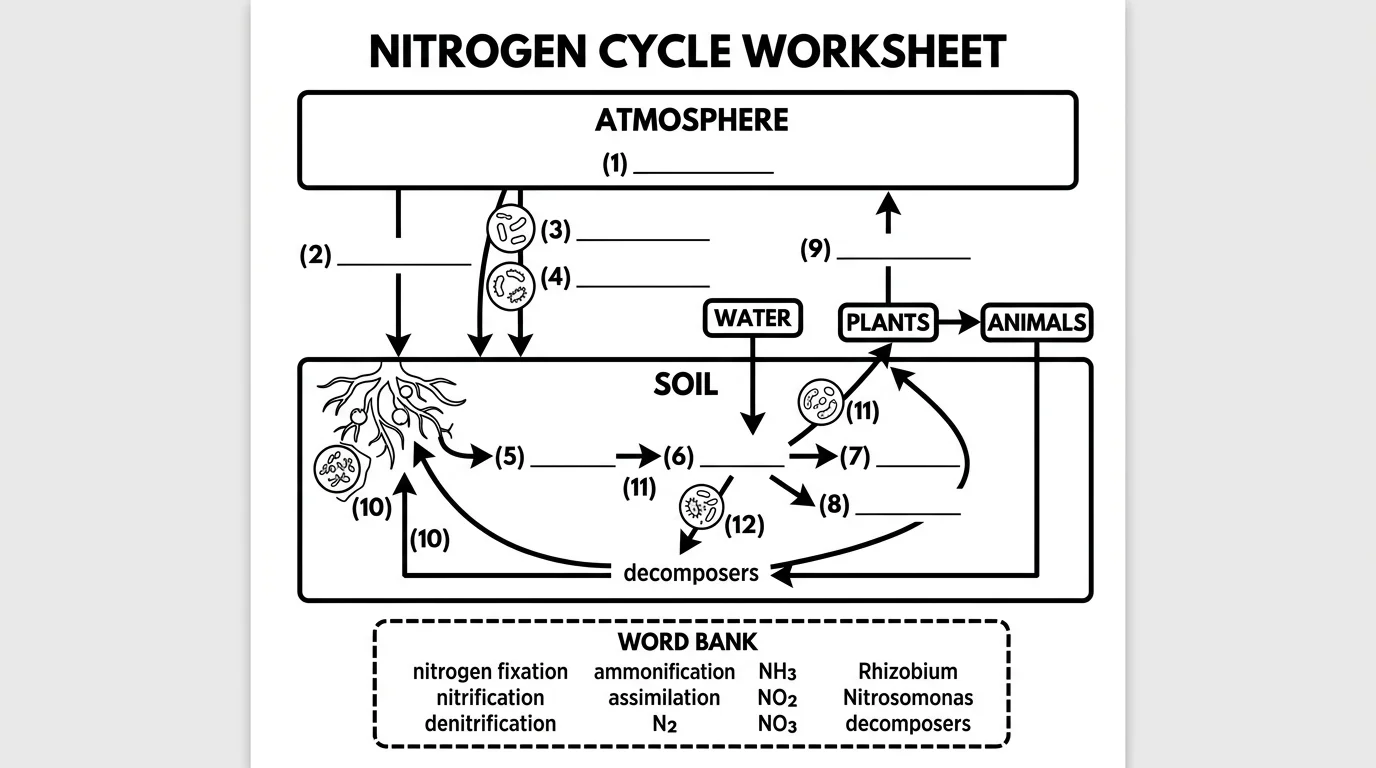
Diagram labeling activities are one of the strongest uses for AI-assisted worksheet preparation, as long as the labels and answer key are checked.
Step 3: Add Grade Level and Differentiation
Many AI worksheets fail because the reading level is wrong. The content may be correct, but the language is too advanced, too childish, or mismatched to the students' prior knowledge.
Ask for level explicitly:
Write for Grade 5 students. Use short instructions, familiar vocabulary, and one example before the independent practice section.For differentiation, ask for versions:
| Version | What to change |
|---|---|
| Support | Fewer questions, word bank, sentence starters |
| Standard | Grade-level questions and normal spacing |
| Challenge | Multi-step questions, explanation prompts, extension task |
| ELL / multilingual support | Simpler sentence structure, vocabulary box, visual cues |
| IEP accommodation | Larger spacing, reduced item count, clear step-by-step directions |
UNESCO's guidance for generative AI in education and research emphasizes a human-centered approach to generative AI in education. In worksheet terms, that means the teacher remains responsible for alignment, accessibility, and student needs.
Step 4: Always Generate an Answer Key
Ask for the answer key separately from the student version.
Prompt pattern:
Create two sections:
1. Student Worksheet - questions only
2. Teacher Answer Key - correct answers with brief explanations
For math and science, also ask for reasoning:
For each answer, include a one-sentence explanation so I can check whether the reasoning is correct.This matters because AI can produce fluent but wrong answers. It can also generate a correct final answer with an incorrect explanation. The answer key is not just for students. It is also a teacher review tool.
Use this review checklist:
| Check | What to look for |
|---|---|
| Accuracy | Are all answers correct? |
| Alignment | Do questions match the objective? |
| Reading level | Can students understand the wording? |
| Ambiguity | Could more than one answer be reasonable? |
| Bias | Are names, examples, and contexts inclusive? |
| Workload | Can students finish in the available time? |
| Layout | Is there enough space to answer? |
For high-stakes assessment, do not rely on AI output without subject-matter review.
Step 5: Add Visuals Without Making the Page Busy
Worksheets often need visuals: diagrams, charts, maps, graphic organizers, or simple line art. AI can help, but the visual must match the learning task.
Good visual uses:
- Label the parts of a cell.
- Complete a food web.
- Annotate a circuit diagram.
- Compare plant and animal cells.
- Interpret a chart.
- Fill a concept map.
- Sequence a life cycle.
Weak visual uses:
- Decorative clip art that does not support the task.
- Crowded illustrations with tiny labels.
- Diagrams with inaccurate science.
- Images that leave no writing space.
ConceptViz is useful here because many teachers need structured printable output: student questions, answer keys, word banks, worked examples, and clean visuals for diagram-based tasks. You can use the worksheet generator for the handout structure, then pair it with subject-specific diagram tools when the lesson needs a separate visual.

Plant Cell Diagram Generator
Create labeled or unlabeled plant cell diagrams for science worksheets, quizzes, and classroom review.
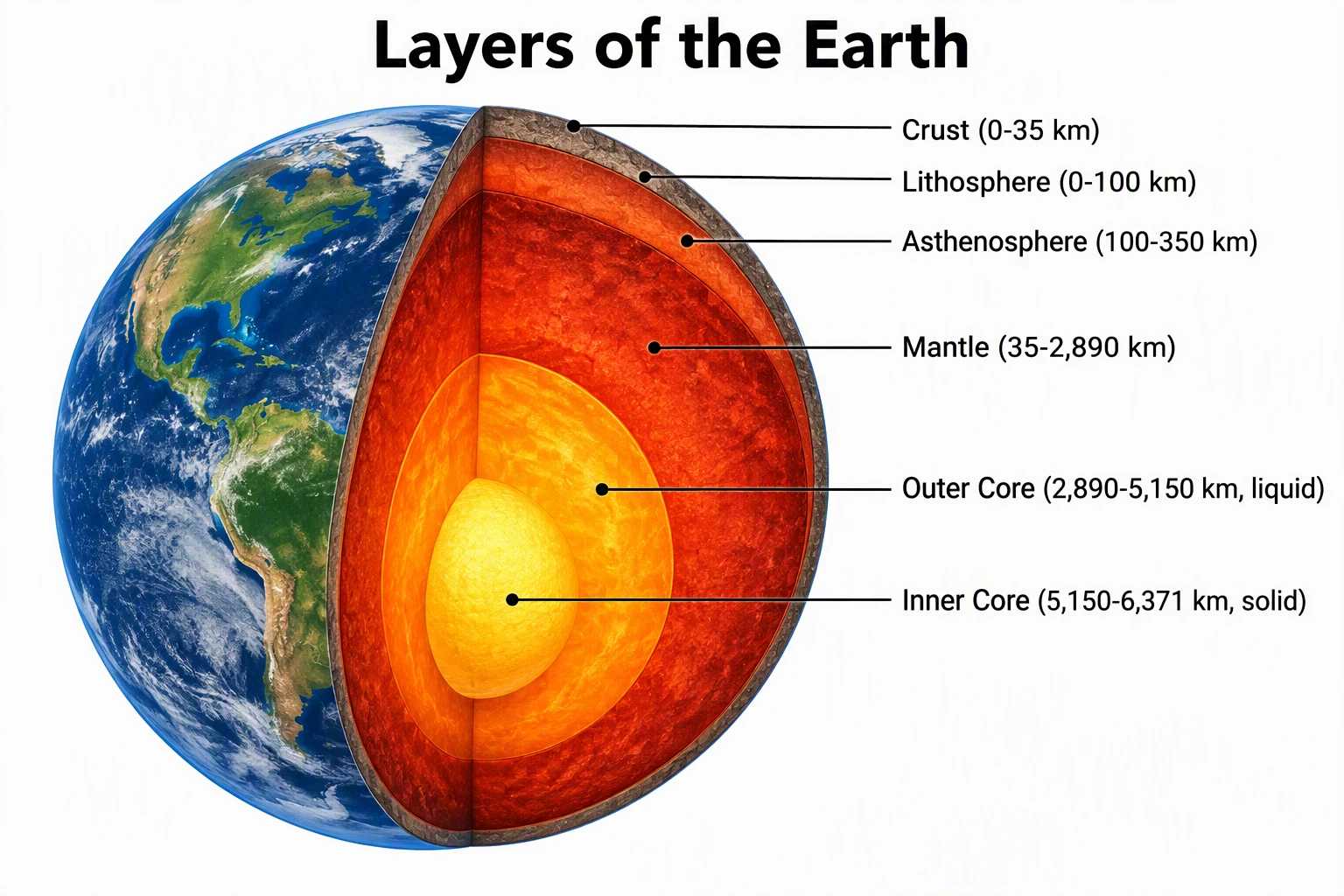
Science Drawing Generator
Generate simple science drawings for handouts, labeling activities, and classroom explanations.
Prompt Templates for Teachers
Use these templates as starting points.
General worksheet
Create a printable worksheet for Grade [level] [subject].
Topic: [topic]
Learning objective: Students will be able to [objective].
Include:
- [number] multiple-choice questions
- [number] short-answer questions
- [number] vocabulary matching questions
- one extension question
Use clear student-friendly instructions.
Create a separate teacher answer key.
Differentiated worksheet
Create three versions of a Grade [level] worksheet on [topic]:
1. Support version with a word bank and fewer questions
2. Standard version at grade level
3. Challenge version with one multi-step application question
Keep the same learning objective across all versions.
Include answer keys for each version.
Science diagram worksheet
Create a Grade [level] science worksheet about [process or structure].
Include:
- a short vocabulary box
- a diagram labeling activity
- 5 comprehension questions
- 2 explain-your-thinking questions
The diagram should have clear labels or numbered blanks.
Include a teacher answer key.
Reading comprehension worksheet
Create a reading comprehension worksheet for Grade [level].
Topic or passage: [paste passage or topic]
Include:
- 5 literal comprehension questions
- 3 inference questions
- 2 vocabulary-in-context questions
- one short writing prompt
Add a separate answer key.
How to Evaluate AI Worksheet Tools
Use this scoring table when comparing tools:
| Criteria | What good looks like |
|---|---|
| Accuracy | Correct answers and explanations |
| Grade fit | Vocabulary and difficulty match students |
| Editability | Teacher can revise before exporting |
| Export | Printable PDF or editable document |
| Answer keys | Student and teacher versions are separated |
| Differentiation | Easy, standard, and challenge versions |
| Visual support | Diagrams or image prompts where needed |
| Privacy | No unnecessary student data required |
| Cost | Free tier is usable for real planning |
WorksheetsGenerator and Sheetworks both reflect the market expectation that worksheets should be printable and classroom-ready. If a tool only outputs raw text with no layout or answer-key workflow, it may still help, but it is not solving the full worksheet problem.
Privacy and Student Data
Do not paste identifiable student information into a worksheet generator unless your school has approved the tool and data policy.
Safe inputs:
- Grade level
- Topic
- Standard or learning objective
- General class needs
- Non-identifying examples
Avoid:
- Student names
- Grades tied to individual students
- IEP details with identifying information
- Private classroom incidents
- Parent or medical information
The U.S. Department of Education's AI guidance has emphasized privacy and responsible adoption in schools. For classroom worksheet generation, a practical rule is simple: use AI to create materials, not to expose student records.
Common Mistakes
Asking for too much at once
A prompt that asks for every question type, three reading levels, a rubric, a quiz, a lesson plan, and a slide deck usually produces generic output. Generate one artifact at a time.
Skipping the answer check
AI can make arithmetic errors, invent facts, or write ambiguous questions. Always review the answer key.
Making worksheets too text-heavy
Students need white space, examples, and clear directions. A dense page may save paper but reduce learning value.
Ignoring local curriculum language
If your school uses specific standards, vocabulary, or assessment formats, include them in the prompt and revise the output.
Using copyrighted passages without care
If you paste a copyrighted reading passage into a tool, make sure you have the right to use it. For public classroom sharing, use your own text, licensed materials, or public-domain sources.
Forgetting accessibility
Use readable fonts, sufficient spacing, clear contrast, and alternate formats when needed. Avoid tiny diagrams and crowded answer blanks.
A Practical Teacher Workflow
Here is a reliable workflow for a 20-minute worksheet build:
- Write the learning objective.
- Choose one worksheet type.
- Generate a first draft.
- Generate a separate answer key.
- Check accuracy.
- Adjust reading level.
- Add or replace visuals.
- Format for print.
- Save student and teacher versions separately.
- After class, note which questions worked and reuse the structure.
For example, a middle-school science teacher could generate a first draft on the nitrogen cycle, replace the generic image with a clean unlabeled diagram, and then use the answer key to verify labels and short-answer responses.
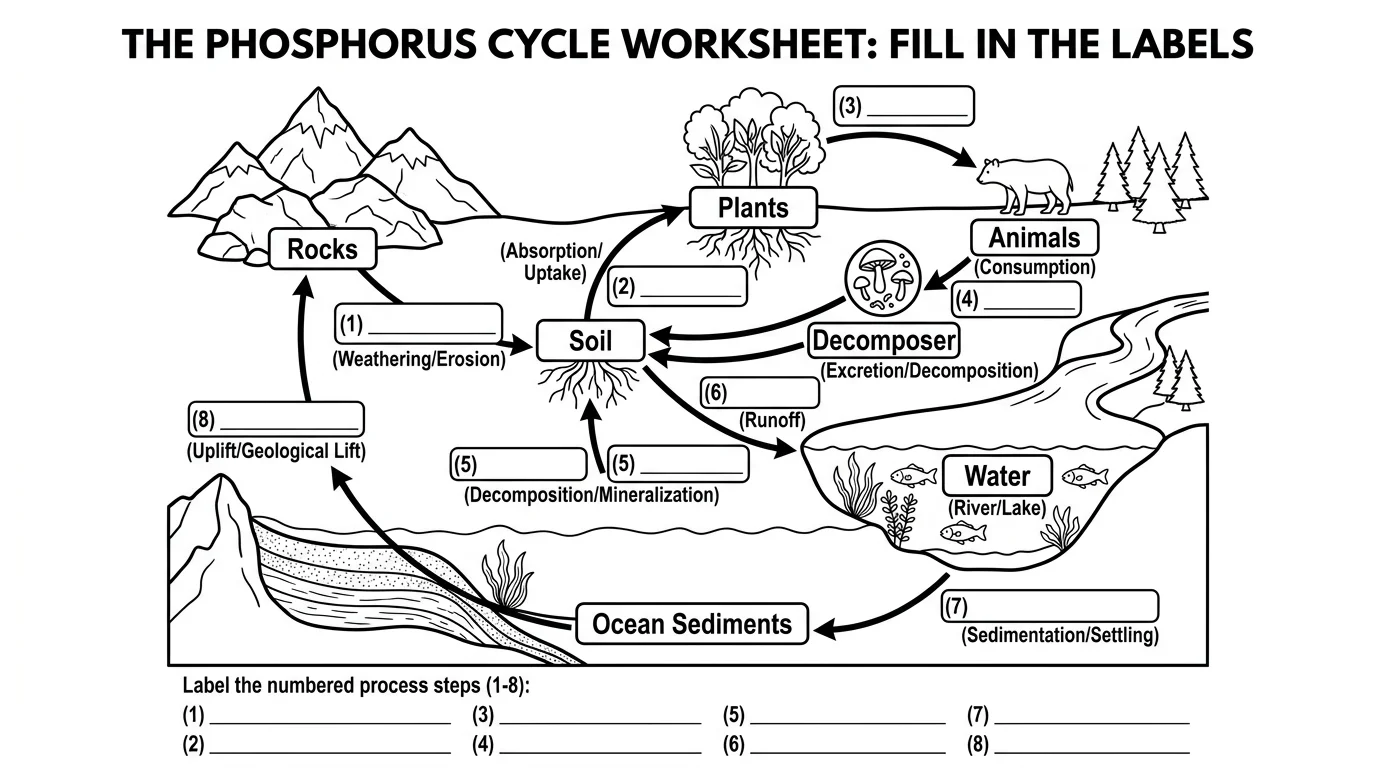
Blank diagrams work well when students need retrieval practice instead of passively reading a labeled reference.
Should You Use a Dedicated AI Worksheet Generator or ChatGPT?
Both can work.
| Option | Strength | Limitation |
|---|---|---|
| Dedicated worksheet generator | Faster layout, PDFs, answer keys, grade controls | Less flexible for unusual lessons |
| ChatGPT or general AI assistant | Flexible prompts and revision | You handle formatting and quality control |
| Canva or document editor | Layout and classroom design | Less automatic question generation |
| ConceptViz | Science diagrams and worksheet visuals | Not a full worksheet/PDF generator |
For everyday classroom use, many teachers combine tools: one AI tool drafts questions, another tool creates visuals, and a document editor handles final formatting.
Frequently Asked Questions
What is an AI worksheet generator?
An AI worksheet generator is a tool that creates classroom worksheets from inputs such as topic, grade level, subject, learning objective, question type, and difficulty. Good tools also create answer keys and printable or editable output.
Can AI create printable worksheets?
Yes, many AI worksheet tools can create printable worksheets or PDF-ready content. However, teachers should still review accuracy, formatting, reading level, and answer keys before printing or assigning the worksheet.
What should I put in an AI worksheet prompt?
Include the grade level, subject, topic, learning objective, question types, number of questions, difficulty level, and whether you need an answer key. If you need differentiation, ask for support, standard, and challenge versions.
Can AI make answer keys?
Yes. Ask for a separate teacher answer key with explanations. Still check every answer, especially for math, science, grammar, and source-based questions, because AI-generated answers can be wrong or ambiguous.
Is it safe to put student data into an AI worksheet generator?
Avoid entering identifiable student data unless your school has approved the tool and its data policy. Use grade level, topic, and general class needs instead of names, grades, IEP details, or private student information.
How can I make AI worksheets less generic?
Use a specific learning objective, include your classroom vocabulary, specify question types, add examples of the format you want, and ask for alignment to a particular skill or standard. Then edit the result in your own teaching voice.
Can AI generate differentiated worksheets?
Yes. Ask for multiple versions with the same learning objective: a support version with scaffolds, a standard version, and a challenge version with extension tasks. Review each version to make sure the difficulty difference is meaningful.
Can ConceptViz generate full worksheets?
Yes. ConceptViz includes an AI Worksheet Generator for structured printable worksheets, answer keys, source-based questions, and differentiated versions. It also has classroom visual tools for diagrams, charts, and handout illustrations.
Conclusion
An AI worksheet generator is most useful when teachers treat it as a drafting assistant. It can save time on question generation, answer keys, and differentiated versions, but the teacher still controls the objective, accuracy, accessibility, and classroom fit.
For the best results, start with a clear learning objective, ask for a separate answer key, review every item, and add visuals only when they support the task. A printable worksheet is not just a page of questions. It is a short learning experience, and AI works best when it helps the teacher design that experience more efficiently.
Категории
Ещё публикации

AI Conceptual Framework for Thesis: Prompts, Examples, and Chapter 1 Workflow
Create an AI conceptual framework for thesis work with prompts, examples, variable tables, Chapter 1 writing tips, and validation checks.
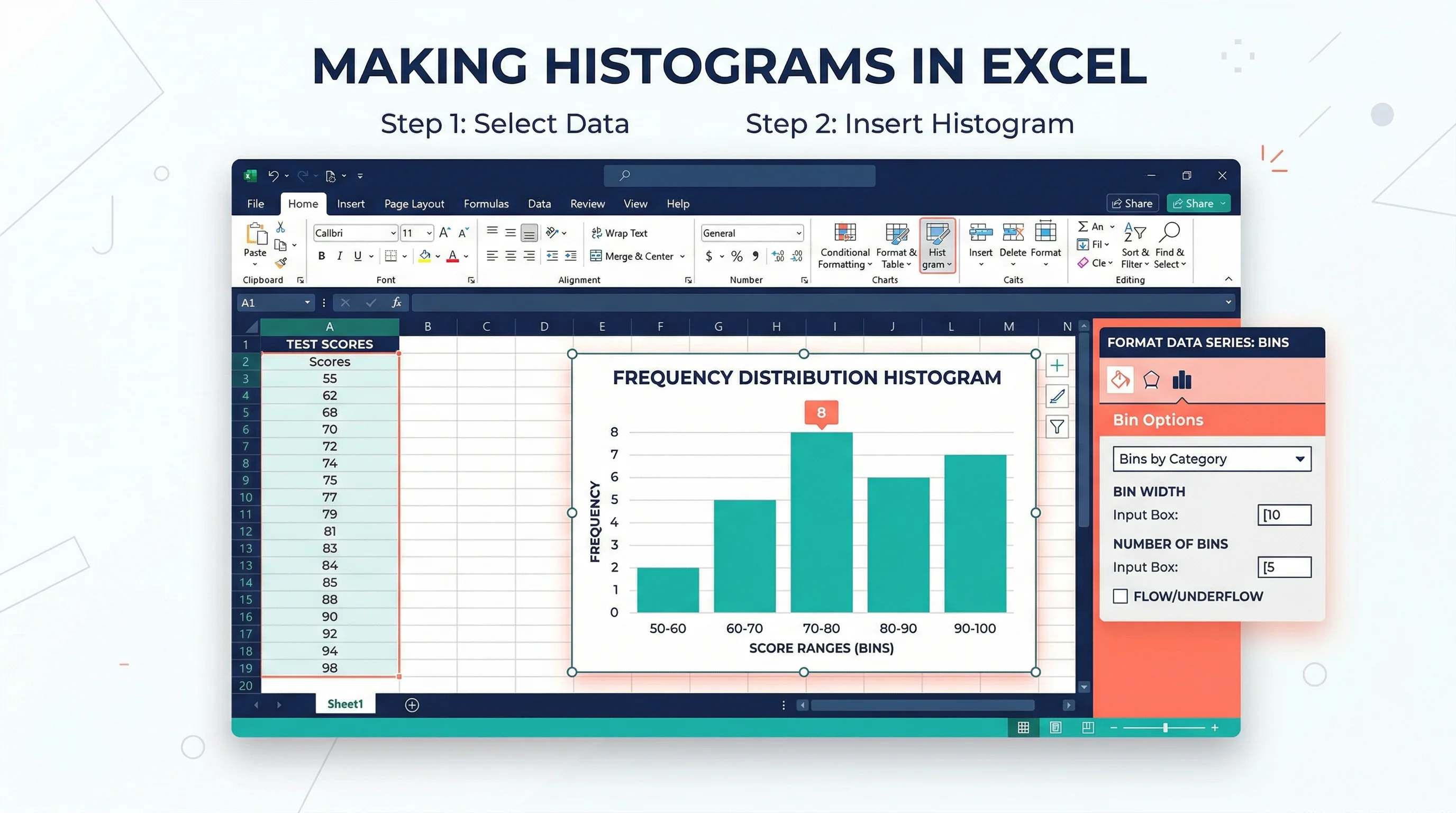
How to Make a Histogram in Excel: Step-by-Step Guide (2026)
Learn how to create a histogram in Excel with the built-in Histogram chart, bin controls, and formatting tips. Covers Excel 365, 2024, 2021, 2019, and 2016.
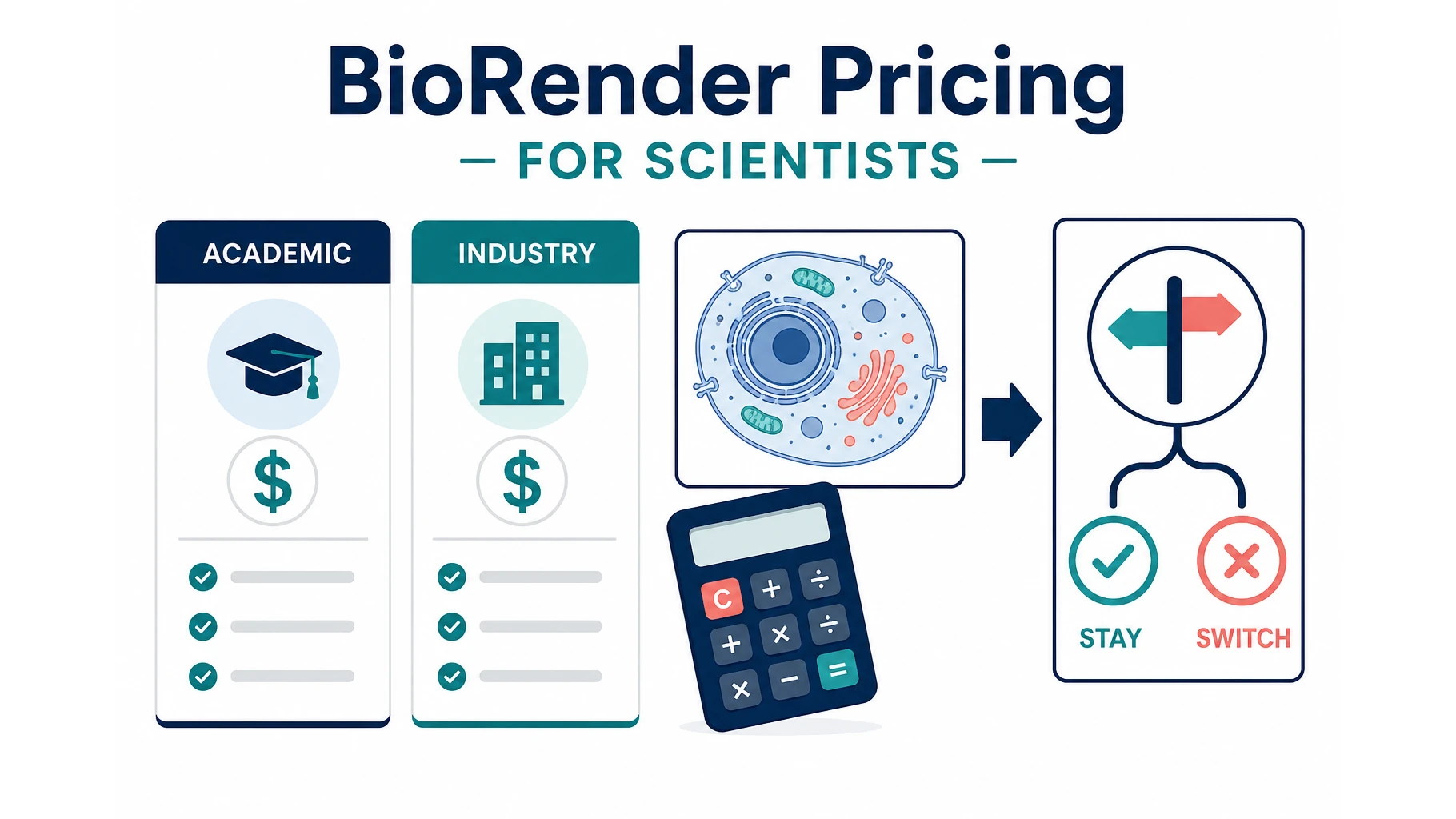
BioRender Pricing 2026: Plans, Academic Cost, When to Switch
BioRender pricing in 2026: Academic Individual is $35/month billed yearly. Compare plans, add-ons, publication rights, and when switching makes sense.